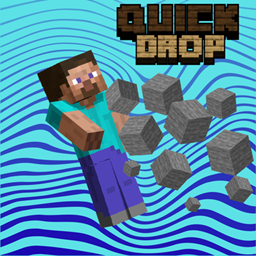
Quick Drop
Drop every item of the same type from your hotbar and inventory at once with one key combo (Ctrl + Shift + Q). Fully configurable, client-side only.
介绍
Quick Drop
Tired of dropping items one stack at a time? Quick Drop lets you throw away every item of the same type in one key press.
Hold Ctrl + Shift and press your Drop key (Q by default). That’s it.
How it works
* Inventory closed: drops all matching items from your hotbar, based on the item in your hand.
undefined* Inventory open: drops all matching items from your hotbar, main inventory and offhand, based on the item under your cursor.
Normal Ctrl + Q still works exactly like vanilla and drops a single stack. Quick Drop only takes over when the full combo is held.
Features
* Drops every stack of the same item type in one go
undefined* Different behavior for open and closed inventory
* Works in any container screen (chests, crafting tables, and more) for the slots of your own inventory
undefined* Change the Shift key to any key you like, for example Alt + Ctrl + Q
* Optional Match Item Data setting, so only items with the same enchantments, names and other data are dropped
undefined* Settings screen through Mod Menu
* Can be turned off in the settings at any time
undefined* Client-side only, no server installation needed
Configuration
Open Mod Menu, find Quick Drop and click the configure button.
* Quick Drop: turn the mod on or off
undefined* Modifier Key: click it, then press the key you want to use instead of Shift
* Match Item Data: require identical item data
undefined* Reset to Defaults
The config file is saved at config/quickdrop.json
Requirements
* Fabric Loader
undefined* Fabric API
* Mod Menu (optional, only needed for the settings screen)
Notes
Quick Drop uses the normal vanilla drop action for every slot, one after another. Some servers with strict anti-cheat or rules against inventory automation may not allow this, so check the server rules before using it.
常见问题
Quick Drop 支持哪些 Minecraft 版本?
Quick Drop 支持 Minecraft Java 版 1.21.11–26.3,共 6 个版本,可用的加载器:Fabric。下载时注意选择和你游戏版本一致的文件。
Quick Drop 怎么安装?
先用 PCL2 或 HMCL 启动器安装对应版本的 Fabric,再把下载的 .jar 文件放进游戏目录的 mods 文件夹,重新启动游戏即可。开启了版本隔离的,mods 文件夹在 versions/版本名 下面。
BadSpiderboy 的其他作品
查看全部 →
Cs Gun Counter Strike
Cs Guns And Armors
Ultra Diamond
New very strong diamond.

Easy Dupe
A lightweight Fabric mod that duplicates Shulker Boxes and their NBT contents when pushed into End Rods using pistons.
Functional Eggs
Makes eggs functional
评论
登录后评论和评分