
Canon Lives
Every time you respawn, you get a pop up if that death was canon or not.
介绍

Sup, i made this for a server, but they gave me the idea to make it public.
So i did.
Default amount of lives is 7, i plan on making it configurable.

/lifes show [player]
Shows the amount of lives the assigned player has.
/lifesadmin show [player]
Does the same as /lifes show.
/lifesadmin add [player] [amount]
Adds a marked amount of lives to the assigned player.
/lifesadmin remove [player] [amount]
Removes a marked amount of lives from the assigned player.
/lifesadmin set [player] [amount]
Sets a marked amount of lifes on the assigned player.


As you can see in this screenshot, i have 5 lives.
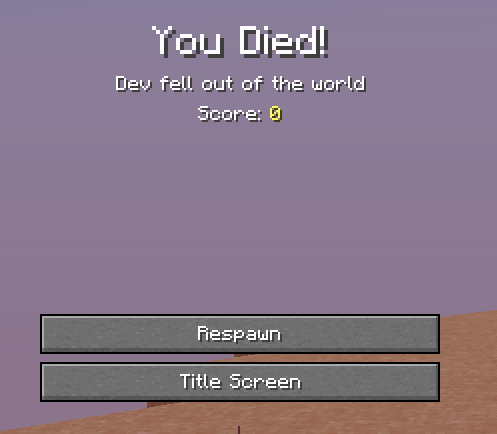
I’ve died, now when i press respawn.
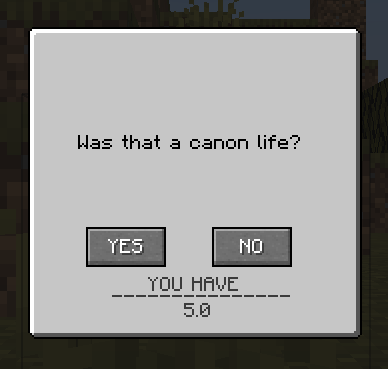
This menu appears, prompting you to confirm if it was a canon life, or not.
Upon pressing yes, you will lose a canon life.
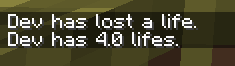
If you lose all your lives, you’ll end up in Spectator Mode.

And that’s pretty much everything there is.

- Make a configurable amount of default lives.
- Make it so you can configure the commands set upon losing all your lives.
常见问题
Canon Lives 支持哪些 Minecraft 版本?
Canon Lives 支持 Minecraft Java 版 1.18.2,可用的加载器:Forge。下载时注意选择和你游戏版本一致的文件。
Canon Lives 怎么安装?
先用 PCL2 或 HMCL 启动器安装对应版本的 Forge,再把下载的 .jar 文件放进游戏目录的 mods 文件夹,重新启动游戏即可。开启了版本隔离的,mods 文件夹在 versions/版本名 下面。

评论
登录后评论和评分