
Compukters
A programmable automation platform for Minecraft — write real Kotlin programs for computers, controllers, and eventually entire distributed systems.
介绍
Compukters
Program computers in Minecraft with Kotlin, right in the game.
Compukters lets you write Kotlin projects in an in-game IDE, run them on computers, automate redstone, and show text on
displays in the world.
Compukters is experimental and under active development.
Kotlin support and in-game features are still growing. Projects may need changes between releases.
Write Kotlin in the integrated IDE
Create projects with multiple Kotlin files without leaving Minecraft. The IDE provides:
- syntax highlighting, diagnostics, completion, hover information, and parameter information;
- declaration navigation, Kotlin-aware formatting, smart typing, and editor history;
- a project explorer and remembered workspaces;
- build, deploy, and run actions for an attached computer;
- previews and imports from the attached computer’s files;
- an attached terminal for interacting with the target computer directly.
Run programs on computers
Every computer starts with an interactive shell and keeps its own files across world restarts. For quick edits, you can
also write and run a program from the computer’s terminal:
edit hello.kt
kotlinc hello.kt
hello
Programs can start other programs, wait for terminal input, and play computer sounds.
Show program output in the world
The base mod includes a one-block text display with a 20-column, 10-row grid. Place it beside a computer or connect
it through named peripheral cables. Programs can write text at any grid position, and the screen clears when the
computer stops or disconnects. The display shows text but does not receive player input.
Automate with redstone
Programs can read and control redstone on all six sides of a computer. They can:
- immediate redstone input reads;
- wait for a change, an exact level, or a minimum level;
- output levels from
0to15; - persistent weak and direct power modes.
Integrate with Create on Minecraft 1.21.1
Install the separately distributed Create addon alongside Create 6.0.x to connect programs to Create machinery.
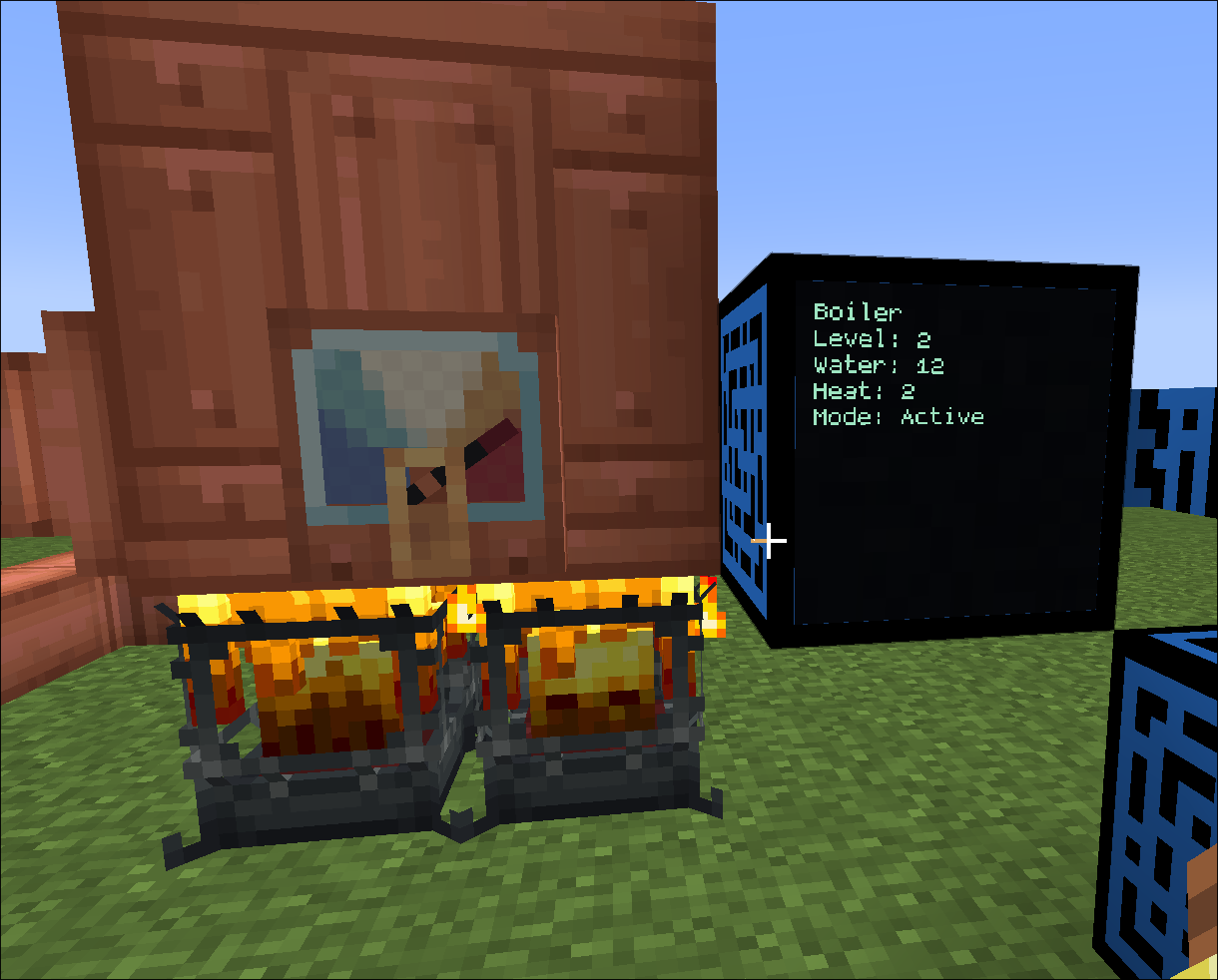
Read speedometers and stressometers, control Rotation Speed Controllers, search Stock Ticker inventory and request
packages, or show a steam boiler’s water, heat, and level on a display. Connect devices directly or by name through
branching peripheral cables. The base mod works without Create.
Compatibility
- Minecraft 1.21.1 — NeoForge 21.1.250 or newer, Java 21
- Minecraft 26.1.2 — NeoForge 26.1.2.97 or newer, Java 25
- Operating systems: Linux x86_64 and Windows x86_64
Choose the download that matches your Minecraft version.
Links
常见问题
Compukters 支持哪些 Minecraft 版本?
Compukters 支持 Minecraft Java 版 1.21.1–26.1.2,共 2 个版本,可用的加载器:NeoForge。下载时注意选择和你游戏版本一致的文件。
Compukters 怎么安装?
先用 PCL2 或 HMCL 启动器安装对应版本的 NeoForge,再把下载的 .jar 文件放进游戏目录的 mods 文件夹,重新启动游戏即可。开启了版本隔离的,mods 文件夹在 versions/版本名 下面。
评论
登录后评论和评分