
TitleGear
Seamlessly synchronize your live multiplayer or single-player gear, armor, and inventory straight to the Minecraft main menu Title Screen! ⚔️
截图
介绍
TitleGear
🚧 Active Development: TitleGear is actively being worked on! Expect a bunch of exciting new features and improvements in the near future.
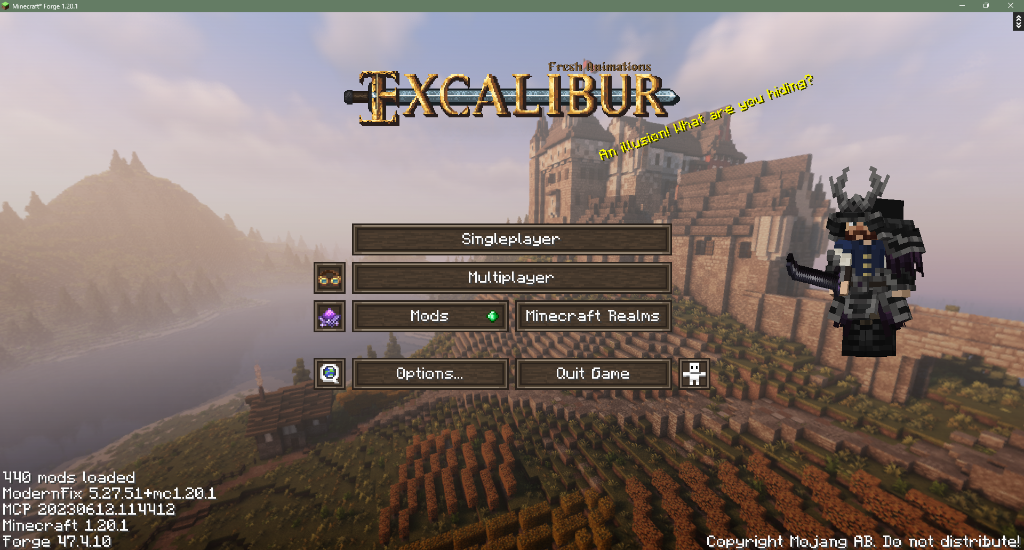
TitleGear is a lightweight, purely client-side mod that enhances the Minecraft Main Menu by displaying a live, 3D render of your character wearing the exact armor and holding the exact items you had equipped when you logged out!
Features
- Live Main Menu Render: See your character, your weapons, and your armor immediately upon booting up the game.
- GeckoLib & Better Combat Support: Fully compatible with GeckoLib rendering. If you logged out holding a giant Better Combat greatsword, you’ll be holding it on the main menu without any glitchy animations.
- EMF & ETF Compatibility: Because TitleGear taps into the vanilla entity rendering pipeline, it natively supports Entity Model Features (EMF) and custom resource pack idle animations!
- Smart Local Caching: The mod automatically takes a lightweight snapshot of your inventory the millisecond you log out.
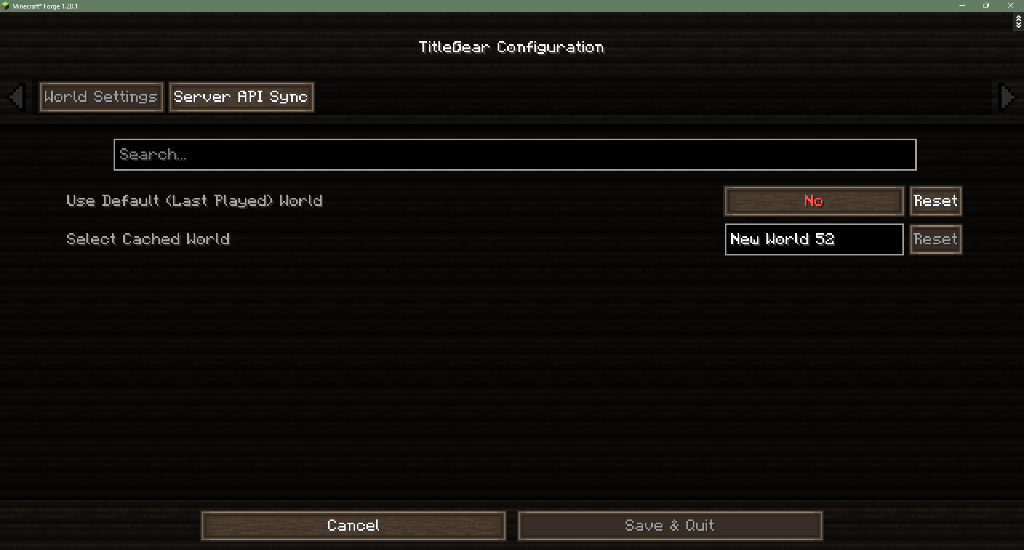
- In-Game Configuration: Use the beautiful Cloth Config menu to dynamically select which world’s character you want to display on your menu, or set it to automatically track your “Last Played” world!


Installation
Drop this .jar into your client mods folder. It is entirely client-side, meaning it is perfectly safe to use when joining vanilla servers.
Requirements
- Minecraft Forge 1.20.1
- Cloth Config API
🚀 Roadmap to 2.0
We are actively working on a bunch of new functional features! Here is our current hit list for the 2.0 release:
- Curio Accessories Rendering: Full rendering support to properly display Curio accessories (like lamps attached to the hip or other visual accessories) on your character model.
- Experience Bar Display: See your current experience bar right from the main menu alongside your character.
- Draggable Character Frame: Un-lock the character from the right side of the screen and drag-and-drop the render wherever you want it to live.
- Custom Backgrounds: Option to add a stylish background behind your character render instead of the default transparent look.
常见问题
TitleGear 支持哪些 Minecraft 版本?
TitleGear 支持 Minecraft Java 版 1.20.1,可用的加载器:Forge。下载时注意选择和你游戏版本一致的文件。
TitleGear 怎么安装?
先用 PCL2 或 HMCL 启动器安装对应版本的 Forge,再把下载的 .jar 文件放进游戏目录的 mods 文件夹,重新启动游戏即可。开启了版本隔离的,mods 文件夹在 versions/版本名 下面。

评论
登录后评论和评分