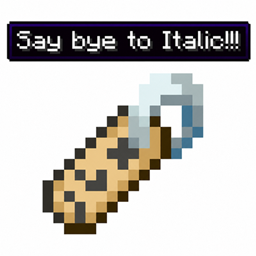
Remove Italic Item Names
Simply removes the forced italic style from items renamed in an Anvil.
介绍
Remove Italic Item Names
Remove Italic Item Names is an ultra-lightweight, dedicated utility Minecraft mod designed to fix a simple yet persistent annoyance: the forced italic text styling on renamed items. By default, renaming any item in an Anvil automatically turns its custom display name italic. This mod cleanly strips that italic flag, ensuring your custom items maintain clean, standard, upright text formatting everywhere.
Features
– Automatically removes the forced italic font formatting on any item renamed using an Anvil.
– Clean text display across all interfaces: Tooltips, Hotbar popups, Inventories, and Item Frames.
– Built using clean, low-level Mixin injection for zero tick overhead and maximum performance.
– No redundant features, no bloatware, and no complex configuration required—just install and play.
– Native compatibility with both vanilla items and any modded items.
– Client and server friendly, fitting seamlessly into any modpack.
Notes
This mod is built strictly as a standalone micro-utility for players, map makers, and modpack creators who want clean item typography without installing heavy multi-feature tweak mods.
All name adjustments occur automatically during the anvil renaming process with no extra steps or commands needed.
常见问题
Remove Italic Item Names 支持哪些 Minecraft 版本?
Remove Italic Item Names 支持 Minecraft Java 版 1.20.1,可用的加载器:Forge。下载时注意选择和你游戏版本一致的文件。
Remove Italic Item Names 怎么安装?
先用 PCL2 或 HMCL 启动器安装对应版本的 Forge,再把下载的 .jar 文件放进游戏目录的 mods 文件夹,重新启动游戏即可。开启了版本隔离的,mods 文件夹在 versions/版本名 下面。
NarcissoOrigin 的其他作品
查看全部 →
Limitless Command
Removes the 32,768 limit for Command Block characters and /fill commands.

Persistence Mobs
Prevents mobs from despawning, with an in-game wand tool to easily customize and control settings.

Friendly Pets
Prevents tamed pets from attacking players or other tamed pets.

Command Wand
A handy tool for admins, builders, and map makers to store, organize, and execute multiple custom commands sequentially with a single click.
评论
登录后评论和评分