介绍
中文介绍正在准备中,下面暂时显示原文。
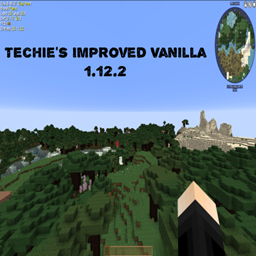
This is a basic modpack with some mods I really like for vanilla gameplay and works with most servers
Modlist:
- BetterFPS (Because who doesn’t want better FPS?)
- Classic Bars (Because the normal Minecraft HUD can get boring after a while)
- Controllable (Allows controller (gamepad) support!)
- Controlling (Allows you to search for specific controls)
- Enchantment Descriptions (Gives you a description of enchantments… Kinda obvious)
- Equipment Tooltips (Compares equipment to see what is better)
- Fast Leaf Decay (Because faster leaf decay is always a good thing)
- Fast Furnace (This should help with lag spikes and low TPS)
- Fast Workbench (This should help with lag spikes and low TPS)
- I Know What I’m Doing (suppresses the tutorials when you start a new world)
- InGame Info XML (Gives you info about the world and your equipment)
- Inventory Tweaks (Let’s be honest, if you haven’t tried this mod before, you’ve been living under a rock, it helps organise chests as well as other things)
- Journey Map (Provides a fullscreen map, minimap and waypoint system)
- Just Enough Calculations (helps you calculate what resources you need)
- Just Enough Items (Gives you crafting info and other stuff)
- Just Enough Resources (Gives you info about mob drops, ore generation and other stuff)
- Lunatrius Core (library for another mod)
- Multi Mine (Allows you to pause and continue mining blocks, also on servers with this mod you can finish mining what your friends started and even mine faster together)
- Multi Shot (A very nice and cool camera mod that works on servers as well)
- Nether Portal fix (Fixes nether portals, duh)
- Server Tab Info (Gives you information about the server your connected to)
- Waila Harvestability (Let’s you know what you can or cannot mine with the tool in hand)
- What Am I Missing? (Just gives some info if an entity is missing)
- What Are We Looking At (Tells you what you are looking at)
常见问题
Techie’s Improved Vanilla 支持哪些 Minecraft 版本?
Techie’s Improved Vanilla 基于 Minecraft Java 版 1.12.2,使用 Forge 加载器。
Techie’s Improved Vanilla 怎么安装?
点本页「前往下载」拿到整合包文件(Modrinth 的是 .mrpack,CurseForge 的是 .zip),在 PCL2 或 HMCL 启动器里选择「导入整合包」,启动器会自动装好 Minecraft、加载器和全部模组。建议在启动器里给游戏分配 4–6 GB 内存。
Techie’s Improved Vanilla 开服需要多大内存?
推荐服务器内存 12 GB。在线人数多、或者建了大量机器和区块加载器时,可以再加 2–4 GB。
怎么和朋友一起玩 Techie’s Improved Vanilla?
点本页的「一键开服」,选好配置后会自动安装 Techie’s Improved Vanilla 的服务端,几分钟就能开好。把服务器地址发给朋友,大家用同一个版本的整合包连进去就行。

评论
登录后评论和评分