
QuickQuit
Adds hotkeys to instantly quit your world/server to the main menu (or close the game entirely), with an optional confirmation step and a client-side /quickquit command to schedule a quit after a delay.
截图
介绍
QuickQuit
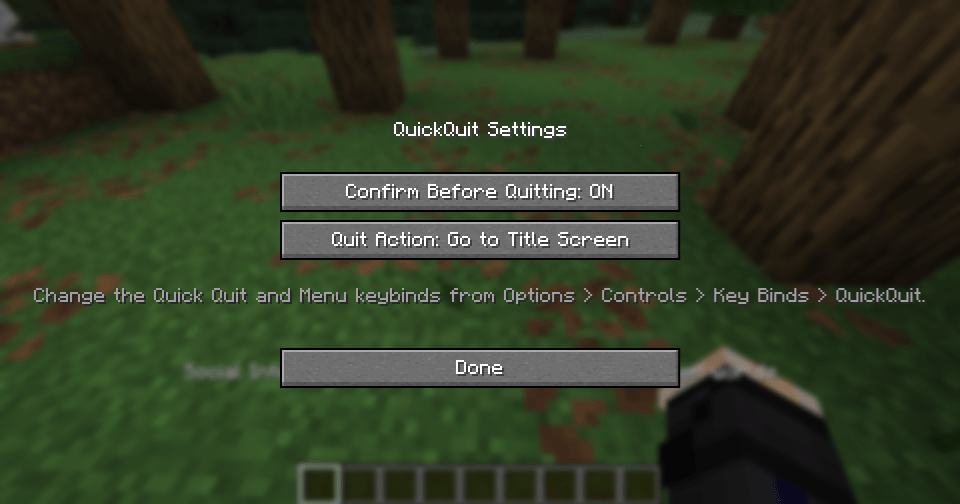
QuickQuit is a client-side mod that lets you leave your world or server instantly with a single keypress, no more digging through the pause menu when you need to log off fast.FEATURESInstant Quit hotkey (default F8): press it while in a world or server and you are immediately back at the title screen (or the game closes entirely, depending on your settings).Mod menu hotkey (default P): opens QuickQuit’s own settings screen from anywhere in-game.Optional confirmation: turn on “Confirm Before Quitting” in the settings if you would rather press the Quit key twice (within a few seconds) instead of quitting instantly. Off by default.Choose what “quit” means: pick whether the Quit key sends you to the Title Screen or fully closes the game.The /quickquit command: a client-side command that works on any server, even without operator permissions.
/quickquit (amount) seconds, minutes or hours: schedule a quit after a delay.
/quickquit cancel: cancel a scheduled quit.
/quickquit status: check whether a quit is currently scheduled.
Fully localized: available in English and Russian, following your game’s language automatically.
100 percent client-side: safe to install on servers that do not have it, no server-side component required.
HOW TO USE
1. Change the keybinds (optional). Go to Options, Controls, Key Binds, QuickQuit, to rebind the Quit key (default F8) and the Menu key (default P) to whatever you like.
2. Open the settings screen. Press the Menu key (P by default) at any time, in a world or in a menu, to open QuickQuit’s settings.
3. Configure your quit behavior.
Toggle “Confirm Before Quitting” on if you want a safety check before you leave.
Set “Quit Action” to either return to the Title Screen or Close the Game completely.
4. Quit instantly. While in a world or on a server, press the Quit key (F8 by default). If confirmation is off, you are out immediately. If confirmation is on, you will see a message in chat, press the key again within a few seconds to confirm.
5. Schedule a delayed quit. Type a command like:
/quickquit 5 minutes
/quickquit 30 seconds
/quickquit 2 hours
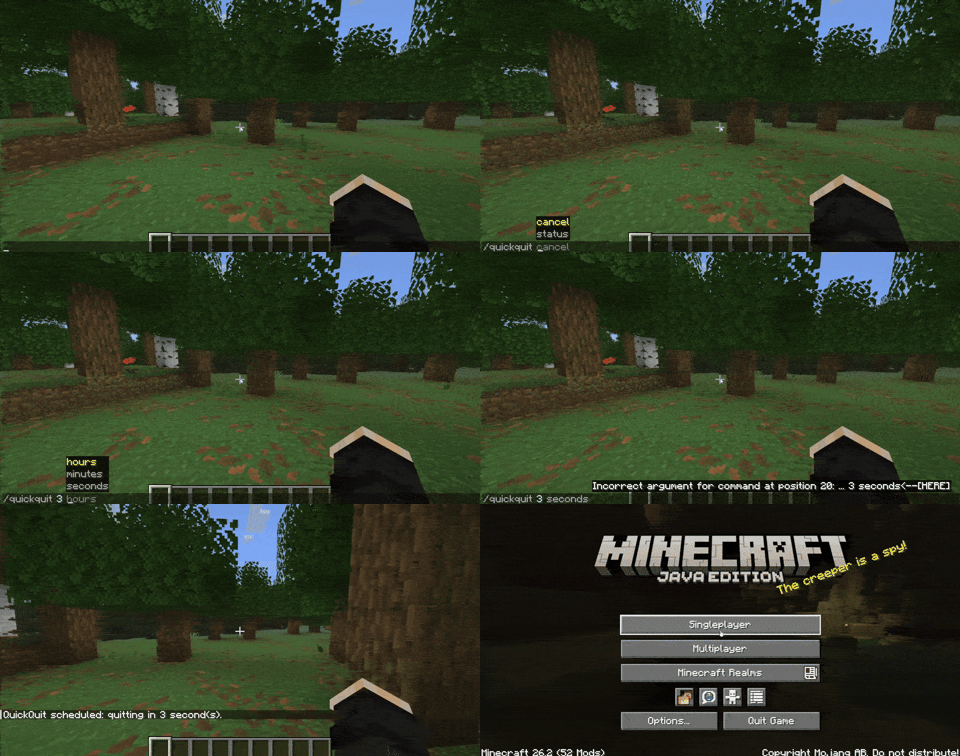
QuickQuit will automatically quit for you once the timer runs out. Use /quickquit status to check the countdown, or /quickquit cancel to call it off.
NOTES
QuickQuit does not save your progress any differently than a normal quit, it simply triggers the same disconnect/close flow Minecraft already uses, just instantly and on your terms.
No configuration file editing needed, everything is adjustable from the in-game settings screen.
常见问题
QuickQuit 支持哪些 Minecraft 版本?
QuickQuit 支持 Minecraft Java 版 26.2,可用的加载器:Fabric。下载时注意选择和你游戏版本一致的文件。
QuickQuit 怎么安装?
先用 PCL2 或 HMCL 启动器安装对应版本的 Fabric,再把下载的 .jar 文件放进游戏目录的 mods 文件夹,重新启动游戏即可。开启了版本隔离的,mods 文件夹在 versions/版本名 下面。
Mr_Lan123 的其他作品
查看全部 →
Auto Totem
自动将不死图腾从背包移至副手。可通过快捷键切换(默认:O,26.2 及以上版本:J)。设置菜单(按 B 或通过模组菜单打开)提供统计信息 HUD 和图腾使用通知 HUD。PvP 助手,生活质量改进模组。Fabric
Fullbright (Night Vision)
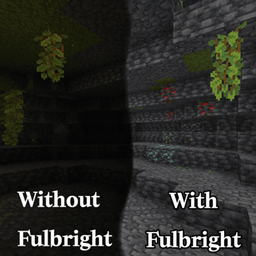
全亮度。在任何服务器上都能看清黑暗,无需权限或药水。按 G 即可切换真正的客户端夜视效果,而非原版药水效果。夜视伽马。

[KSE] Keyboard Sound Effects
这个模组会为按键和鼠标点击添加音效,并内置了悦耳的声音。你也可以直接在游戏设置菜单中加载自己的音频文件。

Just Auto Totem
Automatically moves a Totem of Undying from the inventory to the off-hand. Toggled on/off via a hotkey (default: O)
评论
登录后评论和评分