JEI quick craft
You can craft items directly in the JEI recipe interface by left-clicking the output slot, without having to switch back to the crafting table to place the materials manually. It also supports one-click bulk crafting.
介绍
Tired of manually placing items according to the crafting table while playing modpacks? Encounter items you’ve never seen before and have to keep checking the recipe before crafting? This mod adds features on top of the well-known and super useful mod JEI, letting you skip the manual item placement and craft items with just one click directly from the JEI item view.
.
Basic Crafting
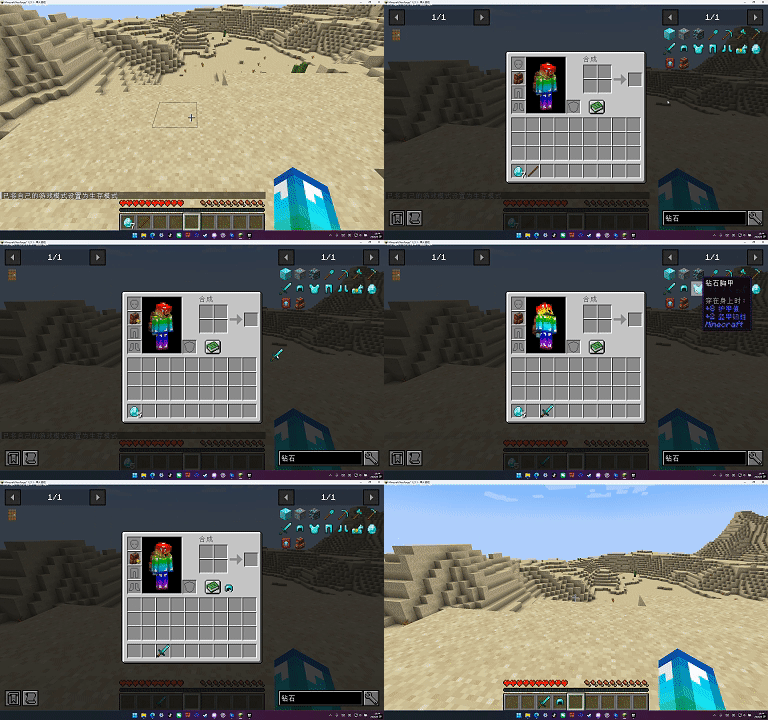
Open the JEI recipe interface and find the item you want to craft.
Left-click on the recipe’s output slot → craft 1.
The crafted item will appear directly on your cursor (just like taking something out of a container).
If you’re already holding something, it will automatically stack or go into your inventory.
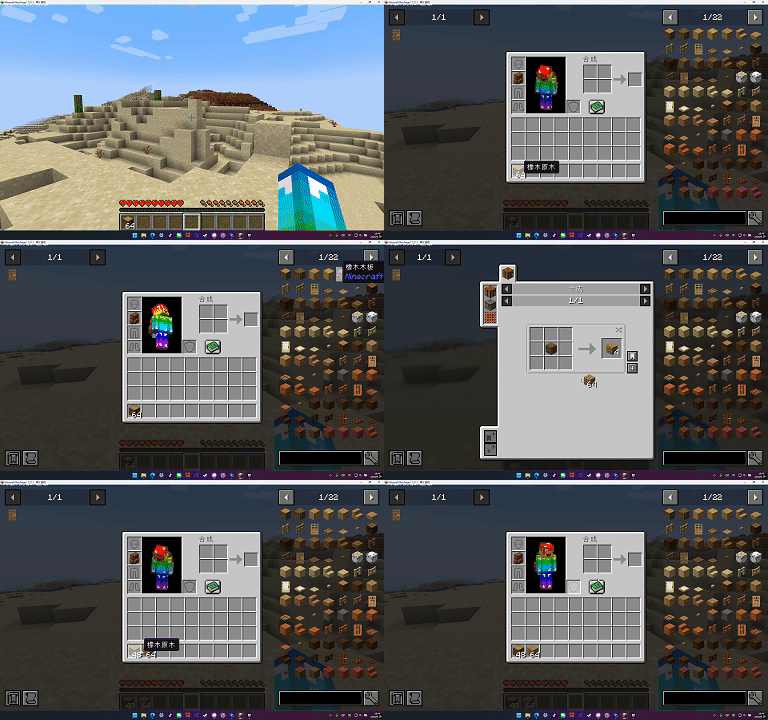
Bulk Crafting
Hold Shift + left-click on the output slot → it will automatically calculate the max materials, crafting as many as possible at once.
The limit depends on:
How many times your materials in the inventory can be used.
The stack limit of the finished product.
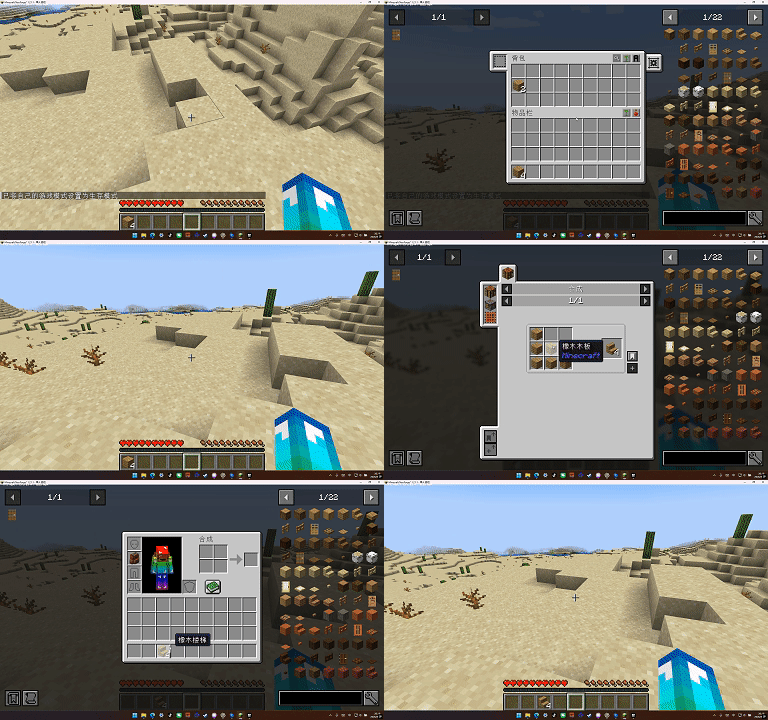
At the same time, we also support sophisticatedbackpacks, which can interact with items in the backpack, prioritizing using items provided by the sophisticatedbackpacks module in the backpack first, and if that’s not enough, continuing to use items from the inventory.
Welcome everyone to download it and point out my mistakes. I will definitely listen to your suggestions and make corrections.
常见问题
JEI quick craft 支持哪些 Minecraft 版本?
JEI quick craft 支持 Minecraft Java 版 1.21.1,可用的加载器:NeoForge。下载时注意选择和你游戏版本一致的文件。
JEI quick craft 怎么安装?
先用 PCL2 或 HMCL 启动器安装对应版本的 NeoForge,再把下载的 .jar 文件放进游戏目录的 mods 文件夹,重新启动游戏即可。开启了版本隔离的,mods 文件夹在 versions/版本名 下面。
评论
登录后评论和评分