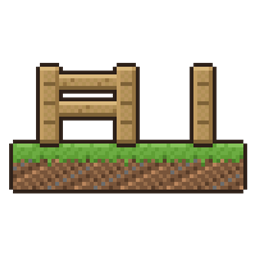
Mind Your Own Block
Hold a button and blocks stay exactly the way you place them: no fences joining, no stairs bending into corners, no blocks filling with water.
介绍
You place a fence post and it joins the fence next to it. You place a stair and it bends into a corner. You place a lantern post in a pond and it fills with water. Hold your mouse’s side button while you place, and the block stays exactly as you put it, minding its own business.
What it does
- Fences, walls, glass panes and iron bars stand on their own instead of joining their neighbours.
- Stairs stay straight instead of bending into an inner or outer corner.
- Blocks placed into water stay dry. A bucket of water still fills them if you want it later.
- They stay that way while you build around them, until you break them. Break one and place it again to go back to normal. A block pushed by a piston goes back to normal too.
Made for building
- It’s its own button, not sneak, so it works while you stand on scaffolding and while you sneak along a roof edge.
- No side button, or on a touchpad? Pick any key in Controls, under Mind Your Own Block.
- A small padlock beside the crosshair shows while you’re holding it.
- No new blocks, no new items, no settings to learn. Let go and placing is vanilla again.
Works with
- Modded fences and walls built on vanilla’s, like Macaw’s Fences and Walls (tested).
- Build Better (tested together).
- Install it on both the server and your game. On a server without it, the button just does nothing, and players without it can still join a server that has it.
I made this for my own worlds and am sharing it in case it suits yours. It’s open source under the MIT License, so you’re welcome to read it, fork it or include it in a modpack.
Found a bug or have an idea? Tell me on GitHub.
More of my mods, in short videos: youtube.com/@gabmaybelle
常见问题
Mind Your Own Block 支持哪些 Minecraft 版本?
Mind Your Own Block 支持 Minecraft Java 版 1.21.1–26.3,共 2 个版本,可用的加载器:Fabric / NeoForge。下载时注意选择和你游戏版本一致的文件。
Mind Your Own Block 怎么安装?
先用 PCL2 或 HMCL 启动器安装对应版本的 Fabric / NeoForge,再把下载的 .jar 文件放进游戏目录的 mods 文件夹,重新启动游戏即可。开启了版本隔离的,mods 文件夹在 versions/版本名 下面。
GabMaybelle 的其他作品
查看全部 →
Cozy Core
A slow, peaceful, cute home to come back to: candles light at dusk, your pets come home, the garden grows and visitors drop by, while creepers and fire break nothing. Plus wood in the stonecutter and re-dyeing.
Nightfall Clock
A clock that tells you what tonight brings: it counts down to dark, warns when a storm lets monsters out by day, and shows the Overworld's time in the Nether. It follows the real sun, so it stays right on longer days.
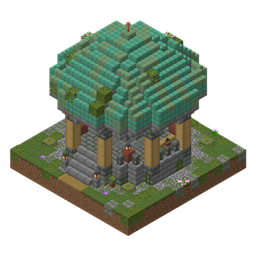
Spawn Gazebo
New worlds start in a little round stone gazebo: pillars of the local wood, a green copper dome, lanterns, benches and a starter chest. For Fabric, NeoForge and Paper servers.

Pocket List
A checklist in the corner of your screen that ticks itself off as you gather. Pin items or recipes and break them down into ingredients. Client-side.
评论
登录后评论和评分