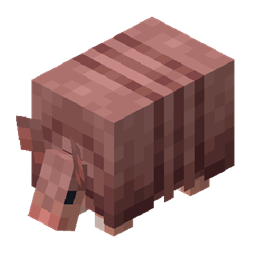
Armandillo
Armandillo is a cross-platform runtime Lua scripting engine that allows modpack creators to dynamically register content and modify game logic using the LuaJ implementation.
介绍
⚡ Armandillo: A cross-platform Lua scripting engine
📖 Overview
Armandillo is a runtime scripting engine built specifically for the Minecraft modding environment. It empowers modpack creators to dynamically manipulate game logic, content, and events using the lightweight and fast Lua scripting language via the LuaJ implementation.
Built on top of the Architectury API, Armandillo supports both Fabric and NeoForge modding platforms, ensuring seamless compatibility across them. Creators can centralize modifications—such as dynamic registration of items, blocks, custom recipes, and advanced event handling—inside external Lua script files, making development modular, flexible, and easy to manage.
With minimal performance overhead and powerful customization capabilities, Armandillo enables modpacks to come alive dynamically and efficiently.
✨ Key Features
- Native cross-platform support for Fabric and NeoForge via Architectury API.
- Lua scripting execution powered by the fast and lightweight LuaJ engine.
- Dynamic registration of Items, Blocks, and Recipes via Lua scripts.
- Full event handling: player actions, world generation, tick events, and more.
- Modular system for easy extension with new modules and custom functions.
- Runtime loading and execution of scripts without recompiling the mod.
🚀 Getting Started (For Modpack Creators)
Installation
- Install Fabric Loader or NeoForge in your Minecraft setup.
- Download the Armandillo mod from Modrinth or CurseForge.
- Place the
.jarfile into your Minecraftmodsfolder.
Script Structure
Place your Lua scripts inside the default modpack folder at: <minecraft-folder>/armandillo/scripts/
Scripts will be automatically loaded at game startup.
常见问题
Armandillo 支持哪些 Minecraft 版本?
Armandillo 支持 Minecraft Java 版 1.21–1.21.1,共 2 个版本,可用的加载器:Fabric / NeoForge。下载时注意选择和你游戏版本一致的文件。
Armandillo 怎么安装?
先用 PCL2 或 HMCL 启动器安装对应版本的 Fabric / NeoForge,再把下载的 .jar 文件放进游戏目录的 mods 文件夹,重新启动游戏即可。开启了版本隔离的,mods 文件夹在 versions/版本名 下面。
评论
登录后评论和评分