Professor’s Toolkit: Mod Menu
A unified settings hub that brings all Professor's Toolkit mods together in one convenient menu.
截图
介绍
Professor’s Toolkit Menu
One menu. Every Professor’s Toolkit mod.
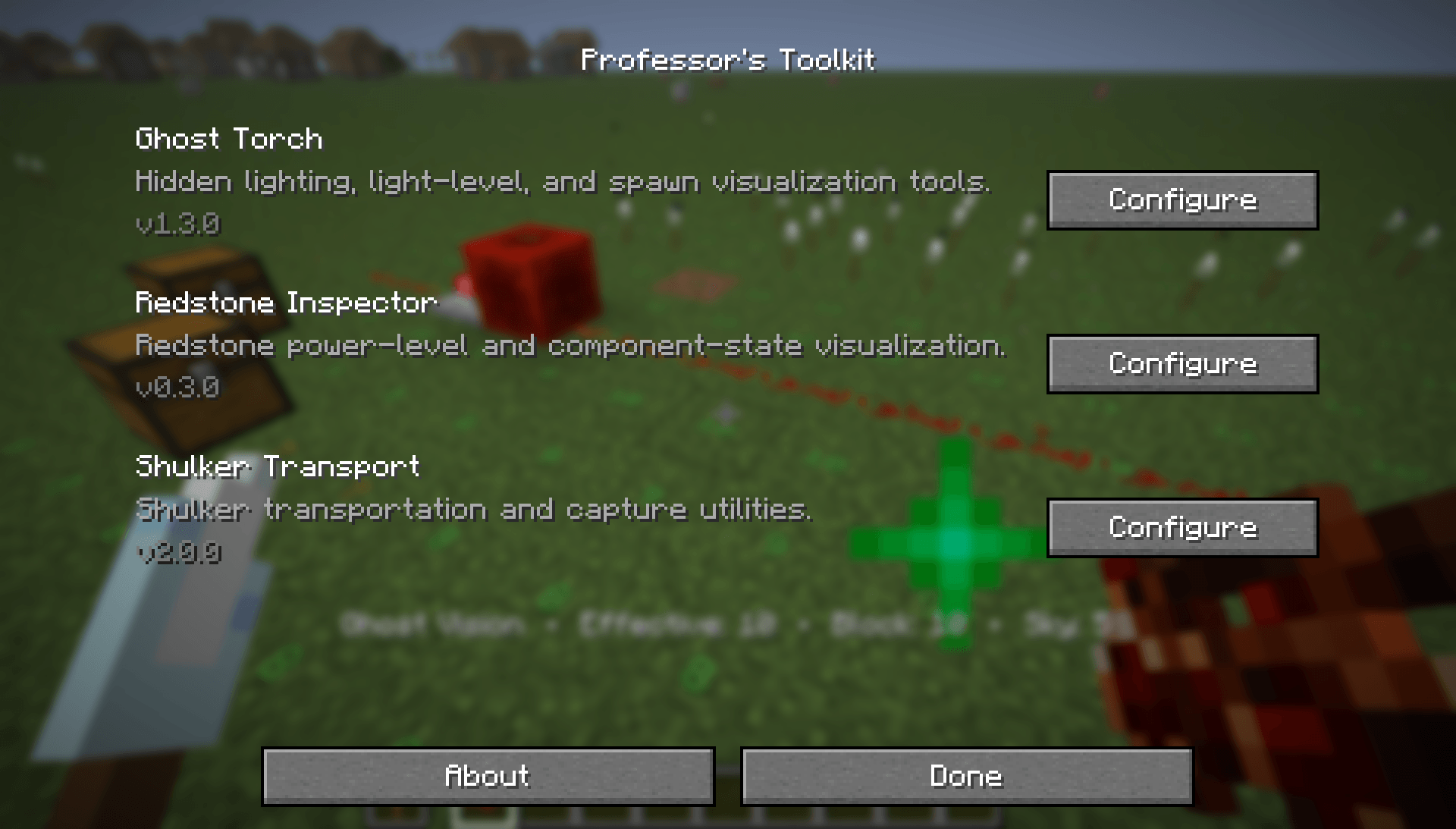
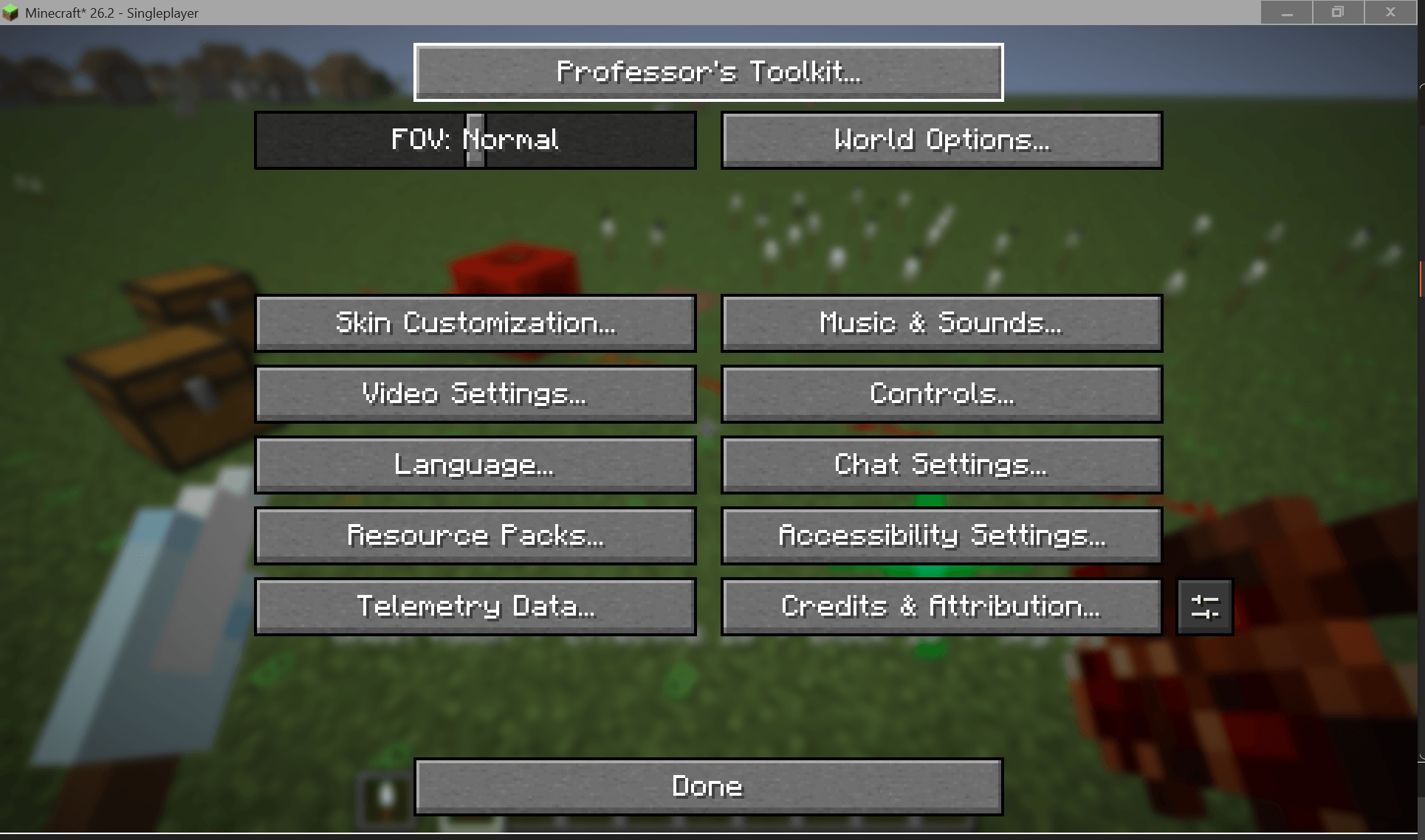
Professor’s Toolkit Menu is the official shared configuration hub for the Professor’s Toolkit collection. Instead of adding separate settings buttons for every installed Toolkit mod, it provides a single, unified entry in Minecraft’s Options menu where you can access and configure all supported Professor’s Toolkit modules.
The menu automatically detects installed Professor’s Toolkit mods and displays only the ones available in your game. Each module retains its own independent configuration while benefiting from a consistent interface and centralized access.
Features
- Unified Professor’s Toolkit button in Minecraft’s Options menu.
- Automatically detects installed Professor’s Toolkit mods.
- Launch each module’s configuration screen from one central hub.
- Clean, consistent interface across the entire Toolkit collection.
- Fully optional—individual Toolkit mods continue to work independently.
- Lightweight with virtually no impact on gameplay or performance.
Current Supported Mods
- Professor’s Toolkit: Ghost Torch
- Professor’s Toolkit: Shulker Transport
Support for future Professor’s Toolkit mods will be added as the collection expands.
Design Philosophy
Professor’s Toolkit Menu exists to simplify configuration without creating unnecessary dependencies.
Each Professor’s Toolkit mod is designed to function perfectly on its own. When multiple Toolkit mods are installed together, Professor’s Toolkit Menu provides a single, organized location to manage them all.
Compatibility
- Minecraft Java Edition 26.2
- Fabric Loader
- Client-side
Part of Professor’s Toolkit
Professor’s Toolkit is a growing collection of vanilla-friendly quality-of-life mods focused on revealing information Minecraft already knows while preserving the core gameplay experience.
Whether you’re building, engineering redstone, organizing storage, or exploring new mechanics, every Professor’s Toolkit mod follows one guiding principle:
Enhance vanilla gameplay—never replace it.
常见问题
Professor’s Toolkit: Mod Menu 支持哪些 Minecraft 版本?
Professor’s Toolkit: Mod Menu 支持 Minecraft Java 版 26.2–26.3,共 2 个版本,可用的加载器:Fabric。下载时注意选择和你游戏版本一致的文件。
Professor’s Toolkit: Mod Menu 怎么安装?
先用 PCL2 或 HMCL 启动器安装对应版本的 Fabric,再把下载的 .jar 文件放进游戏目录的 mods 文件夹,重新启动游戏即可。开启了版本隔离的,mods 文件夹在 versions/版本名 下面。
ProfessorTHC 的其他作品
查看全部 →
Professors Toolkit: Ghost Torch
A spectral torch that keeps your builds beautifully lit without the visual clutter.
Professors Toolkit: Shulker Transport
A vanilla-inspired utility mod that lets you safely transport shulkers across dimensions. Features durability, Unbreaking and Mending support, custom sounds, tooltips, advancements, and animated item models.
评论
登录后评论和评分