
Health Indicator
A beautiful, PvP-ready health display mod for Fabric! Shows player/mob HP via Vanilla Hearts, sleek Health Bars, or clean numbers over player/mob heads.
截图


介绍
Health Indicator+
See the health of every living entity — right above their head. Beautiful, lightweight, and fully configurable.
❤️ What is Health Indicator+?
Health Indicator+ renders real-time health displays above the heads of all living entities — players, mobs, and animals. Choose between three stunning display modes, fine-tune every detail in the premium built-in config screen, and enjoy buttery-smooth performance even in crowded PvP and survival environments.
Built from the ground up for Minecraft 1.21.x (fully supporting 1.21.1, 1.21.2, and 1.21.11) using the modern rendering pipeline. Zero memory leaks, zero flickering — just clean, reliable health data exactly where you need it.
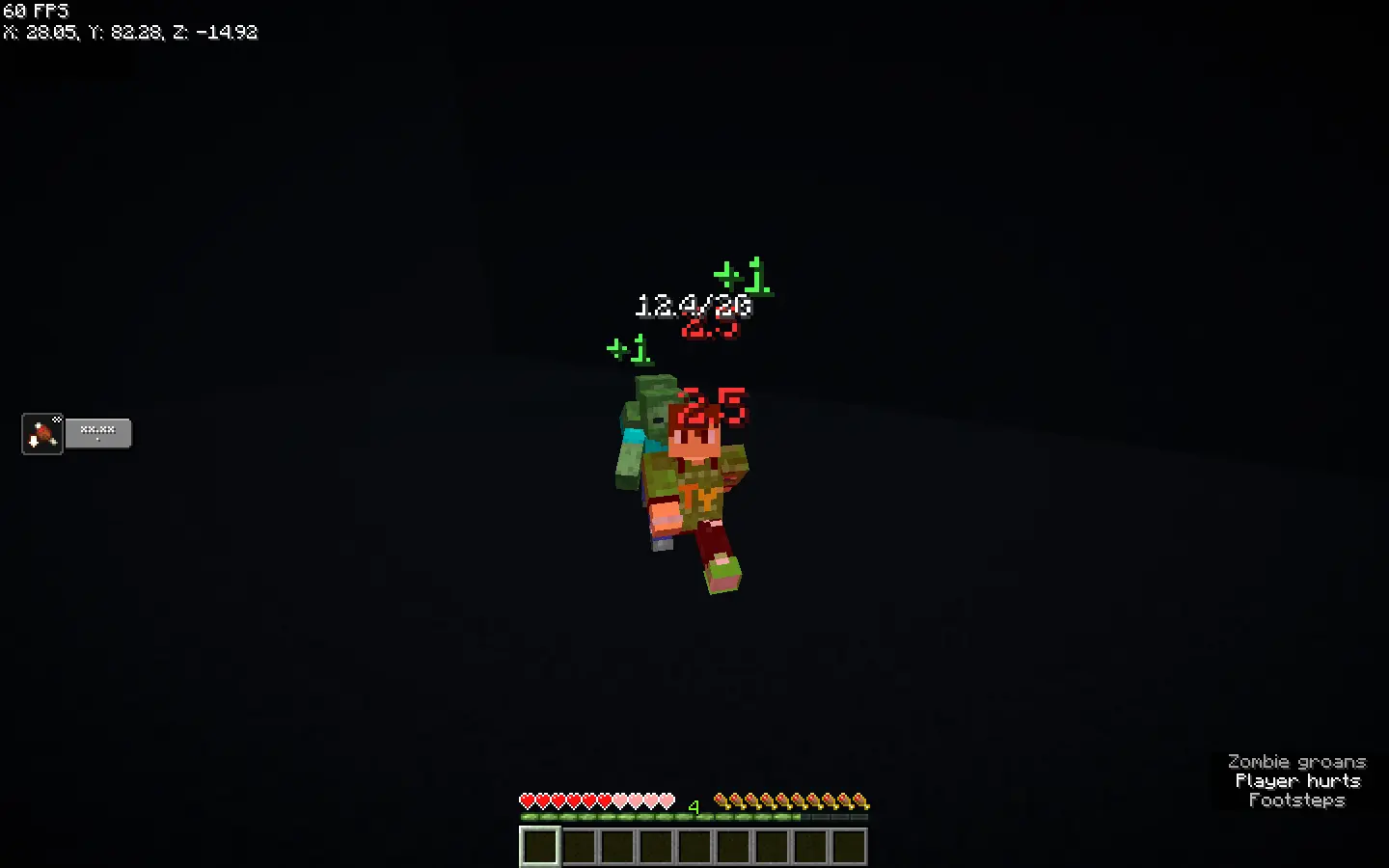
🎮 Three Display Modes
- ❤️ Hearts — Vanilla-style hearts floating above the entity. Shows containers, full/half hearts, and golden absorption hearts. Adjustable size and spacing.
- 📊 Bar — A sleek health bar with dynamic fill color that shifts from green → yellow → red as health drops. Optional segmented mode and HP label overlay.
- 🔢 Numeric — Clean text readout (e.g.
14.5/20) that billboards toward the camera. Perfect for competitive PvP where you need exact numbers.
Press H to instantly cycle between modes in-game. Your choice is saved automatically.
✨ Dynamic Combat Features
- Floating Damage Numbers — See exactly how much damage you deal (or heal) with clean, animated floating numbers that pop out of entities.
- Smooth HP Animation — Health bars and hearts no longer jump instantly. They smoothly slide/lerp to their new values for a premium, polished feel.
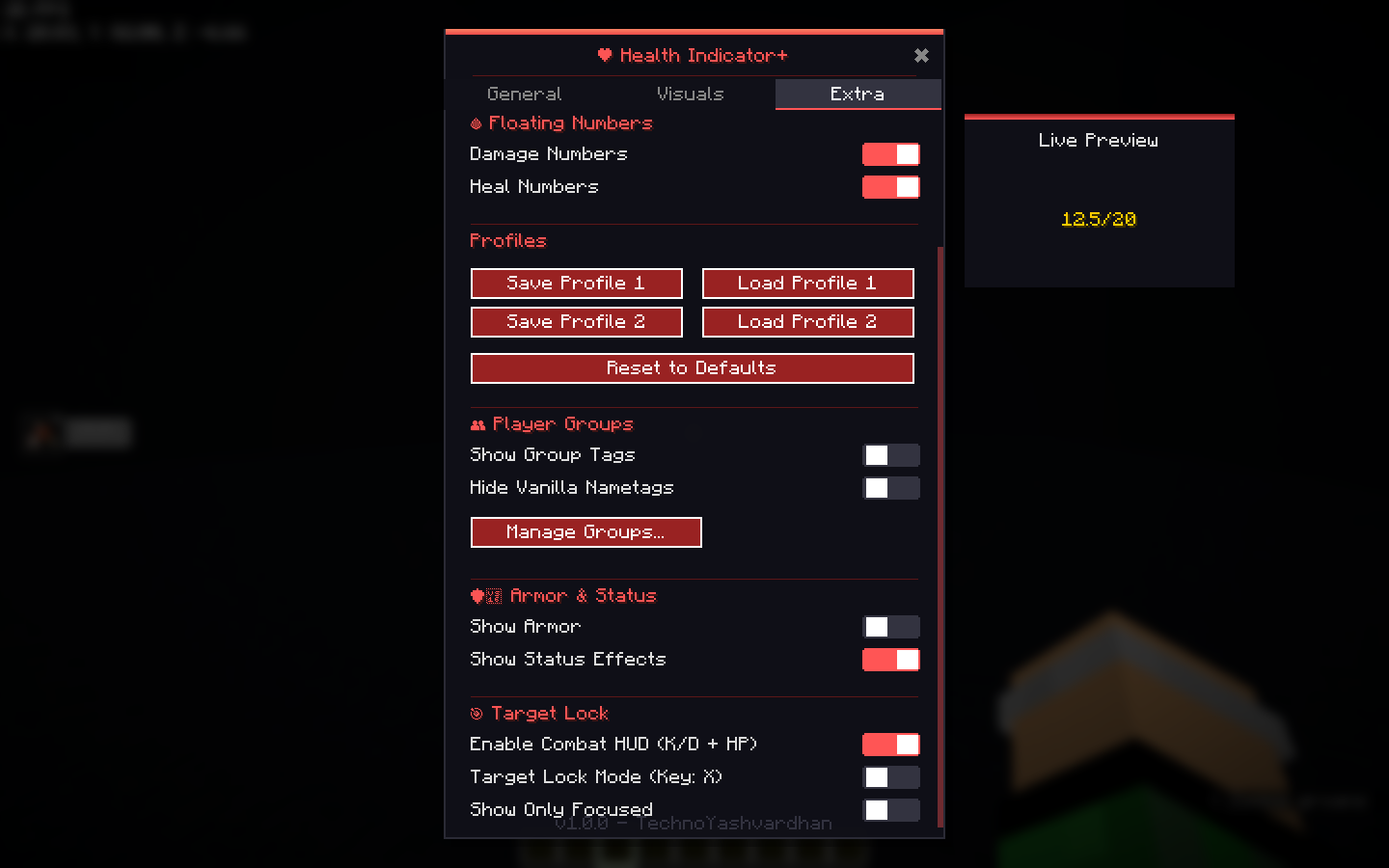
- Target Lock System — Look at an entity and press X to lock onto them. Combine with “Show Only Focused” to completely declutter your screen in massive multiplayer fights.
- Combat HUD — Keep track of your session Kills, Deaths, and Total Damage dealt with an optional, sleek on-screen overlay.
👥 Player Groups & Teams
Perfect for Factions, SMPs, and team PvP!
- Group Manager UI — Create custom groups and assign players to them right from the config screen.
- Custom Group Tags — Completely hide vanilla usernames and replace them with colorful custom group tags above the health indicator.
- Commands: Manage groups seamlessly via chat:
/higroup assign PlayerName GroupName,/higroup clear PlayerName, and/higroup color GroupName #HexColor.
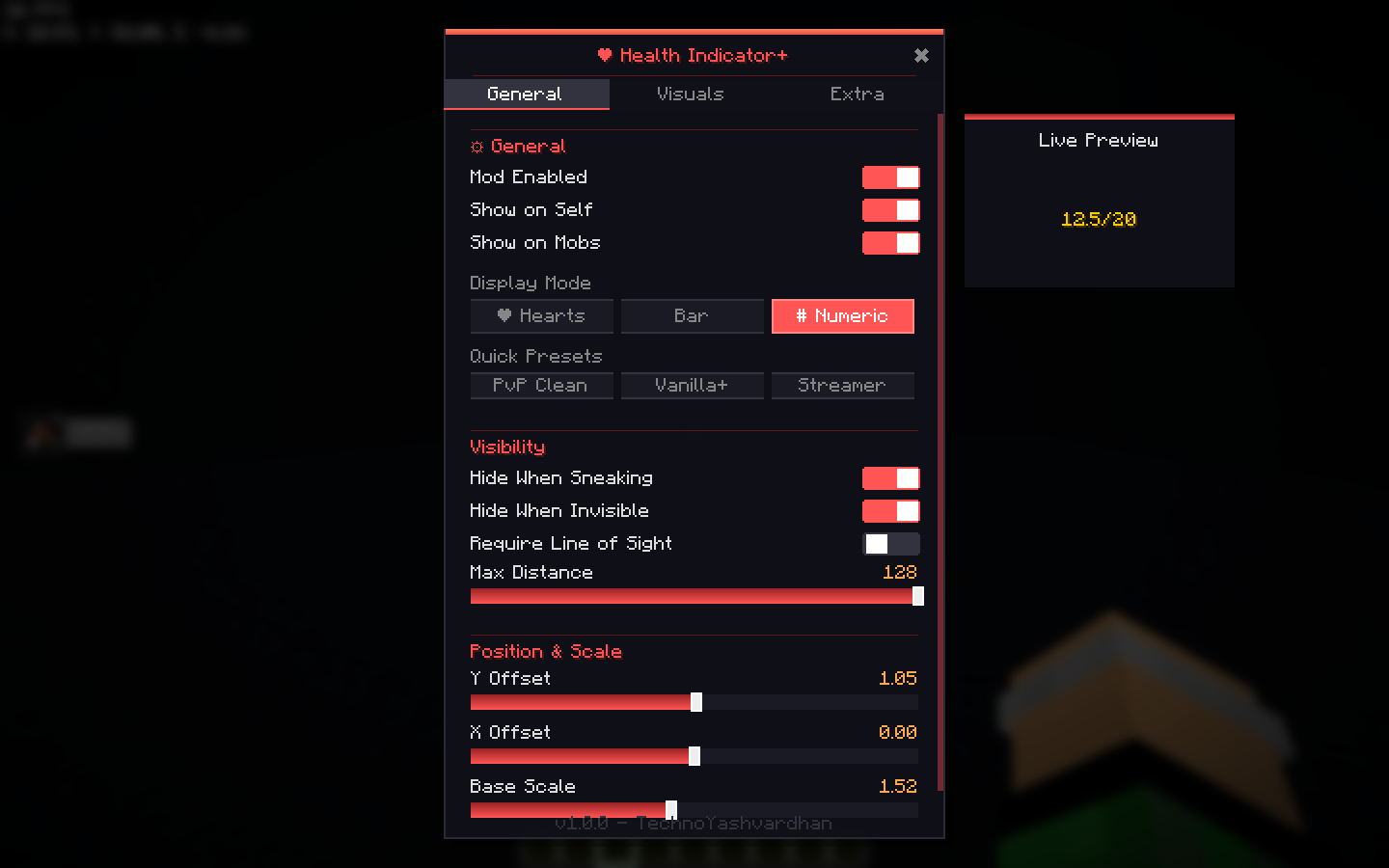
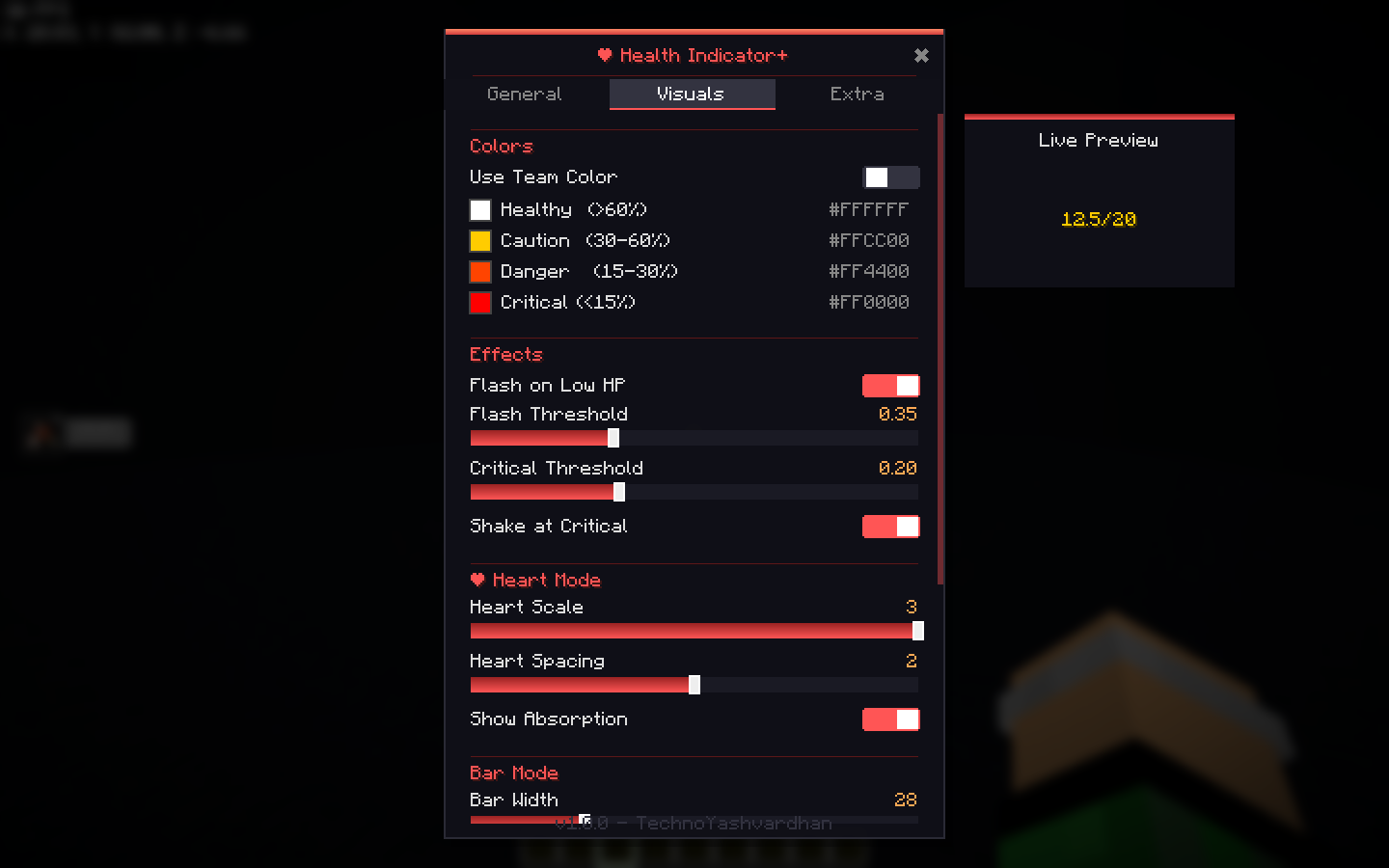
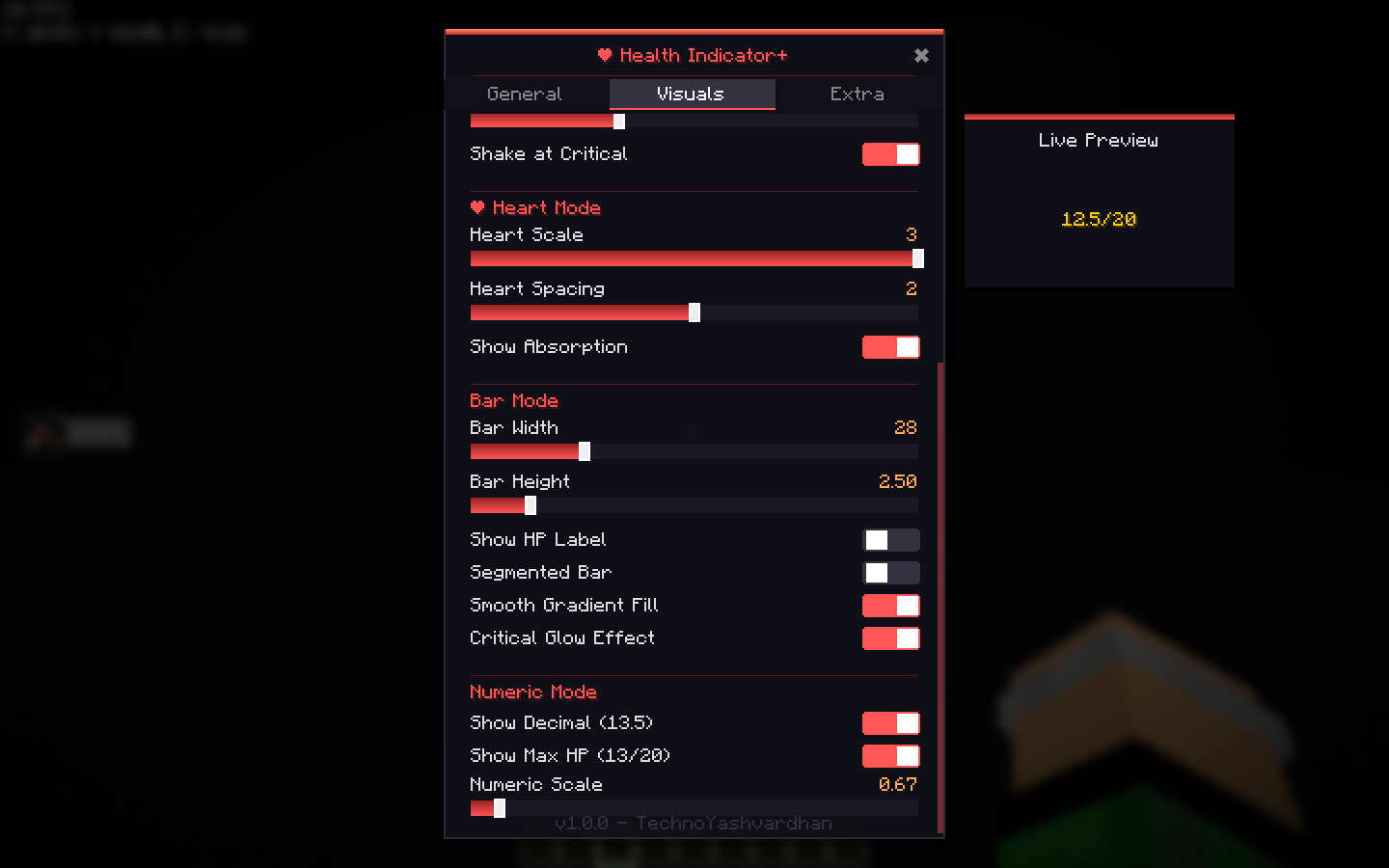
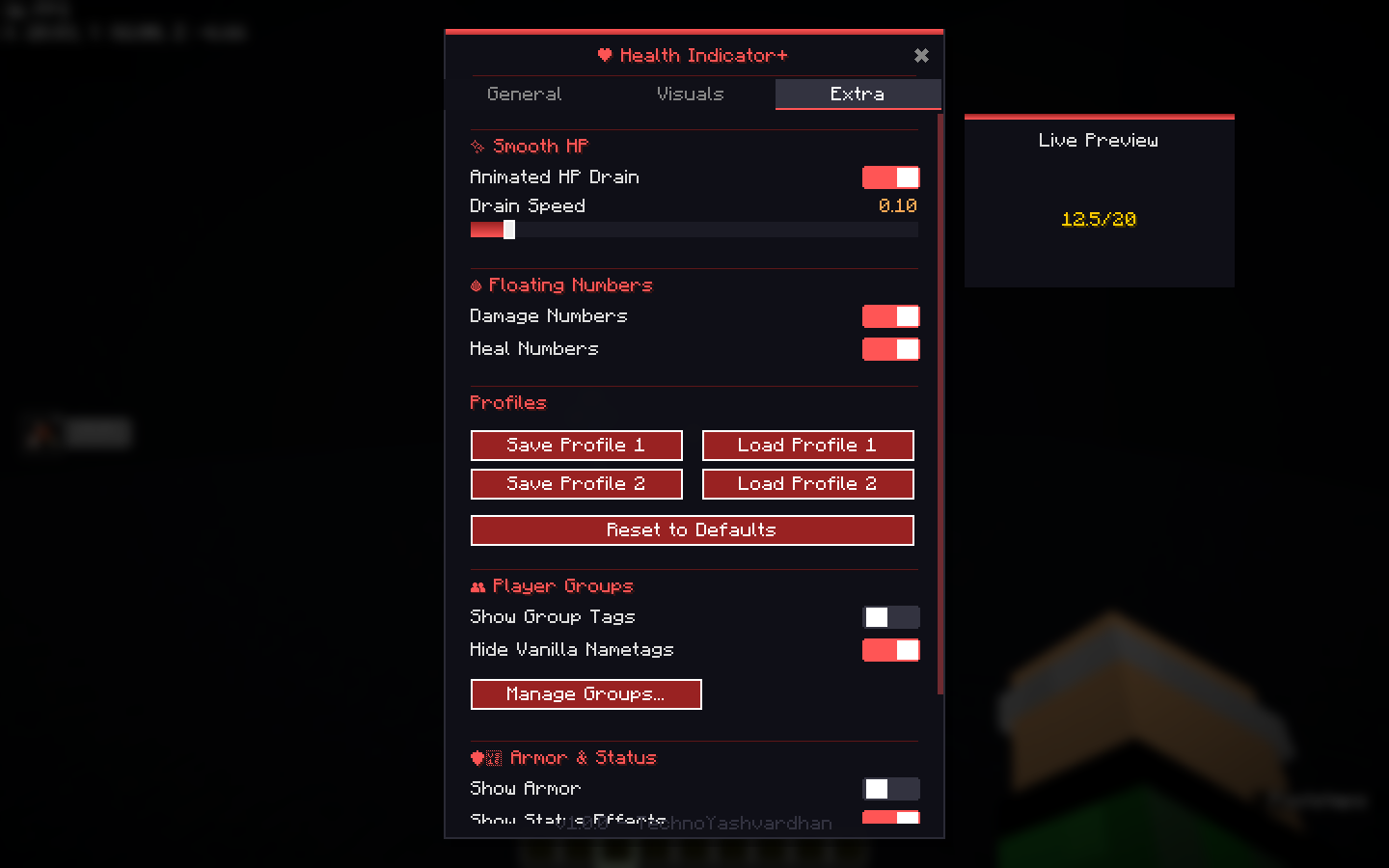
⚙️ Premium Config Screen
Press . (period) to open the built-in settings panel — no external config libraries needed.
The dark, translucent pop-up features:
- Live Preview Box: See your slider and color changes update instantly in a live preview box before you even close the menu!
- Organized Tabs: Cleanly separated into General, Visuals, and Extra/Groups.
- Animated gradient header with red accent, smooth scrolling, and pill-style toggles.
- Everything saves instantly. No restart required.
Config Showcase
🎨 Color Presets & Visual Effects
Get started instantly with hand-crafted presets:
- PvP Clean — High-contrast white/red numeric display with flash + shake effects. Designed for competitive play.
- Vanilla+ — Classic red hearts with team color support. Feels like it belongs in the base game.
- Streamer — Subtle semi-transparent bar mode. Unobtrusive for content creation.
Visual Effects:
- Flash Effect — Health indicator pulses when the entity is low on health.
- Shake Effect — Indicator shakes when health is critically low, drawing your attention in combat.
- Distance Scaling — Indicators smoothly scale down with distance for a natural, immersive look.
👁️ Visibility Controls
- Max Render Distance — Set how far indicators appear (up to 64 blocks)
- Hide When Sneaking — Respects crouching players
- Hide When Invisible — Respects invisibility potions
- Line of Sight — Only show indicators for entities you can actually see
- Show on Self — Toggle your own health display on/off
- Show Only Focused — Only show the health of your actively locked target.
🔧 Fine-Tuning
Every aspect is configurable:
- X/Y position offset above the entity
- Base scale multiplier
- Bar width, height, segmented mode, label visibility
- Heart scale (3 sizes), spacing, absorption display
- Numeric decimal precision, max HP display, scale
📦 Lightweight & Compatible
- Client-side only — No server installation needed
- Zero external config dependencies — No Cloth Config required
- Mod Menu integration — Settings button appears in Mod Menu if installed
- Fabric API — Only dependency
- Optimized Performance — Uses vanilla VertexConsumerProvider with an efficient auto-cleaning cache. Zero memory leaks, zero lag, even in massive mob farms.
⌨️ Keybindings
| Key | Action |
|—–|——–|
| H | Cycle display mode (Hearts → Bar → Numeric) |
| . (period) | Open config screen |
| X | Lock onto Target |
📋 Requirements
- Minecraft 1.21.x (Supports 1.21, 1.21.1, 1.21.2, and 1.21.11)
- Fabric Loader 0.16.5+
- Fabric API
常见问题
Health Indicator 支持哪些 Minecraft 版本?
Health Indicator 支持 Minecraft Java 版 1.21–26.2,共 16 个版本,可用的加载器:Fabric。下载时注意选择和你游戏版本一致的文件。
Health Indicator 怎么安装?
先用 PCL2 或 HMCL 启动器安装对应版本的 Fabric,再把下载的 .jar 文件放进游戏目录的 mods 文件夹,重新启动游戏即可。开启了版本隔离的,mods 文件夹在 versions/版本名 下面。运行环境:仅客户端。
评论
登录后评论和评分