Momos Utility Tools
A collection of utility tools and functional items for AMOTBQZ's gameplay.
介绍
Momos Utility Tools
A collection of functional utility tools, chunk-clearing items, and custom command executors for Minecraft.
🌟 Features
- Chunk Cleaner (Terrain Leveler): Easily clear and level terrain layer by layer with Boss Bar progress tracking.
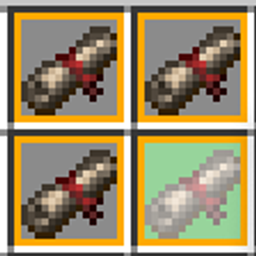
- Single Command Executor: Execute customized commands, NBT injections, and custom parameters using scroll/item triggers.
📖 Usage & Documentation
English
Terrain Leveler (Chunk Cleaner)
- Sneak + Right-Click: Toggle cleaning radius/range.
- Right-Click: Start or stop the current terrain clearing task.
Item Creation via Command
- Note:
OutputTextcurrently does not support dynamic parameter evaluation.
give @p momosutilitytools:single_command_executor[
custom_name=’"Sacred Summon Scroll"’,
custom_data={
BoundCommand: "summon ~ ~ ~ ",
OutputText: "Successfully summoned entity: Zombie",
IsConsumable: 1b,
EnableNameAsParam1: 1b,
Param1: "minecraft:zombie",
Param2: "reserved_slot",
Param3: "reserved_slot"
}
]
Configuration via File
Declare custom item configs under config/momosutilitytools/var_single_command_executor/. Create one JSON file per item (e.g., example_scroll.json):
{
  "id": "example_scroll",
  "name": "Example Command Scroll",
  "command": "give @s diamond 1",
  "output_text": "§aReceived 1 Diamond!",
  "is_consumable": true,
  "enable_name_as_param1": false,
  "p1": "",
  "p2": "",
  "p3": ""
}
常见问题
Momos Utility Tools 支持哪些 Minecraft 版本?
Momos Utility Tools 支持 Minecraft Java 版 1.21.1,可用的加载器:NeoForge。下载时注意选择和你游戏版本一致的文件。
Momos Utility Tools 怎么安装?
先用 PCL2 或 HMCL 启动器安装对应版本的 NeoForge,再把下载的 .jar 文件放进游戏目录的 mods 文件夹,重新启动游戏即可。开启了版本隔离的,mods 文件夹在 versions/版本名 下面。
AMOTBQZ 的其他作品
查看全部 →
Millenaire JEIm
Integrates Millénaire village trading chains, crafting recipes, and block dyeing into JEI.
Millenaire Override New Village Screen
A client and server mod that overhauls Millenaire's village creation screen into a 3-tier navigation with customizable center buildings.

Millenaire JEImm
Building upon Millenaire JEIm, this mod registers cultures, villages, buildings, and villagers as custom JEI ingredients, complete with interlinked lookup support.
Millenaire To Domum Ornamentum
Enables Millénaire villagers to properly place and construct with blocks from the Domum Ornamentum mod.
评论
登录后评论和评分