
OyasaiMusicMidiTranslator
This MOD is primarily designed to send MIDI files to the OyasaiMusic feature on the Oyasai server and to optimize them.
截图
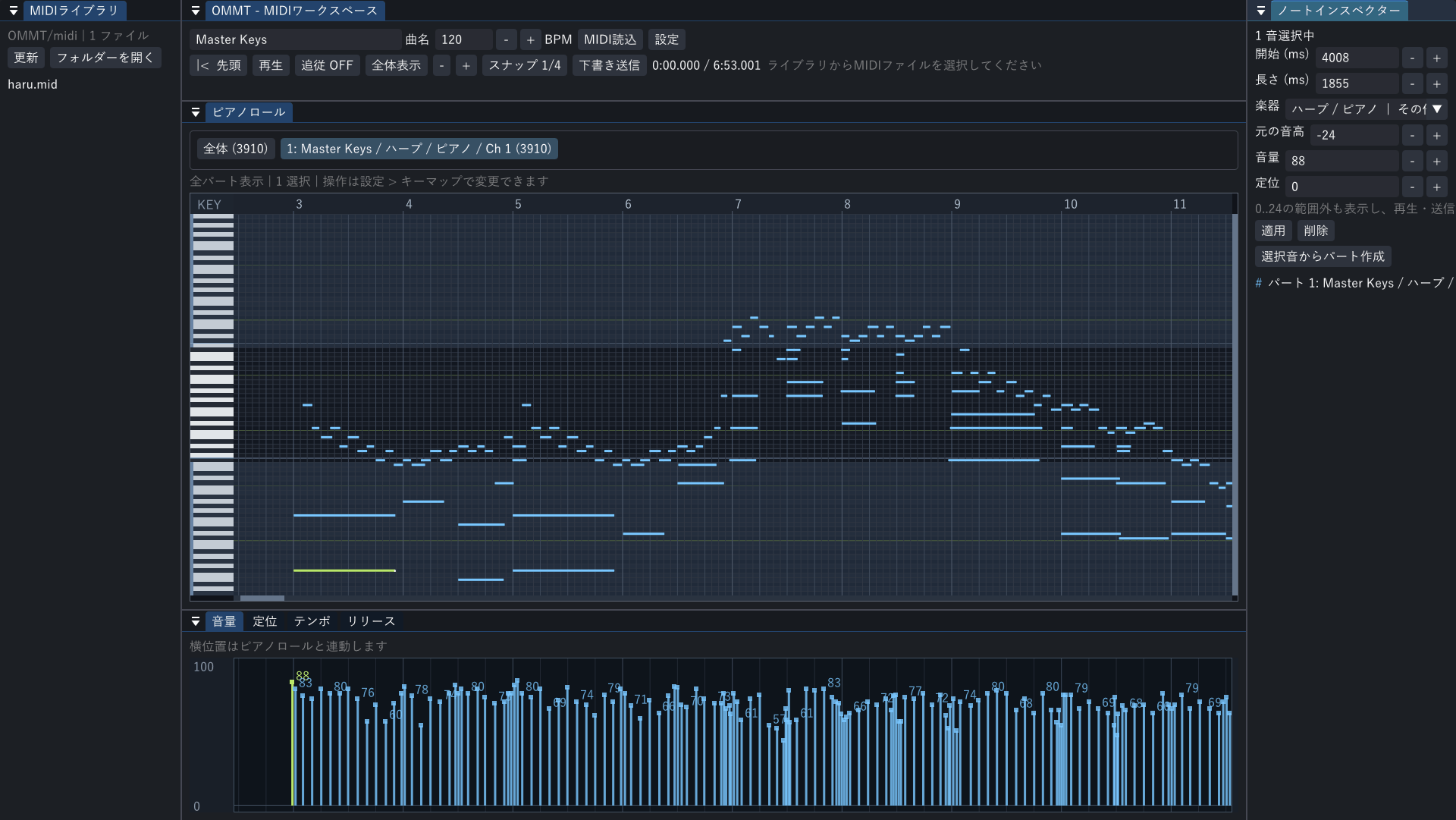
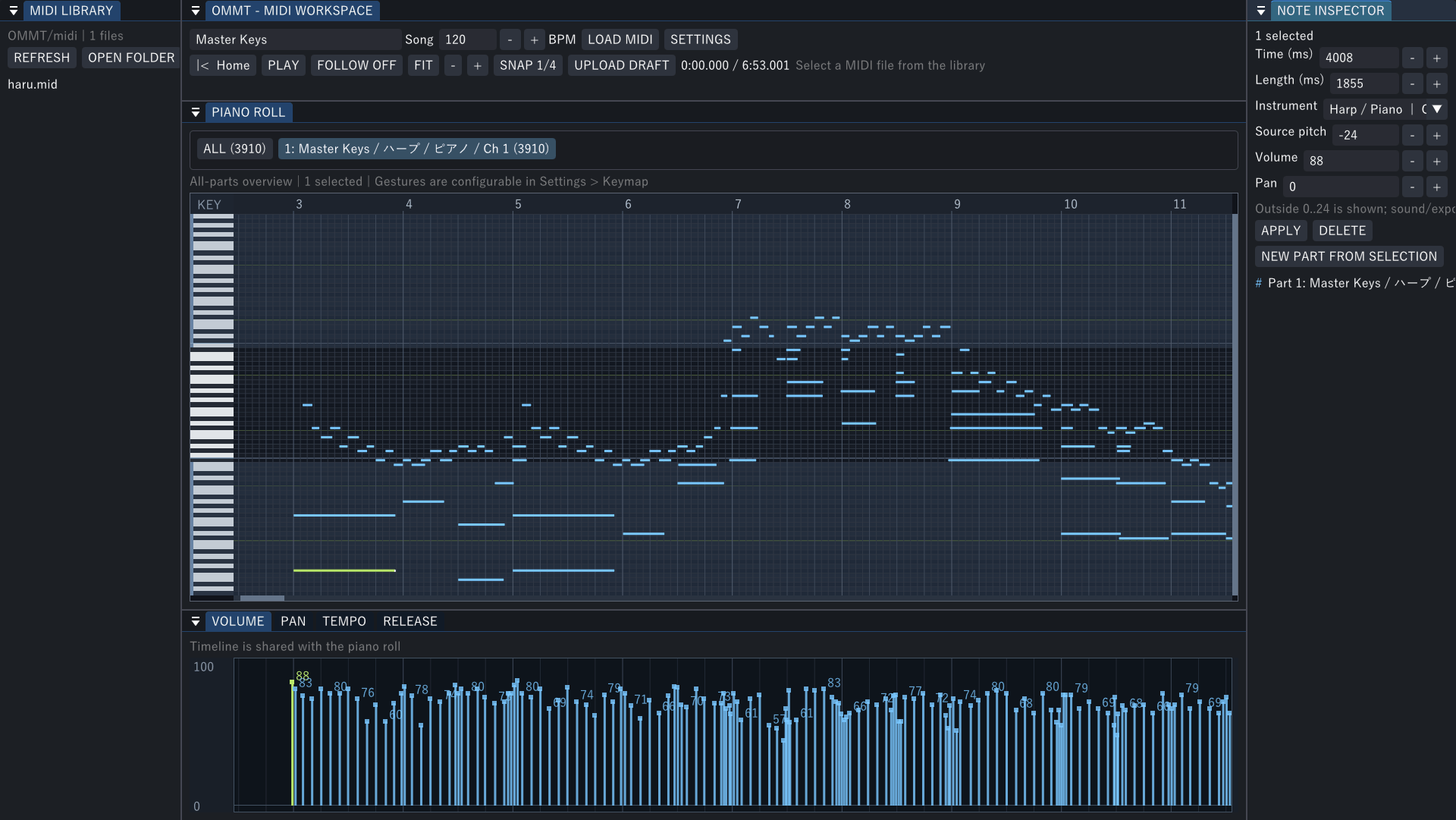
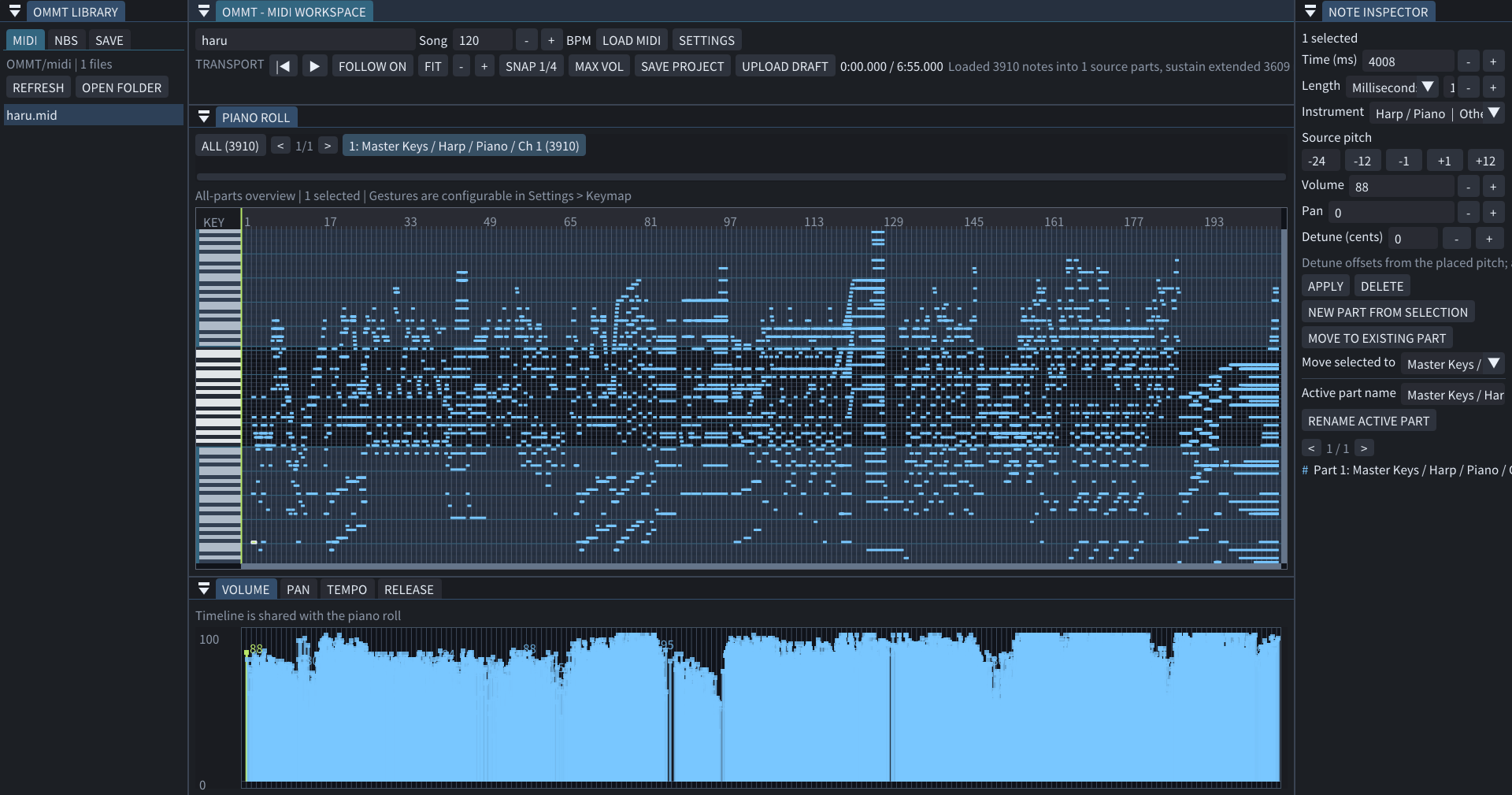
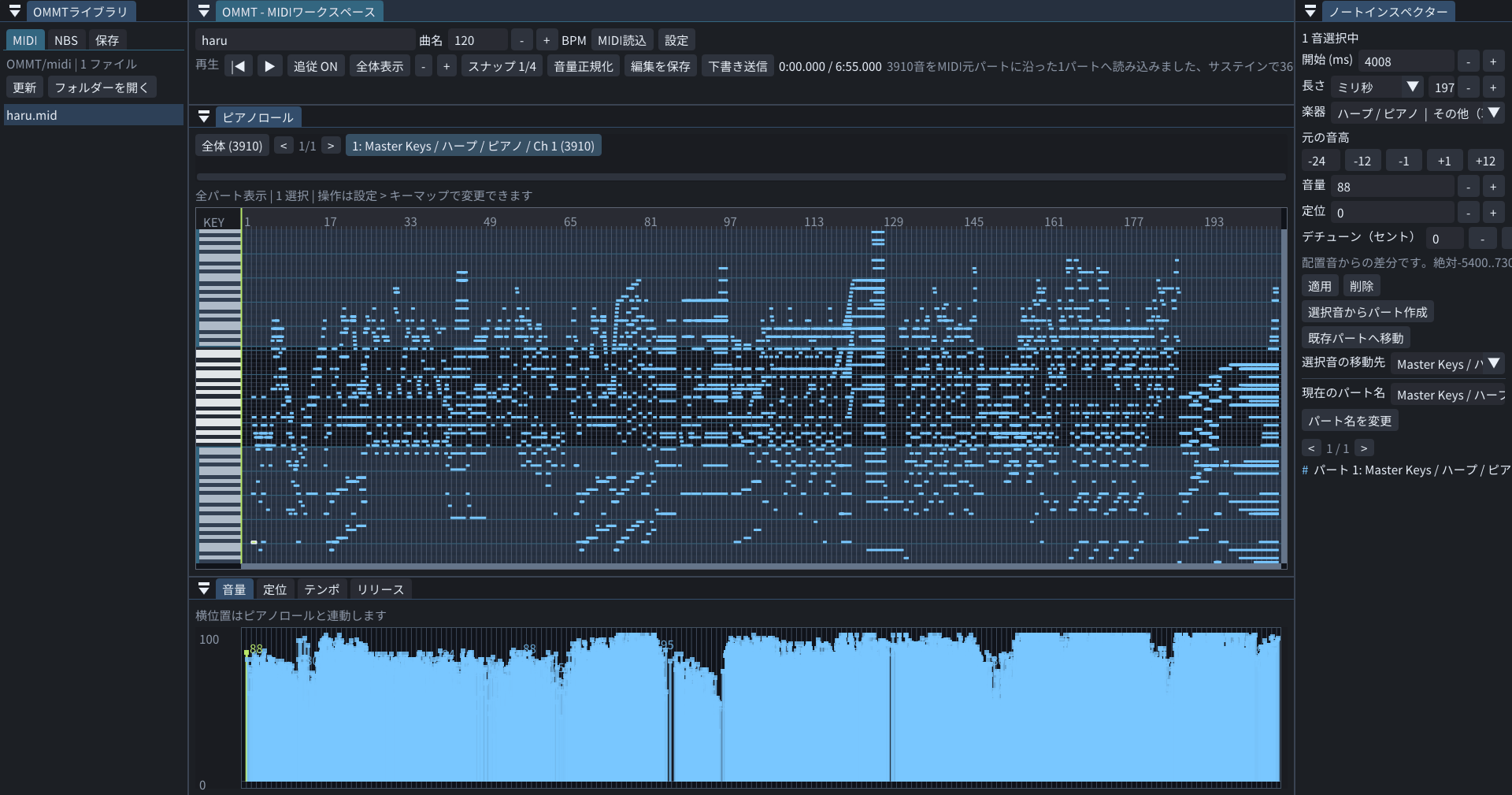
介绍
OMMT — OyasaiMusic MIDI Translator
For the Oyasai Server — not a general-purpose server upload mod.
Editing and local preview remain available outside Oyasai Server, but Upload Draft requires the compatible OyasaiMusic service and permission on Oyasai Server.
おやさいサーバー専用。一般サーバー向けの楽曲送信MODではありません。
MIDI/NBSの編集とローカル試聴はおやさいサーバー外でも使えますが、下書き送信には、おやさいサーバー側の対応したOyasaiMusicが必要です。
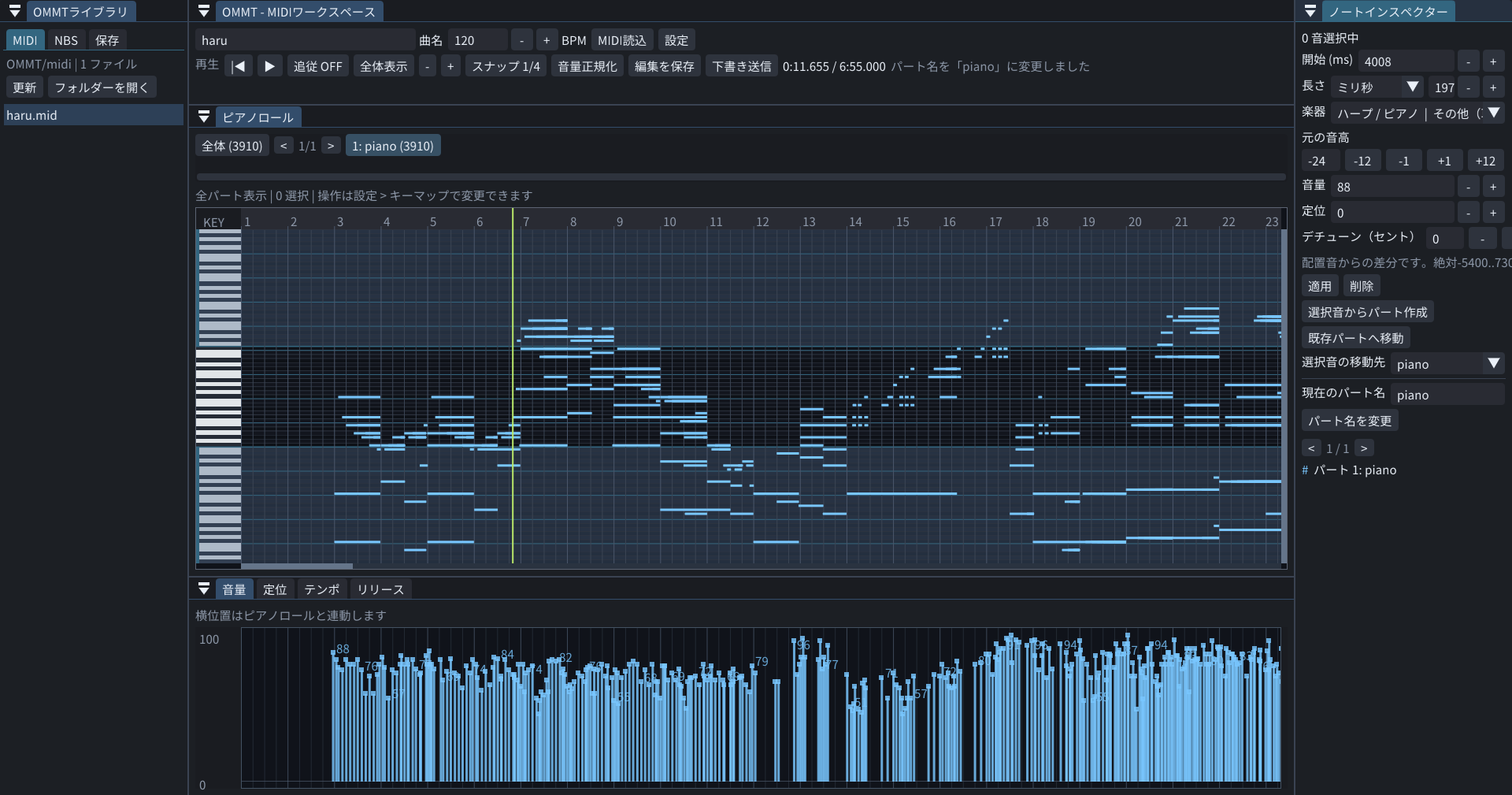
機能 / Features
・MIDI & NBS Conversion: Converts .midi and .nbs files into the OyasaiMusic data format.
・Audio Buffering: Buffers music playback in OyasaiMusic, minimizing the impact of server TPS drops for smoother audio.
・Built-in Pitch Range Pack: Includes an integrated extended-pitch resource pack, eliminating resource pack loading screens during server playback.
・MIDI / NBS ファイルを取り込み、OyasaiMusic 用のデータ形式へ変換
・再生データのバッファリングにより、サーバーの TPS 低下による音飛びやラグを軽減
・音域拡張リソースパックを内蔵し、サーバー再生時のロード画面をスキップEdit / 編集する
Arrange notes and parts, choose sounds, and adjust volume, pan, tempo and selected-note release.
ノート・パート・音色を編集。音量・定位・テンポ・選択音のリリースも調整できます。
Save & send / 保存して送る
Save editable .ommt projects locally. Upload Draft sends your work; it does not publish it automatically.
編集状態は.ommtで保存。下書き送信を押すまで曲は送信されず、自動公開もされません。
Install / 導入
Minecraft 26.2 · Fabric · Client only / クライアント専用
Requires / 必須
- Fabric API
- Fabric Language Kotlin
- Fabric GUI ImGui
User guide / 使い方Wiki
https://sahyuya.github.io/OMMTmod/
Report / 報告
For bug reports,please use the OMMT thread in the showcase section on the Oyasai Server Discord channel, or OMMT’s GitHub issues.
不具合は、おやさいサーバーDiscordのshowcaseにあるOMMTのスレッド、またはOMMTのgithub issueへ報告してください。
Oyasai Discord
github issue
常见问题
OyasaiMusicMidiTranslator 支持哪些 Minecraft 版本?
OyasaiMusicMidiTranslator 支持 Minecraft Java 版 1.21.11–26.3,共 4 个版本,可用的加载器:Fabric。下载时注意选择和你游戏版本一致的文件。
OyasaiMusicMidiTranslator 怎么安装?
先用 PCL2 或 HMCL 启动器安装对应版本的 Fabric,再把下载的 .jar 文件放进游戏目录的 mods 文件夹,重新启动游戏即可。开启了版本隔离的,mods 文件夹在 versions/版本名 下面。
评论
登录后评论和评分