
TuneBox
Plays your local music files in game. Hotkeys, a pause menu widget and a full library screen. Supports MP3, OGG, WAV and FLAC. Client side Fabric mod.
截图
介绍
TuneBox
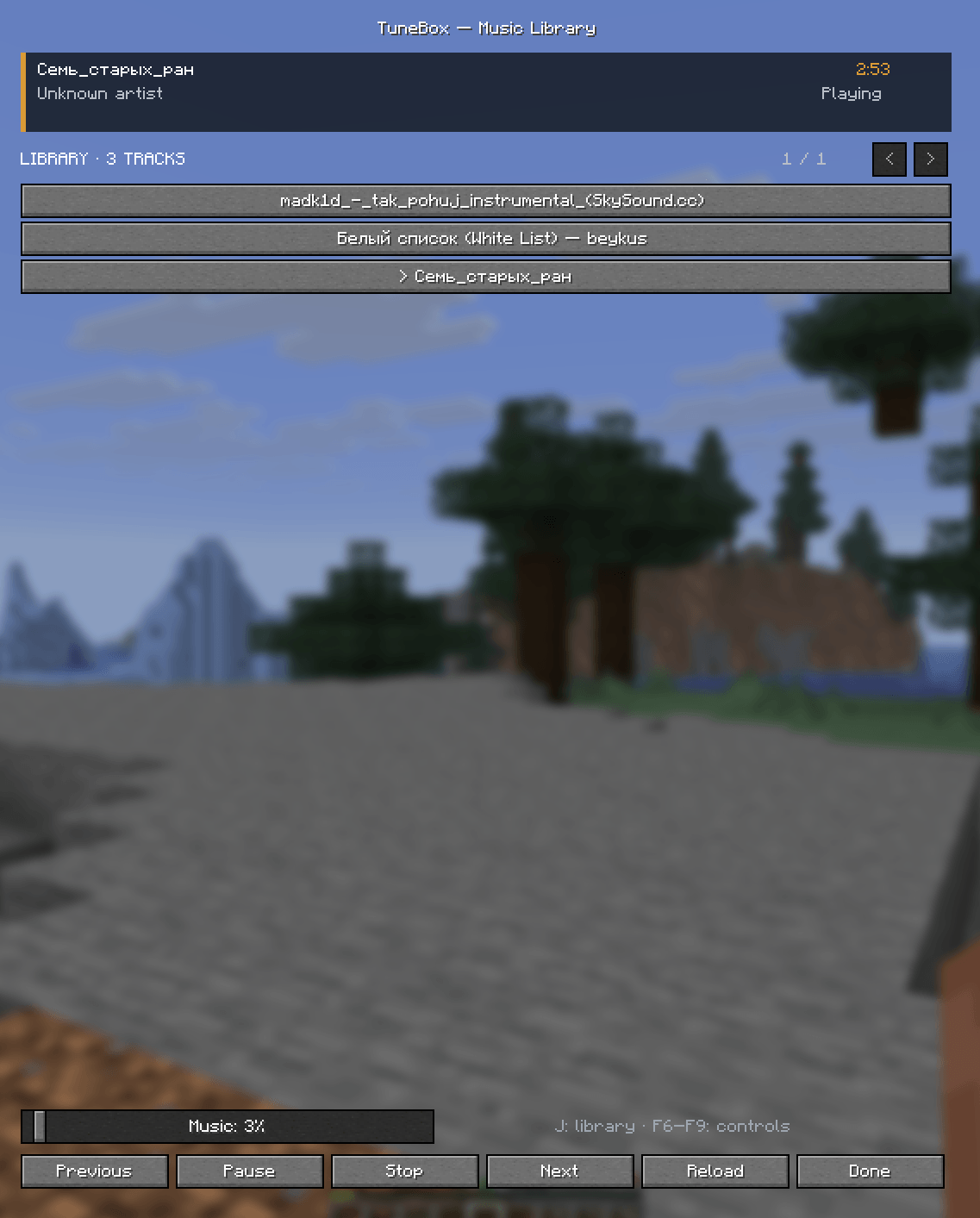
Your music, inside Minecraft. TuneBox is a client-side music player that plays your own local audio files while you play. No blocks, no items, no world changes — just your soundtrack.
Features
- Plays local files from the
musicfolder: MP3, OGG, WAV, FLAC - Global hotkeys (rebindable in Controls):
- F6 — previous track
- F7 — play / pause
- F8 — next track
- F9 — rescan the music folder
- J — open the library screen
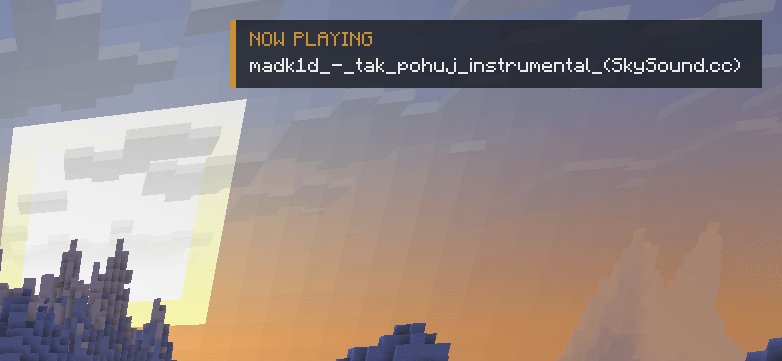
- Now-playing notification with track title and artist
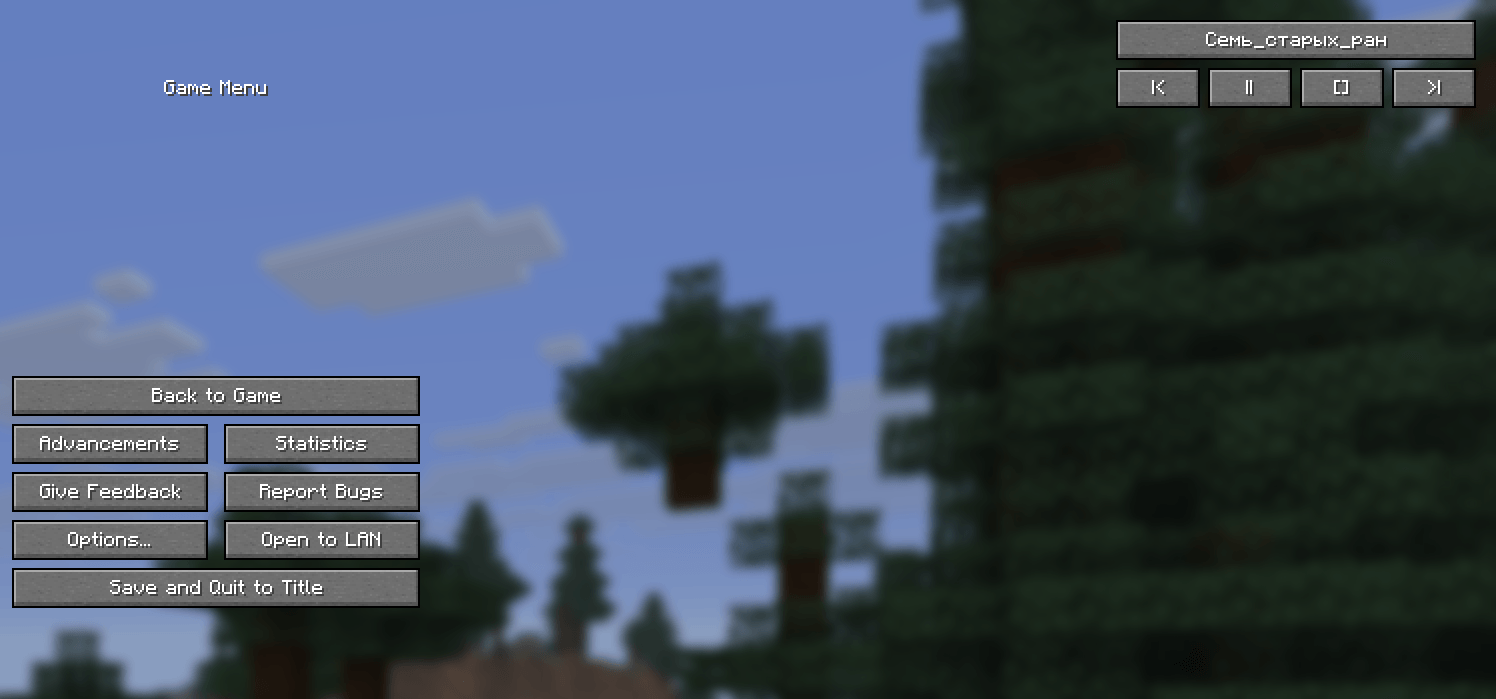
- Compact player widget in the pause (ESC) menu
- Library screen: full track list, playback controls, current track, volume control
- Plays through the game’s Music sound category — music keeps playing while the game is paused and follows the vanilla Music volume slider
- Automatically advances to the next track
- Client-side only: works in singleplayer and on any server
Getting started
- Install Fabric Loader 0.18.4+ and Fabric API for Minecraft 26.1
- Drop the mod into your
modsfolder - Put your audio files into the
musicfolder inside your Minecraft directory (press F9 in game to rescan after adding files) - Press J, pick a track, enjoy
Requirements
- Minecraft 26.1
- Java 25 (required by Minecraft 26.1 itself)
- Fabric Loader 0.19.3
- Fabric API
Roadmap
- Album art in notifications and the library
- Playlists, shuffle and repeat modes
- Support for 26.2 and older versions (1.21.x)
Notes
- Seeking within a track is not available yet
– Licensed under MIT. Source code: see the Source code link in the sidebar
TuneBox (на русском)
Твоя музыка — прямо в Minecraft. Клиентский плеер для локальных файлов: кидаешь треки в папку music рядом с игрой и управляешь воспроизведением, не выходя из мира.
Возможности
- Форматы: MP3, OGG, WAV, FLAC
- Хоткеи (переназначаются): F6 назад, F7 пауза, F8 вперёд, F9 обновить список, J — библиотека
- Уведомление о новом треке: название и исполнитель
- Компактный плеер в меню паузы (ESC)
- Экран библиотеки: все треки, управление, текущий трек, громкость
- Музыка не замолкает на паузе, громкость — ванильным слайдером «Music»
- Автопереход к следующему треку
- Только клиент: работает в одиночной и на любых серверах
Требования: Minecraft 26.1, Java 25, Fabric Loader 0.19.3, Fabric API.
常见问题
TuneBox 支持哪些 Minecraft 版本?
TuneBox 支持 Minecraft Java 版 26.1–26.1.2,共 3 个版本,可用的加载器:Fabric。下载时注意选择和你游戏版本一致的文件。
TuneBox 怎么安装?
先用 PCL2 或 HMCL 启动器安装对应版本的 Fabric,再把下载的 .jar 文件放进游戏目录的 mods 文件夹,重新启动游戏即可。开启了版本隔离的,mods 文件夹在 versions/版本名 下面。

评论
登录后评论和评分