RedScreen
Low Health Red Screen: A visual quality-of-life mod that applies a noticeable red tint as player health approaches zero
截图
介绍
🩸 Red Screen – Low Health Visuals
This is a lightweight, client-side visual enhancement mod designed to make critical low-health situations more intense and immediately noticeable in Minecraft.
Core Functionality
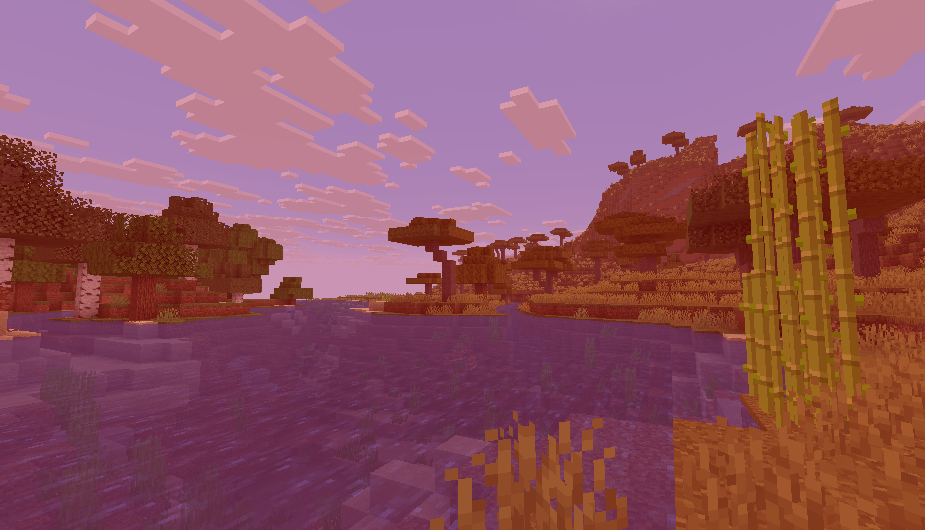
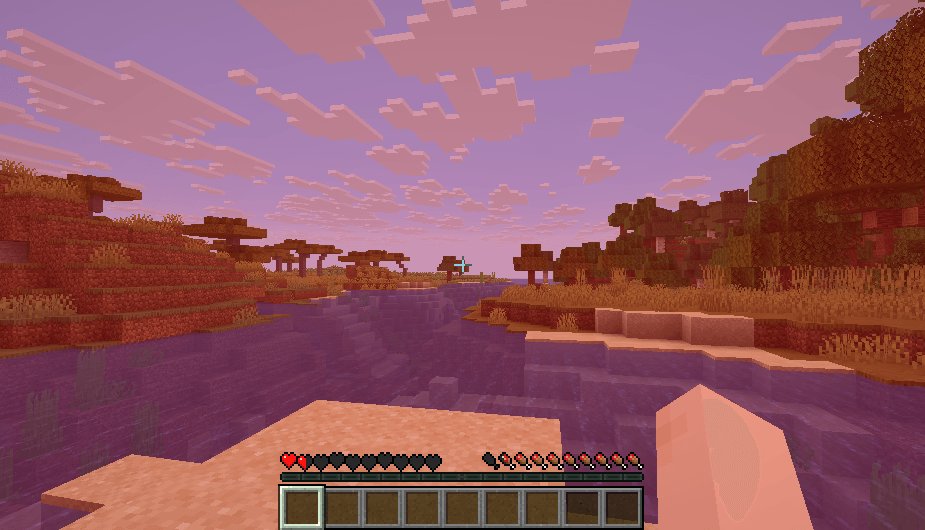
Red Screen implements a dynamic, intensifying red screen overlay that scales based on the player’s remaining health. The effect is subtle at first and becomes drastically more prominent the closer the player gets to death, providing an immediate and clear visual warning.
- Low Health Warning: The red overlay begins to appear when the player’s health drops to 3 hearts (6 HP) or lower.
- Dynamic Intensity: The screen tint is designed to be barely noticeable at 3 hearts and gradually increases in opacity, reaching its maximum intensity as the player approaches 0 health.
- Client-Side Only: This mod does not need to be installed on the server; it only affects the visual experience of the player who installs it. It’s safe to use on any server that allows client-side modifications.
🛠️ Built with Pure Code (Not MCreator)
Red Screen was developed from scratch using pure Java and the NeoForge API. This focused approach ensures:
- Optimal Performance: The mod uses minimal resources and has virtually no noticeable impact on your game’s frame rate or overall performance.
- Clean Implementation: The code is solely dedicated to the low-health visual effect, avoiding any unnecessary features or "bloat" often found in mods built with external tools.
- Broad Compatibility: Engineered to integrate smoothly with most existing shader packs (such as BSL, Complementary, or Seus) and other performance-focused client-side mods.
If you’re looking for a simple, effective, and well-coded immersion booster to elevate your gameplay experience during tense moments, Red Screen is the mod for you.
常见问题
RedScreen 支持哪些 Minecraft 版本?
RedScreen 支持 Minecraft Java 版 1.21.8,可用的加载器:NeoForge。下载时注意选择和你游戏版本一致的文件。
RedScreen 怎么安装?
先用 PCL2 或 HMCL 启动器安装对应版本的 NeoForge,再把下载的 .jar 文件放进游戏目录的 mods 文件夹,重新启动游戏即可。开启了版本隔离的,mods 文件夹在 versions/版本名 下面。
RuslanSem 的其他作品
查看全部 →
Recastional
Recastional 电影感光影
Paranoia VHS: Isolation
沉浸式模拟恐怖体验:包含随身摄像机失真、心理迷雾,以及醒目的局部红色高亮效果。
Heart of the Universe
理想的光影,带你沉浸于未知而神秘的氛围中。

RolePlay & GTA World
Minecraft 城市地图资源包
评论
登录后评论和评分