介绍
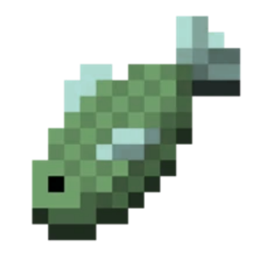
There are 9 colours you can choose from, each will help you to see more clearly when fishing in Minecraft, especially when it’s raining.
You are allowed to record videos and take pictures with these resourcepacks, please credit me if you upload these, do not use any links which run to an adservice and do not claim the resourcepacks as your own.
How to install:
How to Install
1. Download the file from the “Files” tab.
2. Hold the WINDOWS key and press R, a window named “Run” should appear.
3. Type “%appdata% into the textbox, and press OK.
4. Navigate to the folder named “.minecraft”, then find the folder named “resourcepacks”, open it,
5. Find where you downloaded the fishing textures resourcepack to, and copy it.
6. Paste the fishing textures resourcepack into the “resourcepacks” folder, and you’re nearly done!
7. Head back into Minecraft, press Esc, Options, Resource Packs, look for the fishing textures resourcepack and press the arrow to move it to the other side.
8. Press “Done” and your fishing textures should now be your chosen colour!
常见问题
Fishing Textures+ 支持哪些 Minecraft 版本?
Fishing Textures+ 支持 Minecraft Java 版 1.16.4。下载时注意选择和你游戏版本一致的文件。
Fishing Textures+ 怎么安装?
把下载的 .zip 文件(不用解压)放进游戏目录的 resourcepacks 文件夹,进游戏后在「选项 → 资源包」里把它移到右边启用。
评论
登录后评论和评分