
FenrirWeather
Roleplay weather for Forge 1.20.1. Admins create fog, rainstorms, thunderstorms, snow, blizzards, cold snaps, heatwaves and wolf nights from a modern, themed menu, and players actually feel it.
介绍
Fenrir Weather
Roleplay weather for Forge 1.20.1. Admins create fog, rainstorms, thunderstorms, snow, blizzards, cold snaps, heatwaves and wolf nights from a modern, themed menu, and players actually feel it.
Features
- Staged build-up – first it gets colder, then dark clouds gather, then the fog thickens. Set the max fog density, delays and fade-out per event.
- Whole biomes – weather can cover an entire biome instead of a radius, and it can come and go (weather window, pause, chance) so it does not snow all day.
- Vanilla override – replace Minecraft’s own weather in chosen biomes without changing the biome.
- Safe zones – protect taverns and houses with the Zone Wand (WorldEdit style: two points, mouse wheel for height, confirm). No RP weather inside, with optional enter/leave messages (players can switch them off).
- Feel the cold – frost overlay, visible breath, a shivering camera and RP emotes for people nearby. Fur armor (own 3D model, craftable) and fur lining for any armor protect you.
- Player weather – admins grant weather types, presets or powers (lightning, thunder, wolf howl …) to single players, who trigger them with a hotkey.
- Everything in the menu – presets, players, zones, biomes, protection values and all server texts. Four themes: Winter, Autumn, Halloween, Wolf. English and German UI.
- Server-side & permissions – LuckPerms nodes for every action. Vanilla clients can join and get a chest menu.
- API – start/stop weather and set cold or heat resistance from your own mod (for example, wolf-kin that ignore the cold).
API for other mods
Class de.awolfynight.fenrirwetter.api.FenrirWeatherAPI (server side only). No hard dependency needed for resistances.
// start weather: template, radius (<=0 = default), minutes (<=0 = default)
UUID id = FenrirWeatherAPI.start(level, x, z, WeatherType.WOLFSNACHT, 150, 10);
FenrirWeatherAPI.startPreset(level, x, z, "my_preset");
FenrirWeatherAPI.stop(id);          // fades out;  stopAll() stops everything
FenrirWeatherAPI.isWeatherAt(level, x, z, WeatherType.SCHNEE);

// make a creature fully immune to cold (e.g. wolf-kin) or give partial protection
FenrirWeatherAPI.setImmune(player, "mymod", "cold", true);
FenrirWeatherAPI.setResistance(player, "mymod", "heat", 0.5f);
float r = FenrirWeatherAPI.getResistance(player, "cold");
Without a dependency you can also use the scoreboard tag fenrirwetter_immune_cold / fenrirwetter_immune_heat, the LuckPerms nodes fenrirwetter.immune.cold / .heat, or the NBT fenrirwetter_<cold|heat>_resist in the player’s persistent data.
Commands
/fw or /fenrirwetter opens the menu. Players use /rpweather give|take|status.
Requirements
Minecraft 1.20.1, Forge 47+. Optional: LuckPerms. Install on the server and on clients (clients get fog, sky effects and the full menu).
常见问题
FenrirWeather 支持哪些 Minecraft 版本?
FenrirWeather 支持 Minecraft Java 版 1.20.1,可用的加载器:Forge。下载时注意选择和你游戏版本一致的文件。
FenrirWeather 怎么安装?
先用 PCL2 或 HMCL 启动器安装对应版本的 Forge,再把下载的 .jar 文件放进游戏目录的 mods 文件夹,重新启动游戏即可。开启了版本隔离的,mods 文件夹在 versions/版本名 下面。
awolfynight 的其他作品
查看全部 →
Simple Voice Distance
使用 SimpleVoiceDistance 后,玩家只需按一下按键,就能在耳语、普通和大喊模式间切换——非常适合角色扮演服务器!

MoreWolf
More Wolves Mod 🐺 This mod simply adds more wolves to your Minecraft world. It was developed for a German roleplay project.

Fenrir Medieval RP Items
This mod ist made for use in the Fenrir Medieval RP Modpack
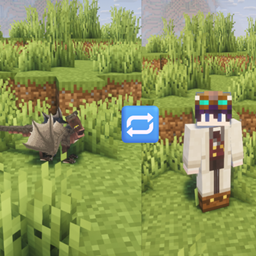
Dragontoggle
An addon for Dragon Survival: switch between your dragon and human form at any time and keep all your progress.
评论
登录后评论和评分