
截图
介绍
HUDly: The Ultimate Interface & Game Feel Overhaul
Tired of the clunky, outdated vanilla Minecraft interface? HUDly is a collection of mods designed to completely modernize your HUD, streamline your inventory management, and elevate your overall game feel without sacrificing performance.
Key Features
⚔️ Combat HUD
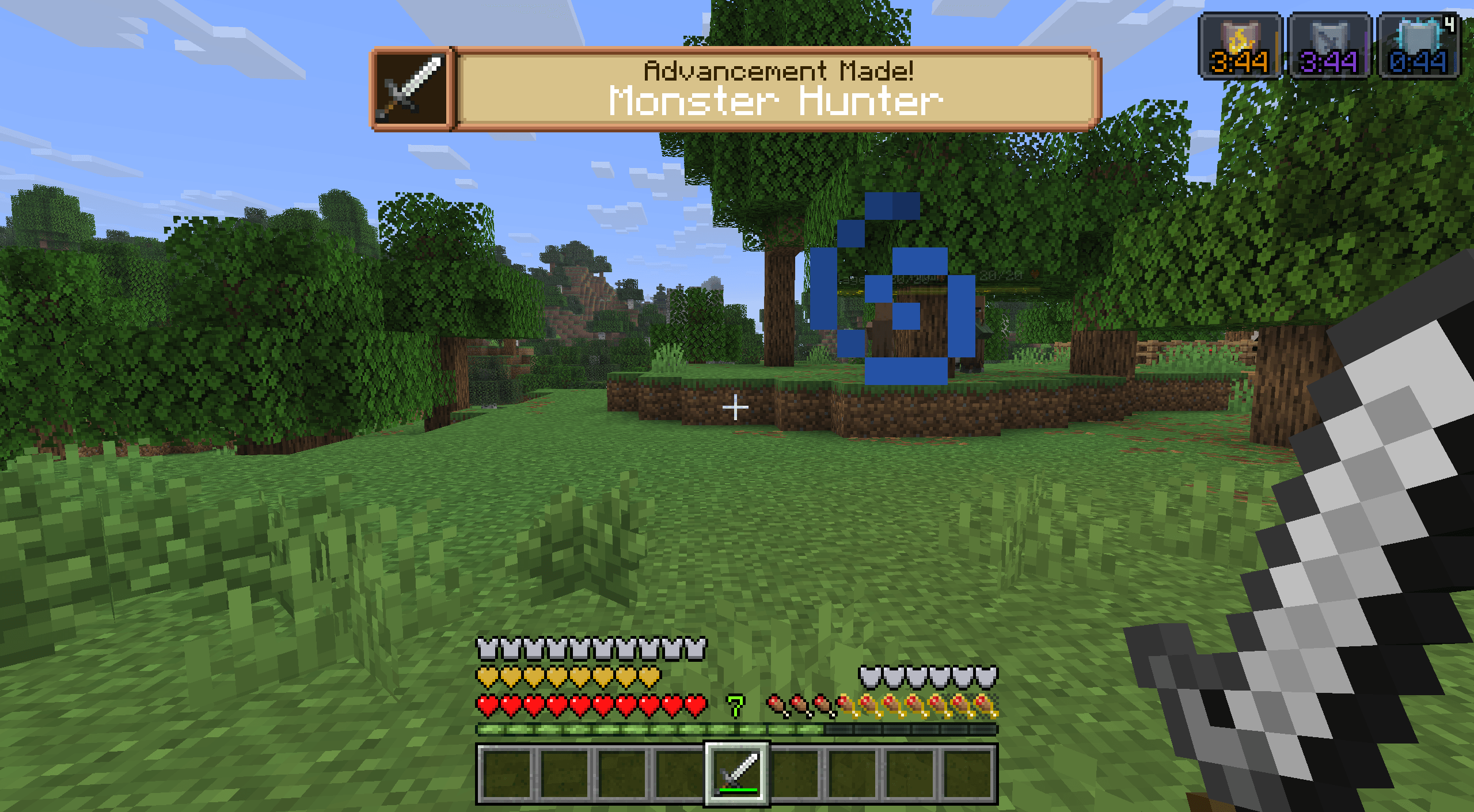
- Advancement Plaques – Replaces boring advancement popups with epic, glowing RPG-style plaques.
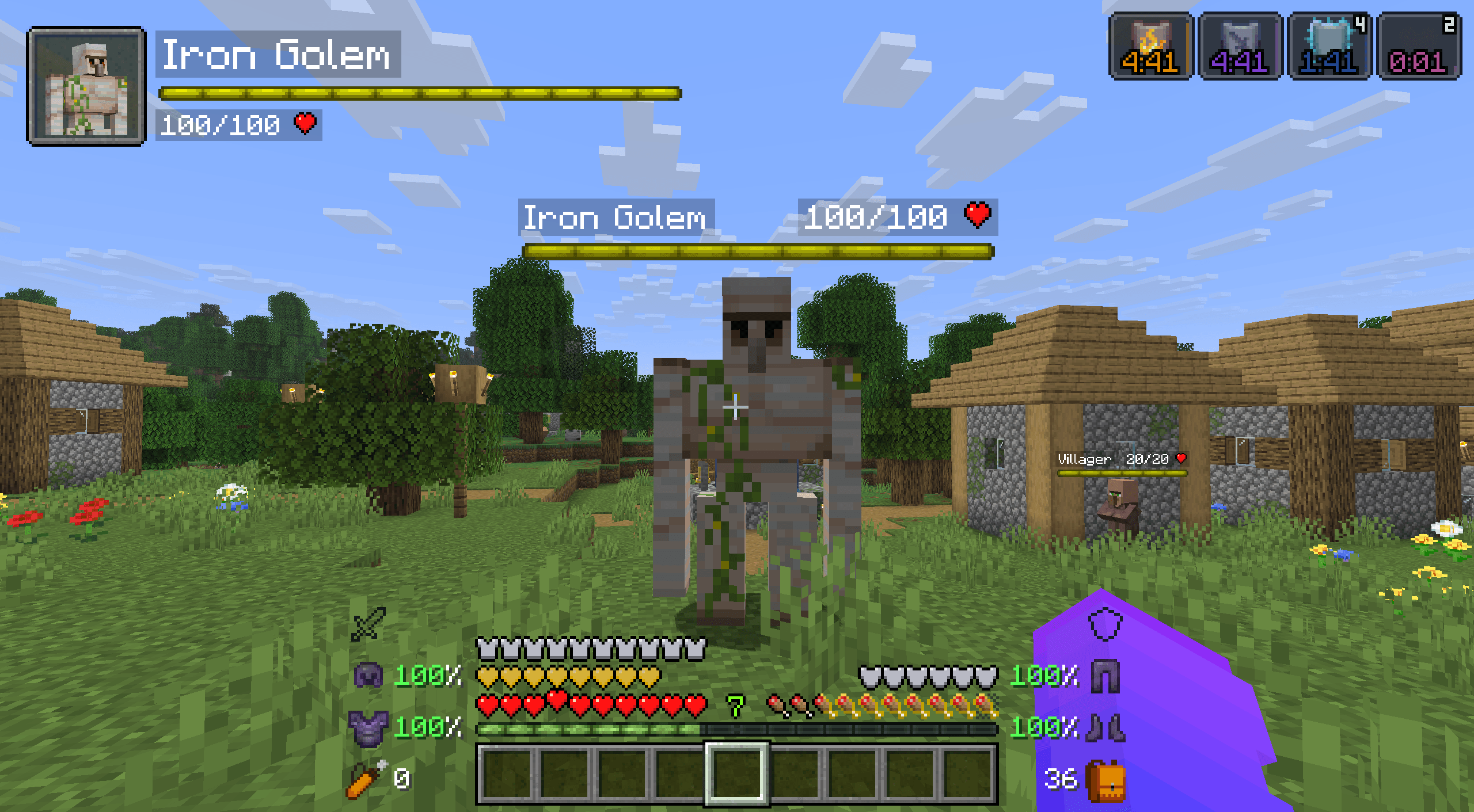
- Health Bars – Adds smooth, animated health, armor, and damage indicators directly above mobs.
- Overflowing Bars – Stacks extra health, armor, and toughness bars into compact, clean layers instead of cluttering your screen.
- Inventory HUD+ – Fully customizable overlays showing your inventory, armor durability, free slots, and potion timers on your main screen.
- Stylish Effects – Completely overhauls the active status effects display with modern, sleek layouts.
- Effect Insights – Adds simple explanations to status effects from potions and food items, so you always know exactly what they do.
📖 Tooltips & Information
- AppleSkin – Adds crucial food HUD improvements, visualizing potential hunger, saturation, and health restored.
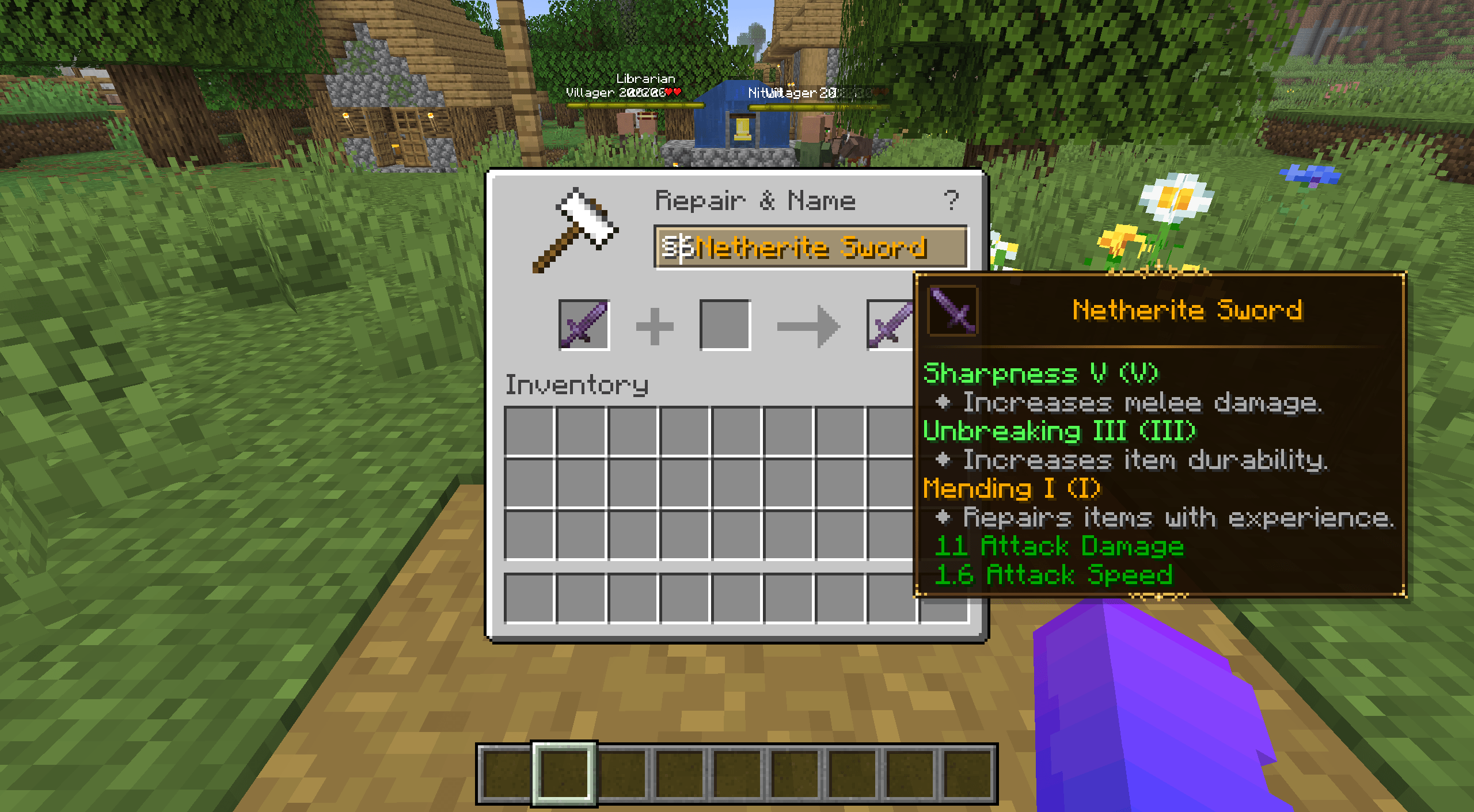
- Enchantment Insights – Adds clear enchantment descriptions directly to your item tooltips.
- Legendary Tooltips – Transforms ordinary item tooltips into embellished works of art with borders matching item colors and 3D previews.
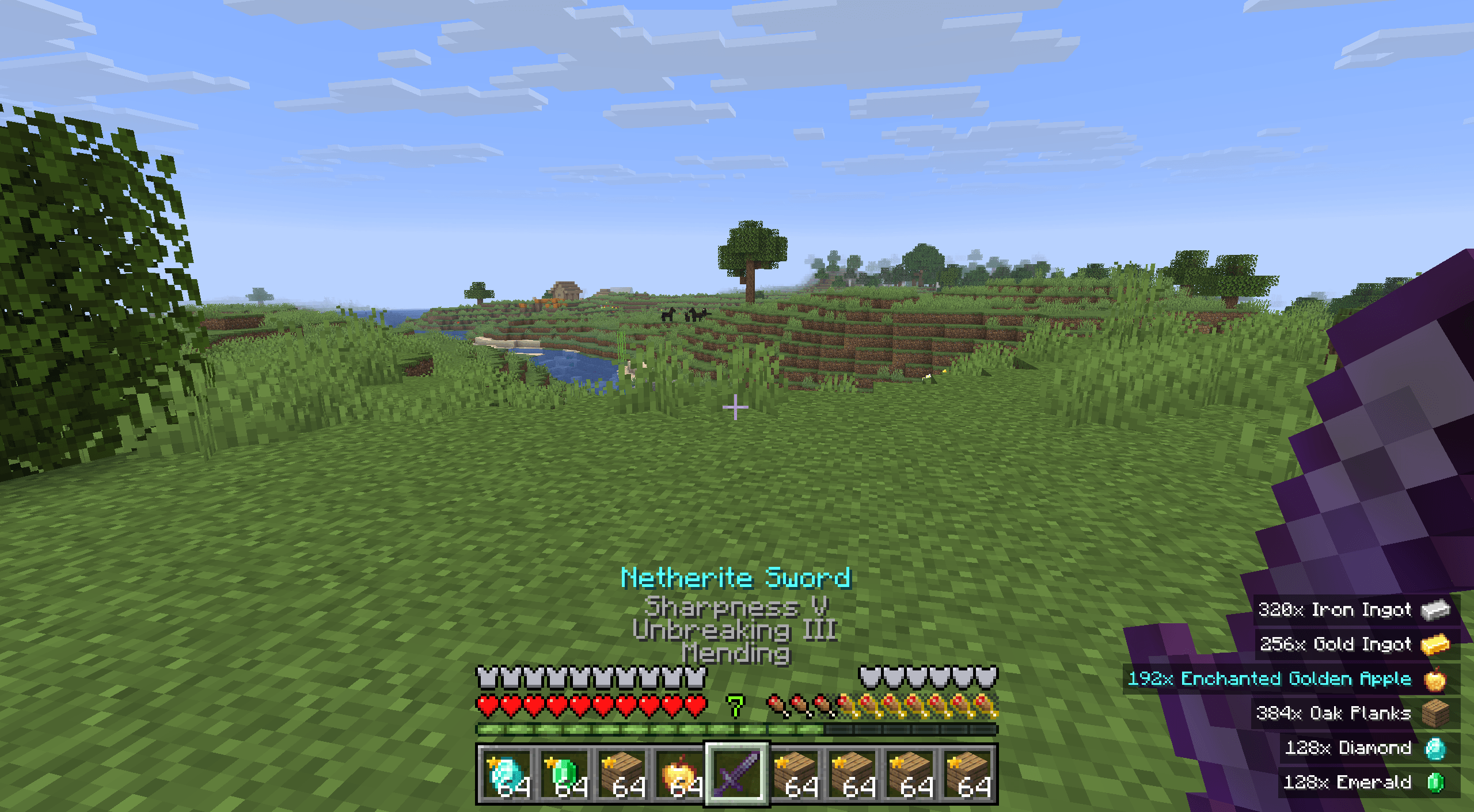
- Held Item Info – Displays active enchantments and detailed stats under the item’s name when held.
- Item Highlighter – Quickly find new items by showing an animated star on all newly-picked up loot.
- Pick Up Notifier – Keeps track of everything you collect and displays it in a clean on-screen list.
🎒 Inventory Improvements
- Easy Shulker Boxes – Lets you fully interact with shulker boxes directly from your inventory without placing them down.
- Shulker Box Tooltip – Allows you to see a preview window of a shulker box’s contents by simply pressing shift.
- Easy Anvils – Items stay inside the anvil when you close it, rendering the contents directly on the block.
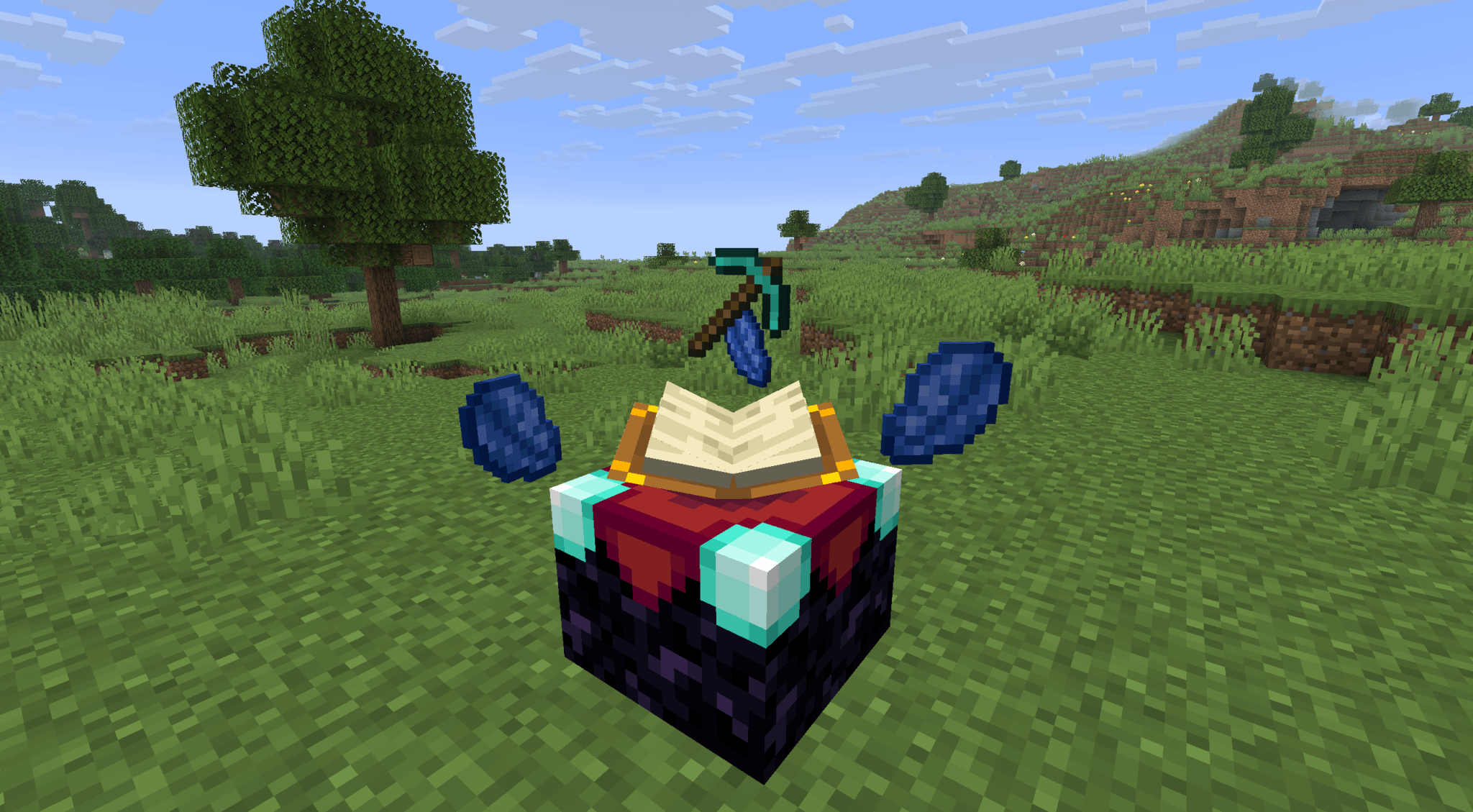
- Easy Magic – Retains items inside the enchanting table and adds a convenient button for rerolling offered enchantments.
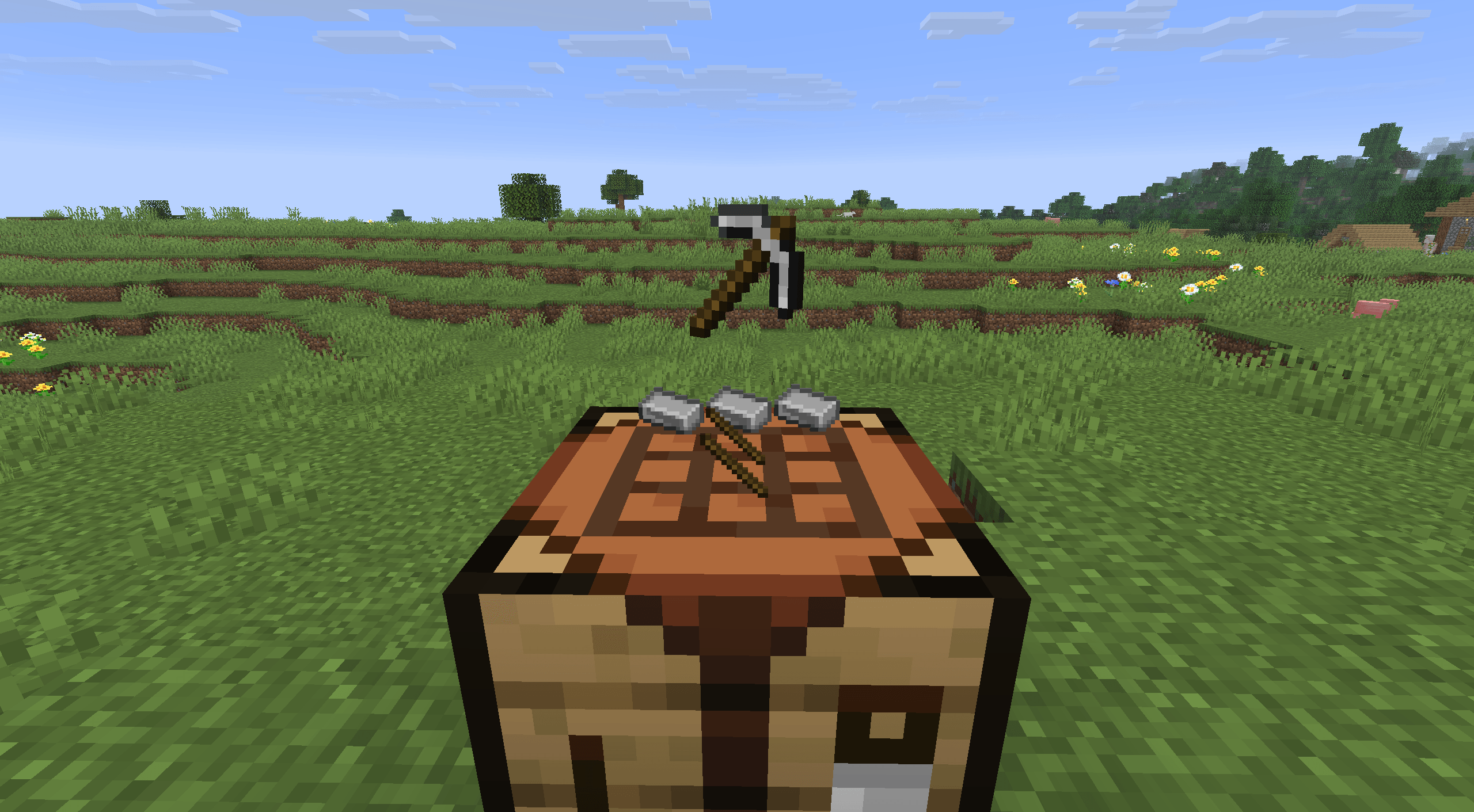
- Visual Workbench – Items placed in a crafting table persist inside the grid instead of dropping on the floor.
- Locked In Slots – Lock any inventory slot with a hotkey to protect your most valuable tools from accidental dropping or sorting.
- InvMove – Gives you total freedom to walk, jump, and sprint while navigating chests or inventories.
🎨 Visual Enhancements
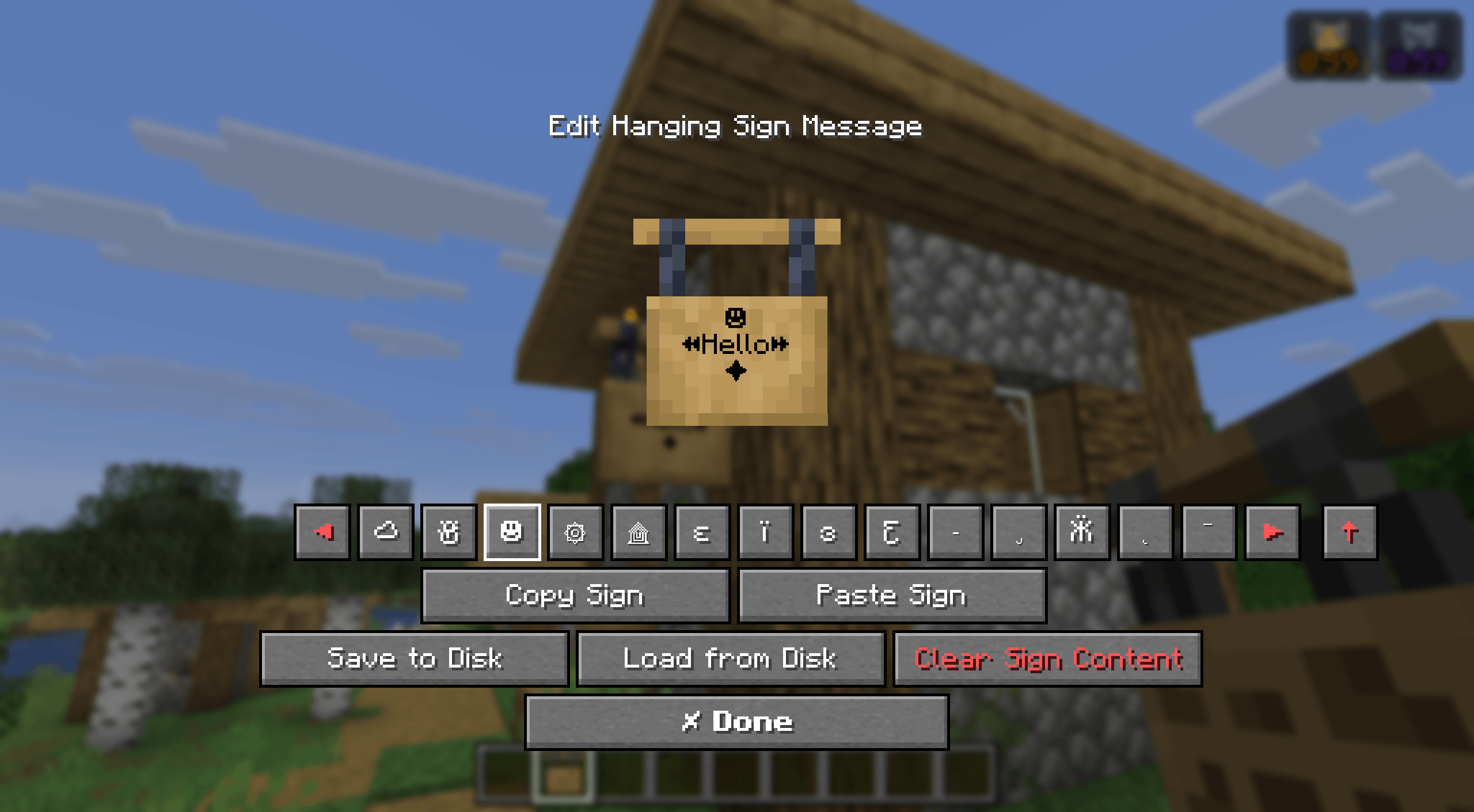
- Blur+ – Adds sleek, customizable background blur with smooth animations whenever you open a menu.
- Hovering Hotbar – Detaches the hotbar from the screen edge, creating a cleaner, modern floating look.
- Immersive Minimaps – A seamless minimap overlay that automatically activates whenever you hold a map in your inventory.
- Zoomify (Zoom) – The smoothest, most configurable, and visually stunning zoom mod available.
- LambDynamicLights – Realistic dynamic lighting—light up dark caves simply by holding a torch in your hand.
- Particle Rain – Replaces default weather with gorgeous particle rain, fog, wind, and sandstorm physics.
🛠️ Core Optimization & Utilities
- Death Finder – Instantly displays your exact coordinates, dimension, and distance from your last death point right on the death screen.
- Cherished Worlds – Pin and favorite your most important worlds to force them to the top of the list and prevent accidental deletion.
- Stendhal – Offers enhanced visual utilities for books, signs, anvils, and the in-game chat.
- Chat Heads – Adds neat player skin icons next to chat messages, making it easy to tell people apart.
- Screenshot Viewer – Browse and view your taken screenshots directly from the menu.
- Remove Reloading Screen – Removes the frustrating reload screen except for a clean progress bar when changing resource packs.
- Resource Pack Overrides – Ensures preinstalled resource packs stay configured exactly as intended for a clean UI.
常见问题
HUDly 支持哪些 Minecraft 版本?
HUDly 基于 Minecraft Java 版 26.1.2、1.21.1,使用 Fabric 加载器。
HUDly 怎么安装?
点本页「前往下载」拿到整合包文件(Modrinth 的是 .mrpack,CurseForge 的是 .zip),在 PCL2 或 HMCL 启动器里选择「导入整合包」,启动器会自动装好 Minecraft、加载器和全部模组。建议在启动器里给游戏分配 4–6 GB 内存。
HUDly 开服需要多大内存?
推荐服务器内存 12 GB。在线人数多、或者建了大量机器和区块加载器时,可以再加 2–4 GB。
怎么和朋友一起玩 HUDly?
点本页的「一键开服」,选好配置后会自动安装 HUDly 的服务端,几分钟就能开好。把服务器地址发给朋友,大家用同一个版本的整合包连进去就行。
Danya31 的其他作品
查看全部 →
Danya 31’s Optimization Pack
包含我 YouTube 视频中展示的所有模组的整合包。

Soul Items
Skip the standard ore grind and hunt for rare, self-leveling tools exclusively found in Ancient City structures. Elevate your playstyle as your gear organically grows stronger with every action you take.

Overboss
100+ bosses, custom dungeons, and total combat chaos
评论
登录后评论和评分