
TIC Material Editor
Edit Tinkers Construct materials in-game with a unified Forge 1.20.1 editor.
介绍
Tinkers Material Editor
Edit Tinkers Construct materials in-game with a unified Forge 1.20.1 editor.
Features
- Open the editor with M in single-player worlds.
- Edit existing materials and create new materials through one form.
- Configure material definitions, stats, traits, craftable state, hidden state, appearance, and material inputs.
- Search items, materials, stats, and traits by display name, ID, Chinese pinyin, or initials.
- Preview the generated material JSON before saving.
- Store each material in an independent file under config/tinkers_material_editor/materials/.
- Generate the optional tconstruct:material input recipe from the editor.
- Preserve unknown fields and explicit empty values when loading and saving.
This mod does not generate custom PNG textures, smelting, casting, alloying, fluid, or trait implementations. It edits the material data consumed by Tinkers Construct and reloads it through the normal data-pack workflow.
Compatibility
- Minecraft 1.20.1
- Forge 47.4.23 or newer Forge 47.x
- Tinkers Construct 3.12.0.220 or newer compatible 1.20.1 release
- Mantle 1.11.117 or newer compatible 1.20.1 release
- Java 17
匠魂材料编辑器
适用于 Forge 1.20.1 的匠魂材料游戏内统一编辑器。
功能
- 单人世界按 M 打开编辑器。
- 使用统一表单编辑已有材料或创建新材料。
- 编辑材料定义、属性、词条、可制作状态、隐藏状态、外观和材料输入。
- 支持按显示名称、ID、中文全拼和拼音首字母搜索物品、材料、属性和词条。
- 保存前预览生成的材料 JSON。
- 每个材料独立保存到 config/tinkers_material_editor/materials/。
- 可从编辑器生成可选的 tconstruct:material 材料输入配方。
- 读取和保存时保留未知字段及显式空值。
本模组不会生成自定义 PNG 贴图,也不会生成熔炼、铸造、合金、流体或词条本体。它编辑匠魂使用的材料数据,并通过原版数据包的正常重载流程加载。
兼容环境
- Minecraft 1.20.1
- Forge 47.4.23 或更高的 Forge 47.x
- Tinkers Construct 3.12.0.220 或更高的兼容 1.20.1 版本
- Mantle 1.11.117 或更高的兼容 1.20.1 版本
- Java 17
常见问题
TIC Material Editor 支持哪些 Minecraft 版本?
TIC Material Editor 支持 Minecraft Java 版 1.19.2–1.20.1,共 2 个版本,可用的加载器:Forge。下载时注意选择和你游戏版本一致的文件。
TIC Material Editor 怎么安装?
先用 PCL2 或 HMCL 启动器安装对应版本的 Forge,再把下载的 .jar 文件放进游戏目录的 mods 文件夹,重新启动游戏即可。开启了版本隔离的,mods 文件夹在 versions/版本名 下面。
hp12138 的其他作品
查看全部 →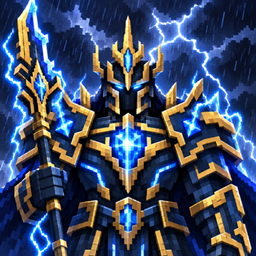
Thunder Relics
新增雷霆之王 Boss、富有动感的皇家长戟战斗、风暴仪式,以及一整套皇家盔甲。

gatewaysjs
这是 GatewaysToEternity 模组的 KubeJS 附属模组,提供事件集成和 API,方便自定义 Minecraft 中的传送门玩法。

tetrawhetstone
加快 Tetra 工具磨砺进度。
FTB Quest Enhance
增强 FTB Quests 的编辑功能,支持从剪贴板粘贴图片、在章节画布上添加文字,以及在任务和击杀任务中预览实体模型。
评论
登录后评论和评分