
截图
介绍

RuneScape Arsenal brings the iconic weapon and material progression of RuneScape into Minecraft, featuring new ores, materials, and weapon types that stay true to the spirit of RuneScape while feeling right at home in your world.
⚔️ What’s in the Mod
New Materials & World Generation
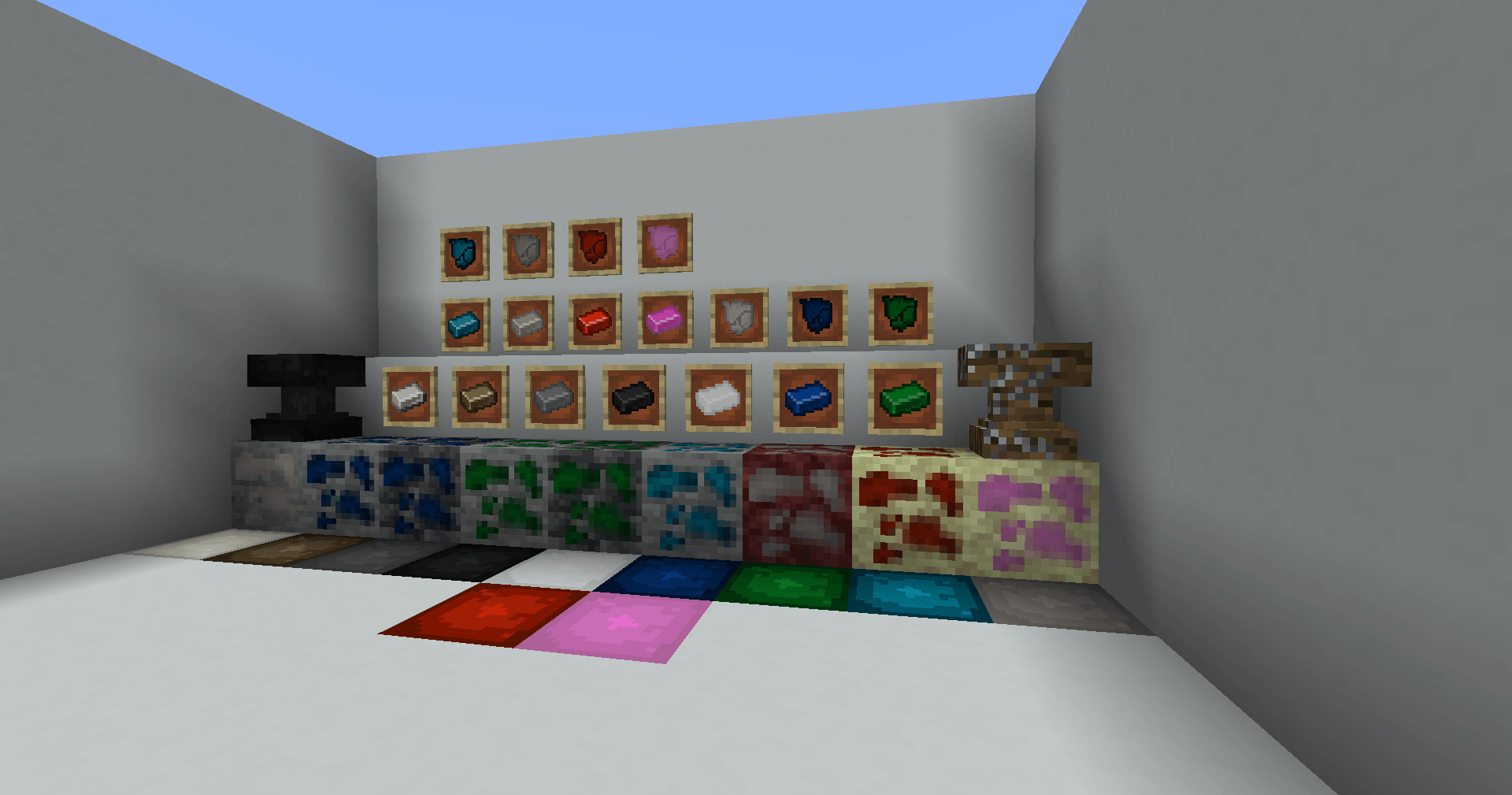
Arsenal adds 10 new material tiers to the game, each with its own ore that spawns naturally in the world. From bronze to dragon, the full RS-inspired progression is here, including a custom material:
Wood → Stone → Bronze → Iron → Steel → Gold → Black/White → Mithril → Adamant → Diamond → Rune → Granite → Netherite →Dragon → Pearlite (custom)
Weapon Types
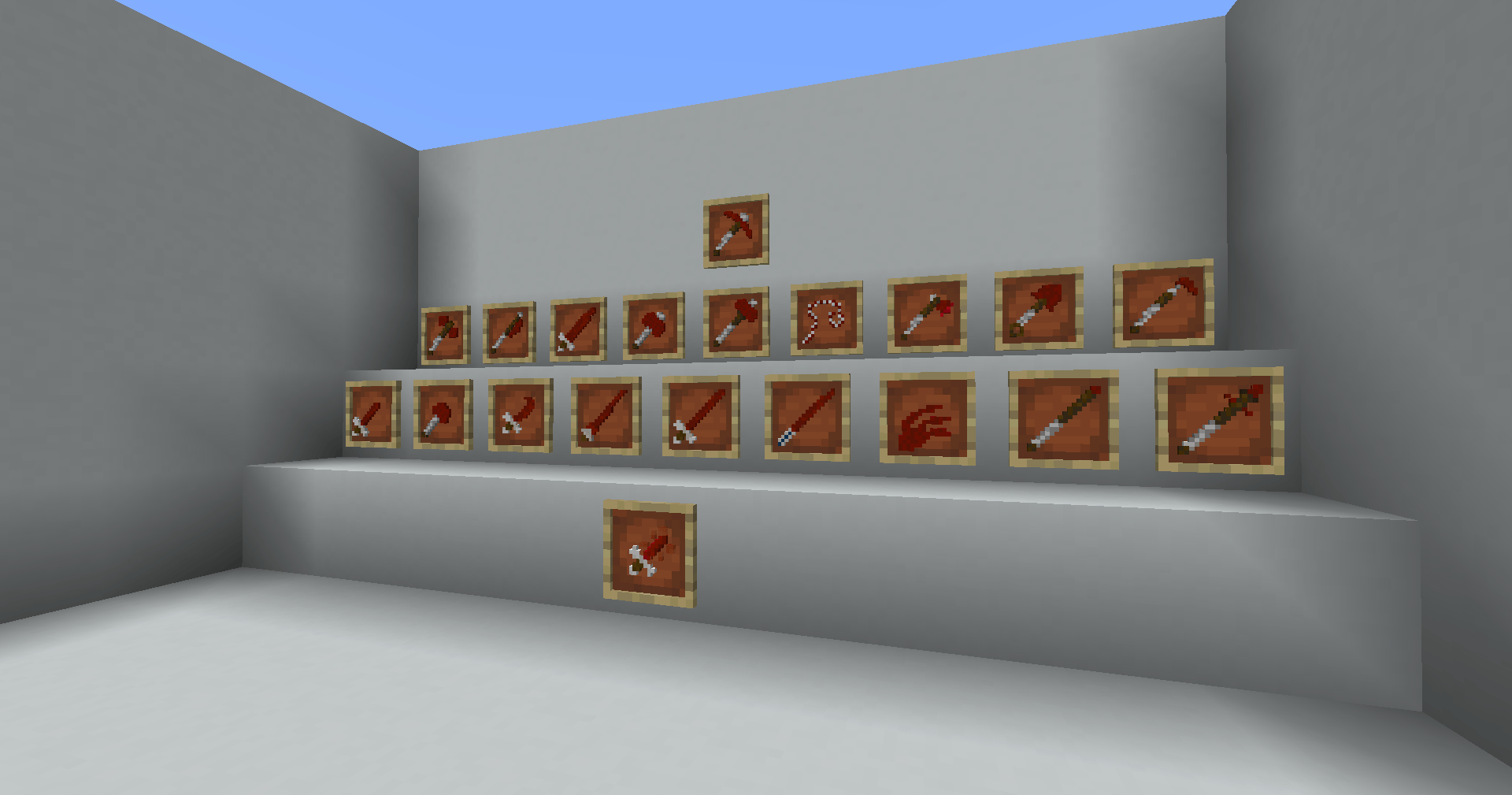
Every material tier has a full suite of weapons. Arsenal introduces a wide variety of weapon types not found in vanilla Minecraft, each with unique stats and handling:
Swords, Two-Handed Swords, Scimitars, Daggers, Rapiers, Claws, Halberds, Spears, Hastae, Mauls, Katanas, Axes, Whips, and more – all available across every material tier including vanilla materials.
Crafting Anvil
A new crafting station used to forge Arsenal weapons and items. Standard recipes are crafted here, with more content coming in future updates.
Optional RS-Style Tier Enforcement
Want the full RuneScape experience? Enable strict tier-based mining in the config:
When enabled, you’ll need the correct tier pickaxe to mine each ore; bronze to mine iron, adamant to mine diamonds, dragon to mine pearlite, and so on. Disabled by default, so vanilla mining behavior is preserved for those who just want the weapons.
🔨 Coming Soon to Arsenal
- Armor sets for all material tiers
- Custom Models and animations for many of the weapons to allow things such as dual wielded claws with one item, whip animations, and more!
- Alloy Anvil: a higher-tier crafting station for special weapons, armor, and unique items
- Tiered arrows and other material-based consumables
- General polish, balancing, and content expansion
🗺️ The RuneScape Mod Collection
Arsenal is the first mod in a planned series of interconnected RuneScape-inspired mods. Each mod is designed to be used standalone or together as a full modpack experience.
🏹 RuneScape Archery (Planned)
Tiered bows matched to RS wood types: willow, maple, yew, magic logs and more. Features custom trees that spawn scattered throughout existing biomes, two brand new custom biomes, and a full fletching system. Further details TBD.
🔮 RuneScape Magic (Planned)
Staffs, runes, spellcasting, and a full magic system inspired by RS. More details to come.
📊 RuneScape Skills (Planned)
A full skill system featuring Combat, Mining, Woodcutting, Ranged, and Magic. Integrates with all other mods in the collection; automatically enables tier configs and adds a level gate system so you can’t progress until your skill level is high enough. The definitive way to play the full collection.
Disclaimer
RuneScape Arsenal is a fan-made mod created out of love and appreciation for RuneScape, developed and owned by Jagex Ltd. This mod is not affiliated with, endorsed by, or officially connected to Jagex Ltd. in any way.
All RuneScape-related names, terminology, weapon types, materials, and concepts referenced in this mod are the intellectual property of Jagex Ltd. No copyright infringement is intended. This mod is a free, non-commercial fan project and is not sold or monetized in any way.
If you are a representative of Jagex Ltd. and have any concerns regarding this project, please reach out before taking any action and we will respond promptly.
Currently in Alpha; expect updates, new content, and ongoing improvements. Feedback and bug reports are welcome!
常见问题
RuneScape Arsenal 支持哪些 Minecraft 版本?
RuneScape Arsenal 支持 Minecraft Java 版 1.20.1,可用的加载器:Forge。下载时注意选择和你游戏版本一致的文件。
RuneScape Arsenal 怎么安装?
先用 PCL2 或 HMCL 启动器安装对应版本的 Forge,再把下载的 .jar 文件放进游戏目录的 mods 文件夹,重新启动游戏即可。开启了版本隔离的,mods 文件夹在 versions/版本名 下面。
评论
登录后评论和评分