FPS Catalyst
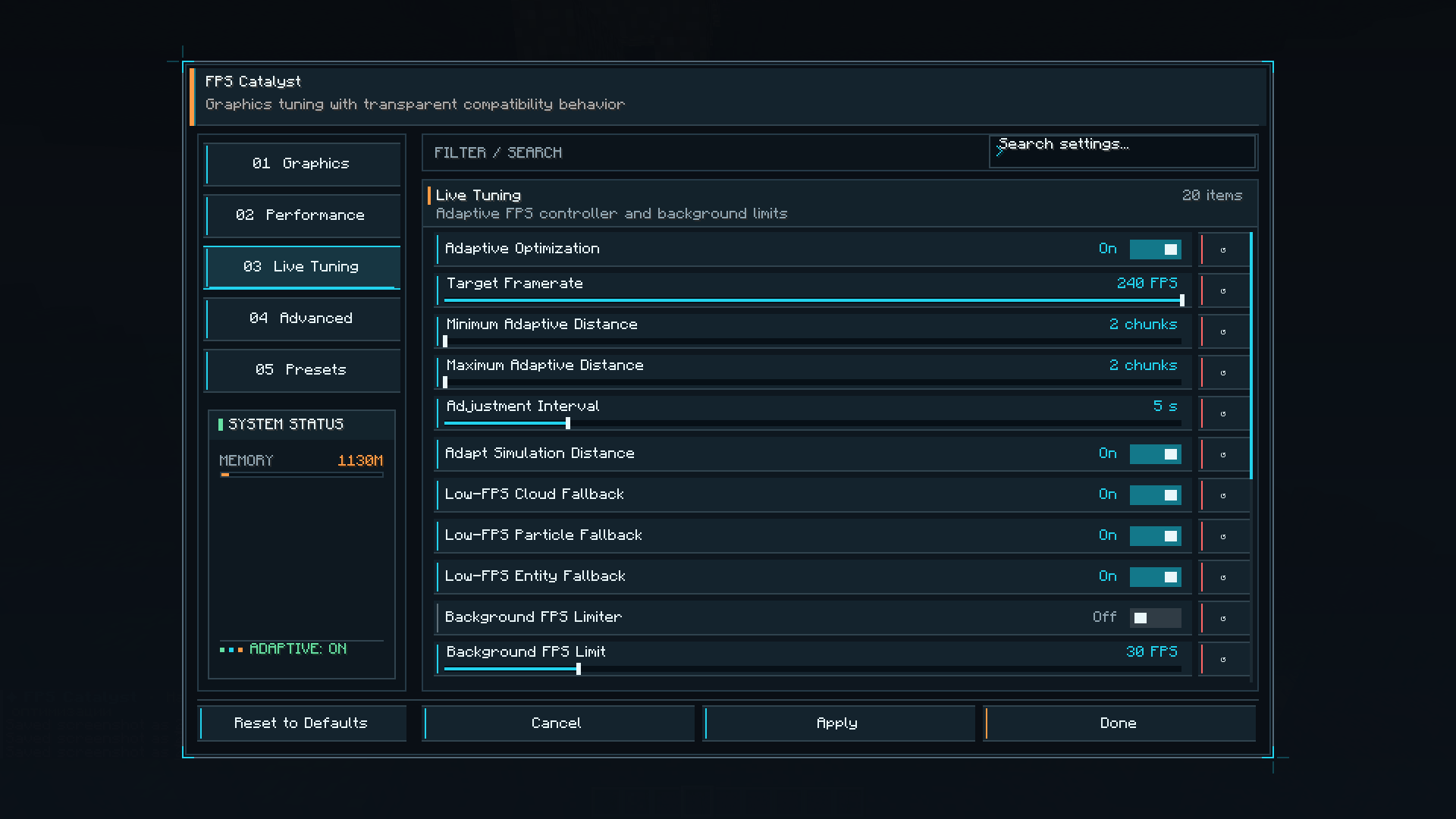
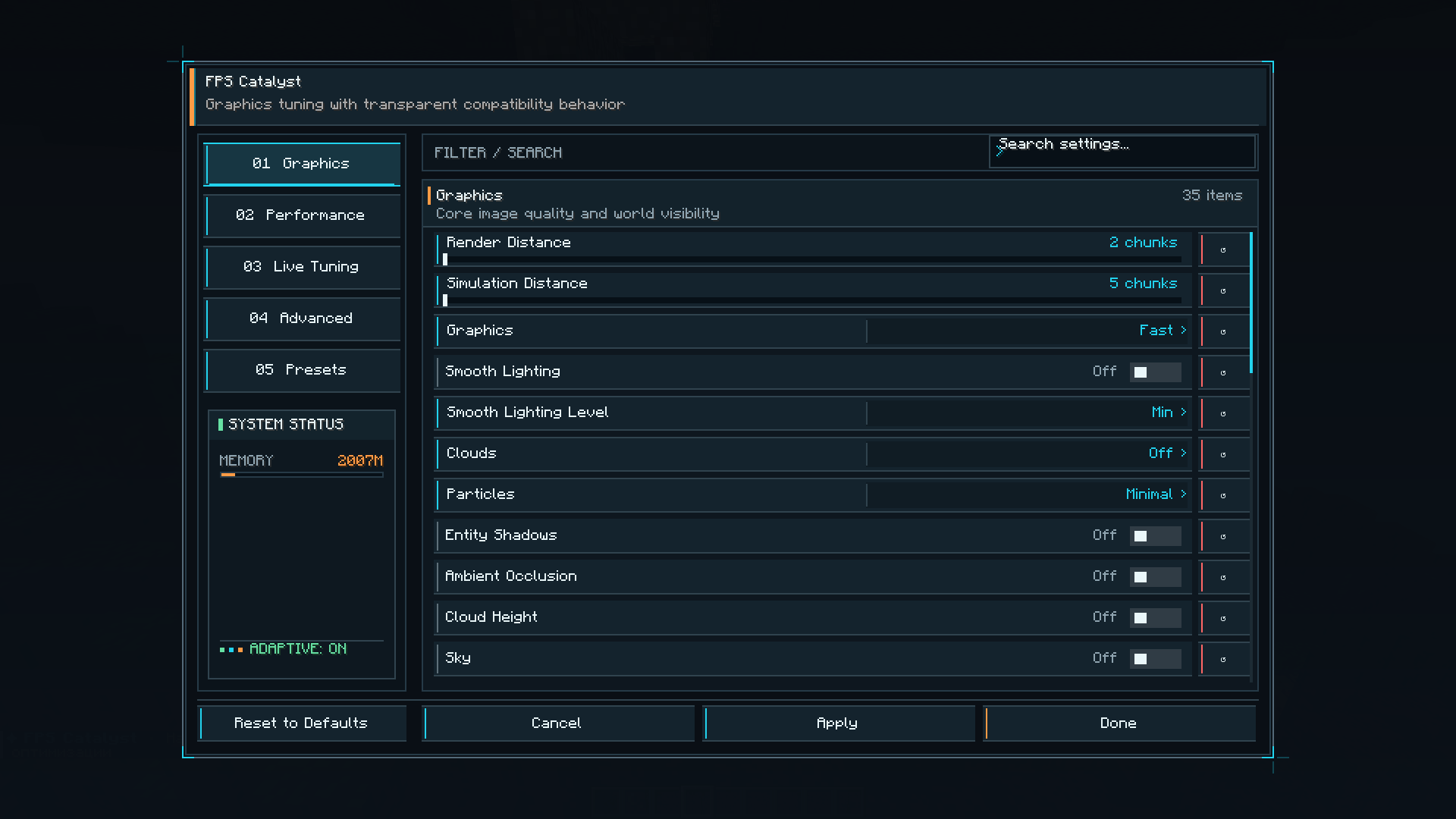
FPS Catalyst is a powerful client-side performance optimization mod for Minecraft. It provides customizable FPS profiles, advanced rendering controls, a maximum-performance “Potato Mode,” real-time FPS monitoring, and a modern, easy-to-use interface.
截图
介绍
FPS Catalyst
FPS Catalyst is a client-side performance optimization mod designed to improve FPS and provide detailed control over Minecraft’s rendering and visual effects.
Features
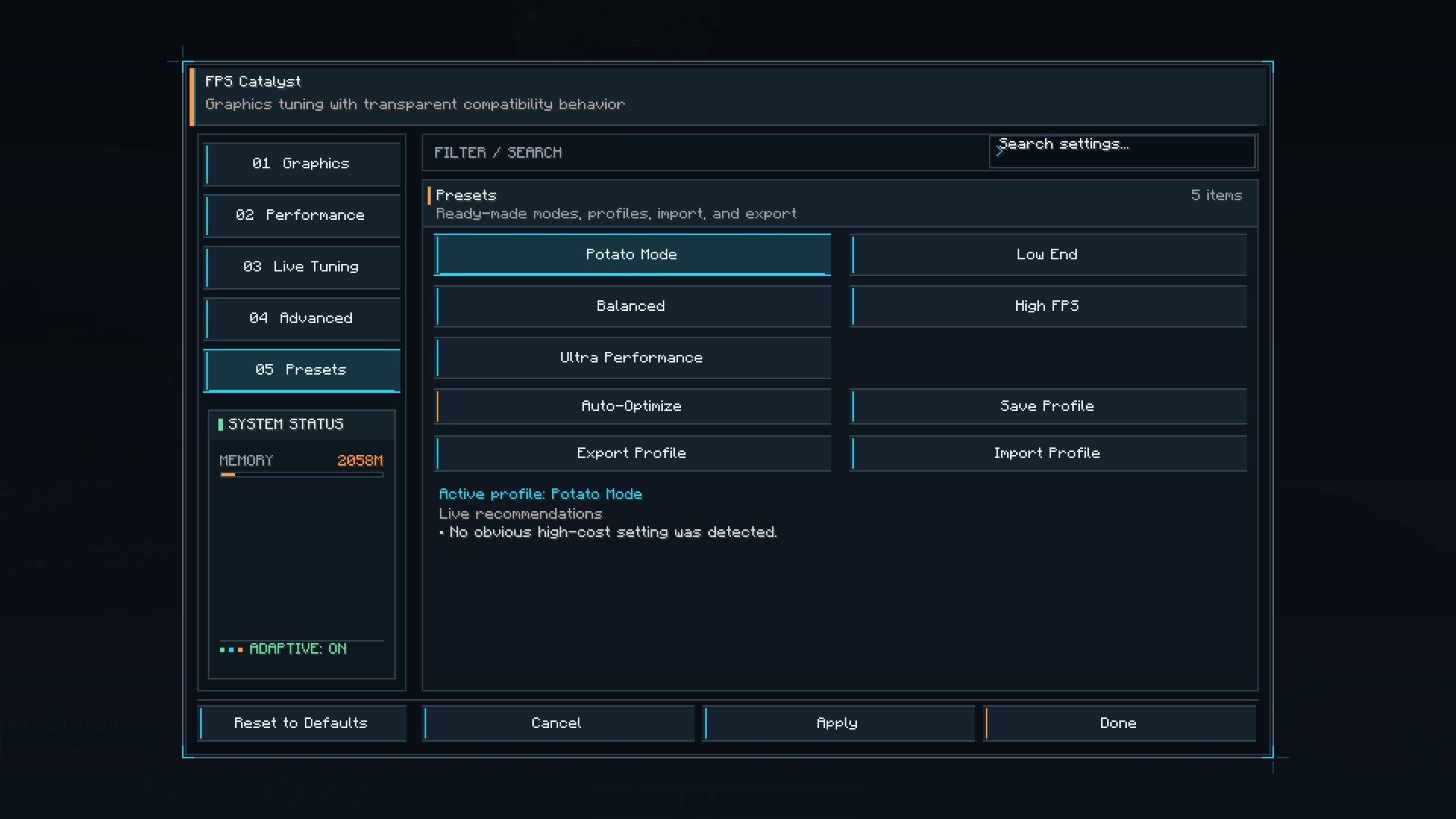
- Multiple performance profiles for different hardware
- Powerful Potato Mode for maximum FPS
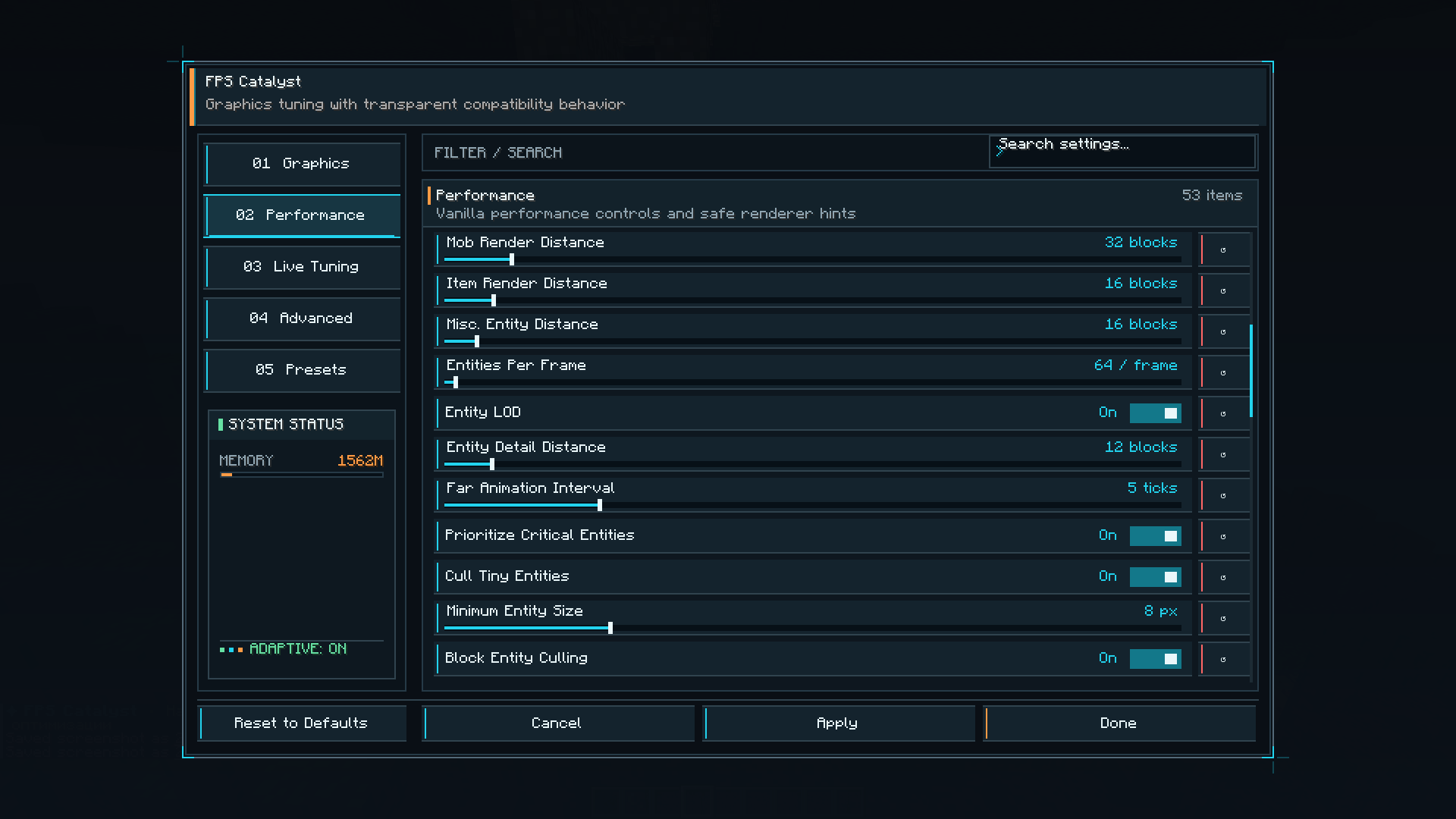
- Advanced rendering and visibility settings
- Entity, particle, animation, weather, fog, and effect controls
- Custom render-distance and performance limits
- Unlimited FPS enabled by default
- Real-time in-game FPS monitor
- Modern and compact configuration interface
- English and Russian localization
- Helpful descriptions showing the expected FPS impact of each option
Press N while playing to open the FPS Catalyst menu. A reminder containing the currently assigned key is displayed in chat when you enter a world.
FPS Catalyst is entirely client-side and does not need to be installed on the server.
Current compatibility: Minecraft 1.20.1, Fabric Loader and Fabric API.
常见问题
FPS Catalyst 支持哪些 Minecraft 版本?
FPS Catalyst 支持 Minecraft Java 版 1.20.1,可用的加载器:Fabric。下载时注意选择和你游戏版本一致的文件。
FPS Catalyst 怎么安装?
先用 PCL2 或 HMCL 启动器安装对应版本的 Fabric,再把下载的 .jar 文件放进游戏目录的 mods 文件夹,重新启动游戏即可。开启了版本隔离的,mods 文件夹在 versions/版本名 下面。
fikkich 的其他作品
查看全部 →
Ballistic Frontiers
Ballistic Frontiers 为 Minecraft 带来坦克、飞机、无人机、火炮、导弹和防空系统。包含精细的 3D 模型、可驾驶载具、FPV 摄像机、3D 雷达地图、电子战以及多人战斗。

Astral Skill Tree
星界技能树在 12 个分支中添加了 180 个技能,包含主动技能、魔法、法力、协同效应、成就、自定义构筑以及宇宙 RPG 进度界面。

MineX
MineX adds 100 unique pickaxes with custom textures, upgrades, mastery progression, and mining-focused abilities. Discover powerful tools for ore collection, excavation, resource gathering, and underground exploration.

Mystery Cases
Mystery Cases adds 25 unique cases with animated openings, weighted rewards, rare variants, pity mechanics, multi-case opening, achievements, and configurable drops.
评论
登录后评论和评分