
Torch It Up
一款 Fabric 模组,探索时会自动在昏暗区域放置火把,支持原版火把和 11 种木材变种火把;手持火把时还会提供动态光照,并可将火把存放在专用的火把袋中。
截图
介绍
Tired of fumbling around in the dark mid-exploration? Torch It Up has you covered.
Torch It Up is a Fabric mod for Minecraft 1.20.1 that takes the tedium out of lighting up your world. Carry torches in your inventory, toggle the mod on, and watch as torches are automatically placed in dark areas around you as you explore. Holding a torch? It lights up the area around you. Want to keep your inventory tidy? Store your torches in the dedicated Torch Bag. Prefer a specific aesthetic? Choose from 11 craftable wood-variant torches to match your build. No more backtracking, no more fumbling in the dark, no more inventory clutter.
Features
🔦 Auto Torch Placement
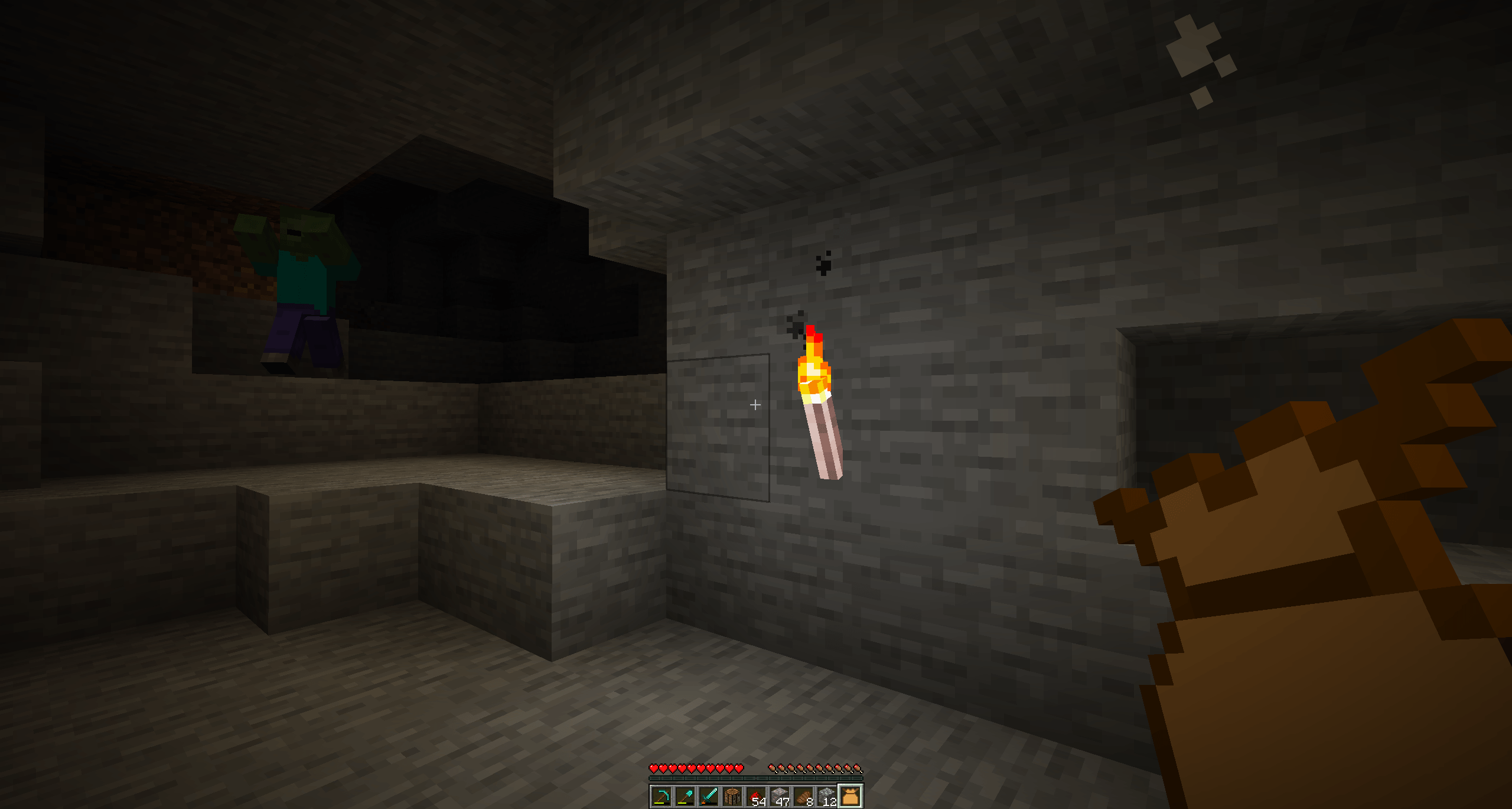
Every few seconds, the mod scans the area around you and places a torch wherever the light level is too low, prioritising side walls first, then front and back walls, then the floor for the most natural-looking lighting.
✨ Dynamic Hand Lighting
Holding a torch? It actually lights up the area around you in real time, making caving and night exploration feel far more immersive.
🪵 11 Wood-Variant Torches
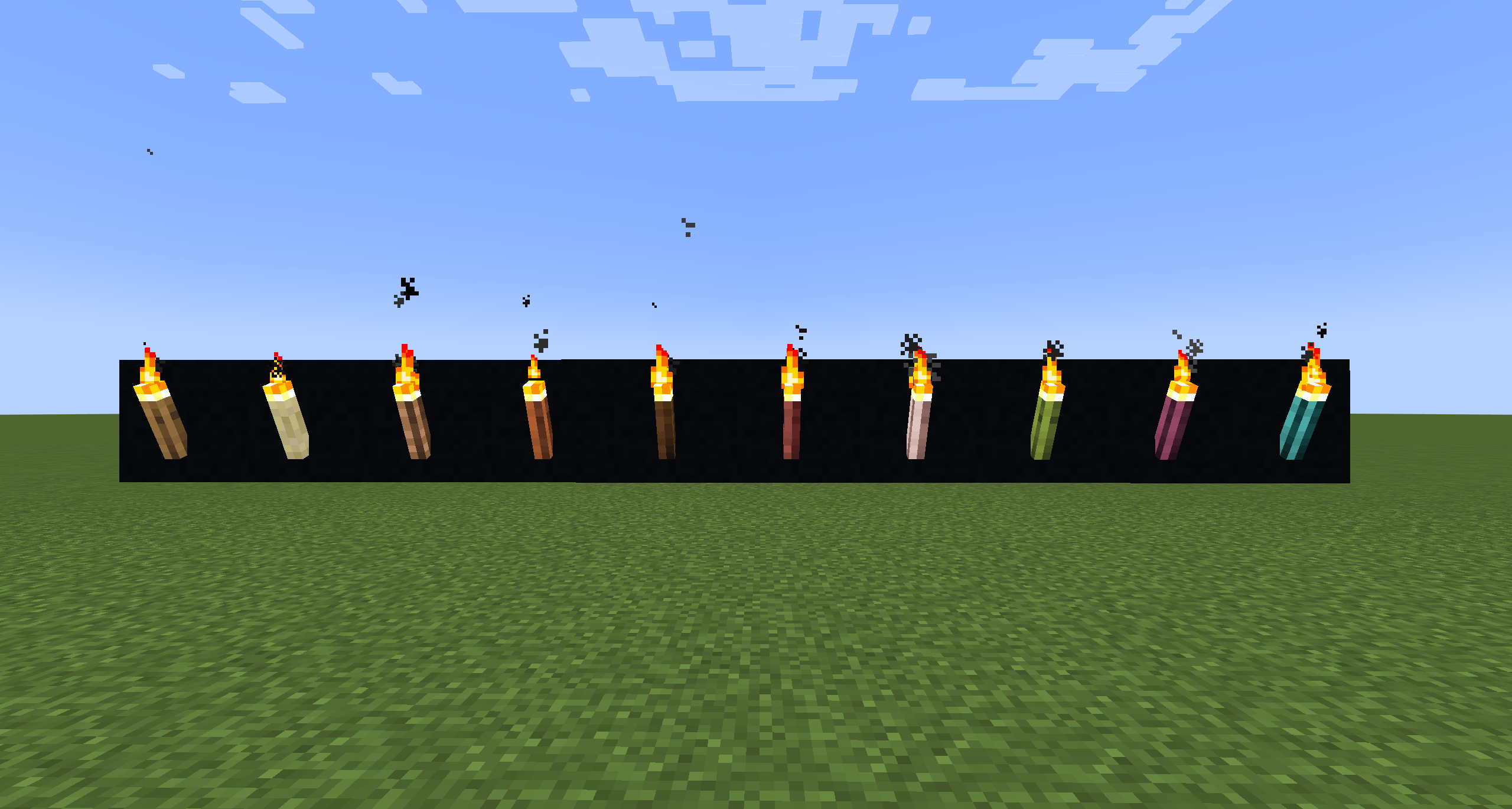
Craft torches using any wood type in the game, from Oak to Warped. Each variant is fully craftable (one wood plank + one vanilla torch) and works seamlessly with the auto-placement system.
🎒 Torch Bag
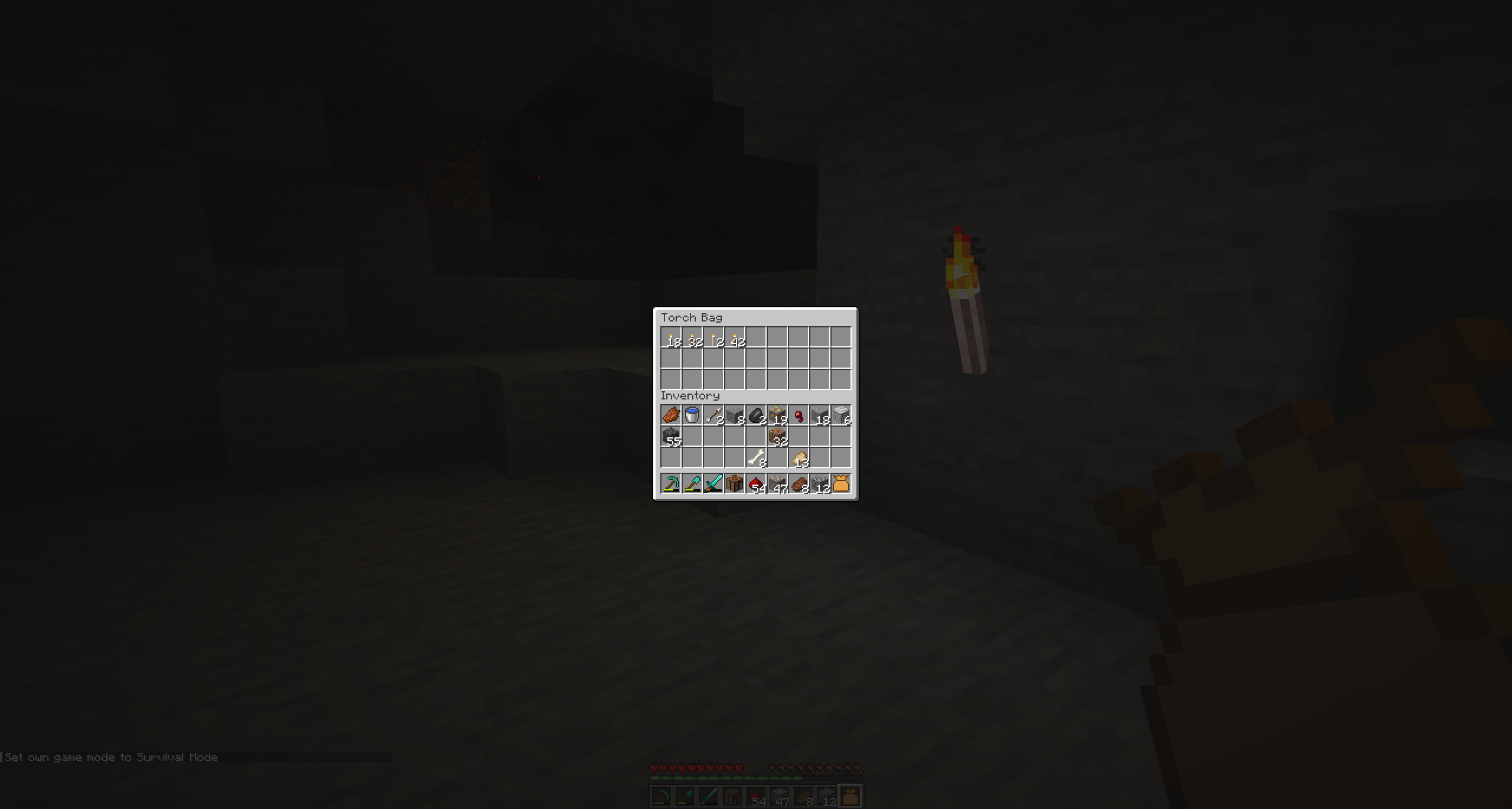
A dedicated bag item that stores your torches so they don’t clutter your inventory. The auto-placement system pulls from it automatically.
⚙️ Fully Configurable
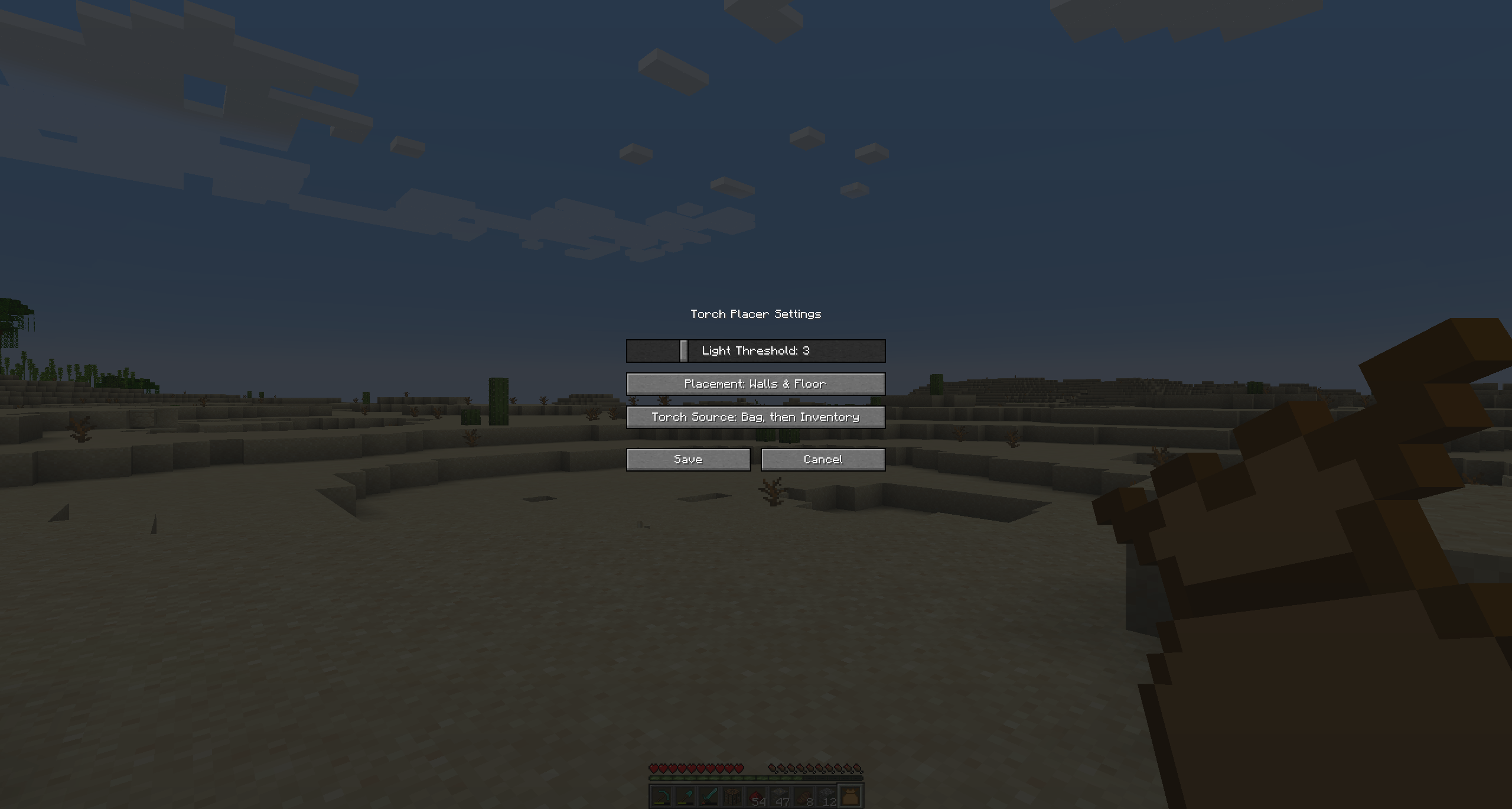
Open the in-game settings screen to tune the light threshold, scan radius, and placement mode (walls only, floor only, or both) to suit your playstyle.
🎮 Toggle On the Fly
Press G at any time to turn the mod on or off. A quick action bar message confirms the new state.
I’m planning to add more features in the future to create the ultimate ‘All-In-One’ torch mod.
常见问题
Torch It Up 支持哪些 Minecraft 版本?
Torch It Up 支持 Minecraft Java 版 1.20.1,可用的加载器:Fabric。下载时注意选择和你游戏版本一致的文件。
Torch It Up 怎么安装?
先用 PCL2 或 HMCL 启动器安装对应版本的 Fabric,再把下载的 .jar 文件放进游戏目录的 mods 文件夹,重新启动游戏即可。开启了版本隔离的,mods 文件夹在 versions/版本名 下面。
评论
登录后评论和评分