截图

介绍
Acidglow’s Damage Indicators
See the damage you deal — right where it happens.
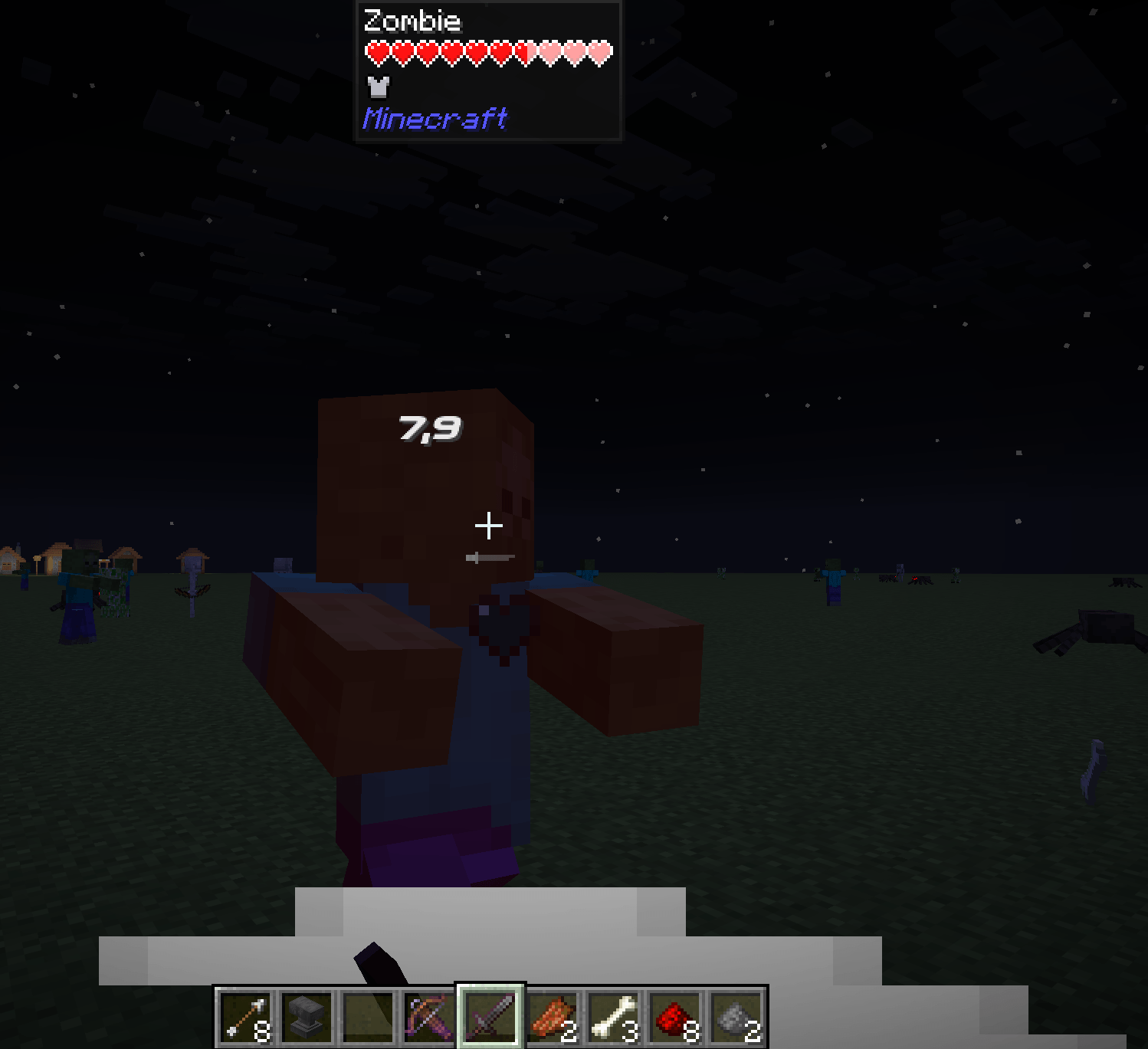
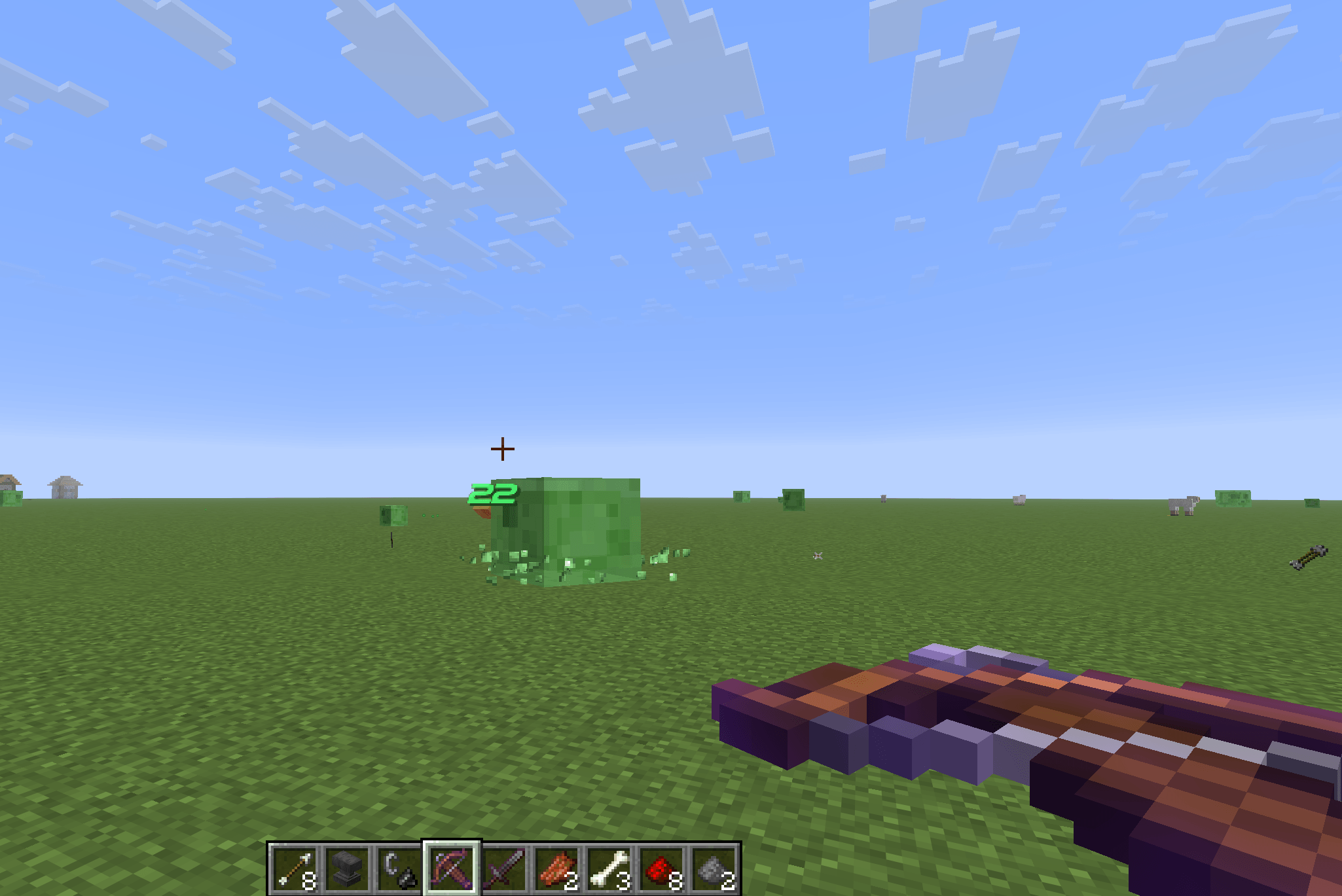
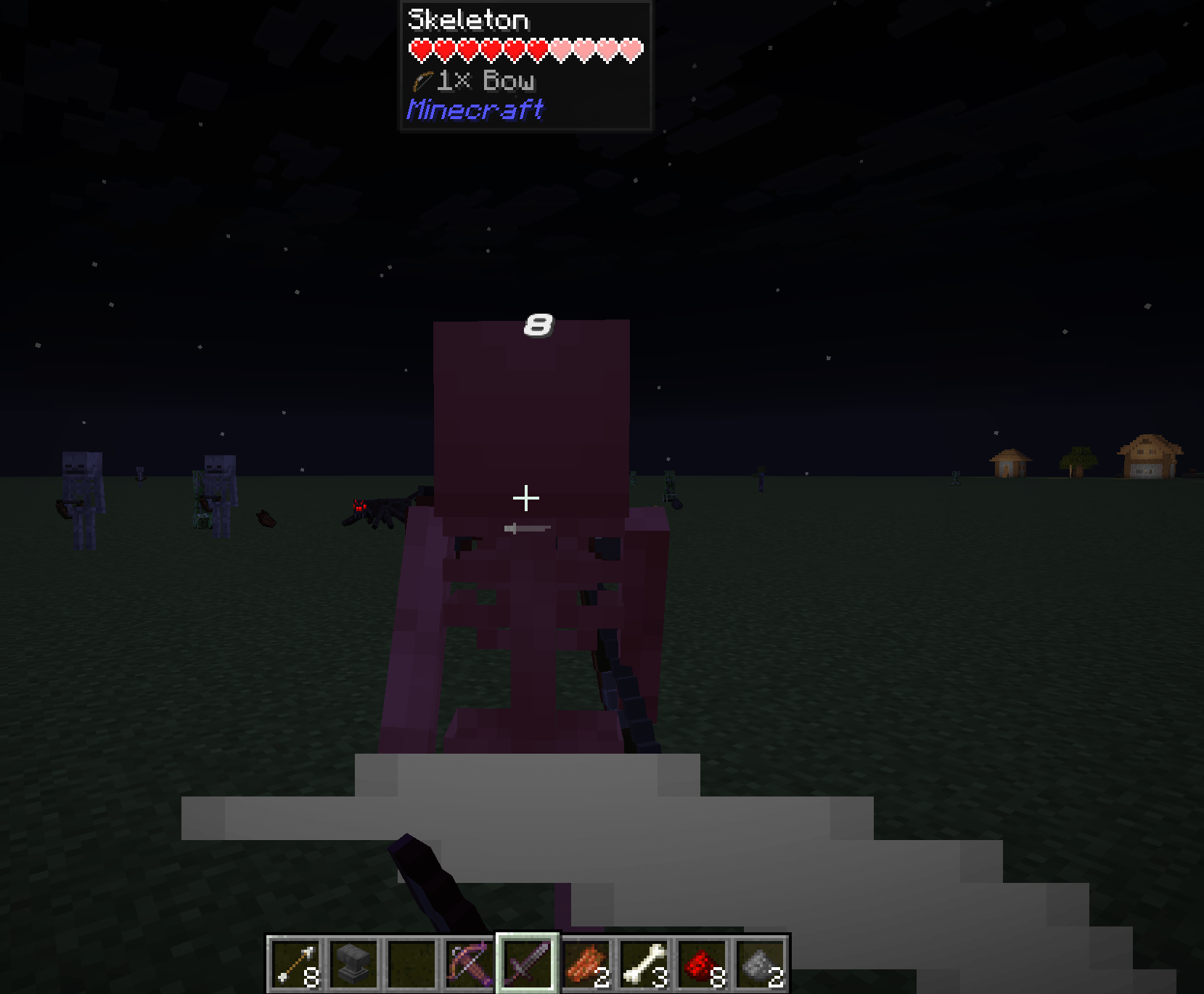
Acidglow’s Damage Indicators adds clear, floating damage numbers above living entities whenever they take damage.
Whether you’re testing a weapon, fighting mobs, or simply want better combat feedback, Damage Indicators gives you an immediate visual readout without cluttering your HUD.
✨ Features
- Floating damage numbers — See damage directly above the affected entity
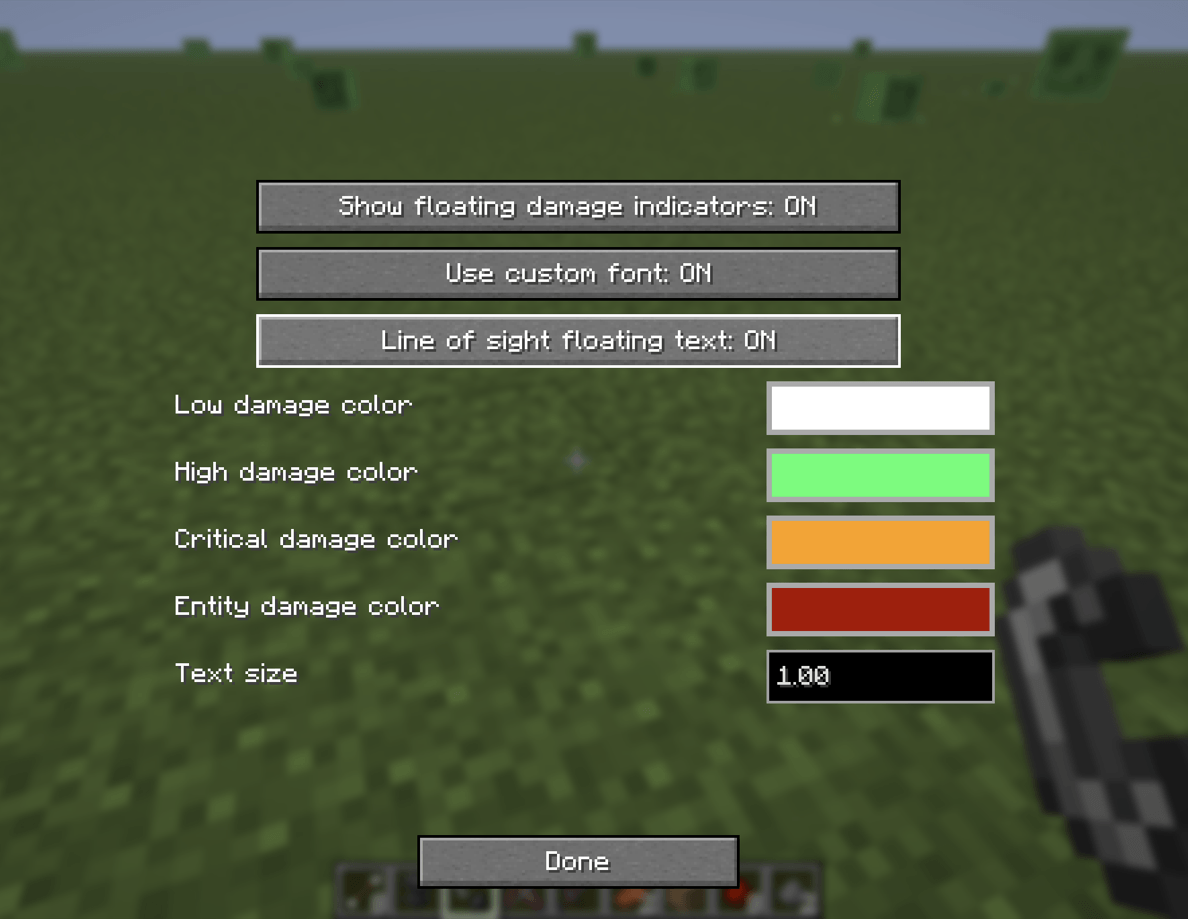
- Damage categories — Differentiate between Low, High, Critical, and Entity/Environment damage
- Custom colors — Choose how each damage category is displayed
- Adjustable text size — Make indicators smaller or larger to suit your preference
- Quick toggle — Enable or disable damage indicators whenever you want
- In-game configuration — Change settings without manually editing config files
- Simple and lightweight — Focused entirely on clear combat feedback
⚔️ Damage Feedback
Whenever a living entity takes damage, a floating number appears near the entity showing the amount of damage dealt.
Damage is categorized to make different hits easier to recognize at a glance:
- Low Damage
- High Damage
- Critical Damage
- Entity / Environment Damage
Each category can be customized with its own color.
This makes it easier to see the difference between ordinary hits, stronger attacks, critical damage, and damage caused by other sources.
🎨 Customization
Damage Indicators can be adjusted directly from the in-game configuration screen.
You can customize:
- Indicator visibility
- Text size
- Damage category colors
Open the configuration screen using:
P — Default Config Key
The keybind can be changed through Minecraft’s normal controls menu.
🎯 Built for Clear Combat Feedback
Acidglow’s Damage Indicators keeps things simple.
There are no large health overlays or complicated combat interfaces — just useful damage information displayed where you’re already looking.
Hit it. See it. Know the damage.
📦 Modpack Friendly
Feel free to include Acidglow’s Damage Indicators in both public and private modpacks.
No additional permission is required.
📜 License
This mod is released under the MIT License.
You are free to use, modify, and redistribute the mod in accordance with the terms of the license.
常见问题
Acidglow’s Damage Indicators 支持哪些 Minecraft 版本?
Acidglow’s Damage Indicators 支持 Minecraft Java 版 26.2,可用的加载器:NeoForge。下载时注意选择和你游戏版本一致的文件。
Acidglow’s Damage Indicators 怎么安装?
先用 PCL2 或 HMCL 启动器安装对应版本的 NeoForge,再把下载的 .jar 文件放进游戏目录的 mods 文件夹,重新启动游戏即可。开启了版本隔离的,mods 文件夹在 versions/版本名 下面。
Acidglow 的其他作品
查看全部 →
Acidglow’s Magic Library
Turn enchantments into a permanent resource. Extract, store, upgrade, and reapply them through a tiered magical library.

M.A.M.
A family-friendly modpack that enhances vanilla Minecraft with exploration, building, farming, and light RPG progression while adding quality-of-life features and reducing grind for a fun multiplayer experience.
Acidglow’s Cauldron Pipes
Connect pipes to cauldron and drain or fill it
Acidglow’s Fluid Tanks
Tanks in any size for any liquid
评论
登录后评论和评分