
EditModE “Working tool”
In-game toolkit for map makers: scripts, trigger zones, custom HUD and game rules — configurable in the game.
截图
介绍
Edit-Mode is a in-game development toolkit for map makers, quest designers and modpack creators. It replaces dozens of command blocks, complex datapacks and hours of manual setup with intuitive GUI tools and a lightweight scripting language — all without leaving the game.
━━━━━━━━━━━━━━━━━━━━━━━━━━━━━━━━━━━━━━━
▸ WHAT DOES IT DO?
The mod provides four core systems that work together:
- SCRIPTS
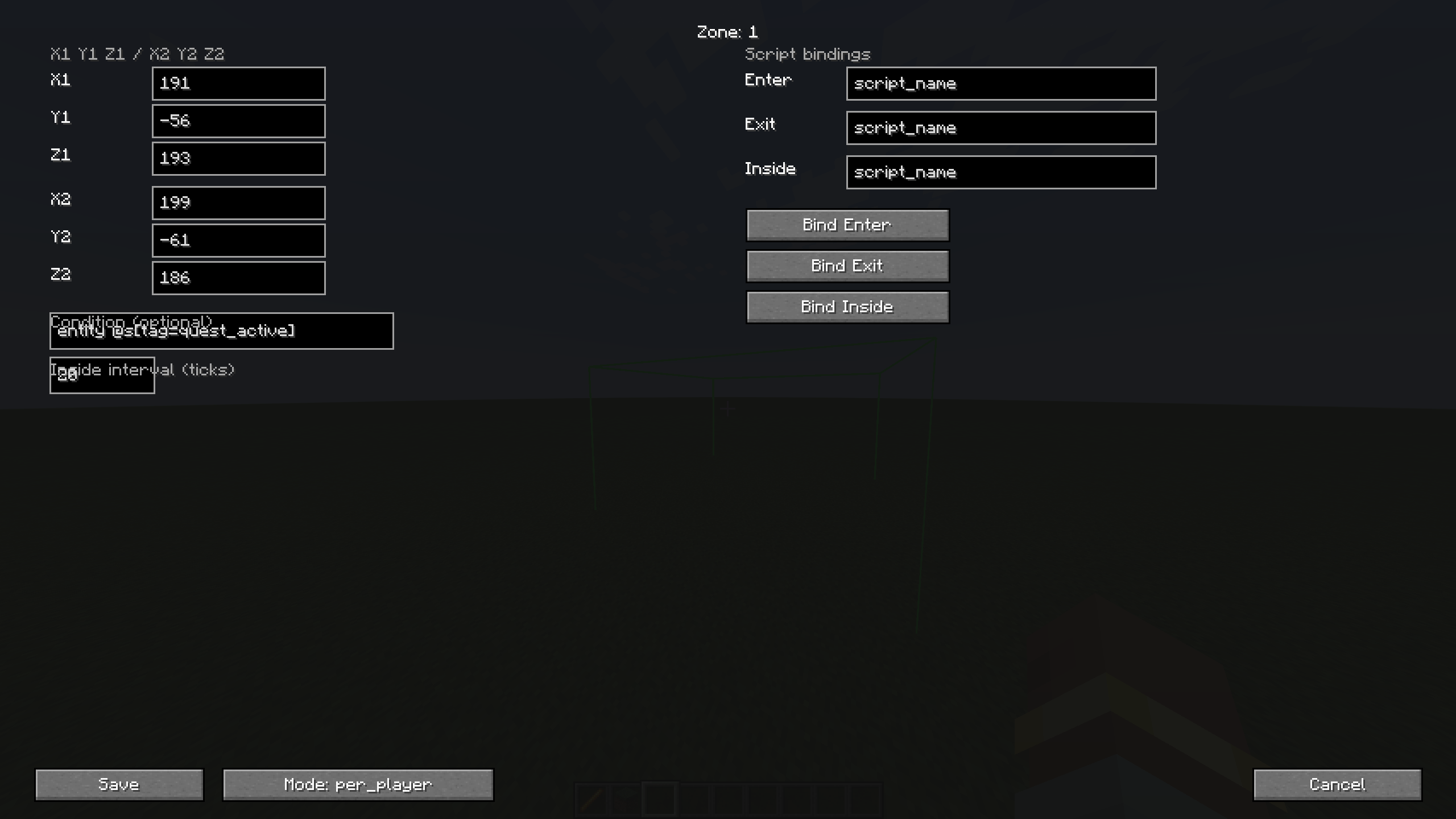
- TRIGGER ZONES
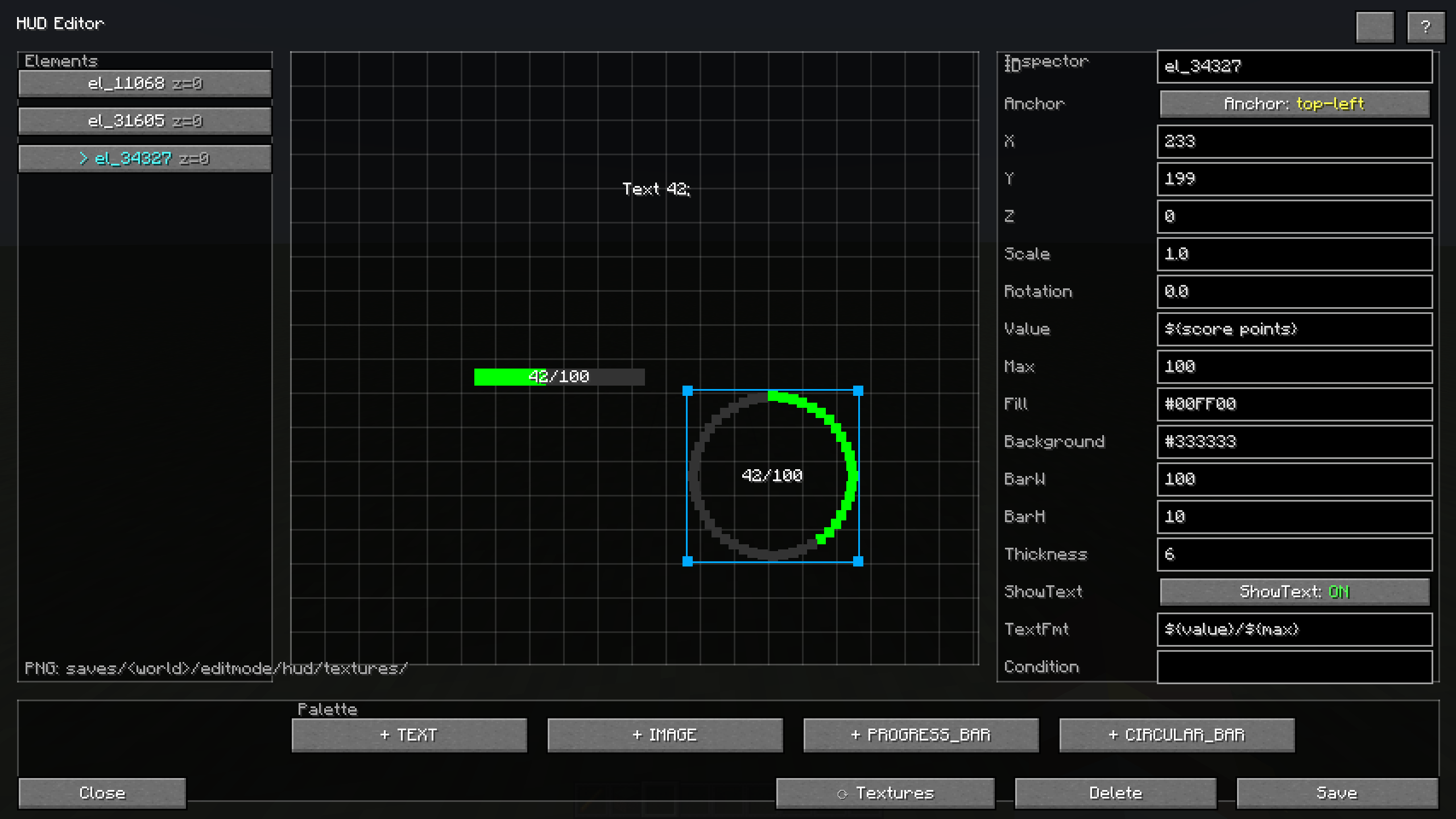
- HUD SYSTEM (beta)
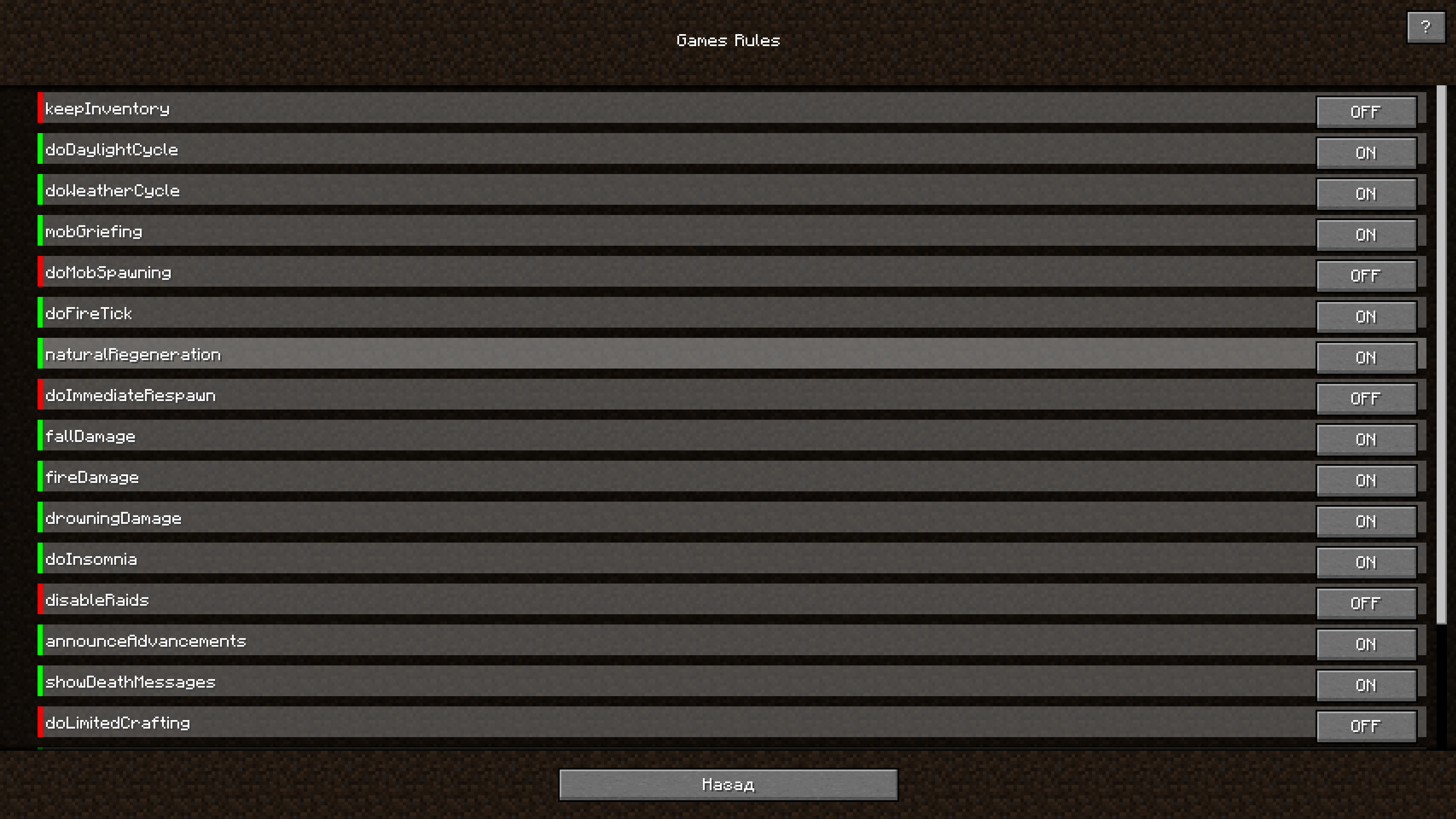
- GAMERULES MANAGER
- SKILL WOOD (beta)
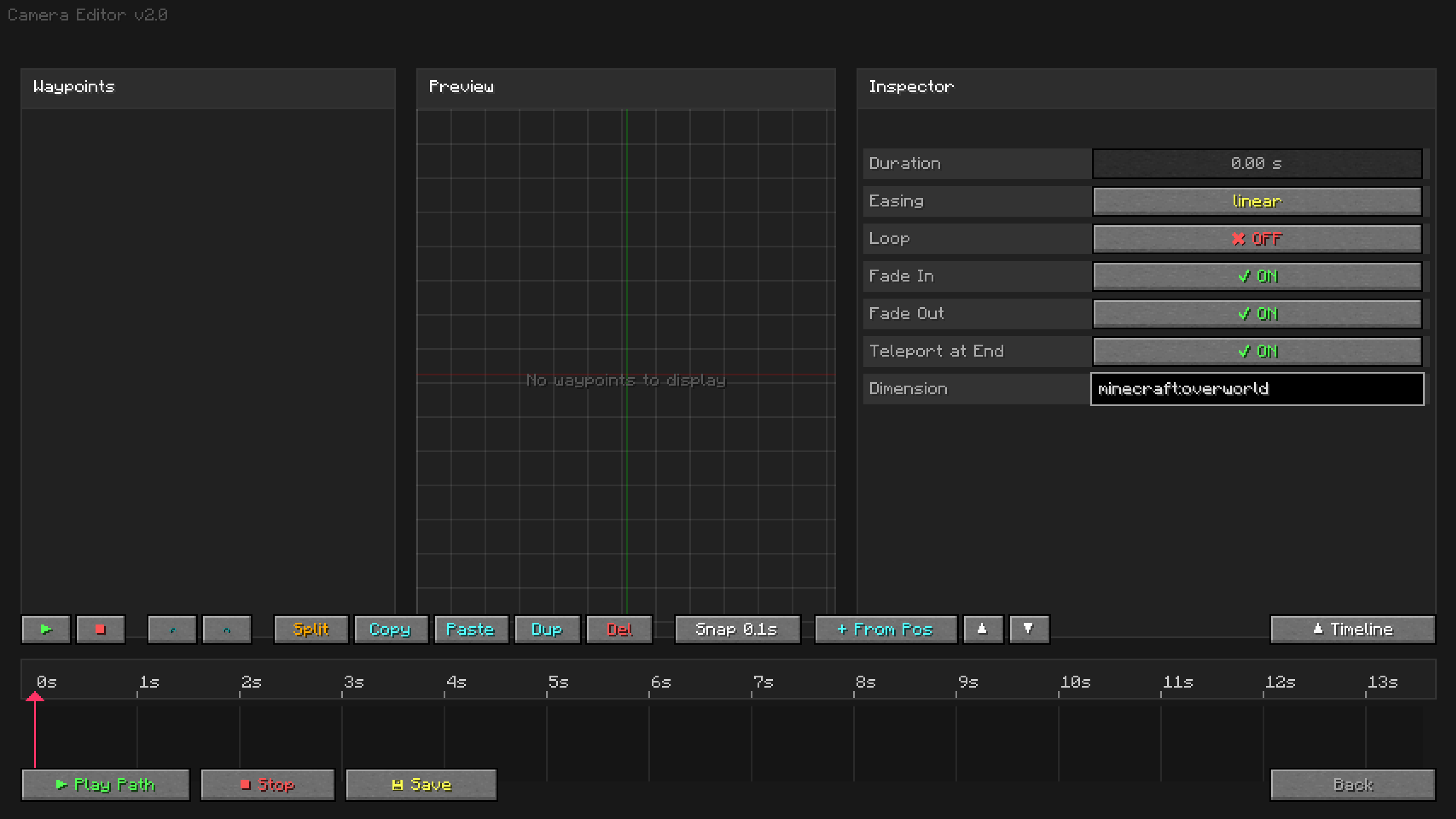
- KINEMATIC CAM (beta)
- CUSTOM SOUND (beta)
- PARTICLE SYSTEM
━━━━━━━━━━━━━━━━━━━━━━━━━━━━━━━━━━━━━━━
▸ 1. SCRIPTS
Write logic in .txt files, run them from chat, command blocks or zones. The mod adds a small scripting language on top of vanilla commands.
Scripts are stored in: saves/<world>/editmode/scripts/
Used .mcfunction
━━━━━━━━━━━━━━━━━━━━━━━━━━━━━━━━━━━━━━━
▸ 2. TRIGGER ZONES
Create invisible zones that run scripts when a player enters, exits or stays inside.
• Visual editor with coordinates and conditions
• Selection wand (like WorldEdit) — LMB point 1, RMB point 2
• Events: enter / exit / inside (with custom tick interval)
• Wireframe render visible only to operators
• Teleport to zone, reset state, bulk management
Zones are stored in: saves/<world>/editmode/zones.json
━━━━━━━━━━━━━━━━━━━━━━━━━━━━━━━━━━━━━━━
▸ 3. HUD SYSTEM
Create custom on-screen interfaces without resource packs or coding.
• 4 element types: TEXT, IMAGE, PROGRESS_BAR, CIRCULAR_BAR
• Visual editor with drag & drop, resize handles, 7 anchors, Z-order
• Placeholders: ${score points}, ${player hp}, ${var timer}, ${team color}, ${server tps}, ${entity @e[type=zombie]}, and 20+ more
• Conditions per element (vanilla `execute if`)
• Per-player and global modes
• Control from scripts: `hud show`, `hud hide`, `hud set text`, `hud set value`, `hud set color`
• Custom PNG textures from world folder or resource pack
• Auto-size from PNG
• Color codes (§c, §a, §e …) for colorful text
HUD is stored in: saves/<world>/editmode/hud.json
Custom textures: saves/<world>/editmode/hud/textures/
━━━━━━━━━━━━━━━━━━━━━━━━━━━━━━━━━━━━━━━
▸ 4. GAMERULES MANAGER
• Full list of vanilla boolean game rules in a clean GUI
• Toggle instantly with checkboxes
• Synchronized in real time with the server
• No need to remember /gamerule commands
━━━━━━━━━━━━━━━━━━━━━━━━━━━━━━━━━━━━━━━
▸ WHO IS IT FOR?
• Map makers building adventure maps, RPGs, parkour, horror, mini-games
• Quest designers tired of command blocks
• Modpack authors needing quick in-game tools
• Anyone who wants custom HUDs, zones and logic without writing a mod
━━━━━━━━━━━━━━━━━━━━━━━━━━━━━━━━━━━━━━━
▸ HOW TO USE
1. Install Forge 1.20.1 (47.x)
2. Drop the .jar into your mods folder
3. Launch the game, enter a world (with cheats enabled)
4. Press ] to open the Edit-Mode menu
5. Create scripts, zones, HUD elements — everything saves automatically
Full in-game documentation is available via the “?” button on every screen.
━━━━━━━━━━━━━━━━━━━━━━━━━━━━━━━━━━━━━━━
▸ STATUS
Beta — the mod is functional but under active development. New features are added regularly. Please report bugs and suggest features in the comments.
━━━━━━━━━━━━━━━━━━━━━━━━━━━━━━━━━━━━━━━
▸ PLANNED FEATURES
• Addon-an extension that adds NPCs
• An addon is an extension that adds basic navigation.
• Arrays for loot tables
• Arrays for structures
━━━━━━━━━━━━━━━━━━━━━━━━━━━━━━━━━━━━━━━
(This is not a replacement for basic and specialized mods. This mod combines all their functions, but is not a direct competitor. It is currently in beta testing, and it still has bugs and not all planned features have been implemented.)
常见问题
EditModE “Working tool” 支持哪些 Minecraft 版本?
EditModE “Working tool” 支持 Minecraft Java 版 1.20.1,可用的加载器:Forge。下载时注意选择和你游戏版本一致的文件。
EditModE “Working tool” 怎么安装?
先用 PCL2 或 HMCL 启动器安装对应版本的 Forge,再把下载的 .jar 文件放进游戏目录的 mods 文件夹,重新启动游戏即可。开启了版本隔离的,mods 文件夹在 versions/版本名 下面。

评论
登录后评论和评分