
CreeperEasyBuilding
A one-click building mod connected to a building-sharing website: upload, download, and build entire structures in one click, plus AI building generation. Supports Survival, guided Teach mode, and multiplayer collaboration.
截图
介绍
This module is a functional one, aiming to enable players to easily use and share various buildings and projections, press ‘B’ to use:
- The module incorporates automatic version conversion, expanding building data into multiple versions while masking various formats, facilitating cross-version and cross-save file usage.
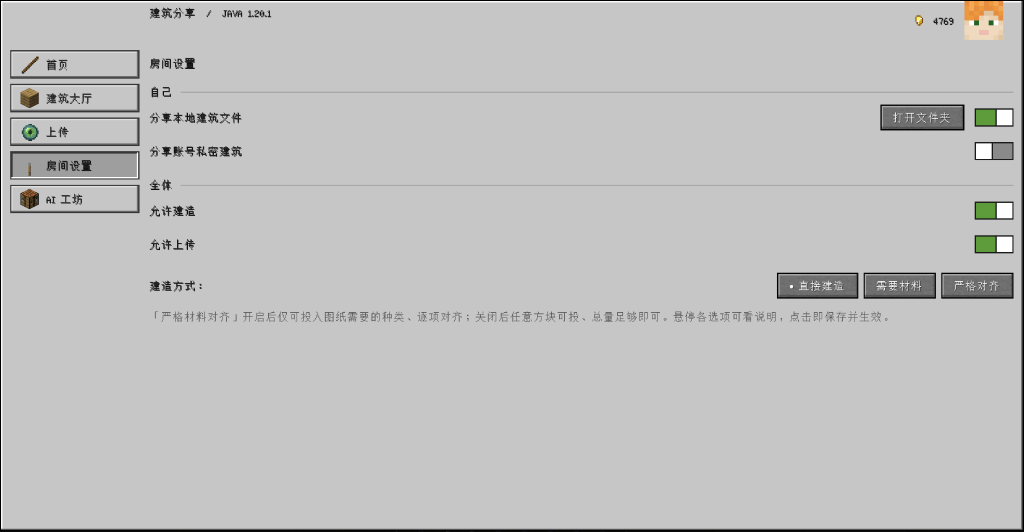
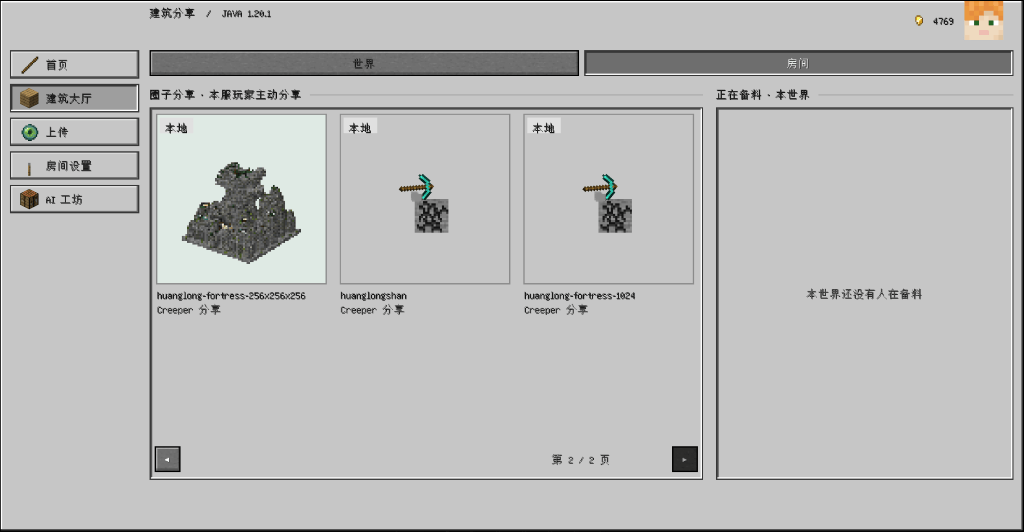
- The module provides a room sharing function,** allowing quick sharing of projection files or private buildings** under the account within the room.
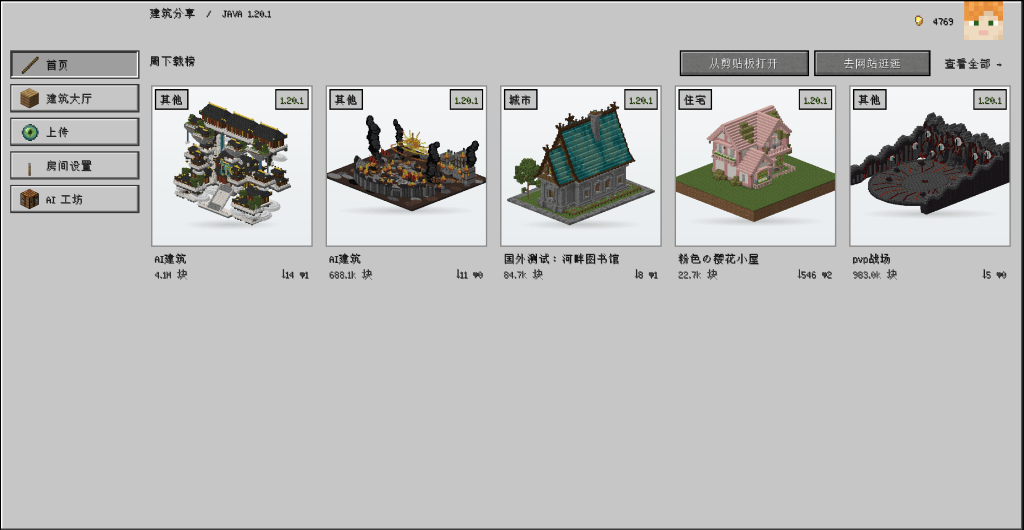
- The module provides a large number of exquisite buildings and is continuously updated. You can browse and download them in-game without any prerequisites.
Meanwhile, the module provides playability in survival mode:
- Support a material preparation mechanism where players in the room can initiate or participate in material preparation, working together to complete material collection.
- It supports layered teaching and allows for fast-forwarding at any time.
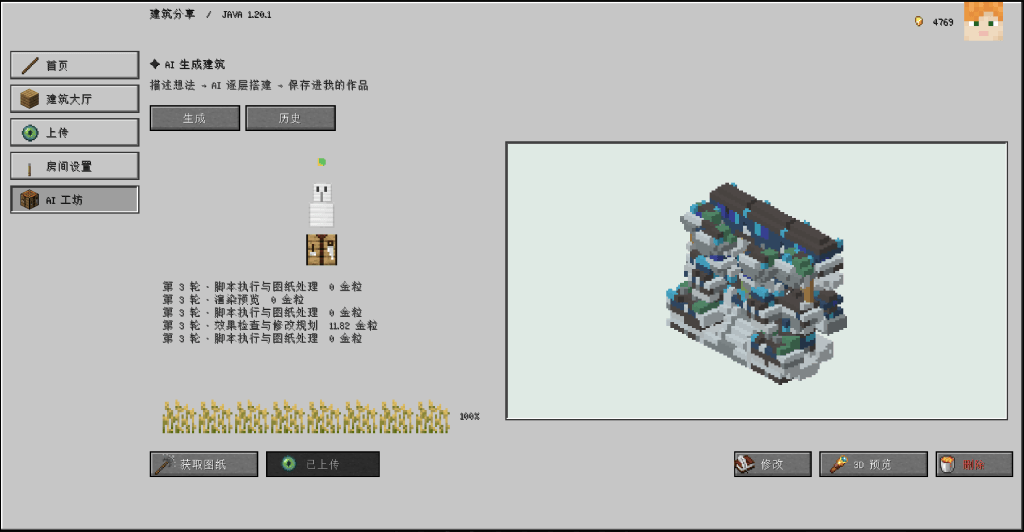
The module also provides AI building functionality:
- Carry out AI renovation on existing building structures based on the prompt words and selected areas.
- Construct a brand-new building directly based on the cue words.
The module has no pre-requisites and currently supports:
- Forge: 1.12.2, 1.16.5, 1.18.2, 1.20.1, 1.21.1, 26.1
- Fabric: 1.16.5, 1.18.2, 1.20.1, 1.21.1
- Neoforge: 1.20.1
Currently, the support for version 1.20.1 is the best, and the buildings are also the most complete.
Below is a detailed display of the module content:
MOD side:
Divided into 5 tabs
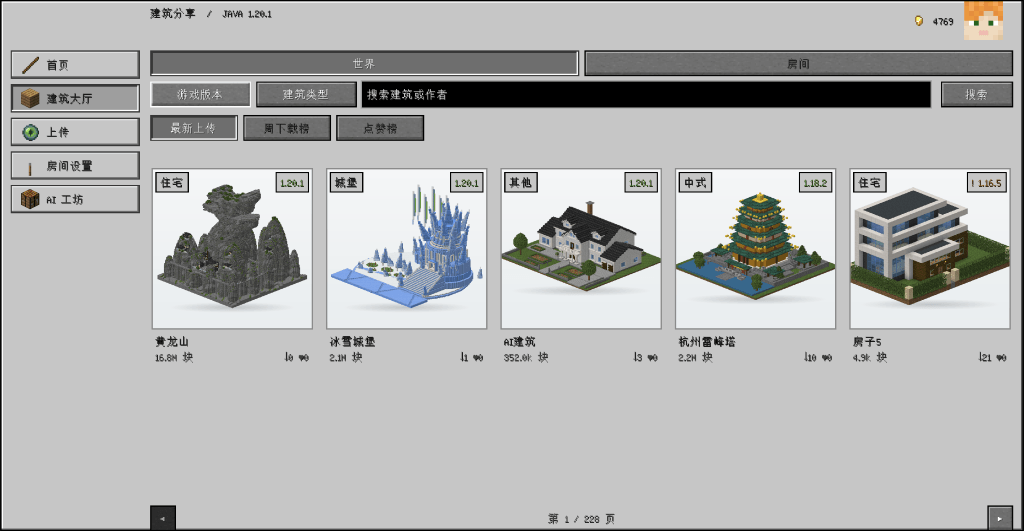
- [Homepage]: Display the currently popular buildings on the site
- [Building Hall]: You can browse all buildings within the site, and also view buildings shared by other players in the room
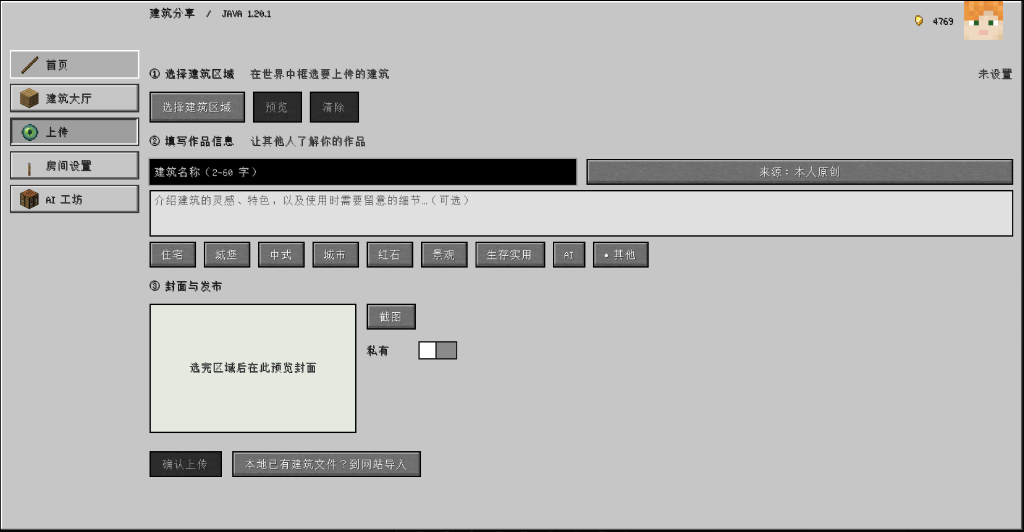
- [Upload]: Select an area within the game and upload it to the private gallery
- [Room Settings]: Set building sharing and module behavior control
- [AI Workshop]: Use AI to assist in building or directly complete new buildings within the game
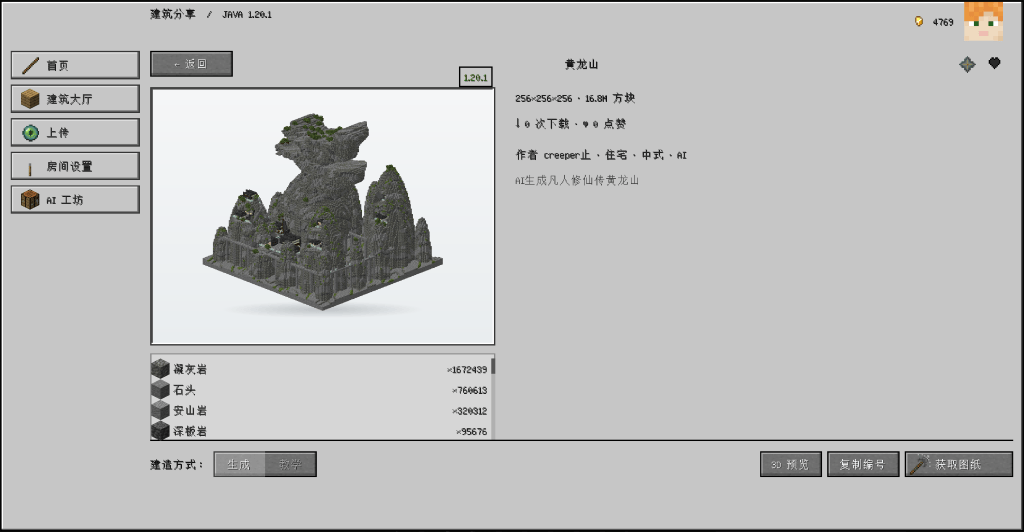
- [Building details page]: You can like and bookmark it
Legend: 


Web terminal:
Divided into 4 tabs
- [Building Hall]: This section is responsible for collecting and browsing all public buildings on the site.
- [AI Workshop]: More comprehensive AI features, supporting the uploading of images and setting of building dimensions.
- [Mod Downloads]: Mod files for all versions and platforms.
- [My works]: You can view your public and private works here.
Website: www.creeper.net.cn
Legend: 


本模组是一个功能类模组,目标是让玩家能够轻松使用和分享各类建筑、投影,按’B’键使用。
- 模组内置了自动版本转换,将建筑数据扩展成多版本,同时屏蔽各种格式,方便跨版本跨存档使用。
- 模组提供房间分享功能,可以在房间里快速分享投影文件或账号下的私有建筑。
- 模组提供大量精美建筑且持续更新,无需任何前置条件即可在游戏内浏览下载。
同时,模组提供生存模式的可玩性:
- 支持备料机制,房间内玩家均可发起或参与备料,共同完成材料收集。
- 支持逐层教学,且可以随时快进。
模组还提供 AI 建造功能:
- 根据提示词和选区对已有建筑结构进行AI改造。
- 直接根据提示词建造一个全新的建筑。
模组无前置依赖,目前支持:
- Forge: 1.12.2、1.16.5、1.18.2、1.20.1、1.21.1、26.1
- Fabric: 1.16.5、1.18.2、1.20.1、1.21.1
- Neoforge: 1.20.1
目前对 1.20.1 版本的支持最好,建筑也最齐全。
下面是模组内容详细展示:
MOD 端:
分为5个Tab
[首页]:显示当前站内热门的建筑
[建筑大厅]:可以浏览站内所有建筑,同时可以浏览房间内其他玩家分享的建筑
[上传]:在游戏内圈选区域上传到私人作品库
[房间设置]:设置建筑分享和模组行为控制
[AI工坊]:在游戏内使用AI辅助建造或直接完成新建筑
[建筑详情页面]:可以点赞收藏
Web端:
分为4个Tab
[建筑大厅]:这里负责收录浏览站内所有公开建筑。
[AI工坊]:更全面的 AI 功能,支持上传图片和设置建筑尺寸。
[mod下载]:所有版本和平台的mod文件。
[我的作品]:这里可以查看自己公开和私有的作品。
常见问题
CreeperEasyBuilding 支持哪些 Minecraft 版本?
CreeperEasyBuilding 支持 Minecraft Java 版 1.16.5–26.1,共 5 个版本,可用的加载器:Fabric / Forge / NeoForge。下载时注意选择和你游戏版本一致的文件。
CreeperEasyBuilding 怎么安装?
先用 PCL2 或 HMCL 启动器安装对应版本的 Fabric / Forge / NeoForge,再把下载的 .jar 文件放进游戏目录的 mods 文件夹,重新启动游戏即可。开启了版本隔离的,mods 文件夹在 versions/版本名 下面。
评论
登录后评论和评分