NPC Maker
Build your own NPCs in game: looks (any mob or your own Blockbench models), AI rules, patrols, factions, branching dialogue, quests, animations and sounds, all in friendly in-game editors.
截图
介绍
NPC Maker
Build your own NPCs in game, no coding needed. Give them a look, stats and gear, teach them how to behave,
put them in factions, write branching conversations, hand out quests, and bring them to life with animations,
particles and sounds. Every part is edited in friendly in-game screens, with help on every field.
Beta. NPC Maker is new: back up your world before trying it, and please report anything odd on the
issue tracker.
What you can make
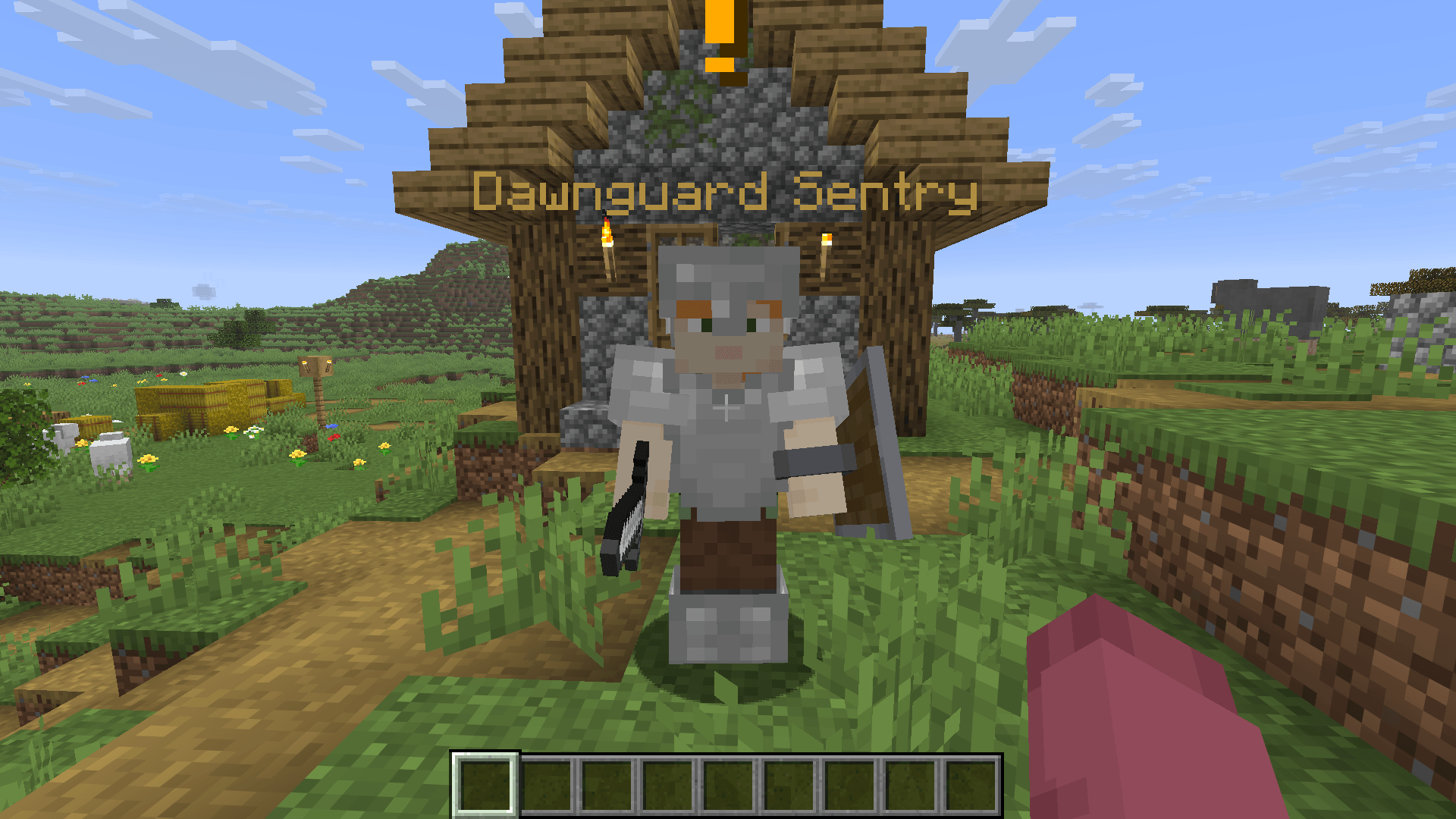
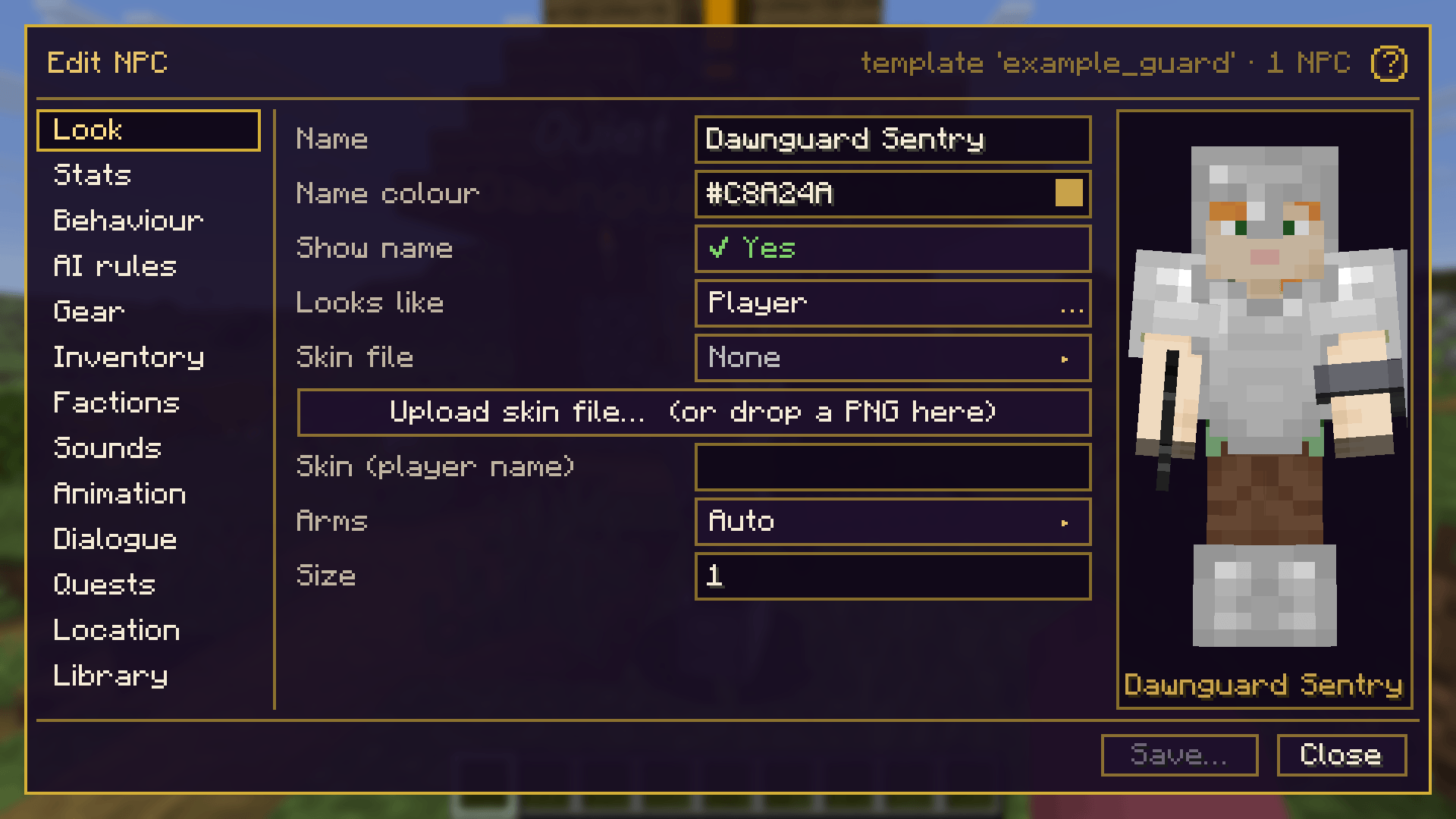
Looks. Player skins (by name or an uploaded PNG), slim or wide arms, size and a coloured name. Or turn an
NPC into any mob from the game or your mods, or into your own Blockbench model.
Stats and gear. Health, strength, armour, speed and knockback resistance, worn and held items, and an
inventory the NPC really uses: it drinks healing potions and milk, eats when hurt, switches to a bow, and places
torches in dark spots.
Behaviour. Ready-made AI templates (guard, townsfolk, bandit, companion), wandering, patrol routes drawn with
the NPC Wand, fleeing and hiding, respawning, and AI rules built from simple rows:
when a player comes near or it’s attacked or night falls, if a condition holds, then attack, flee, go home,
say a line, play a sound or animation, show particles, use or place an item, or run a command.
Factions. Allies and enemies, player reputation with named standings, rival factions, mobs that count as
members, and guards that defend each other. A two-hit rule forgives accidental hits.
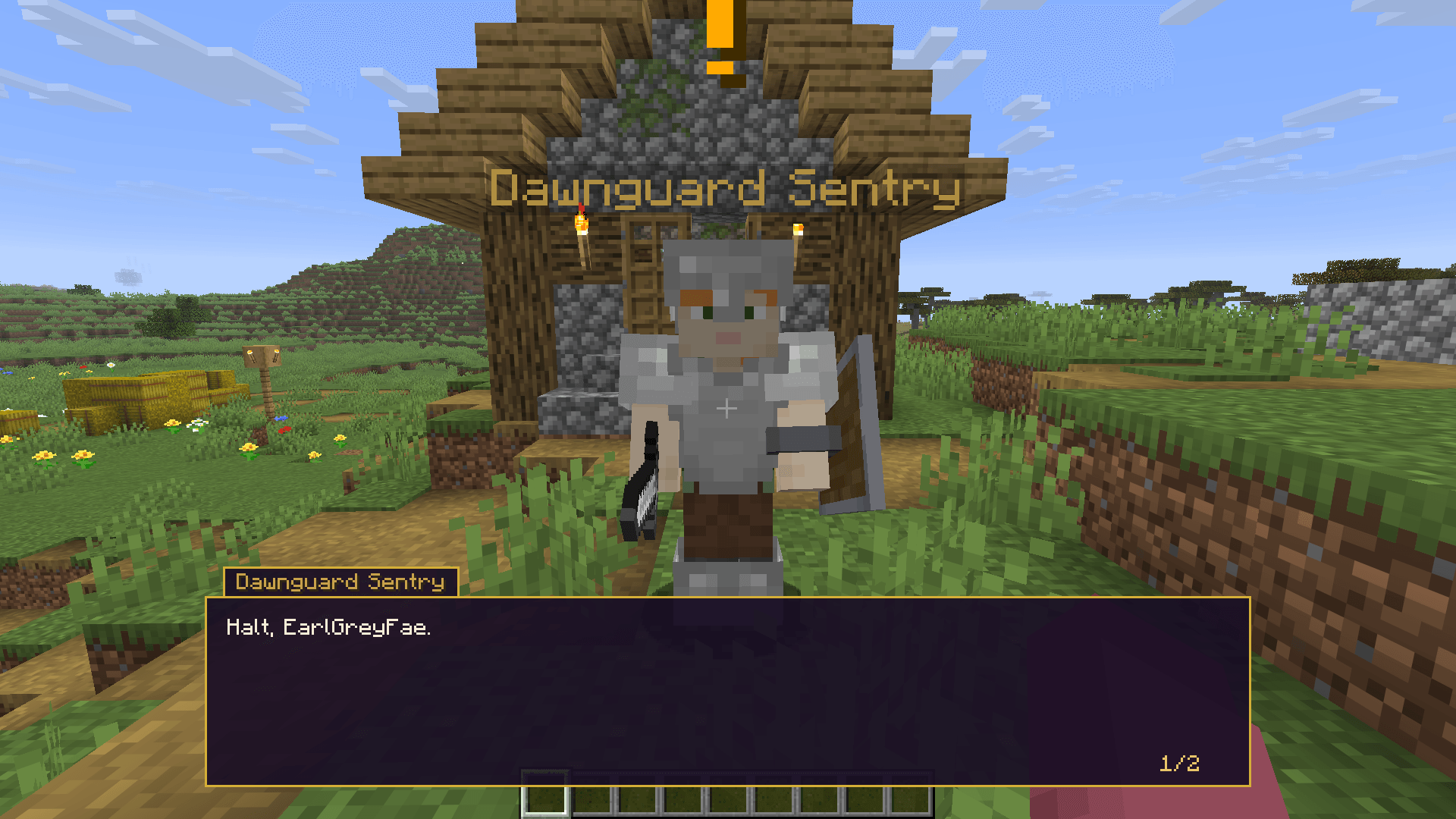
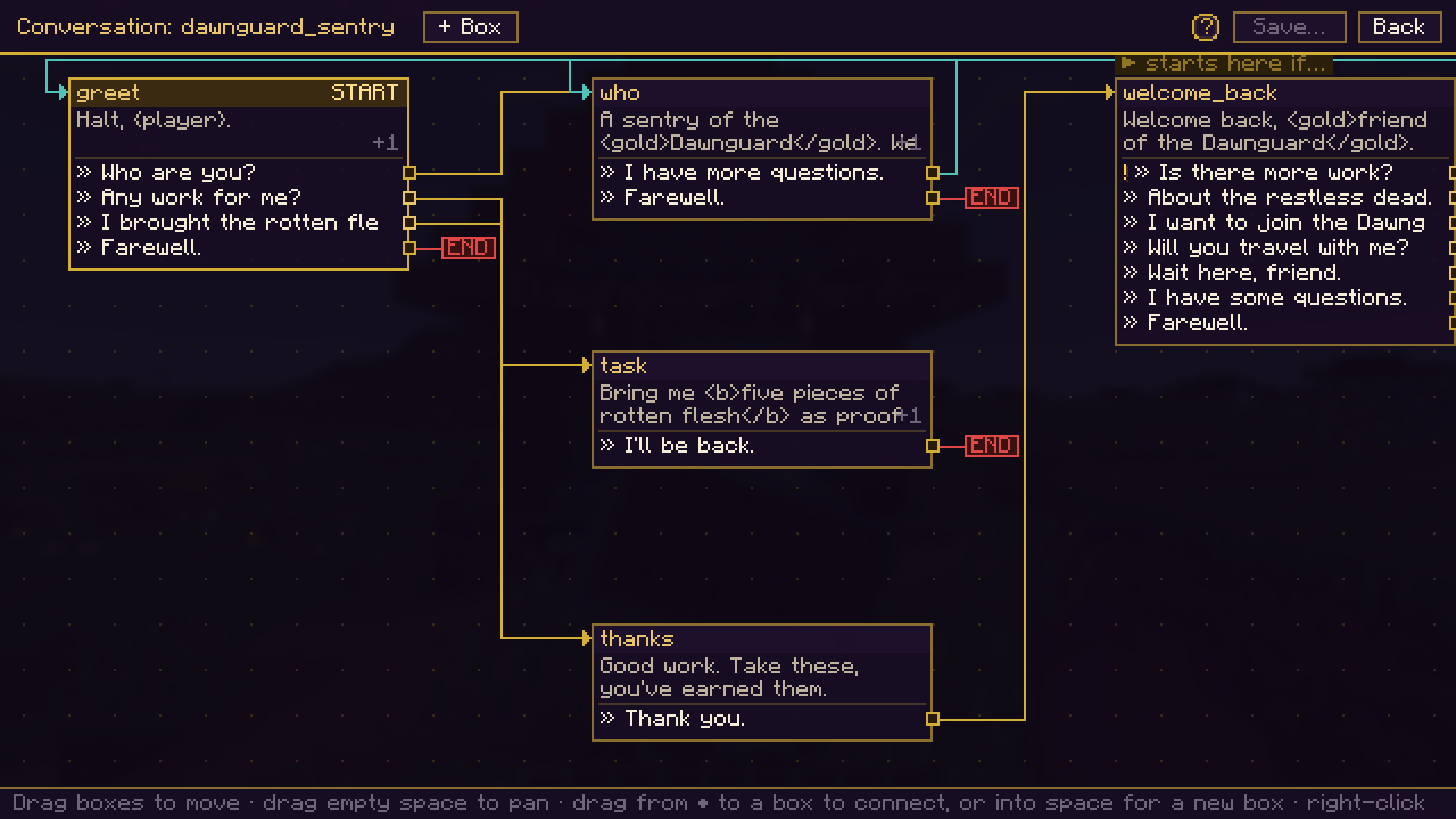
Dialogue. A Twine-like graph: boxes are what the NPC says, arrows are the player’s replies. Replies can
loop back, end the conversation, check conditions (quest state, items, reputation, flags) and do things: give
items, change reputation, join factions, offer quests, play animations and more.
Quests. A full quest builder with stages, objectives (talk, kill, collect, deliver, go to a place),
rewards and a pick-one reward. Players get a quest card with Accept / Decline, gold ! and ? markers over
NPCs, a journal and an on-screen tracker. Nearby players share kills.
Animations and effects. Idle poses (sit, sleep, read, work), emotes (wave, bow, cheer, point, salute),
particle auras and event effects, speech bubbles, idle sounds and talking blips.
Your own content. Upload sounds (.ogg), particles (.png), Blockbench models and
animations straight from the editor. The server sends them to every player automatically: no resource pack
hosting.
Help everywhere. Hover any field for a tooltip, or click the (?) to have every part of a screen
explained.
Getting started
- Install NPC Maker on the server and every player’s game (plus Fabric API on Fabric).
- As an operator or in creative mode:
/npcmaker create baker as townsfolk Village Baker, then
/npcmaker spawn baker. - Sneak-right-click the NPC to open the editor, and click (?) to learn each screen.
Players right-click NPCs to talk. J opens factions, K the quest journal.
Requirements
- Minecraft 26.3, Java 25
- Fabric: Fabric Loader 0.19.5+ and Fabric API
- NeoForge: 26.3.0.90+
Free and open source (MIT). Use it in modpacks and on servers. Made by EarlGreyFae.
常见问题
NPC Maker 支持哪些 Minecraft 版本?
NPC Maker 支持 Minecraft Java 版 26.3,可用的加载器:Fabric / NeoForge。下载时注意选择和你游戏版本一致的文件。
NPC Maker 怎么安装?
先用 PCL2 或 HMCL 启动器安装对应版本的 Fabric / NeoForge,再把下载的 .jar 文件放进游戏目录的 mods 文件夹,重新启动游戏即可。开启了版本隔离的,mods 文件夹在 versions/版本名 下面。
评论
登录后评论和评分