
Hide Armor Stand
Hide individual Armor Stands while keeping their armor and displayed items visible
截图
介绍
Hide Armor Stand
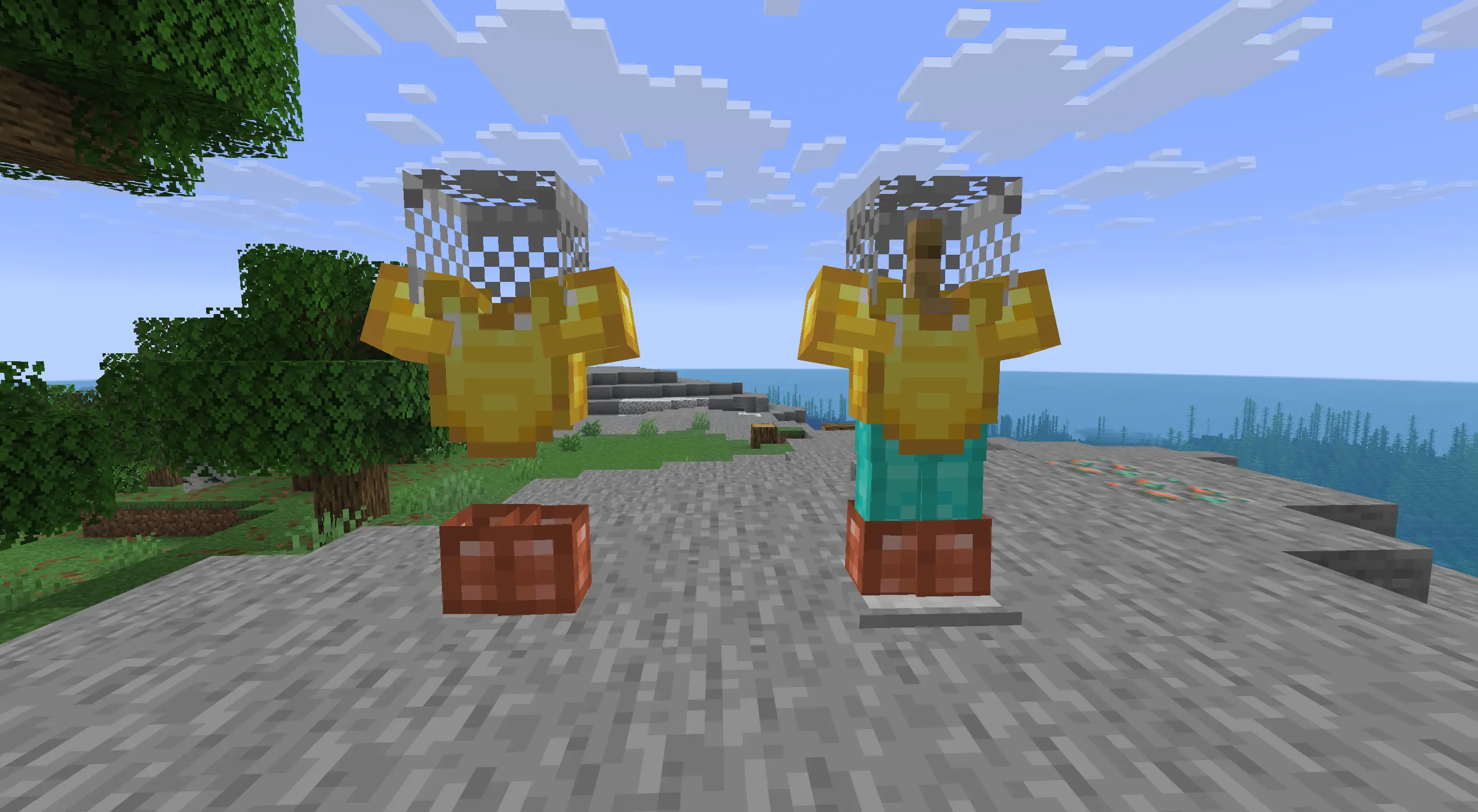
Hide Armor Stand is a small client-side mod that lets you hide individual Armor Stands while keeping their armor and displayed items visible.
It is mainly useful for decoration — armor sets, player heads, weapons and other displays can be shown without the wooden stand getting in the way.
How to use
Place and equip an Armor Stand normally, then sneak + right-click it to hide the stand.
Only the Armor Stand itself is hidden. Its armor, held items, heads and other equipment stay visible.
Sneak + right-click the stand again to return it to normal.
Empty selected Armor Stands are always shown, so you won’t end up with an invisible empty stand that is difficult to find. If you equip it again later, it will automatically hide again.
Features
- Hide Armor Stands individually
- Armor and displayed items stay visible
- Empty stands remain visible
- Sneak + right-click to toggle a stand
- Selected stands are remembered between sessions
- No commands or configuration screens
- Client-side only
- Works with Fabric and NeoForge
The mod does not change Armor Stand data, hitboxes or server behavior. It only changes how selected stands are rendered on your client.
Compatibility
Minecraft: 26.2
Loaders: Fabric and NeoForge
Side: Client
The mod does not need to be installed on the server.
常见问题
Hide Armor Stand 支持哪些 Minecraft 版本?
Hide Armor Stand 支持 Minecraft Java 版 26.2,可用的加载器:Fabric / NeoForge。下载时注意选择和你游戏版本一致的文件。
Hide Armor Stand 怎么安装?
先用 PCL2 或 HMCL 启动器安装对应版本的 Fabric / NeoForge,再把下载的 .jar 文件放进游戏目录的 mods 文件夹,重新启动游戏即可。开启了版本隔离的,mods 文件夹在 versions/版本名 下面。
tima4ka1 的其他作品
查看全部 →
Mini Workers
迷你工人、智能管道与紧凑自动化,助你打理农场、森林、采矿和物品分类。

Timber Chests
为每种Minecraft木材家族添加原版风格的木箱子、陷阱箱、箱船、木筏和箱矿车

Dappled Understory
Makes Minecraft's Dappled Forest larger, richer, and more interesting to explore while keeping its vanilla feel

Forgotten Flames
Extinguish and relight torches and lanterns in a lightweight vanilla+ Minecraft mod
评论
登录后评论和评分