
FTB Team Pings
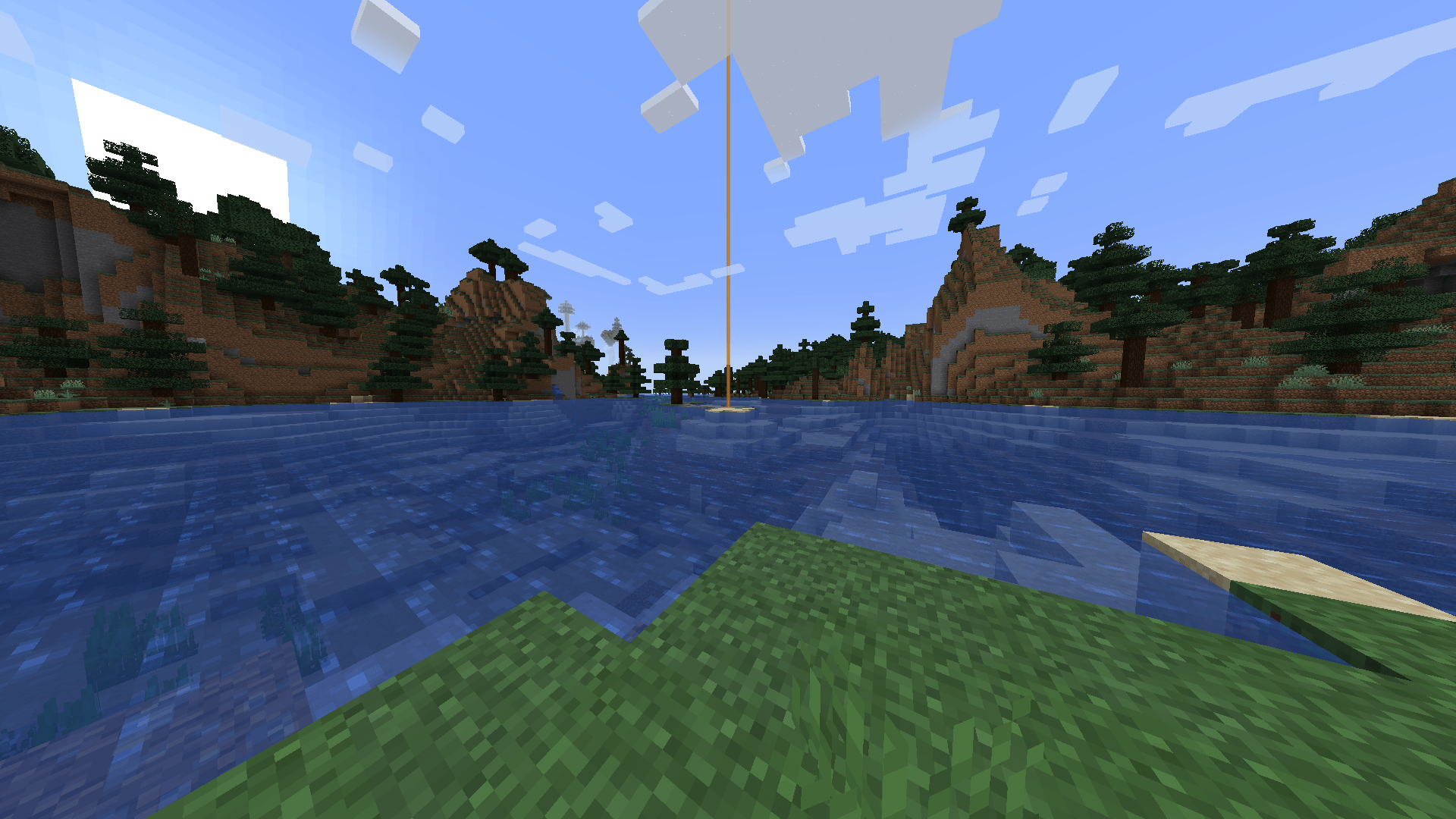
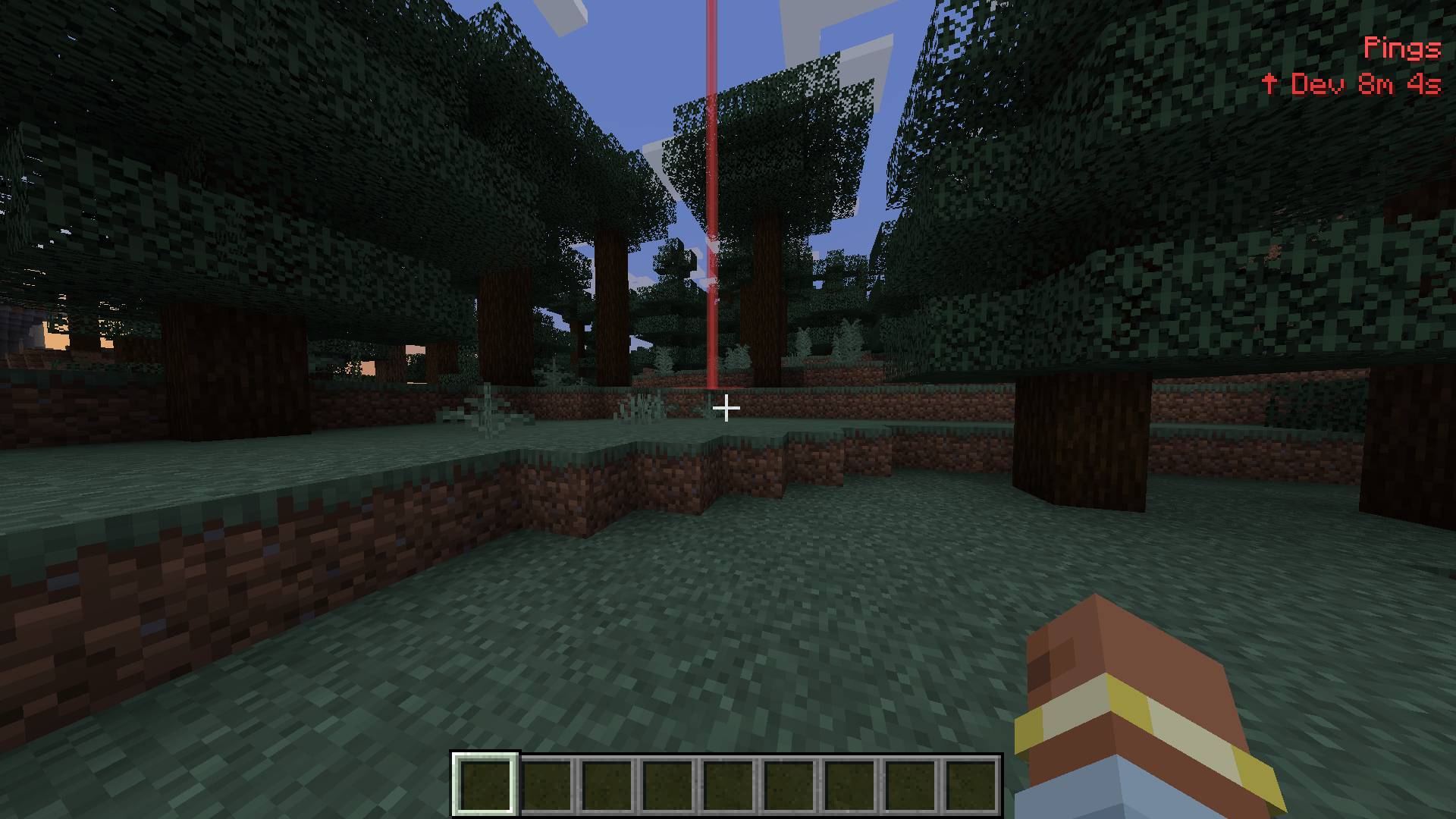
Press G to ping for your FTB party: colored beam, ring and HUD marker for 30 s. Pick your own ping color.
截图
介绍
TeamPings
Lightweight, ephemeral pings for your FTB Teams party. Look at a block, press G, and everyone in your party instantly sees a colored beacon column, a pulsing ground ring and a HUD entry with distance and direction. Pings are purely visual, expire after 30 seconds and leave nothing behind – no maps, no persistent markers, no UI clutter.
Features
- One-key pinging – press G on the block you are looking at (up to 512 blocks reach)
- Your color, your pings – pick a personal ping color from the built-in palette with the B key, or set any color in the config; teammates see your pings in your color
- Beacon beam + ground ring – a tall translucent beam and a pulsing disc make the spot easy to find from far away
- HUD list – active pings with sender name, distance and a direction arrow
- Team-aware – pings go only to your FTB party; MEMBER rank or higher can ping
- Server-authoritative – the server validates team, rank and dimension; clients never talk to each other
- Ephemeral by design – 30 second lifetime, nothing is saved to disk
Controls
| Key | Action |
|---|---|
G |
Ping the block you are looking at (rebindable, category “TeamPings”) |
B |
Cycle your ping color: red, orange, yellow, green, light blue, blue, purple, pink, white (rebindable) |
Configuration
Client-side config file config/teampings-client.toml:
[ping]
#Color of your pings as 0xRRGGBB. Teammates see this color on your pings.
color = 0xE23B3B
Commands
| Command | Description |
|---|---|
/teampings list |
Show the active pings of your team |
/teampings clear |
Clear your team’s pings (op) |
/teampings debug <x> <y> <z> |
Send a synthetic test ping (op) |
Requirements
- Minecraft 1.20.1 (Forge 47.x)
- FTB Teams 2001.2.0 or newer
- FTB Library
- Architectury API 9.1.x
- Install on client and server (uses its own network channel)
TeamPings is an FTB Teams addon – it does not bundle FTB Teams, FTB Library or Architectury.
常见问题
FTB Team Pings 支持哪些 Minecraft 版本?
FTB Team Pings 支持 Minecraft Java 版 1.20.1–1.21.1,共 2 个版本,可用的加载器:NeoForge。下载时注意选择和你游戏版本一致的文件。
FTB Team Pings 怎么安装?
先用 PCL2 或 HMCL 启动器安装对应版本的 NeoForge,再把下载的 .jar 文件放进游戏目录的 mods 文件夹,重新启动游戏即可。开启了版本隔离的,mods 文件夹在 versions/版本名 下面。
BioBauerHartmut 的其他作品
查看全部 →
Monster Energy and Caffeine
White Monster 模组加入了魔爪能量饮料和瓜拉纳植物。饮用能量饮料可获得咖啡因加成,提高移动速度和伤害。你可以种植瓜拉纳并制作能量饮料。所有物品都位于“Monster Energy”创造模式物品栏分类中。

Herbcraft
向游戏中添加一种新的魔法草药种子。种子可以通过破坏草来找到。在耕地上经历不同阶段种植该植物。收获它以收集特殊草药。将草药制作成魔法物品。与村民交易换取绿宝石。

Throwable poop
一个有趣的 Minecraft Fabric 和 Forge 模组,允许玩家在游戏中生成和投掷便便物品。
Spartan Weaponry Port
D:\daswu\Minecraft Commissions\spartanweaponry-26.2-neoforge\build\libs\spartan_weaponry_unofficial-2.0.0-26.2.jar
评论
登录后评论和评分