截图

介绍
ArmorSkin
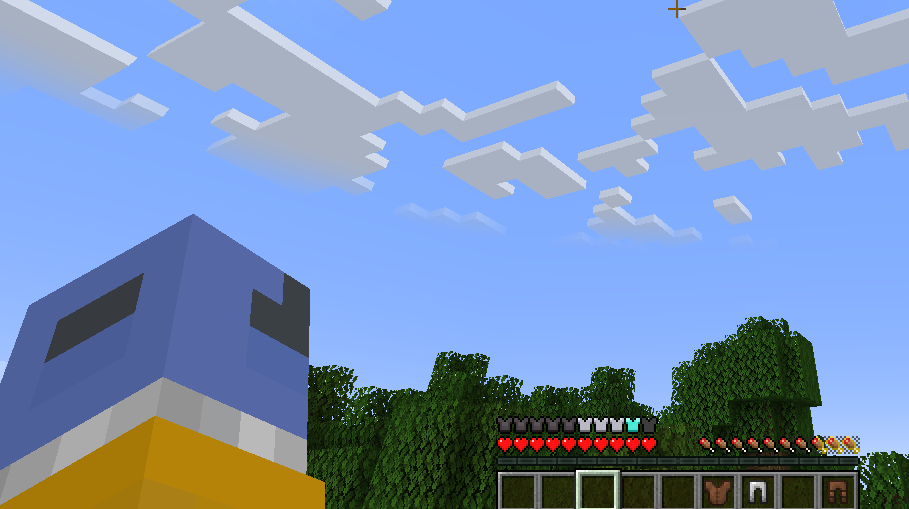
ArmorSkin is a lightweight, client-side Fabric mod that completely overhauls the vanilla armor status bar, making it dynamic, accurate, and visually stunning. Instead of staring at generic iron chestplate icons regardless of what you’re actually wearing, this mod seamlessly updates your HUD to reflect your exact physical armor loadout in real-time.
✨ Key Features
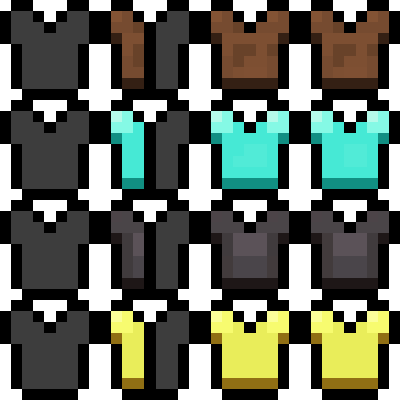
- Dynamic Material Icons: Your armor bar will now physically match the materials you are wearing. Whether you are geared up in Netherite, Diamond, Gold, Copper, Turtle Shells, or Chainmail, the HUD will instantly display custom icons for each material.
- Intelligent Mixed Sets: Mixing and matching different armor sets? ArmorSkin effortlessly handles complex loadouts by generating custom “half-and-half” split icons. If you wear an Iron Helmet alongside Gold Boots, the mod precisely calculates the defense points and renders split icons to show exactly what is keeping you alive.
- Precise Enchantment Glint: Built to leverage the modern Minecraft rendering pipeline, the mod brings the vanilla enchanted glint directly to your HUD. But it doesn’t just slap a glowing texture everywhere—the glint is material-specific! If you have an enchanted Gold Helmet but a normal Leather Chestplate, only the Gold icons (or the Gold halves of a mixed icon) will glow.
- Elytra & Configuration Support: Fully supports visual Elytra indicators and integrates flawlessly with Mod Menu, allowing you to tweak settings or even force a static armor skin if you prefer a consistent look.
Bring your HUD to life and always know exactly what armor you’re wearing at a glance!
License: ArmorSkin is free and open source under the GNU GPL v3.0 (or later). Forks and modified versions must remain open source under the same license and must credit the original author. Source: https://github.com/IzzyDotExe/ArmorSkin
常见问题
ArmorSkin 支持哪些 Minecraft 版本?
ArmorSkin 支持 Minecraft Java 版 1.20.1–26.2,共 3 个版本,可用的加载器:Fabric。下载时注意选择和你游戏版本一致的文件。
ArmorSkin 怎么安装?
先用 PCL2 或 HMCL 启动器安装对应版本的 Fabric,再把下载的 .jar 文件放进游戏目录的 mods 文件夹,重新启动游戏即可。开启了版本隔离的,mods 文件夹在 versions/版本名 下面。运行环境:仅客户端。
IzzyDotExe 的其他作品
查看全部 →
RemoveHUD
Take control over the in-game HUD

RemoveHUD
RemoveHUD allows you to customize everything about Minecraft's HUD. Originally called Remove Hud But Not hand, the mod has evolved into a full HUD editor where user's can tweak the HUD to their exact liking.
评论
登录后评论和评分