介绍

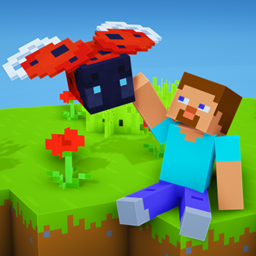
LadyBugs is a series of resource packs that adds ambience to your world. Using these packs, you’ll be able to find ladybugs. There are four packs that can be combined so you can customize your experience.
How to install
- Install Optifine
- Download any LadyBugs zip
- Go to %appdata%
- Copy .zip to /Roaming/.minecraft/resourcepacks
(Delete the old version if you are updating the pack) - Load Optifine and select all LadyBug Texture Packs you want to use
This pack requires Optifine to work.
License
This work is licensed under the Creative Commons Attribution-NonCommercial-NoDerivatives 4.0 International License. To view a copy of this license, visit http://creativecommons.org/licenses/by-nc-nd/4.0/ or send a letter to Creative Commons, PO Box 1866, Mountain View, CA 94042, USA.
If you find any bugs, missing textures or have any other issues, let me know on the AnimalMace Discord server.
Also, join if you are interested in beta builds of any project of mine!
Download:


Click on the image to download LadyBugs in the colours you want!
(You can use multiple packs at once!)
©2022 AnimalMace all rights reserved
常见问题
LadyBugs – AnimalMace Edition 支持哪些 Minecraft 版本?
LadyBugs – AnimalMace Edition 支持 Minecraft Java 版 1.17–1.19.3,共 9 个版本。下载时注意选择和你游戏版本一致的文件。
LadyBugs – AnimalMace Edition 怎么安装?
把下载的 .zip 文件(不用解压)放进游戏目录的 resourcepacks 文件夹,进游戏后在「选项 → 资源包」里把它移到右边启用。
评论
登录后评论和评分