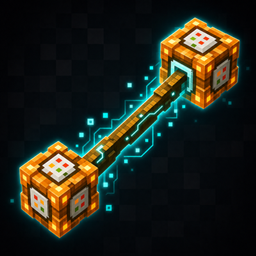
DataStick – World Inspector
Inspect, edit, move, duplicate, or delete entities and blocks, then control spawns and world generation with the DataStick.
介绍
DataStick is a powerful in-game administration and debugging tool for Minecraft Forge 1.20.1.
It provides light-themed interfaces for inspecting and editing entities, blocks, spawning rules,
and world generation without requiring commands for each operation.
Entity tools
- Inspect entity name, registry ID, UUID, health, attack damage, movement speed, knockback resistance, possible drops, equipment, and held items.
- Edit supported entity values while keeping UUID read-only.
- Apply potion effects by registry ID, duration, and level.
- Select custom drops from a visual item list.
- Duplicate entities with their saved data, equipment, and inventory.
- Delete entities without treating the operation as a normal death.
- List non-player entities within 100 blocks and delete selected entries or all entries.
- Shift-right-click an entity to hold it three blocks in front of the player; right-click again to release it.
Block tools
- Inspect block ID, position, hardness, blast resistance, block state, block entity ID, and stored items.
- Edit block IDs, block states, and supported block entity data.
- Delete blocks without normal drops.
- Shift-right-click a block to move it three blocks in front of the player; right-click again to release it.
EntityEdit
- Allow or block future spawns for each entity type.
- Set a maximum loaded count for each entity type.
- Configure maximum health, attack damage, movement speed, and knockback resistance.
- Apply configured stats to new entities, already loaded entities, and entities restored while loading a world.
WorldUI
Hold DataStick and press R to open WorldUI.
- Change structure generation probability.
- Change ore generation rate and maximum vein size.
- Detect standard Forge mod ores and supported custom ore feature formats, including Mekanism-style resizable ore features.
- Apply the settings to previously generated areas by fully regenerating generated chunks.
World Refresh saves the world, creates an automatic backup, closes the integrated server, removes
generated chunk data in every dimension, and regenerates terrain with the same seed and the new
settings on the next load.
Player protection
While holding DataStick, the player receives creative-style flight and extensive protection from
damage, death, inventory clearing, forced teleportation, and external command effects. A recovery
system restores the player if another mod bypasses normal damage and death events.
Requirements
- Minecraft 1.20.1
- Minecraft Forge 47.4.10 or newer
- Java 17
- Install on both client and server
- No additional dependencies
Important warning
DataStick is an administration and debugging item with destructive functions. On multiplayer
servers, only give it to trusted administrators.
World Refresh permanently replaces generated chunks. Player builds, placed blocks, containers,
and chunk entities in those chunks will be removed. An automatic backup is created, but a separate
manual backup is strongly recommended before using World Refresh.
日本語
DataStickは、Minecraft Forge 1.20.1向けの強力な管理・デバッグ用MODです。
エンティティ、ブロック、スポーン設定、構造物・鉱石生成をゲーム内UIから確認・編集できます。
- エンティティの情報表示、ステータス編集、エフェクト付与、ドロップ編集、複製、永続削除
- ブロック情報、ブロックステート、対応するブロックエンティティデータの編集と削除
- 半径100ブロック以内のエンティティ一覧、個別削除、一括削除
- Shift+右クリックによるエンティティ・ブロックの移動
- EntityEditによるスポーン禁止、最大数、初期ステータス設定
- WorldUIによる構造物生成確率、鉱石生成率、鉱脈サイズの変更
- Forge標準形式と対応可能な独自形式のMOD鉱石の検出
- 自動バックアップ付きの生成済みチャンク完全再生成
- DataStick所持中の飛行、ダメージ・死亡・外部コマンドなどからの保護
World Refreshは全ディメンションの生成済みチャンクを完全再生成します。
建築物、配置ブロック、チェスト、チャンク内エンティティは失われます。
自動バックアップに加えて、重要なワールドは手動でもバックアップしてください。
マルチプレイでは、DataStickを信頼できる管理者だけに配布してください。
常见问题
DataStick – World Inspector 支持哪些 Minecraft 版本?
DataStick – World Inspector 支持 Minecraft Java 版 1.20.1,可用的加载器:Forge。下载时注意选择和你游戏版本一致的文件。
DataStick – World Inspector 怎么安装?
先用 PCL2 或 HMCL 启动器安装对应版本的 Forge,再把下载的 .jar 文件放进游戏目录的 mods 文件夹,重新启动游戏即可。开启了版本隔离的,mods 文件夹在 versions/版本名 下面。
median 的其他作品
查看全部 →
MilitaryEX
A realistic remotely controlled cargo drone and remote demolition system for Minecraft Forge.

WaveWater
Transforms Minecraft water with clear underwater

ColorfulCreeper
Dye creepers in 16 colors, collect colored gunpowder, and craft ability-powered colored TNT.
BetterMCInventry
Improves inventory and crafting with sorting, bulk transfers, search highlighting, recoverable trash, and pinned recipe materials.
评论
登录后评论和评分