
截图


介绍
wd’s Selling bin adds a way for players to exchange their items for different currencies. 💵
\[❗\] 👷♀️ This mod does not include any trades by default! Scroll down or check the wiki for built-in datapacks you can use and instructions on how to make your own.
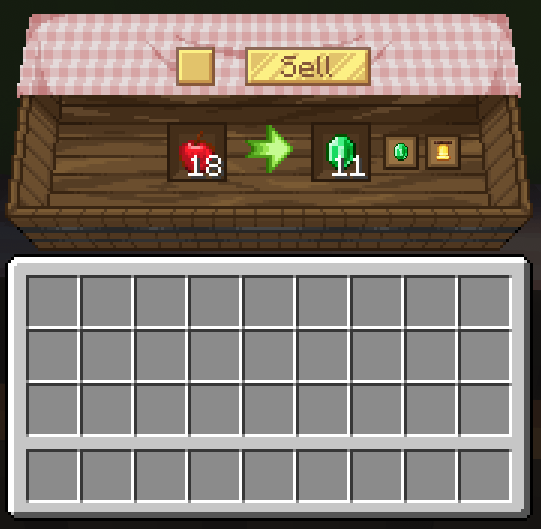
Leftover from selling is stored inside the bin so nothing is lost!
Price Tooltips
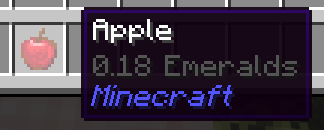
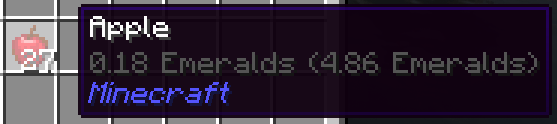
- To view the price of an item you can simply hover the item and hold shift. 💸 This behaviour can be changed in the config accessible in-game in
Mods > wd's Selling Bin > Config
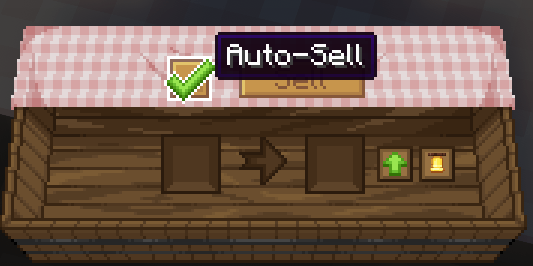
Automation
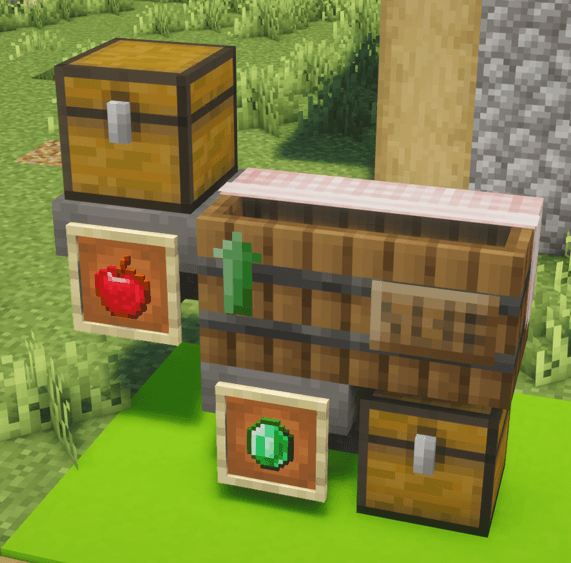
- The selling bin has an auto-sell toggle and supports the use of hoppers & modded pipes to deposit items and remove the currency selected!
EMI & JEI Support
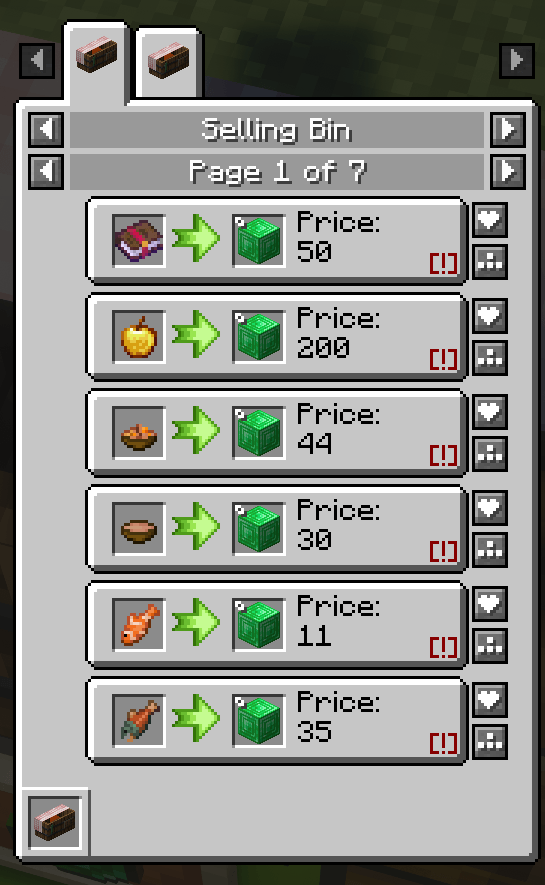
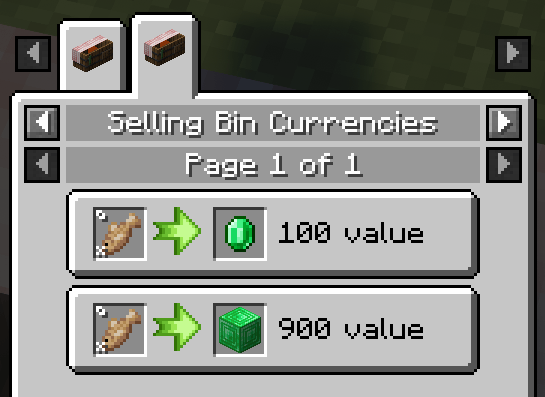
- wd’s Selling Bin has support for EMI & JEI! Simply check the uses for the selling bin and you can see all the sellable items & currencies registered by the server 💰
Built-in Datapacks
There are a few built-in datapacks you can select right from the world creation screen, under the Data Packs area!
You can also use the /datapack enable command inside the world
Mod Support & Customization (processors)
The price of an item is calculated using processors. Processors allow for nbt-based valueing, for example, if an item is damaged or has an enchantment.
Built-in Mod Support
- Create: Numismatics bank cards can be used to automatically transfer the sales to your bank account
- Optional datapack for Create: Numismatics coins as currency
- Optional datapack for Lightman’s Currency’s coins as currency
- Optional datapack for Quality Food using a custom processor
- Optional datapack for \[Let’s Do\] Brewery beers using a custom processor
- Optional datapack for \[Let’s Do\] Vinery wines using a custom processor
- Optional datapack for Starcatcher’s fishes size, weight, percentile & golden values
Got a compatibility suggestion? Let me know on discord 💸
Custom Processors
Check the wiki for the list of processors you can use directly in the datapack jsons and their properties.
Config
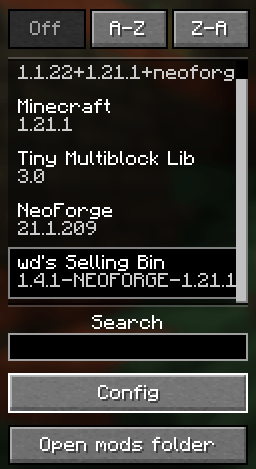
wd’s Selling bin also features a global sales multiplier, in case you want to use one of the built-in datapacks but think the prices across the board are too high/low.
Simply access the mod menu and click config on the bottom left.
For editing the available trades please refer to the wiki.
Wiki
Please reference the wiki when making a datapack https://github.com/wdiscute/Selling-Bin/wiki
🌸 Join the discord! 🌸 https://discord.gg/tCs89QTuzn
- made by wd with lots of love
常见问题
wd’s Selling Bin 支持哪些 Minecraft 版本?
wd’s Selling Bin 支持 Minecraft Java 版 1.20.1–26.3,共 7 个版本,可用的加载器:Forge / NeoForge。下载时注意选择和你游戏版本一致的文件。
wd’s Selling Bin 怎么安装?
先用 PCL2 或 HMCL 启动器安装对应版本的 Forge / NeoForge,再把下载的 .jar 文件放进游戏目录的 mods 文件夹,重新启动游戏即可。开启了版本隔离的,mods 文件夹在 versions/版本名 下面。运行环境:客户端和服务端都要装。
wdiscute 的其他作品
查看全部 →
Starcatcher
A fishing mod with lots of fishes and secrets!

Starcatcher’s Delight – Let’s Do: Kaleidoscope edition
A Starcatcher addon adding food using Starcaught fish

LibTooltips
A simple library for adding tooltips to items

wd’s Selling Bin
A data-driven selling bin mod
评论
登录后评论和评分