
Living Civilization
A living world of evolving civilizations! Discover persistent settlements, population dynamics, trade, diplomacy, migration, ecological changes, and historical events—all powered by interconnected simulation systems.
介绍
🌍 Living Civilization
A world that develops beyond the player’s actions.
Living Civilization by MineGamer transforms the familiar Minecraft world into a persistent simulation of societies, settlements, resources, and relationships. Instead of adding another collection of items or blocks, this mod focuses on the systems behind a living world: how civilizations develop, manage resources, interact with one another, respond to environmental pressure, and create their own histories.
🏘️ Build a Living World
Civilizations and settlements are represented through interconnected systems for identity, population, infrastructure, and progression. Their development is supported by simulation services designed to track changes and maintain world information over time.
🧠 Smarter Citizen Decision-Making
Citizen AI includes decision evaluation, utility scoring, planning, and scheduled behavior processing. These systems provide a foundation for citizens to select goals and carry out plans instead of relying entirely on isolated actions.
👥 Population and Migration
Population management tracks citizens and age categories, while migration systems support candidate selection, route planning, navigation, and migration execution. These mechanics connect population movement with the wider civilization simulation.
💰 Economy, Markets, and Trade
Civilizations have economic systems for settlement economies, resource commodities, supply and demand, market updates, commodity pricing, trade opportunities, and trade-route discovery. These systems create a framework for resource exchange and economic relationships.
🤝 Diplomacy and Treaties
Civilizations can be represented through diplomatic relationships and stances. Treaty systems support treaty types, formation, and registries, providing a foundation for structured interactions between civilizations.
🌿 Ecology and Environmental Pressure
The world simulation includes biome sensitivity, vegetation tracking, regrowth, wildlife pressure, ecological pressure, and emergent crisis detection. Environmental conditions are therefore part of the broader simulation rather than merely background scenery.
🛣️ Infrastructure and Settlement Development
Infrastructure placement, settlement infrastructure services, road networks, and route planning help connect settlement development with the wider world.
📜 A Persistent History
Historical records and history-query systems provide a foundation for recording and retrieving important events. Civilization founding, progression, diplomatic changes, and crises can fit into a broader record of how the simulated world evolves.
⚙️ Designed for Long-Term Simulation
Living Civilization includes world-data persistence, scheduled simulation processing, event dispatching, networking, configurable settings, diagnostic commands, and optional-mod compatibility detection. These systems support a modular architecture for maintaining and extending the simulation.
🎮 A Different Kind of Minecraft Experience
Living Civilization focuses on the hidden systems that make a world feel alive: societies, people, resources, relationships, environmental changes, and history.
Explore a world that has its own systems of development. Discover what happens when civilization becomes part of the simulation.
Mod: Living Civilization
Author: MineGamer
Minecraft Version: 1.20.1
Mod Loader: Minecraft Forge 47+
License: MIT
Feature availability and behavior may vary by implementation and configuration. This description does not imply that every simulation system has been verified through in-game testing.
常见问题
Living Civilization 支持哪些 Minecraft 版本?
Living Civilization 支持 Minecraft Java 版 1.20.1,可用的加载器:Forge。下载时注意选择和你游戏版本一致的文件。
Living Civilization 怎么安装?
先用 PCL2 或 HMCL 启动器安装对应版本的 Forge,再把下载的 .jar 文件放进游戏目录的 mods 文件夹,重新启动游戏即可。开启了版本隔离的,mods 文件夹在 versions/版本名 下面。
MineGamer 的其他作品
查看全部 →
Civilization AI
A living Minecraft civilization where AI-driven NPCs build, trade, explore, remember, evolve, and react to the world.
Crop Growth Indicator
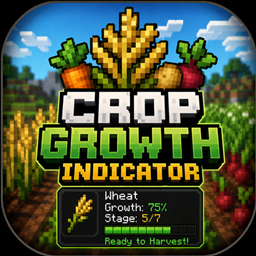
See the exact growth progress of crops by simply looking at them. Displays crop name, growth stage, percentage, and a "Ready to Harvest!" indicator.
Mystic Enchantments VeinMinner
Mystic Enchantments 1.0.0 is a Forge mod for Minecraft 1.20.1 that introduces a custom Vein Miner enchantment, allowing players to mine connected ores and logs more efficiently. The mod is built for the Forge mod loader (JavaFML) and requires Forge

Sound Alert
Sound Alert adds configurable audio notifications for low health, damage, durability, XP, watched-item pickups, and nearby hostile mobs, with per-alert sounds, volume, cooldowns, and client-side detection for Forge and Fabric.
评论
登录后评论和评分