
截图

介绍
Arst Motion Blur
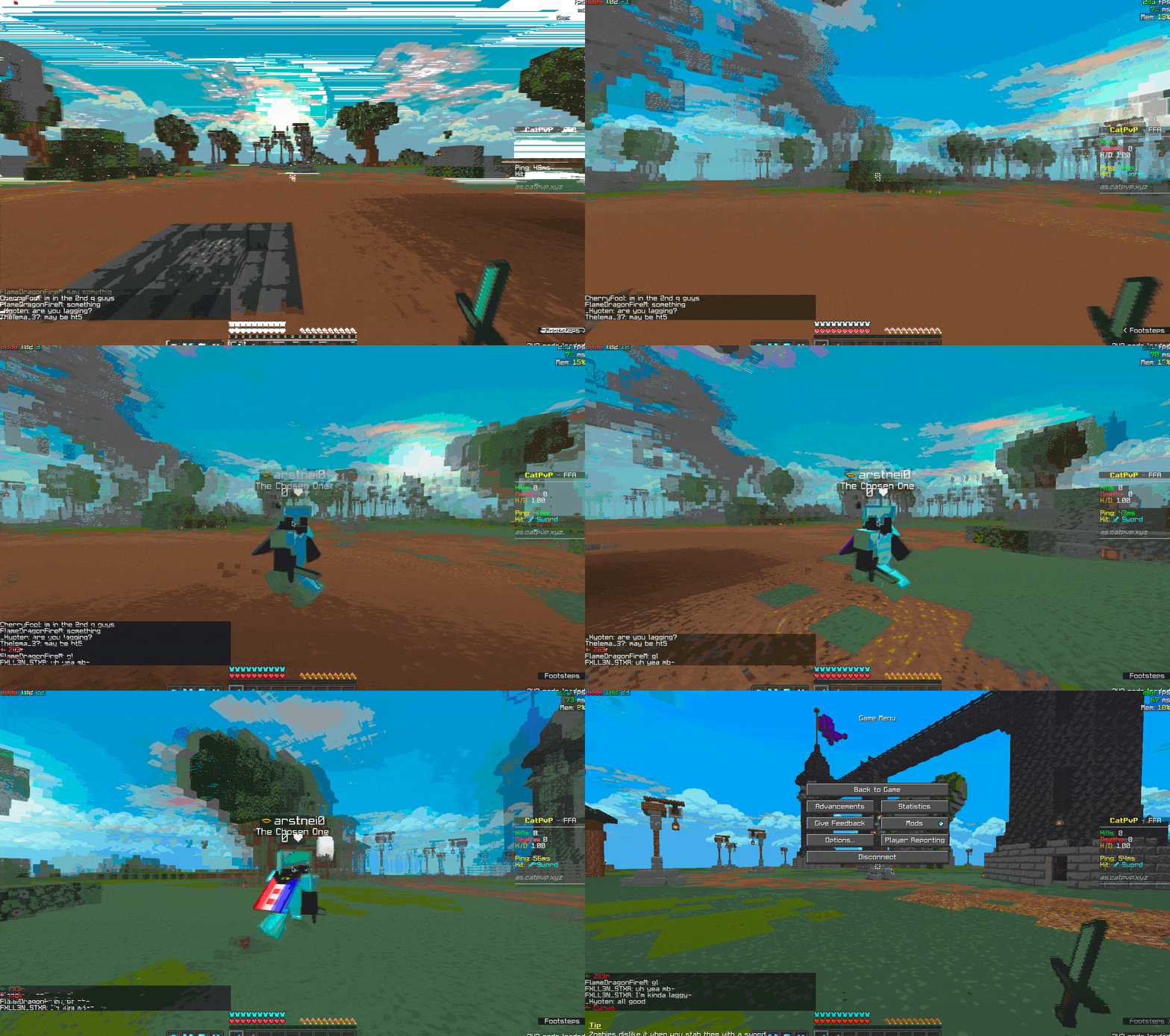
This mod adds motion blur effect to Minecraft. Requires MidnightLib and Satin API.
You can enable or disable motion blur and adjust the blur strength with Mod Menu Mod. Three customizable keybinds are also added:
- Toggle motion blur (Set to
mkey by defalt) - Increase blur strength (Unbound by default)
- Decrease blur strength (Unbound by default)
It is not a fork of Noryea’s Motion Blur but I did refer to some of its code. The shader code in Noryea’s mod uses GLSL 120 which is not supported by some devices while Arst Motion Blur uses GLSL 330 and presumably supports more platforms. The original idea was to make Motion Blur work on my M1 Macbook and eventually I also added more features. You can say this is an upgraded version of Noryea’s mod.
If you encounter any issues when using this mod, you can submit an issue in the Github repo or directly ask for help in my discord if you are not familiar with Github.
Credits: Noryea for parts of the shader code and the inspiration for the project.
常见问题
Arst Motion Blur 支持哪些 Minecraft 版本?
Arst Motion Blur 支持 Minecraft Java 版 1.20–1.20.4,共 5 个版本,可用的加载器:Fabric / Quilt。下载时注意选择和你游戏版本一致的文件。
Arst Motion Blur 怎么安装?
先用 PCL2 或 HMCL 启动器安装对应版本的 Fabric / Quilt,再把下载的 .jar 文件放进游戏目录的 mods 文件夹,重新启动游戏即可。开启了版本隔离的,mods 文件夹在 versions/版本名 下面。运行环境:仅客户端。

评论
登录后评论和评分