介绍
Bedrock Creative Tabs
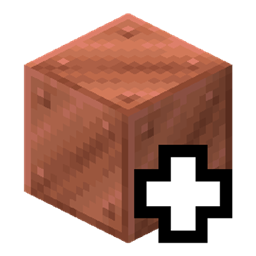
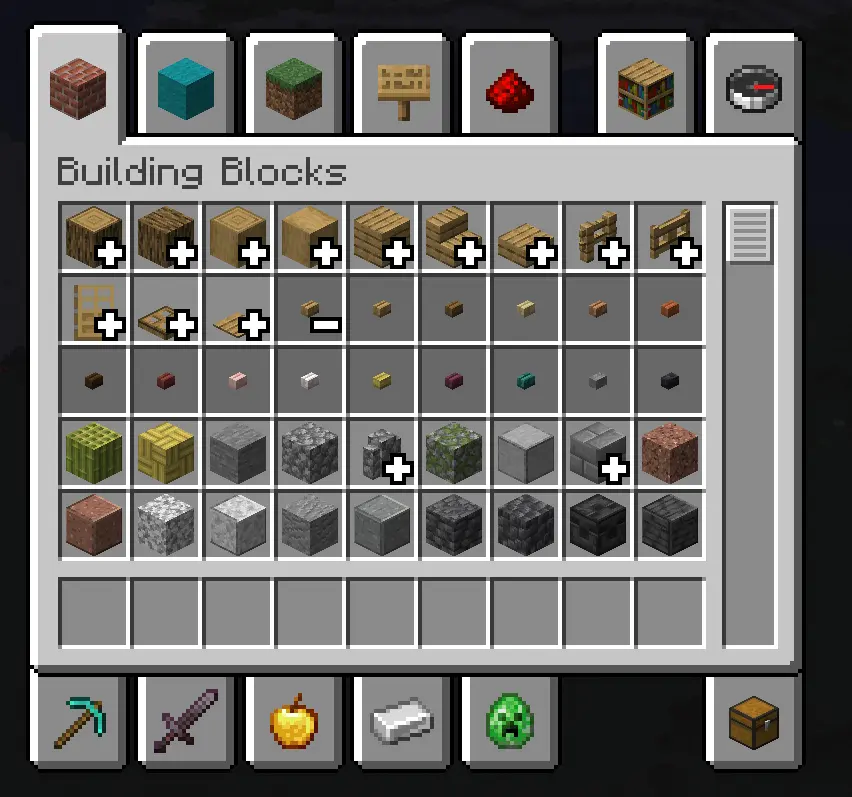
Configurable creative tabs for NeoForge: a resource pack names a set of item stacks and the tabs they belong to, and
each of those tabs shows them as one icon that opens where it stands — the way Bedrock Edition groups its creative
inventory. Nothing about which stacks fold, or where, is written in code.
This is a client-side mod. But for stability, it’s recommended to install this mod on dedicated servers.
Resource pack
One JSON file per group, at assets/<namespace>/bedrock_creative_tabs/creative_group/<path>.json:
{
  "creative_tabs": [
    "minecraft:ingredients"
  ],
  "icon": {
    "id": "minecraft:red_dye"
  },
  "entries": [
    "#c:dyes"
  ],
  "priority": 0
}
A definition is reloaded with F3+T (or by switching packs). Reloading also rebuilds the tabs, so a change shows up
as soon as the reload finishes.
| Field | Type | Notes |
|---|---|---|
entries |
List<Entry> | Required, at least one. The stacks the group claims; any one entry matching is a match. A single entry may be written without the list. |
icon |
Item Stack | Optional. What the closed icon draws. Defaults to the first member the fold found on that tab. |
creative_tabs |
List of Tab IDs | Required, at least one. The tabs this group folds in. minecraft:search is refused. |
priority |
Int | Optional, defaults to 0. When two groups claim the same stack, the higher priority wins; a tie falls back to load order. |
Also don’t forget to translate your group’s name with creative_group.<namespace>.<path> language keys.
Entries
An entry says one thing: whether it claims a stack. Five types ship with the mod.
| Form | Meaning |
|---|---|
"minecraft:oak_planks" |
That item, by id. |
"#minecraft:planks" |
Every item in that tag. |
{ "type": "bedrock_creative_tabs:item", "id": "minecraft:oak_planks" } |
The same, written out. |
{ "type": "bedrock_creative_tabs:item_tag", "tag": "minecraft:planks" } |
The same, written out. |
{ "type": "bedrock_creative_tabs:block_tag", "tag": "minecraft:mineable/pickaxe" } |
Every item that places a block in that block tag. |
{ "type": "bedrock_creative_tabs:has_component", "component": "minecraft:enchantments" } |
Every stack that carries that component, whatever its item. |
{ "type": "bedrock_creative_tabs:regex", "pattern": "minecraft:.*_concrete" } |
Every item whose full id matches a regular expression. |
You do not have to catch that by eye: every entry that matches no item at all is logged, naming the group and the
entry.
WARN Creative group bedrock_creative_tabs:planks: entry #c:planks matches no item
If an entry fails to parse — most often because it names a type that no installed mod provides, or because the type was
written without its namespace — that entry is dropped with a warning in the log and the rest of the definition still
loads; a group left with no entries at all is refused while it loads, so a broken group is never silently an empty one.
Adding an entry type
An entry type is a MapCodec registered under bedrock_creative_tabs:group_entry_type:
public final class MyEntryTypes {
    public static final DeferredRegister<MapCodec<? extends GroupEntry>> REGISTRY = DeferredRegister.create(BctRegistries.GROUP_ENTRY_TYPE, "mymod");

    public static final DeferredHolder<MapCodec<? extends GroupEntry>, MapCodec<RegexEntry>> REGEX = REGISTRY.register("regex", () -> RegexEntry.CODEC);
}

public record RegexEntry(Pattern pattern) implements GroupEntry {
    public static final MapCodec<RegexEntry> CODEC = Codec.STRING.comapFlatMap(RegexEntry::parse, entry -> entry.pattern.pattern()).fieldOf("pattern");

    @Override
    public boolean matches(ItemStack stack) {
        // The full id, namespace included: writing that into the pattern is what a pack does to narrow it.
        return this.pattern.matcher(BuiltInRegistries.ITEM.getKey(stack.getItem()).toString()).matches();
    }

    @Override
    public MapCodec<RegexEntry> codec() {
        return CODEC;
    }
}
常见问题
Bedrock Creative Tabs 支持哪些 Minecraft 版本?
Bedrock Creative Tabs 支持 Minecraft Java 版 1.20.1–26.1.2,共 3 个版本,可用的加载器:Forge / NeoForge。下载时注意选择和你游戏版本一致的文件。
Bedrock Creative Tabs 怎么安装?
先用 PCL2 或 HMCL 启动器安装对应版本的 Forge / NeoForge,再把下载的 .jar 文件放进游戏目录的 mods 文件夹,重新启动游戏即可。开启了版本隔离的,mods 文件夹在 versions/版本名 下面。
IAFEnvoy 的其他作品
查看全部 →
Jupiter
一个强大的自动同步配置前置库。

Uranus
一个前置库,包含动画引擎、对象辅助工具等功能。部分基于 LLibrary 和 Citadel。

IceAndFire Community Edition
Ice and Fire 的社区版
Ice And Fire Patcher
一个简单的 Ice And Fire 补丁
评论
登录后评论和评分