
CoffeeMod
Brew coffee, steam milk, and create a variety of drinks using custom coffee machines, ingredients, and recipes.
截图
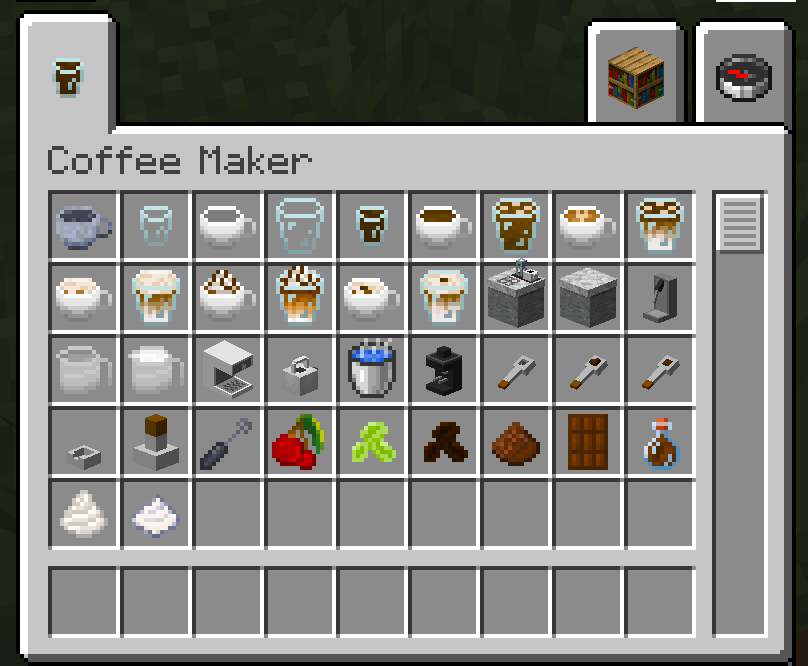
介绍
Coffee Mod adds a complete coffee-making system to Minecraft, allowing players to grow coffee, process ingredients, and create different coffee drinks.
Coffee Plants
Players can grow coffee plants and harvest coffee beans as part of a new farming and crafting experience.
Coffee Machines
The mod adds several machines and tools for preparing coffee, including a coffee grinder, kettle, steam machine, and coffee workbench.
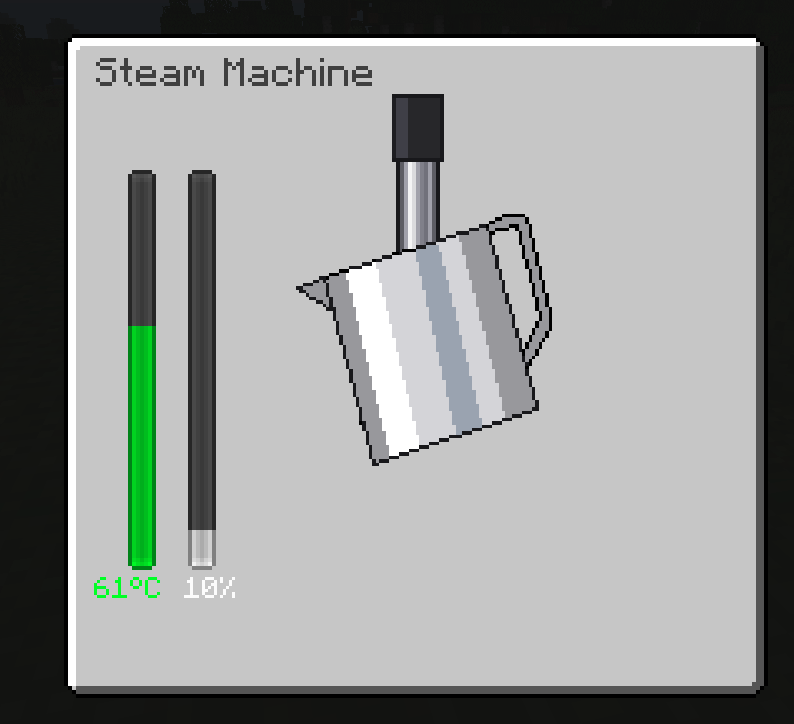
The steam machine allows players to heat and froth milk by controlling the position of the pitcher. The milk temperature and foam level change while using the machine, making coffee preparation more interactive than a standard crafting recipe.
Coffee Workbench
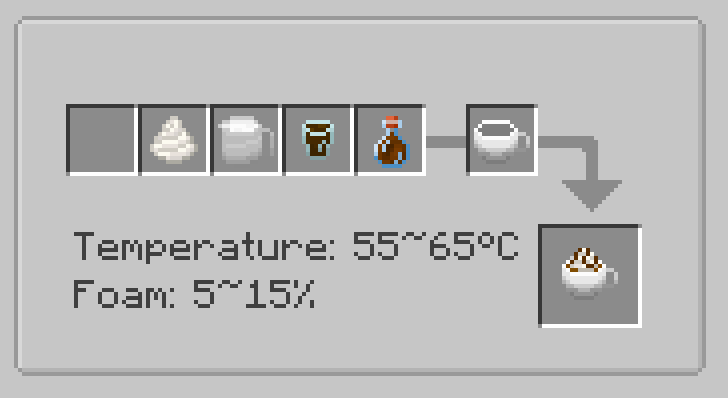
The Coffee Workbench allows players to combine ingredients and prepared coffee components to create different drinks.
Instead of crafting the final drink with a single recipe, players can prepare coffee through multiple steps, making the process more interactive and rewarding.
Milk Steaming
Players can steam milk and control its temperature and foam level. Some coffee recipes require specific milk conditions, encouraging players to prepare their ingredients carefully before making certain drinks.
Different Coffee Drinks
The mod adds multiple coffee recipes, including hot and iced drinks. Different coffees can provide different gameplay effects, encouraging players to experiment with recipes and discover their preferred drinks.
Gameplay Experience
Coffee Mod adds a relaxing cooking and crafting activity to Minecraft. Players can grow coffee plants, process ingredients, operate coffee machines, and create their own coffee-making area.
JEI is recommended for use with this mod.
常见问题
CoffeeMod 支持哪些 Minecraft 版本?
CoffeeMod 支持 Minecraft Java 版 1.21.1,可用的加载器:NeoForge。下载时注意选择和你游戏版本一致的文件。
CoffeeMod 怎么安装?
先用 PCL2 或 HMCL 启动器安装对应版本的 NeoForge,再把下载的 .jar 文件放进游戏目录的 mods 文件夹,重新启动游戏即可。开启了版本隔离的,mods 文件夹在 versions/版本名 下面。
评论
登录后评论和评分