
截图


介绍
Building with Words: The Art of Letter Blocks in Minecraft
Minecraft is a world of endless creativity, where you can build anything you can imagine. From sprawling castles to intricate machines, the possibilities are limited only by your ingenuity. But have you ever considered using your building skills to create something a little more literary?
Enter the world of letter blocks! By strategically placing blocks of different colors and textures, you can craft giant messages across your Minecraft landscape. It’s a fantastic way to add personality to your builds, communicate with fellow players, or even create hidden messages for explorers to discover.
Planning Your Text:
The first step to building with letter blocks is deciding what you want to say. Short and sweet messages are great for beginners, while seasoned block architects can attempt poems, quotes, or even song lyrics.
Here are some things to consider when planning your text:
- Font: Will you use a simple block font, or something more elaborate? There are online resources where you can find pixel art fonts specifically designed for Minecraft lettering.
- Size: How big will your letters be? Bigger letters will have more impact, but they’ll also require more resources.
- Color and Texture: What blocks will you use to create your letters? Mixing and matching different block types can add depth and style.
Building Tips:
Once you have your message planned, it’s time to start building! Here are some helpful hints:
- Start Small: If you’re new to letter building, begin with a short word or simple design. As you gain experience, you can tackle larger projects.
- Flat Surface: Choose a flat and clear area to build on. This will make it easier to ensure your letters are even and proportional.
- Scaffolding: Use scaffolding or temporary structures to reach higher areas while building tall letters.
- Outline First: Sometimes it’s helpful to build a light-colored outline of your letters first. This can serve as a guide when filling them in with your chosen blocks.
Creative Inspiration:
Letter blocks aren’t just for writing messages! Here are some creative ways to use them in your Minecraft world:
- Secret Code: Build a hidden message for your friends to find, leading them on a treasure hunt.
- Welcome Sign: Create a giant welcome sign for new players arriving on your server.
- Storytelling: Craft a series of letter block messages to tell a story or create an interactive adventure.
- Pixel Art: Combine letters with block art to create even more elaborate designs.
With a little planning and creativity, letter blocks can transform your Minecraft world into a space filled with communication, storytelling, and endless self-expression. So grab your pickaxe, unleash your inner wordsmith, and get building!
常见问题
Letter Blocks 支持哪些 Minecraft 版本?
Letter Blocks 支持 Minecraft Java 版 1.0–1.20.4,共 87 个版本。下载时注意选择和你游戏版本一致的文件。
Letter Blocks 怎么安装?
把下载的 .zip 文件(不用解压)放进游戏目录的 resourcepacks 文件夹,进游戏后在「选项 → 资源包」里把它移到右边启用。
RadientPrincess 的其他作品
查看全部 →
Kawaii Cute Mobs (Girls)
可爱萌系生物(女孩版) 想让僵尸、苦力怕等生物变成女孩模样的话,这个模组正合适
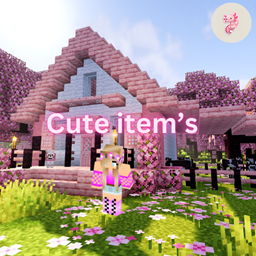
Cute item’s
让物品变得更加漂亮!喜欢可爱风格的话,就来下载我的资源包吧。

Kawaii World Cute Blocks
可爱风格的世界,包含适合建造房屋的萌系方块。

Kawaii Cute Mobs (Girls) Part Two!
可爱萌系生物(女孩)第二弹终于发布啦!这次更可爱,生物们也萌度爆表!
评论
登录后评论和评分