
STPA
STpa is a lightweight and configurable teleport request mod for Minecraft servers, featuring player TPA requests, accept/deny controls, cooldowns, XP costs, teleport-back support, admin controls, multilingual support, and optional client installation.
截图
介绍
STpa
STpa is a lightweight and configurable teleport request mod for Minecraft Fabric.
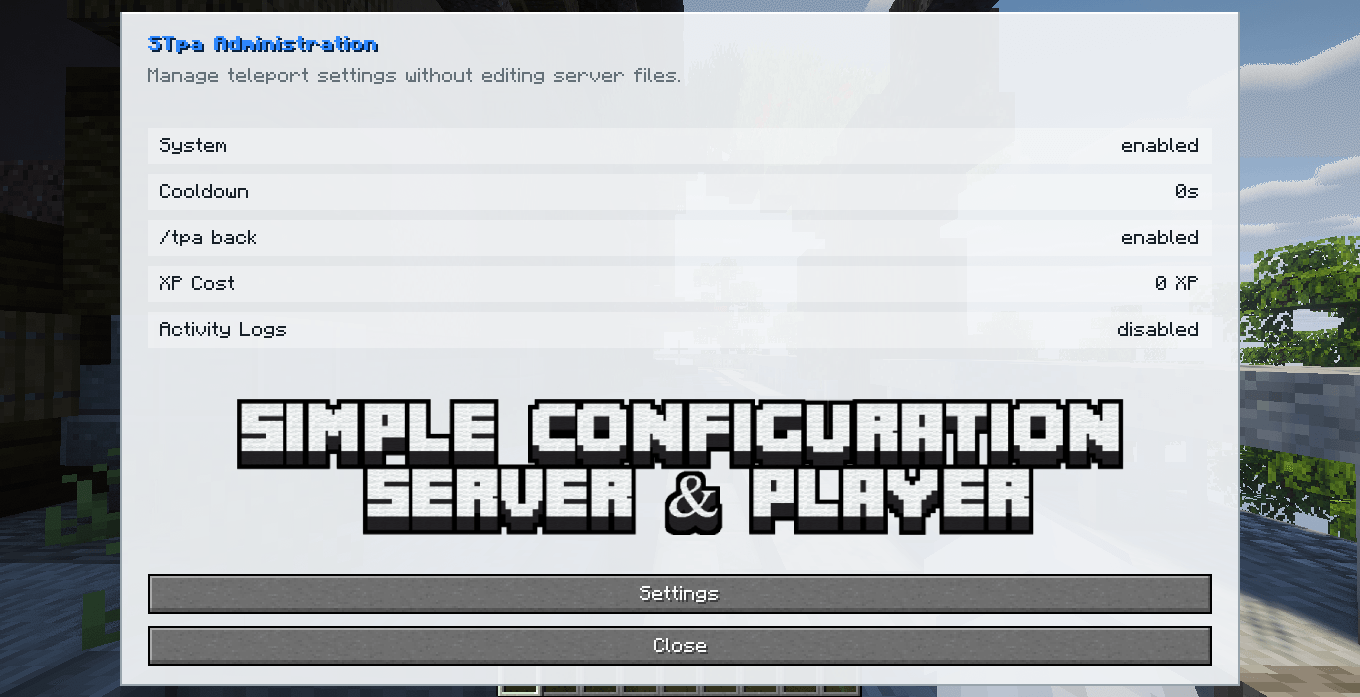
It provides a simple player-to-player teleport system with request management, cooldowns, XP costs, teleport-back support, administrative controls, logging, multilingual messages, and optional client installation.
Client and Server Support
STpa can be installed on both the client and the server using the same mod JAR.
However, server owners can also install STpa only on the server.
Players are not required to install STpa on their own client to use the teleport commands.
This makes STpa suitable for both complete modpacks and servers that want to provide teleport functionality without requiring an additional client-side mod.
Requirements
| Requirement | Version |
|---|---|
| Minecraft | 1.20.1 & 1.21.1 |
| Mod Loader | Fabric |
| Fabric Loader | 0.18.4 or newer |
| Fabric API | Required |
| Java | Java 17/21 |
| Installation | Client + Server or Server Only |
Main Features
- Player-to-player teleport requests
- Accept and deny controls
- Request cancellation
- Configurable cooldowns
- Configurable XP costs
- Teleport-back support
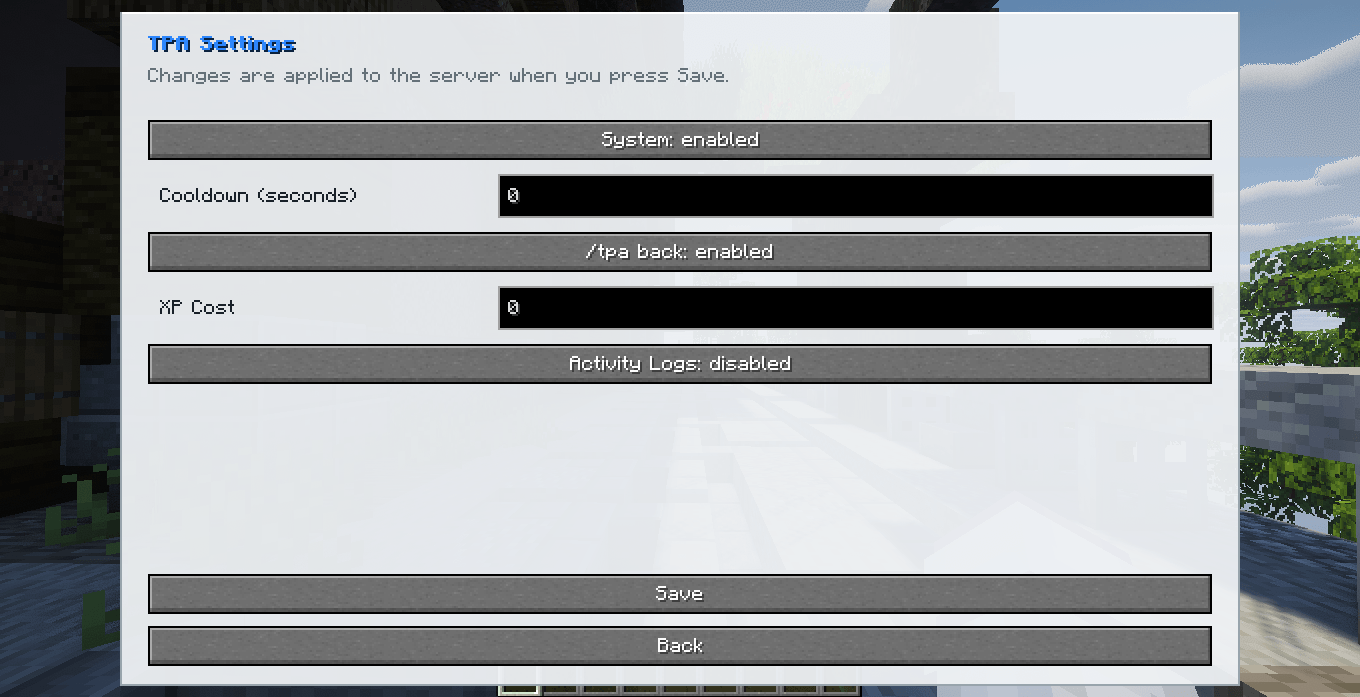
- Administrative controls
- Optional command logging
- Multiplayer support
- Multilingual messages
- Optional client installation
- Server-side-only support
Teleport Requests
Send a teleport request to another player:
/tpa <player>Accept a request:
/tpa acceptDeny a request:
/tpa denyCancel a request you previously sent:
/tpa cancelTeleport Back
STpa includes an optional teleport-back system.
/tpa backWhen enabled by the server, this command allows players to return to their previous saved location.
Cooldowns
Administrators can configure the delay between teleport requests.
/admintpa cooldown <seconds>Example:
/admintpa cooldown 30XP Cost
Teleporting can optionally require experience points.
/admintpa costxp <xp>Example:
/admintpa costxp 5Setting the value to 0 disables the XP cost.
Administrative Controls
Enable STpa:
/admintpa onDisable STpa:
/admintpa offConfigure the cooldown:
/admintpa cooldown <seconds>Enable teleport-back:
/admintpa back onDisable teleport-back:
/admintpa back offConfigure XP cost:
/admintpa costxp <xp>Enable logging:
/admintpa logs onDisable logging:
/admintpa logs offCommand Reference
| Command | Description |
|---|---|
/tpa <player> |
Sends a teleport request |
/tpa accept |
Accepts a teleport request |
/tpa deny |
Denies a teleport request |
/tpa cancel |
Cancels a sent teleport request |
/tpa back |
Returns to the previous location |
/admintpa on |
Enables STpa |
/admintpa off |
Disables STpa |
/admintpa cooldown <seconds> |
Configures the teleport cooldown |
/admintpa back on |
Enables teleport-back |
/admintpa back off |
Disables teleport-back |
/admintpa costxp <xp> |
Configures the XP cost |
/admintpa logs on |
Enables logging |
/admintpa logs off |
Disables logging |
All command syntax is kept in English for consistency.
Player-facing messages can still be translated automatically.
Multilingual Support
STpa includes support for multiple languages.
| Language | Minecraft Code |
|---|---|
| English | en_us |
| Portuguese, Brazil | pt_br |
| Spanish | es_es |
| Japanese | ja_jp |
| Simplified Chinese | zh_cn |
| Hindi | hi_in |
| Arabic | ar_sa |
Commands remain in English regardless of the selected language.
Configuration
STpa stores its server configuration in:
config/stpa.propertiesServer owners can configure features such as cooldowns, XP costs, teleport-back, logging, and general teleport availability.
Server-Side Installation
STpa can be installed only on the server.
Server: STpa-1.0.0.jar
Client: Not required
Players can connect and use the teleport commands without installing STpa themselves.
Client + Server Installation
STpa can also be included in a complete modpack and installed on both sides.
Server: STpa-1.0.0.jar
Client: STpa-1.0.0.jar
The same JAR is used on both the client and the server.
Installation
Server Only
- Install a Minecraft 1.21.1 Fabric server.
- Install Fabric API.
- Place
STpa-1.0.0.jarinside the servermodsfolder. - Start the server.
Client + Server
- Install Minecraft 1.21.1.
- Install Fabric Loader.
- Install Fabric API.
- Place
STpa-1.0.0.jarinside the clientmodsfolder. - Place the same JAR inside the server
modsfolder. - Start Minecraft and the server.
Project Information
Mod: STpa
Version: 1.0.0
Author: Silas T.
Minecraft: 1.20.1 / 1.21.1
Loader: Fabric
Java: 17/21
License: All Rights Reserved
常见问题
STPA 支持哪些 Minecraft 版本?
STPA 支持 Minecraft Java 版 1.20.1–1.21.1,共 2 个版本,可用的加载器:Fabric / Forge / NeoForge。下载时注意选择和你游戏版本一致的文件。
STPA 怎么安装?
先用 PCL2 或 HMCL 启动器安装对应版本的 Fabric / Forge / NeoForge,再把下载的 .jar 文件放进游戏目录的 mods 文件夹,重新启动游戏即可。开启了版本隔离的,mods 文件夹在 versions/版本名 下面。
SilastormMC 的其他作品
查看全部 →
SCorpse
天哪!我的身体在地上!

SClaims
THAT'S MY TERRAIN!

SAdmin
SAdmin is a lightweight administration mode for Minecraft servers, featuring inventory-safe admin mode, hidden staff visibility, protected admin tools, player teleportation, gamemode controls, multilingual support, and optional client installation.

STraders
Make your Custom Trader, with custom Villagers.
评论
登录后评论和评分