Ragdollified Player Corpse – Custom Colors
作者:takapii_kun
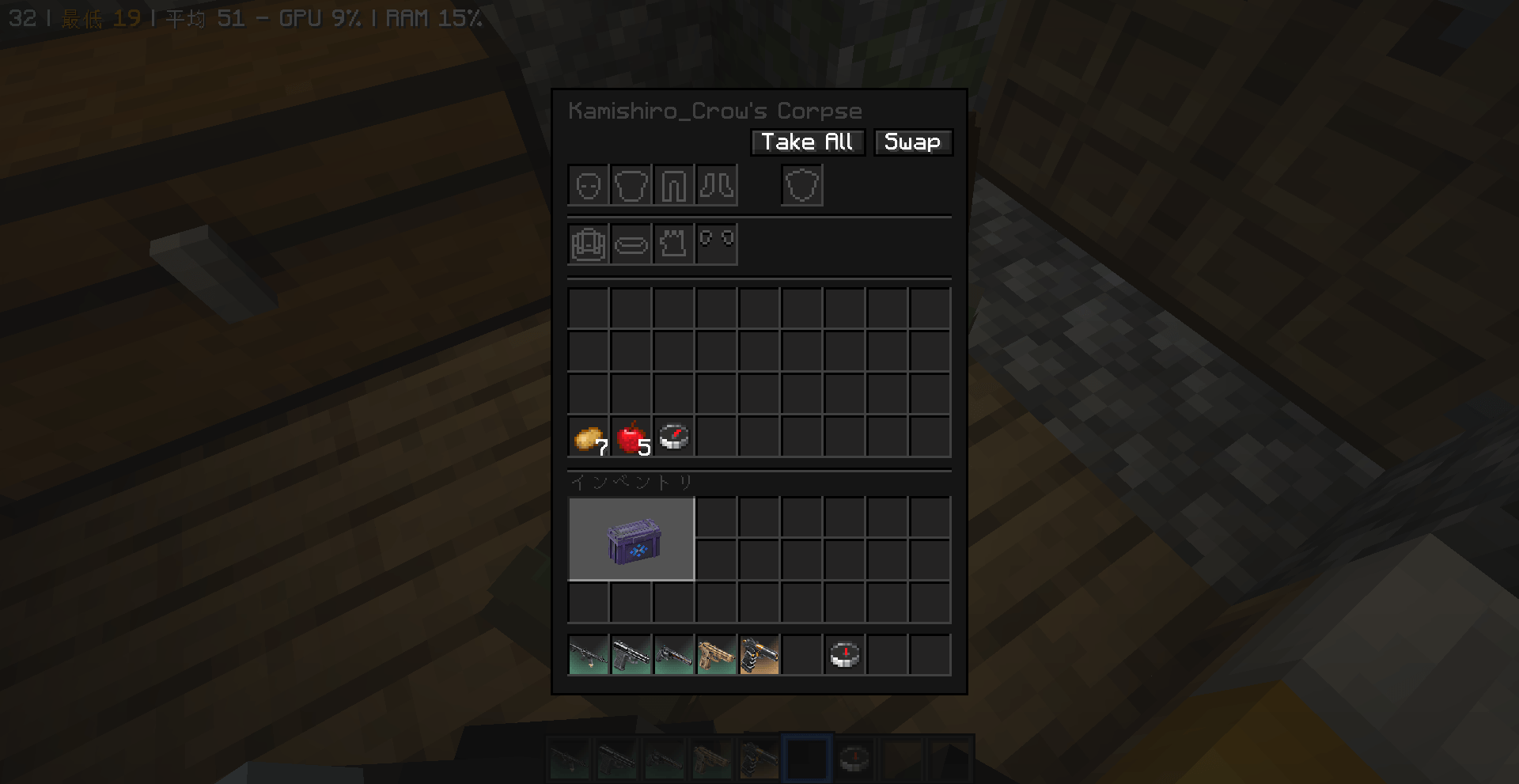
You can change the gui color of Ragdollified Player Corpse.
截图
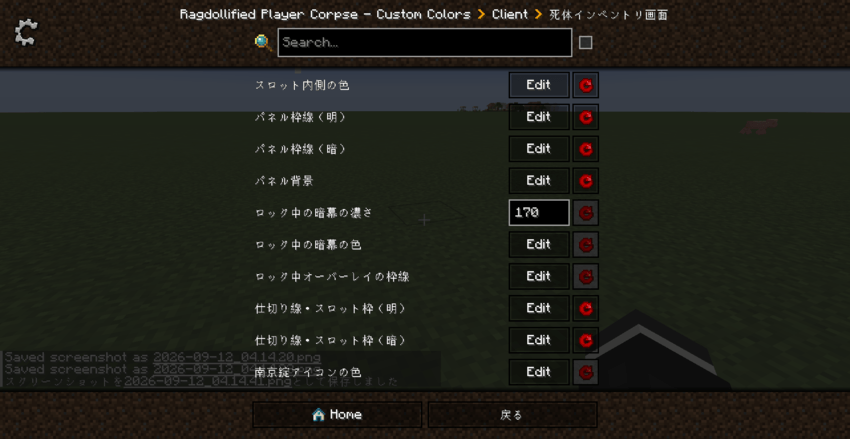
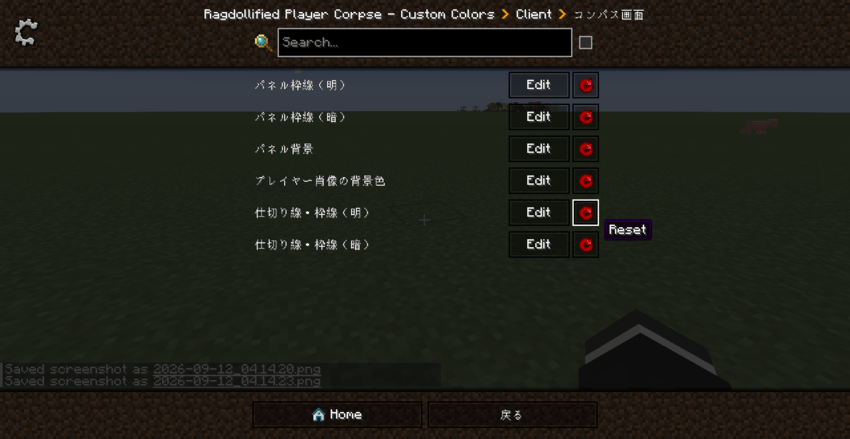
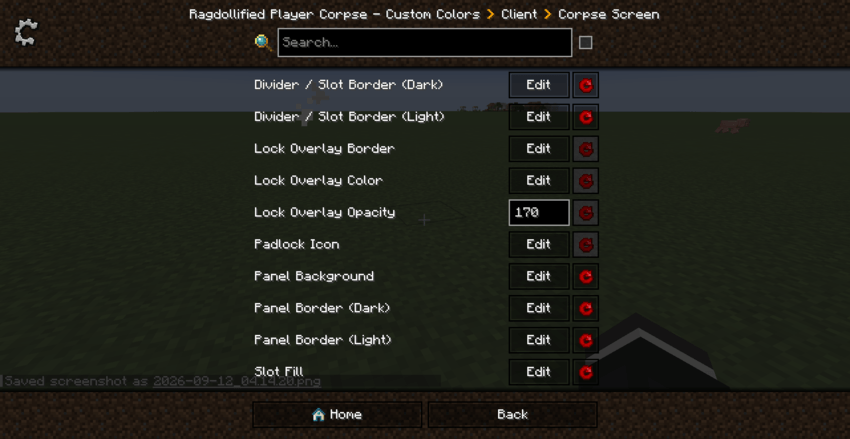
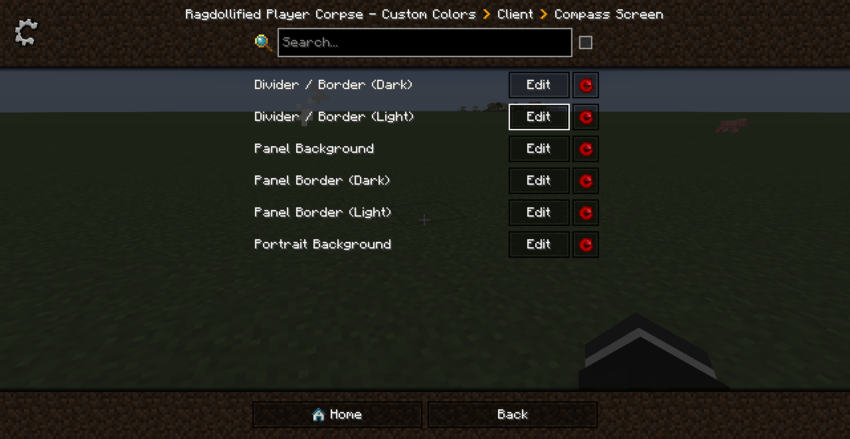
介绍
中文介绍正在准备中,下面暂时显示原文。
# Ragdollified Player Corpse – Custom Colors
A lightweight addon mod that lets you fully customize the colors of **Ragdollified Player Corpses**’
corpse inventory screen and compass screen through a client-side config file.
The target mod draws its GUI with flat-color rectangles (`fill()` calls) instead of textures, so a
normal resource pack cannot change its look. This addon uses Mixin to swap out **only the raw color
values** — no logic or layout in the base mod is touched.
## Features
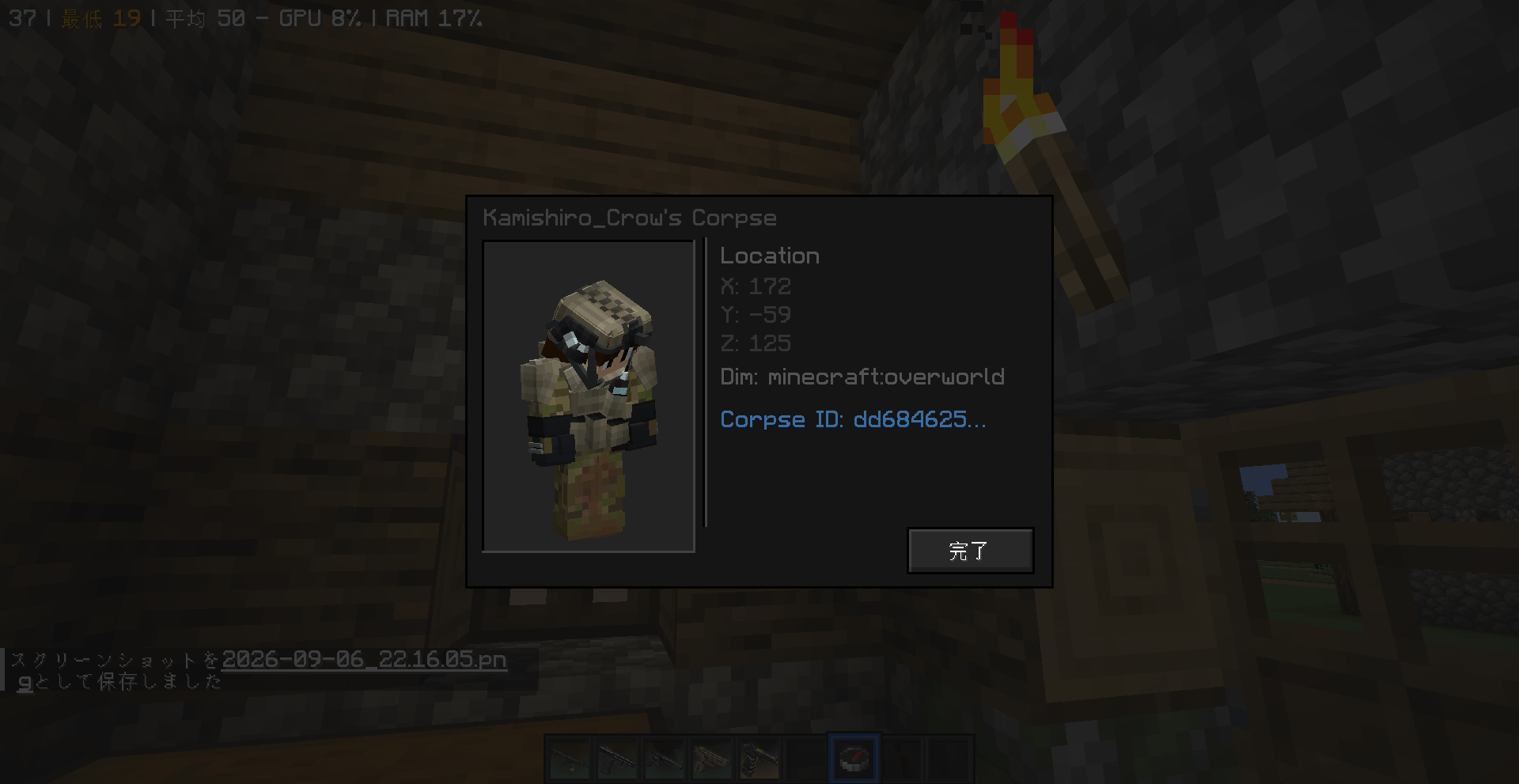
– Recolors both the corpse inventory screen (`CorpseScreen`) and the compass screen (`CorpseCompassScreen`)
– Individually configurable: panel background, borders, dividers, slots, lock overlay, and the padlock icon
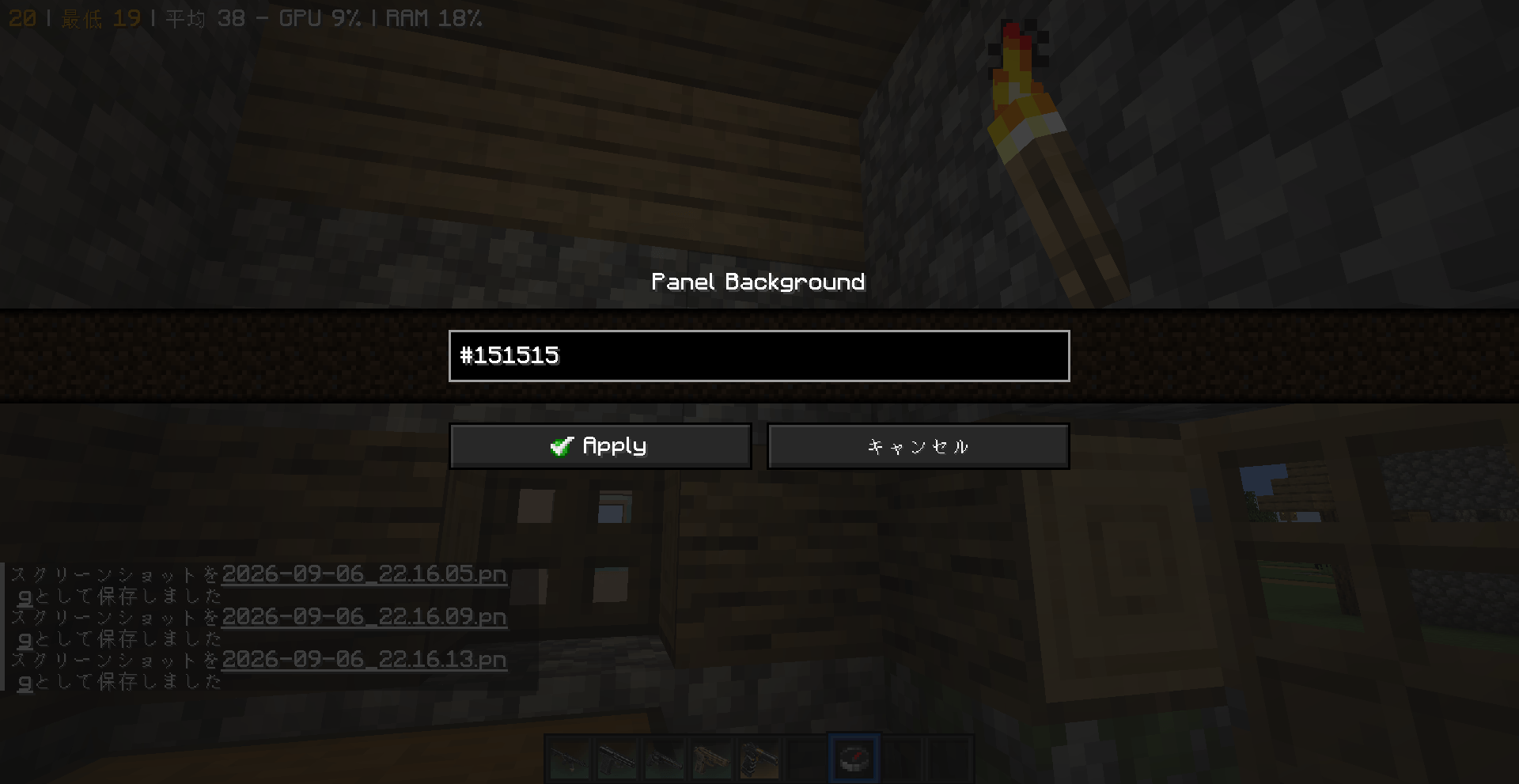
– Colors are specified in the familiar **`#RRGGBB`** hex format (same as HTML/CSS)
– Configured via `config/rpccolors-client.toml` — **just save the file while the game is running** and the
new colors apply next time you open the GUI (no restart or rebuild needed)
– Malformed entries fall back to their default color individually, without affecting the rest of the config
## Requirements
| Item | Version |
|—|—|
| Minecraft | 1.20.1 |
| Forge | 47.1.0 or later |
| Required mod | Ragdollified Player Corpses (**not bundled**, must be installed separately) |
## Installation
1. With Ragdollified Player Corpses already installed, drop this mod’s jar into your `mods` folder
2. Launch the game once — `config/rpccolors-client.toml` will be generated automatically
3. Edit the values to your preferred colors (`#RRGGBB` format) and save
4. The new colors will show up the next time you open the corpse GUI or compass GUI
## Example config
“`toml
[colors]
panelBackground = “#4B3A2F” # Overall panel background
panelBorderDark = “#2A1F19” # Dark outer shadow line
panelBorderLight = “#B88A5A” # Light outer highlight line
dividerDark = “#241A15” # Divider / slot border (dark)
dividerLight = “#C9A876” # Divider / slot border (light)
slotFill = “#6B5240” # Slot interior / portrait background box
lockOverlayColor = “#1A1210” # Lock overlay tint color
lockOverlayAlpha = 170 # Lock overlay opacity (0-255)
lockBorder = “#3A2A20” # Lock overlay border
padlock = “#E8C88A” # Padlock icon color
“`
## Compatibility & Notes
– This is an **unofficial fan-made addon** and is not affiliated with the developer of Ragdollified Player Corpses
– Purely cosmetic — has no effect on existing worlds or save data
– May break if a future update to the base mod changes its internal class structure
– Client-side only (`side=”CLIENT”`) — safe to leave off servers, or install client-side only in a server pack
## Credits
– Base mod: **Ragdollified Player Corpses** by raiiiden
– This addon: takapii_kun0717
# Ragdollified Player Corpse – Custom Colors
**Ragdollified Player Corpses** の死体インベントリ画面/コンパス画面の配色を、
クライアントコンフィグから自由にカスタマイズできる軽量アドオンMODです。
対象MODは死体GUIをテクスチャなしで(`fill()`によるベタ塗り四角形で)描画しているため、
通常のリソースパックでは見た目を変更できません。本MODはMixinを使って**色の数値だけ**を
差し替えることで、対象MOD本体のロジックやレイアウトには一切手を加えずに配色変更を実現しています。
## 特徴
– 死体インベントリ画面(`CorpseScreen`)とコンパス画面(`CorpseCompassScreen`)、両方の配色に対応
– パネル背景・枠線・仕切り線・スロット・ロックオーバーレイ・南京錠アイコンなど、要素ごとに個別設定可能
– 色は **`#RRGGBB`** のHTML/CSSと同じ書式で指定
– 設定は `config/rpccolors-client.toml` から編集 — **ゲームを起動したままファイルを保存し直すだけで反映**(再起動・再ビルド不要)
– 書式ミスがあってもその項目だけデフォルト色にフォールバック(他の設定には影響なし)
## 必要環境
| 項目 | バージョン |
|—|—|
| Minecraft | 1.20.1 |
| Forge | 47.1.0 以降 |
| 依存MOD | Ragdollified Player Corpses(**別途導入必須**、本MODには同梱していません) |
## 導入方法
1. 本体MOD(Ragdollified Player Corpses)を導入した状態で、本MODのjarを `mods` フォルダに追加
2. 一度ゲームを起動する → `config/rpccolors-client.toml` が自動生成されます
3. お好みの色(`#RRGGBB`形式)に書き換えて保存
4. 次に死体GUI/コンパスGUIを開いた時には新しい配色に変わっています
## 設定項目の例
“`toml
[colors]
panelBackground = “#4B3A2F” # パネル全体の背景色
panelBorderDark = “#2A1F19” # パネル外周の暗い影
panelBorderLight = “#B88A5A” # パネル外周の明るいハイライト
dividerDark = “#241A15” # 仕切り線・スロット枠(暗)
dividerLight = “#C9A876” # 仕切り線・スロット枠(明)
slotFill = “#6B5240” # スロット内側/肖像の背景ボックス
lockOverlayColor = “#1A1210” # ロック中の暗幕の色
lockOverlayAlpha = 170 # ロック中の暗幕の濃さ(0〜255)
lockBorder = “#3A2A20” # ロックオーバーレイの枠線
padlock = “#E8C88A” # 南京錠アイコンの色
“`
## 対応状況・注意事項
– 本MODは **非公式のファンメイドアドオン** であり、Ragdollified Player Corpses本体の開発者とは無関係です
– 見た目のみを変更するMODのため、既存のワールド・セーブデータへの影響はありません
– 対象MODのアップデートで内部のクラス構造が変わった場合、動作しなくなる可能性があります
– 本MODはクライアントサイドのみで動作します(`side=”CLIENT”`)
## クレジット
– 本体MOD: **Ragdollified Player Corpses** by raiiiden
– 本アドオン: takapii_kun0717
常见问题
Ragdollified Player Corpse – Custom Colors 支持哪些 Minecraft 版本?
Ragdollified Player Corpse – Custom Colors 支持 Minecraft Java 版 1.20.1–1.21.1,共 2 个版本,可用的加载器:Forge / NeoForge。下载时注意选择和你游戏版本一致的文件。
Ragdollified Player Corpse – Custom Colors 怎么安装?
先用 PCL2 或 HMCL 启动器安装对应版本的 Forge / NeoForge,再把下载的 .jar 文件放进游戏目录的 mods 文件夹,重新启动游戏即可。开启了版本隔离的,mods 文件夹在 versions/版本名 下面。
takapii_kun 的其他作品
查看全部 →
Marksman Arena [Shooting Range]
by takapii_kun
射击场
8,181
1 个月前
CurseForge

Day Counter by takapii_kun0717
by takapii_kun
天数计数器
2,113
10 个月前
CurseForge
Ragdoll Corpse Cleaner
by takapii_kun
Add command to erase mob corpses for ragdollified mod
974
1 个月前
CurseForge
EnderDragon Reinforcement
by takapii_kun
Data pack to strengthen the Ender Dragon
493
7 个月前
CurseForge
评论
登录后评论和评分