
介绍
Mod Resource Export Tool
模组资源导出工具
该模组提供了两条指令用户可以导出模组资源信息,用于后续加工
This module provides two instructions for users to export module resource information for subsequent processing
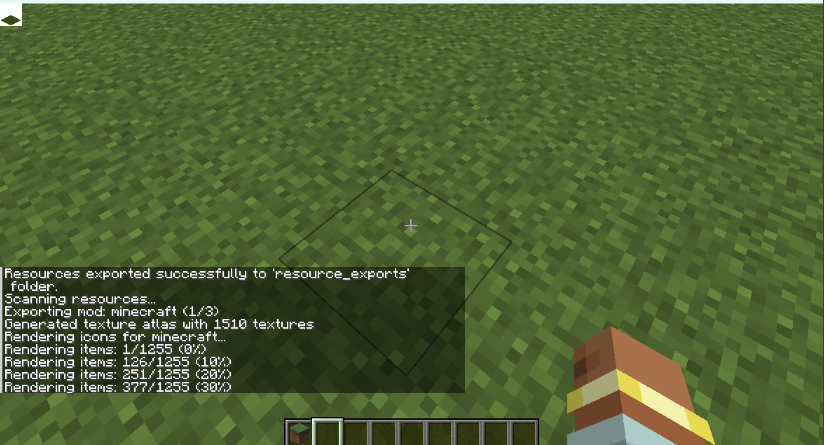
该模组用于 导出 Minecraft 模组资源,导出的资源格式参考以下规范:
This mod is used to export Minecraft mod resources, following the specification below:
- mcmeta Specification
https://github.com/misode/mcmeta
当前该模组主要服务于以下项目:
This mod is currently designed to support the following project:
- McSTools(蓝图工具项目 / MCSTools)
https://github.com/guapi-exe/McSTools
用于为蓝图工具提供 模组资源解析与展示支持,以实现对不同模组资源的统一处理。
It provides mod resource parsing and rendering support for the blueprint tool, enabling unified handling of resources from different mods.
功能特性
Features
- 导出模组内的物品、方块等资源
Export items, blocks, and other resources from mods - 支持自定义导出图标尺寸
Support custom icon export sizes - 可按
modid精确导出指定模组资源
Export resources for a specific mod bymodid - 未指定模组时支持批量导出全部已加载模组资源
Export all loaded mod resources when nomodidis specified
指令说明
Command Reference
1. 设置物品图标导出尺寸
1. Set Item Icon Export Size
/exportconfig iconsize 32参数说明 / Parameters
iconsize:配置项名称 iconsize: configuration key
32:导出图标尺寸(单位:像素) 32: exported icon size (in pixels)
该配置会影响后续所有资源导出的图标分辨率 This setting affects the icon resolution of all subsequent exports
2. 导出模组资源
2. Export Mod Resources
/exportresources <modid>参数说明 / Parameters
<modid>:目标模组的 ID <modid>: target mod ID
若不填写 <modid>,则默认导出 全部模组资源 If <modid> is not specified, all mod resources will be exported by default
常见问题
ResoureExporter 支持哪些 Minecraft 版本?
ResoureExporter 支持 Minecraft Java 版 1.20.1–1.21.1,共 2 个版本,可用的加载器:Fabric / Forge / NeoForge。下载时注意选择和你游戏版本一致的文件。
ResoureExporter 怎么安装?
先用 PCL2 或 HMCL 启动器安装对应版本的 Fabric / Forge / NeoForge,再把下载的 .jar 文件放进游戏目录的 mods 文件夹,重新启动游戏即可。开启了版本隔离的,mods 文件夹在 versions/版本名 下面。

评论
登录后评论和评分