
Cooked FPS Ultra
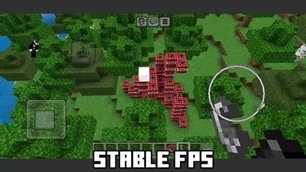
Cooked FPS is a lightweight Minecraft Java Resource Pack designed to squeeze a little extra performance out of vanilla Minecraft while giving the game a cleaner, more vibrant appearance.
截图

介绍
🍳 Cooked FPS
Boost Performance. Keep Minecraft Beautiful.
Cooked FPS is a lightweight Minecraft Java Resource Pack designed to squeeze a little extra performance out of vanilla Minecraft while giving the game a cleaner, more vibrant appearance.
Unlike optimization mods, Cooked FPS works entirely as a resource pack—no loaders, no dependencies, and no complicated setup.
🚀 Features
Performance Tweaks
Cooked FPS includes several lightweight optimizations that reduce unnecessary rendering work without changing gameplay.
🌿 Solid Leaves
-
Replaces transparent leaf textures with solid versions.
-
Reduces transparency rendering overhead.
-
Can provide smoother performance in forests and dense biomes.
🔥 Slower Animated Textures
Animation speed is reduced for:
-
Water
-
Lava
-
Fire
-
Soul Fire
Fewer animation updates mean slightly less texture processing while maintaining the vanilla feel.
🌊 Cleaner Screen Effects
Removes fullscreen overlays including:
-
Underwater tint
-
Pumpkin blur
This creates a cleaner screen while reducing extra overlay rendering.
✨ Visual Improvements
Performance isn’t everything.
Cooked FPS also refreshes Minecraft’s appearance with:
-
🌱 More vibrant grass colors
-
🍃 Improved foliage colormaps
-
☀️ Cleaner sun texture
-
🌙 Improved moon texture
-
🎨 Richer vanilla-style colors
The goal is to stay close to vanilla while making every biome feel more colorful.
📈 Expected Performance
Since this is a resource pack, performance improvements are naturally limited.
Typical results:
-
Older PCs / Laptops: noticeable improvement
-
Mid-range PCs: small FPS increase
-
High-end systems: little to no measurable difference
Average improvement:
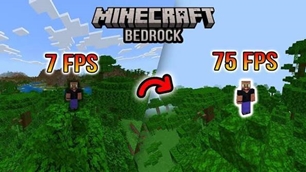
≈ 2–5 FPS depending on hardware and world conditions.
📦 Installation
-
Download the pack.
-
Place it inside your resourcepacks folder.
-
Launch Minecraft.
-
Open Options → Resource Packs.
-
Enable Cooked FPS.
-
Move it to the top of your resource pack list.
✅ Compatibility
-
Minecraft Java Edition 1.19.x
-
Pack Format 12
-
Vanilla compatible
-
Mod friendly
-
No dependencies required
👥 Recommended For
✔ Players using older or mid-range hardware
✔ Players who want lightweight optimizations
✔ Vanilla players wanting more vibrant visuals
✔ Anyone who prefers a cleaner Minecraft experience
❤️ Credits
Created by MissSatella
Thank you for downloading Cooked FPS!
If you enjoy the pack, consider leaving a ⭐ favorite and sharing it with other Minecraft players.
常见问题
Cooked FPS Ultra 支持哪些 Minecraft 版本?
Cooked FPS Ultra 支持 Minecraft Java 版 1.19–26.2,共 28 个版本。下载时注意选择和你游戏版本一致的文件。
Cooked FPS Ultra 怎么安装?
把下载的 .zip 文件(不用解压)放进游戏目录的 resourcepacks 文件夹,进游戏后在「选项 → 资源包」里把它移到右边启用。
MissSatella 的其他作品
查看全部 →
Skyborne Gunship
A rideable military helicopter built as a multiblock structure — place it, board it, fly it, and shoot things.
Air Drop Walkie Talkiee
This design merges the rugged, utilitarian aesthetic of tactical gear with the iconic, blocky visual style of Minecraft.
Bedrock Miner Armor
A full armor set — helmet, chestplate, leggings, boots — that lets you mine bedrock in survival.
Elytra Jet Bomber
A single craftable item that turns your elytra into a military jet — boosted flight, weapons fire, and TNT carpet bombing, all controlled from your hand.
评论
登录后评论和评分