
Visual VNDialog Edit
Visual VNDialog Edit (VVNDE) is an add-on mod for VNDialog. It provides an in-game GUI that allows players to conveniently edit dialogue.
截图
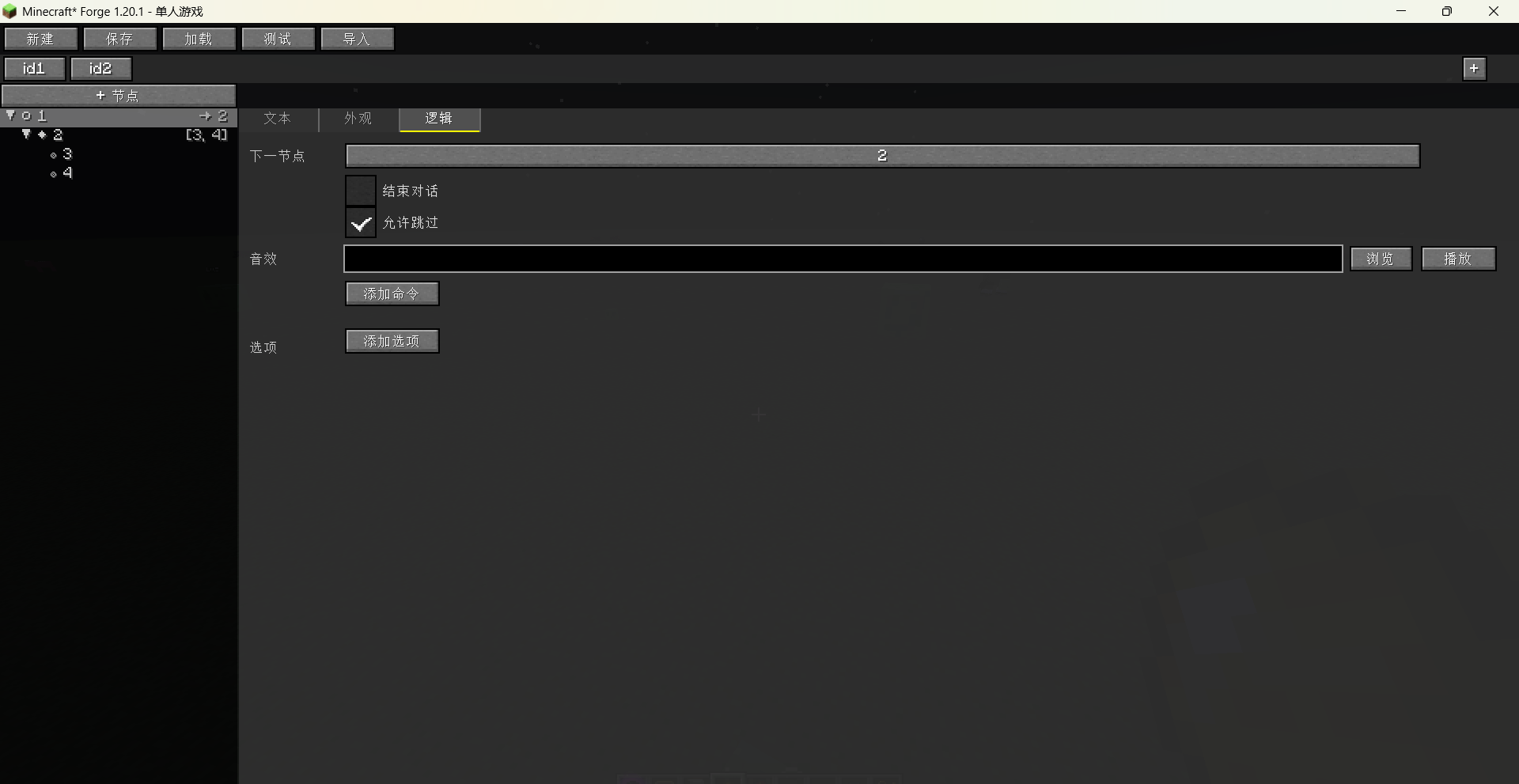

介绍
Overview:
Visual Mod Edit-VNDialog (Visual VND Editor) is an add-on mod for VNDialog. It provides an in-game GUI that allows players to conveniently edit dialogue.
Details
1. Command: /vme vndialog gui opens the GUI.
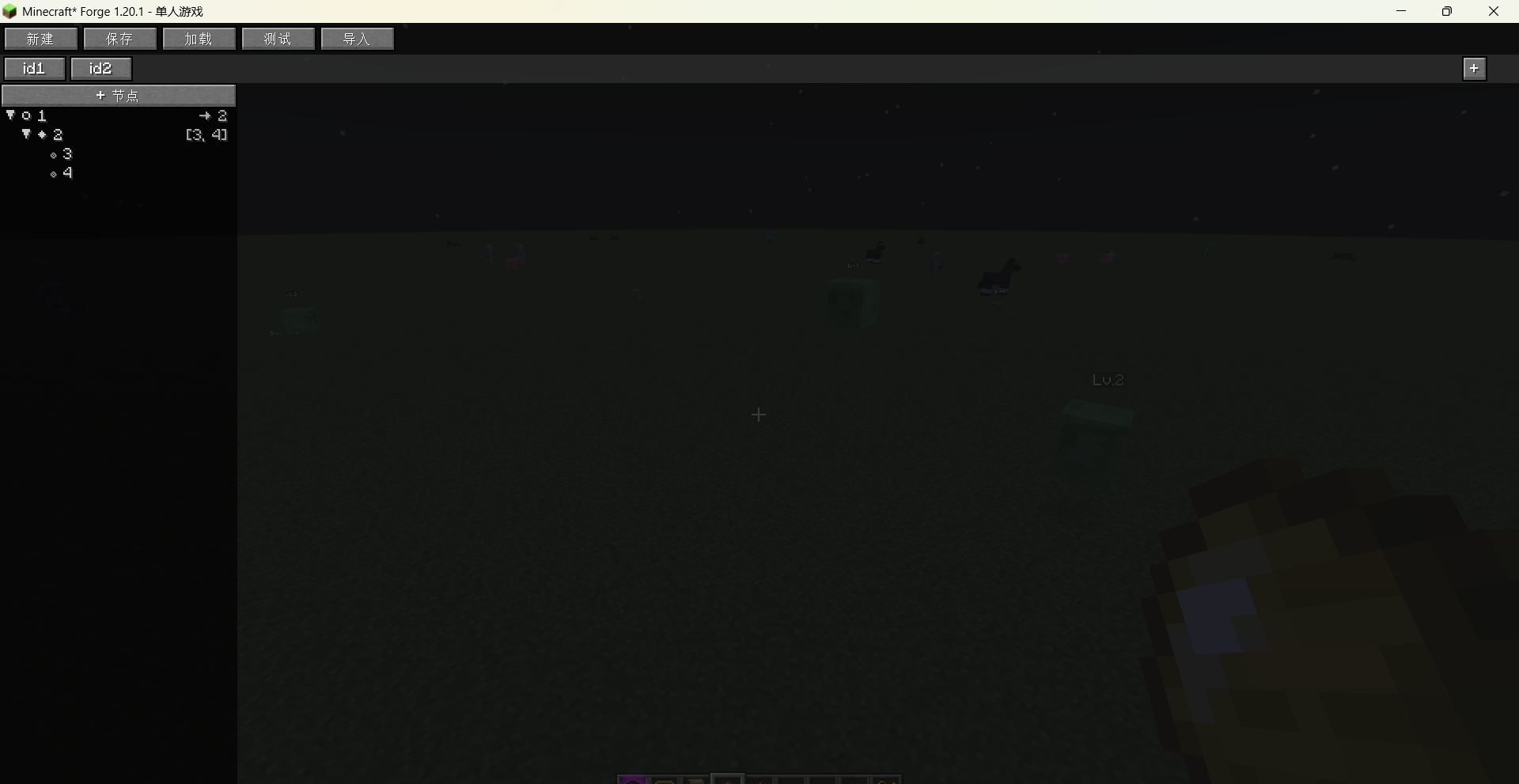
2. GUI Basic Buttons
a. “New” at the top and the “+” on the right are used to create new dialogues.
b. “+ Node”: Used to create dialogue nodes.
c. “Save”: Saves the current dialogue edits. You can also use Ctrl+S to save.
d. “Load”: Reads files from the dialog_json folder and allows you to select and import them into the GUI.
e. “Import”: Reads JSON files from the game’s loaded datapacks under data/<namespace>/dialogs/ and allows you to select and import them into the GUI.
f. “Test”: Click to load and preview the current edits. It is recommended to save first before testing.
3. Editing Pages:
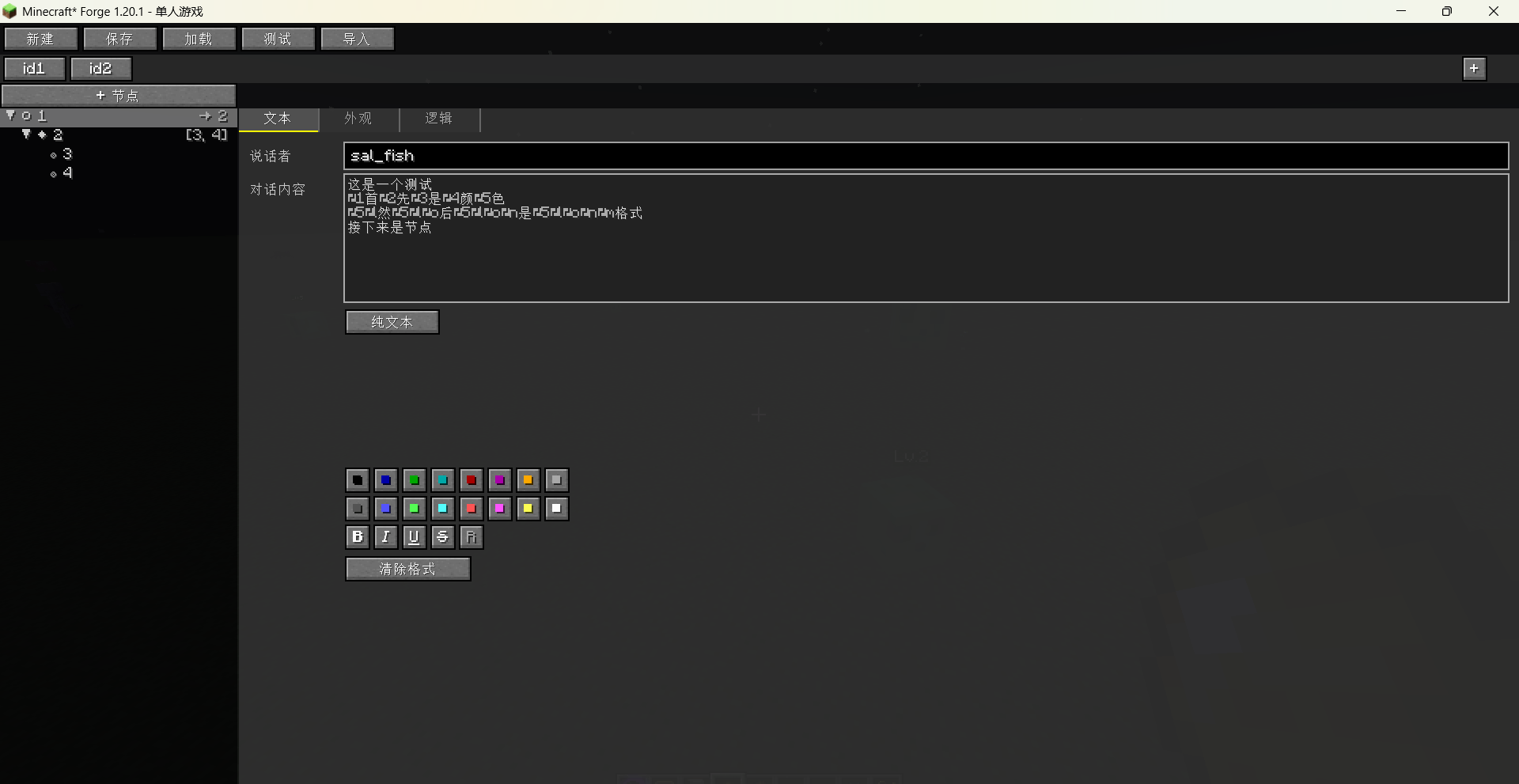
a. “Text”: Edit the speaker’s name and dialogue content. It has two modes: “Plain Text” and “Translation Key”, which can be switched by clicking the button. In Plain Text mode, you just need to input the dialogue content and it supports color and font formatting. In Translation Key mode, you need to input the key name, Chinese, and English. After filling them in, clicking “Save Translation Key” will generate en_us.json and zh_cn.json files in the config/visual_mod_edit_vndialog/lang/ directory.
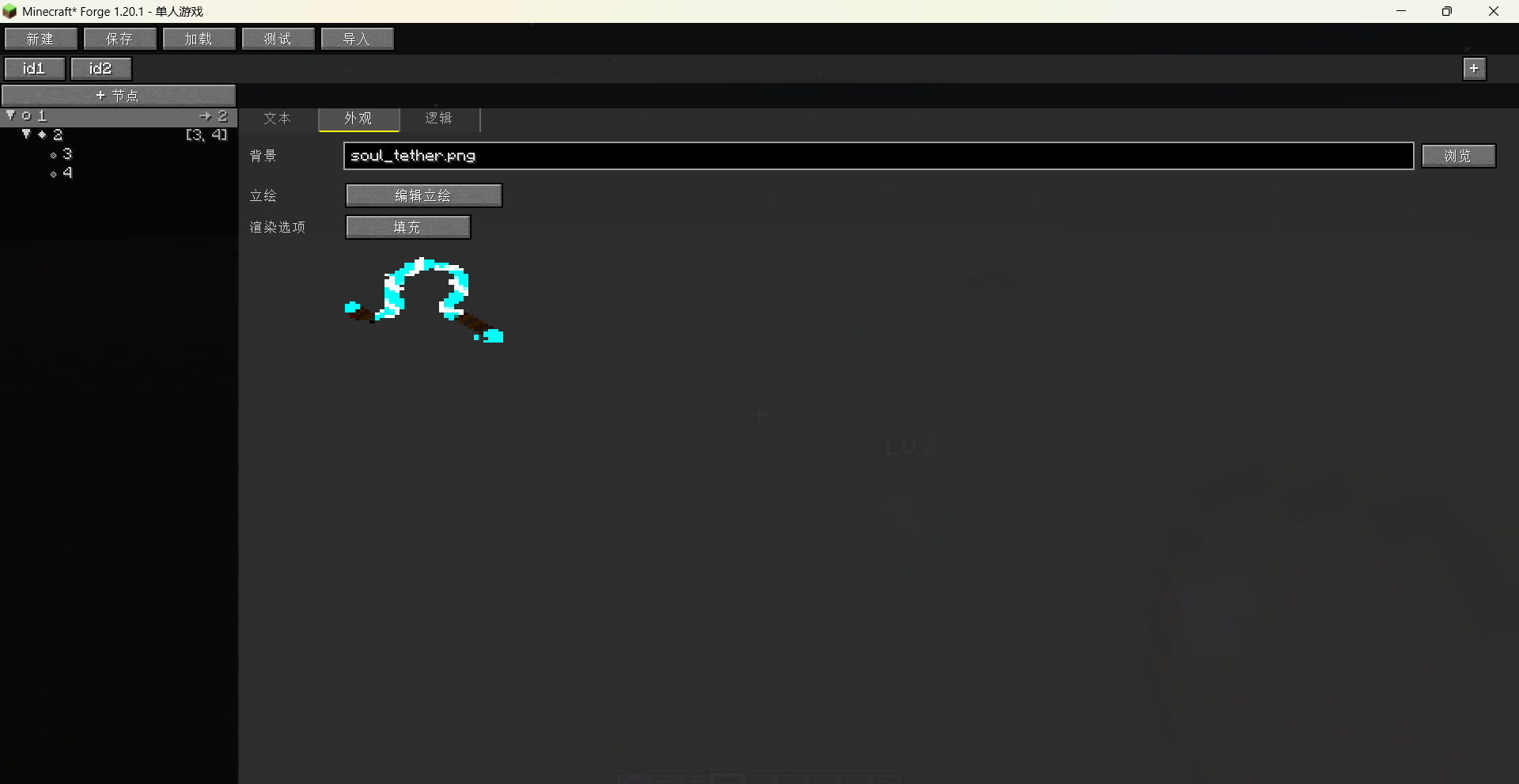
b. “Appearance”: Edit background and portraits.
c. “Logic”: Edit node connections, add options and their node connections, select and play sounds, and determine whether the node’s dialogue ends the conversation and whether skipping is allowed.
4. Node Symbol Descriptions:
⊗: End Dialogue
This node has “End Dialogue” checked (endDialog = true). When the dialogue flow reaches this node, the dialogue interface will close.
◆: Option Node
This node has dialogue options configured (at least one option). After reading this node, the player can choose one of the options to continue the dialogue.
○: Normal Node
Neither an end node nor has options configured. It usually automatically progresses to the next node or follows the nextId connection.
⚠: Orphan Node
This node is not referenced by any other node via nextId or an option’s targetId. It may be a backup node not connected to the main flow, or a node whose connections are lost.
*: Multiple Reference Marker
This node is referenced by multiple parent nodes (reference count > 1). For example, when two different options both lead to the same node, this node will show the * mark.
5. File Descriptions:
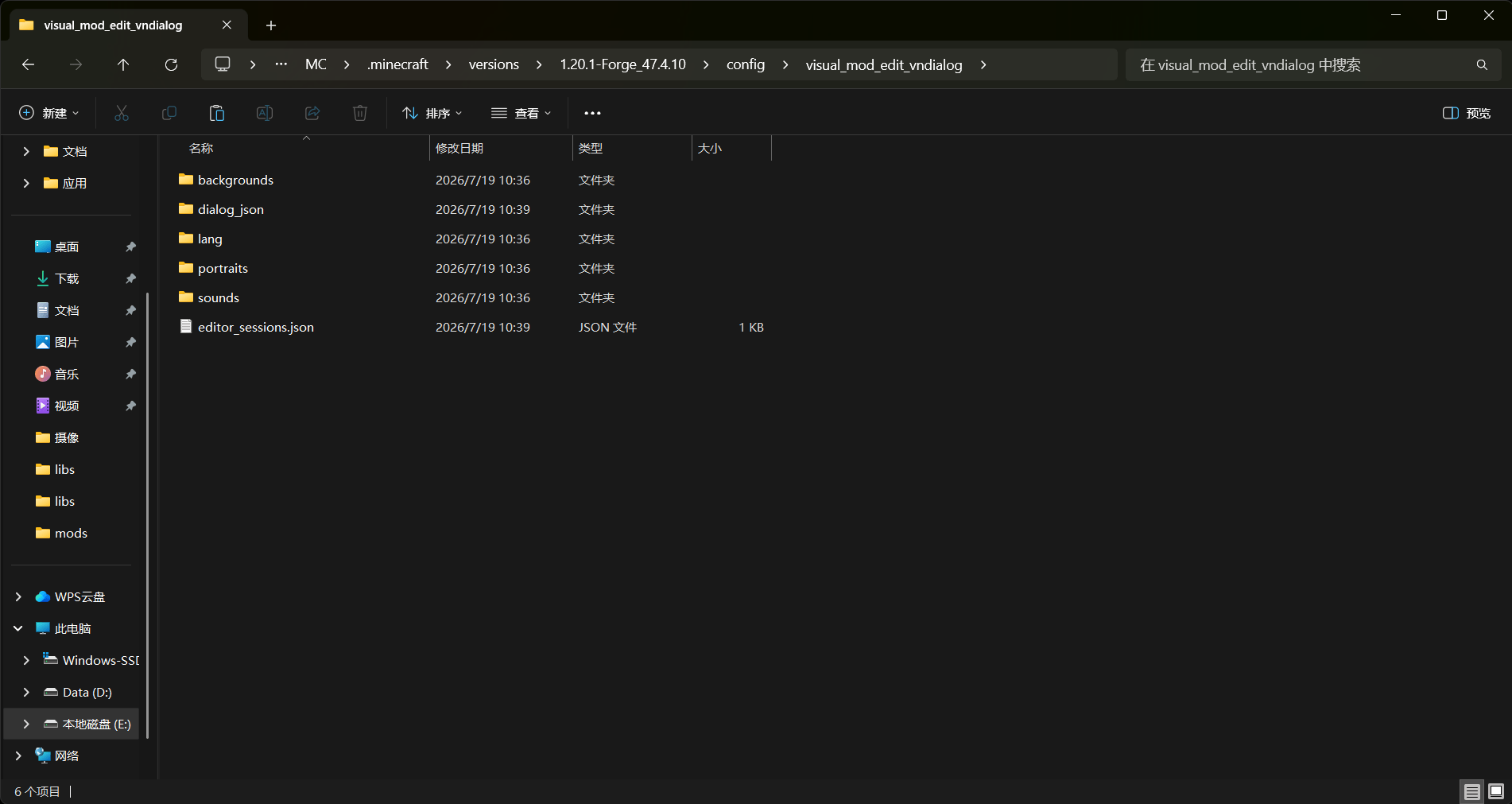
dialog_json: Stores edited dialogues. Each JSON file corresponds to one dialogue.
portraits: Stores portrait images. When setting portraits in the editor, files from this folder can be selected.
backgrounds: Stores background images. When setting backgrounds in the editor, files from this folder can be selected.
sounds: Stores sound effect files (currently supports WAV and OGG formats). When setting sounds in the editor, files from this folder can be selected.
lang: Stores translation language files. The Translation Key mode in the editor writes translations to this file, and it is injected into the game via Mixin so that the dialogue can directly display the translated text.
editor_sessions.json: Helps the editor GUI restore dialogue tabs.
Notes:
1. The portraits, backgrounds, and sounds folders do not come with any resources; players need to put their own files in them. Sounds only support WAV and OGG formats. File names in these folders should preferably use lowercase letters and numbers.
2. Edits are globally effective.
常见问题
Visual VNDialog Edit 支持哪些 Minecraft 版本?
Visual VNDialog Edit 支持 Minecraft Java 版 1.20.1–1.21.1,共 2 个版本,可用的加载器:Forge / NeoForge。下载时注意选择和你游戏版本一致的文件。
Visual VNDialog Edit 怎么安装?
先用 PCL2 或 HMCL 启动器安装对应版本的 Forge / NeoForge,再把下载的 .jar 文件放进游戏目录的 mods 文件夹,重新启动游戏即可。开启了版本隔离的,mods 文件夹在 versions/版本名 下面。
sal_fish 的其他作品
查看全部 →
Indestructible Enchantment
添加一种能让物品变得坚不可摧的附魔。

aaa’s StrongerMobs
一个增强并为选定生物添加新能力的模组。

Visual Food Edit
Visual Food Edit 让你可以通过游戏内 GUI 自由编辑或创建食物的营养值、饱和度、药水效果和属性修饰符。你还可以将任何物品注册为可食用食物。

sal_fish’s enchantments
为 Minecraft 添加大量有趣的附魔
评论
登录后评论和评分