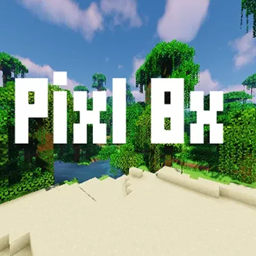
截图


介绍
Key Features
-
Isometric-style design: Unlike traditional flat textures, Pixl 8×8 gives blocks and items a subtle 3D depth, enhancing visual dimension even at its minimalist resolution.
-
Custom block and item models: Each block and item—even in inventory—has a tailored model that accentuates the isometric aesthetic, reinforcing that sense of depth.
-
Consistent depth across the board: Every block has its own 3D-style inventory model, not just select items—this unified approach enriches the immersive feel.
What Makes It Stand Out
-
Stylish Visual Identity
The isometric rendering sets Pixl 8×8 apart from most 8×8 packs, which usually stick to traditional 2D pixel aesthetics. This pack marries simplicity with a subtly cinematic visual upgrade. -
Polished Minimalism
At just 8 pixels per block, it retains Minecraft’s clean, streamlined look while avoiding clutter. It’s a refined take on minimalism—bold yet elegantly restrained. -
Depth Without Complexity
Despite the minimalist resolution, the pack achieves a convincing sense of depth. Custom models elevate the aesthetic without overloading the game or straying too far from the original feel. -
Inventories and Items Feel Real
Inventory visuals benefit from the consistent 3D look, making them feel more tactile and engaging.
—————————————————————————————————————————-
How to Install Pixl 8×8
-
Download the Pack
-
Go to the Curseforge page.
-
Hit the Download button to get the
.zipfile.
-
-
Locate Your Minecraft Resource Pack Folder
-
Open Minecraft.
-
From the main menu, go to:
Options → Resource Packs → Open Pack Folder. -
This will open the
resourcepacksdirectory.
-
-
Move the File
-
Drag the downloaded
.zipfile directly into theresourcepacksfolder. -
No need to unzip it.
-
-
Activate the Pack
-
Back in Minecraft, you should now see Pixl 8×8 (WIP) in the list of available packs.
-
Click the arrow to move it to the Selected Packs column.
-
Hit Done and wait a moment for the textures to load.
-
-
Enjoy the Game 🎮
-
Jump into a world and see the isometric, pixel-perfect textures in action!
-
—————————————————————————————————————————-
Pixl 8×8 – By Hawwi
常见问题
Pixl 8×8 支持哪些 Minecraft 版本?
Pixl 8×8 支持 Minecraft Java 版 1.19–1.21.8,共 21 个版本。下载时注意选择和你游戏版本一致的文件。
Pixl 8×8 怎么安装?
把下载的 .zip 文件(不用解压)放进游戏目录的 resourcepacks 文件夹,进游戏后在「选项 → 资源包」里把它移到右边启用。


评论
登录后评论和评分