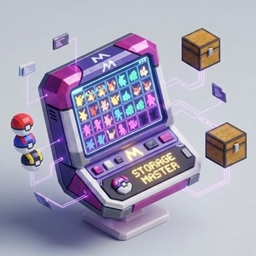
Cobblemon Storage Master
A full Pokémon/PC/team editor for Cobblemon: edit IVs, EVs, nature, moves, ability, items and riding stats in-game or from an embedded web dashboard, with Showdown/Pokepaste import-export, an action history, and adjustable virtual staging slots.
截图
介绍
StorageMaster
A complete Pokémon/PC/team editor for Cobblemon, usable both in-game and from an embedded web dashboard. Built for server admins who need to fix, tweak, or restore a player’s Pokémon without console commands.
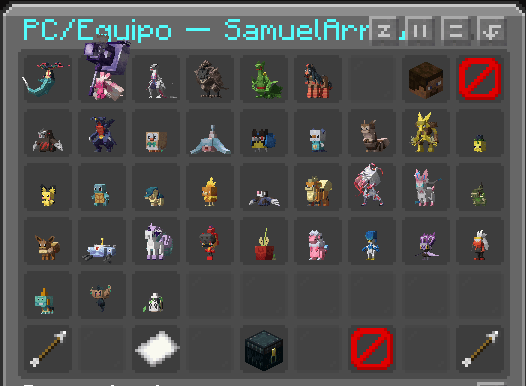
In-game editor
Open a chest-style GUI with /storagemaster <player> (permission level 3+) to browse a player’s team and PC boxes, and edit:
- Species, nickname, level, shiny, friendship, gender, Tera Type, nature, Original Trainer
- Ability, held item, Poké Ball
- IVs and EVs (with live recalculated final stats)
- Moves and marks
- Riding stats (with the real, computed value shown alongside each boost)
Web dashboard
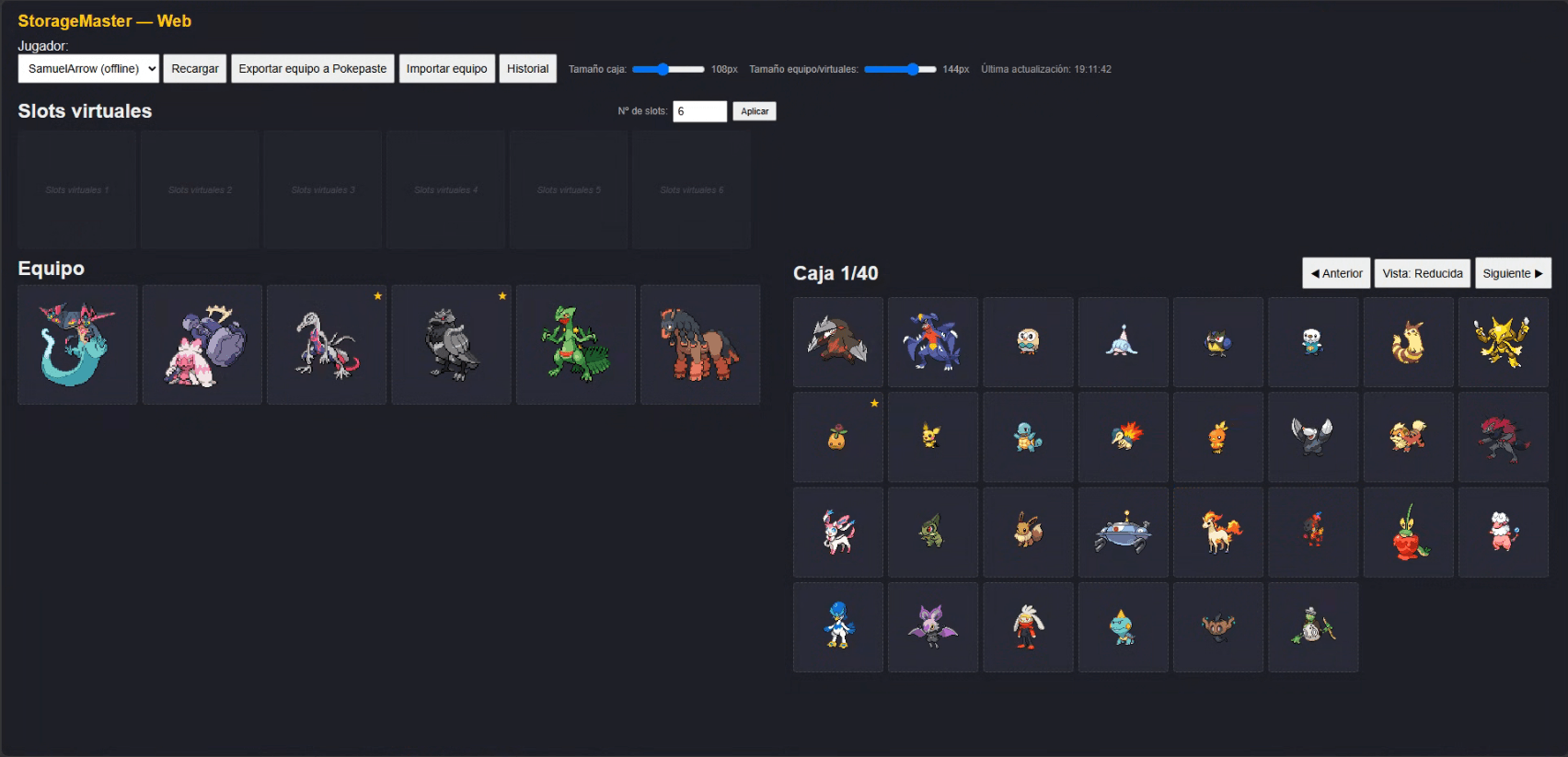
The same editing power from a local browser tab (/storagemaster web posts a clickable link, or open the configurable port directly — default 8643):
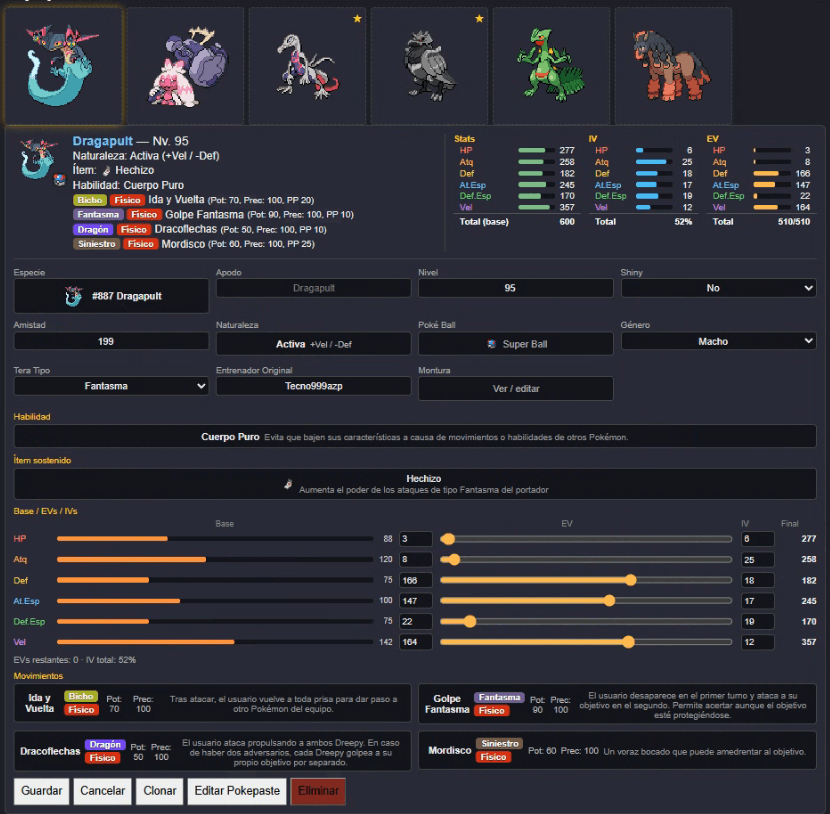
- Full stat tables, sprites, and item icons
- Drag-and-drop to move or swap Pokémon between slots — safely: a real Cobblemon storage quirk that could silently delete a Pokémon during a same-slot swap is fixed by using Cobblemon’s native swap API
- Create, clone, and delete Pokémon
- Virtual staging slots: a scratch area independent of the game’s hard 6-slot team limit, backed by its own JSON/NBT store — resize it freely (shrinking is blocked if it would destroy a stored Pokémon)
- Independently adjustable card sizes for the box vs. team/virtual views, saved per-browser
- Safe auto-refresh: pulls in changes automatically, but never while you’re mid-edit, mid-drag, or have a clone armed
- Action History: the last 10 edits/moves/deletes, each showing before/after Pokémon with sprites and a plain-language diff of what changed (nature, moves, item, EVs/IVs, etc.) — persists across server restarts
- Edit Pokepaste: every Pokémon’s edit form is pre-filled with its own Showdown/Pokepaste text, so you can copy one from the History panel and paste it straight onto another Pokémon
- Team import/export: import a team by pasting Showdown text or a pokepast.es URL; export a team straight to a new pokepast.es paste (with a clickable in-game chat link too, via
/storagemaster export <player>) - Fully localized: reads Cobblemon’s own language files directly, so species/ability/move/item names show correctly translated instead of always defaulting to English
Requirements
- Fabric Loader, Fabric API, Fabric Language Kotlin
- Cobblemon 1.7.1+ (Minecraft 1.21.1)
Notes
- The web server only listens on
127.0.0.1(localhost) — it is never exposed to the network. - All web endpoints run on the server’s main thread where they touch live game data, so edits are safe with players online.
常见问题
Cobblemon Storage Master 支持哪些 Minecraft 版本?
Cobblemon Storage Master 支持 Minecraft Java 版 1.21.1,可用的加载器:Fabric。下载时注意选择和你游戏版本一致的文件。
Cobblemon Storage Master 怎么安装?
先用 PCL2 或 HMCL 启动器安装对应版本的 Fabric,再把下载的 .jar 文件放进游戏目录的 mods 文件夹,重新启动游戏即可。开启了版本隔离的,mods 文件夹在 versions/版本名 下面。
SamuelArrow4 的其他作品
查看全部 →
SpinCrates
A fully configurable crate/lootbox system: roulette reveal animation, weighted rarities, physical & virtual keys, opening cooldowns, periodic giveaways, and a built-in local web panel to manage everything — no external tools needed.

Cobblemon GlobalDEX
A collaborative global Pokédex for your Cobblemon server. Every catch counts toward one shared dex — track completion, see who caught what, get live announcements, and celebrate milestones up to 100%.

PokeVault
Periodic backups of every player's Cobblemon team and PC boxes. Browse, diff between rounds, and restore lost Pokémon from a built-in web dashboard — with alerts when a big loss is detected.
评论
登录后评论和评分