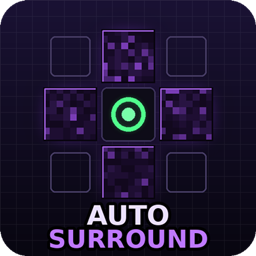
Auto Surround
One key, instant obsidian surround. Hold to self-trap in crystal PvP, release to get your weapon back - client-side Fabric, no hacked client needed.
介绍
Auto Surround
Hold one key -> obsidian around your feet. Release -> your weapon is back in your hand.
Auto Surround is a lightweight client-side Fabric mod for crystal PvP and anchor PvP. While you hold the key (default J) it keeps the four blocks around your feet filled with obsidian and instantly re-places anything that gets blown up – the classic surround / self-trap, as a small standalone mod instead of a hacked client.
Features
- Hold to surround – places up to 4 blocks per tick and keeps refilling broken blocks for as long as you hold the key
- Edge-aware – standing on a block edge? It surrounds all 2-4 blocks your feet overlap, not just one
- Floor fill – puts a block under you when the floor is missing (can be turned off)
- Optional head layer – full 2-block self-trap with one config switch
- Silent swap – switches to obsidian, places, and gives you back exactly the item you were holding; no visible hotbar flicker
- Inventory pull – no obsidian in the hotbar? It takes it from your main inventory and puts it back afterwards
- Safe placing – never right-clicks respawn anchors, beds, chests, doors, buttons… while placing, so it can’t blow up an anchor in your face
- Silent rotations – tells the server where it "looks" for every placement, which most anti-cheats expect
- Lightweight – client-side only, Fabric API is the only dependency, no HUD clutter
How to use
- Carry obsidian anywhere in your inventory.
- Hold J (rebind in Options -> Controls -> Auto Surround).
- Let go to instantly get your sword / crystal / totem back in hand.
Configuration
Everything lives in config/autosurround.json and can be changed in game:
/autosurround– show current settings and how much obsidian you carry/autosurround below <true/false>– also fill the block under your feet (default: true)/autosurround headlayer <true/false>– also surround at head height, full 2-block trap (default: false)/autosurround blockspertick <1-16>– blocks placed per game tick (default: 4)/autosurround delay <0-20>– ticks to wait between placement bursts (default: 0)/autosurround rotate <true/false>– send silent look packets towards each placement (default: true)/autosurround inventory <true/false>– pull obsidian from the main inventory (default: true)/autosurround notify <true/false>– action-bar warning when you run out (default: true)/autosurround blocks add <id>– add fallback blocks, e.g.ender_chestorcrying_obsidian(default: obsidian only)/autosurround blocks remove <id>//autosurround blocks reset– manage the block list/autosurround reload– reload the JSON file
Compatibility
- Minecraft 1.21.8 – 1.21.11, Fabric Loader 0.16+, Fabric API, Java 21
- Client-side only – nothing to install on the server
- Works great together with Auto crystal PVP and Auto-Anchor (same author – see my other projects)
Notes
Automated block placement counts as a macro on many PvP servers and may be bannable – check the rules of the server you play on and use at your own risk. If a strict anti-cheat rolls your blocks back, try /autosurround blockspertick 2 and /autosurround delay 1.
常见问题
Auto Surround 支持哪些 Minecraft 版本?
Auto Surround 支持 Minecraft Java 版 1.21.8–1.21.11,共 4 个版本,可用的加载器:Fabric。下载时注意选择和你游戏版本一致的文件。
Auto Surround 怎么安装?
先用 PCL2 或 HMCL 启动器安装对应版本的 Fabric,再把下载的 .jar 文件放进游戏目录的 mods 文件夹,重新启动游戏即可。开启了版本隔离的,mods 文件夹在 versions/版本名 下面。
Pokato 的其他作品
查看全部 →
Auto Stun Slam/Shield Braker
StunSlam 是一款轻量级客户端 Fabric 模组,可在 Minecraft PvP 中自动打出斧头 → 重锤的“眩晕猛击”连招。

Auto crystal PVP
自动放置并打破末影水晶,让水晶 PvP 更快速、更高效。
Dragons
驯服、骑乘并驾驶六种元素龙,每种龙都有独特的动画模型和能力:火焰吐息、冰霜吐息、闪电、毒液、虚空闪现和潮汐喷射。

Counter-Strike Guns
完整还原《反恐精英2》军火库:35 种枪械、刀具、手雷和 C4,配有 3D 第一人称模型、后坐力、瞄准镜、穿墙射击和丰富特效。
评论
登录后评论和评分