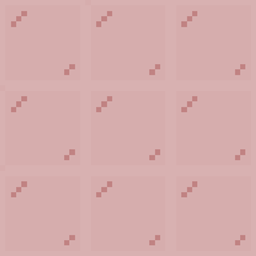
截图


介绍
TsAssembly — Dynamic Rule Tile & Connected Textures Engine
TsAssembly is a lightweight, high-performance, client-side dynamic connected textures (CTM) and rule-tile engine for NeoForge. Built for real-time quad manipulation, it seamlessly merges adjacent blocks, glass panes, and complex surfaces using 3×3 composite overlays, 47-tile full connectivity, and directional edge solvers with zero runtime garbage collection overhead.
Beyond standard texture stitching, TsAssembly features an advanced Geometry & Occlusion Culling Suite designed to strip duplicate meshes, eliminate Z-fighting, and perform real-time pixel-level alpha occlusion analysis for non-standard blocks (such as trapdoors, slabs, and multi-layered 3D leaves).
Key Features
-
Zero-Allocation Quad Remapping: Utilizes precomputed $O(1)$ lookup tables (LUT) and raw vertex transforms during chunk meshing to eliminate micro-stutters.
-
3 Flexible Connection Modes:
-
COMPOSITE(3×3 Grid): Dynamic layering with seamless transparent corners and edge overlays. -
FULL(6×6 Grid / 47-Tile CTM): Complete classic connected texture mapping with inner/outer corner detection. -
PANE_EDGE: Dedicated glass pane connection solver that removes interior seams while preserving exterior borders. -
Vector-Based Inward Quad Culling: Evaluates vertex-to-center offset against surface normal vectors ($\vec{N} \cdot \vec{D} < 0$) to dynamically eliminate bloated interior quads injected by 3D resource packs (e.g., dense leaves).
-
Dynamic Alpha & Flush Occlusion Culling: Inspects actual sprite alpha channels in real time ($O(1)$ cached) combined with strict 2D $1.0 \times 1.0$ geometric boundary checks. Automatically culls fully occluded faces behind solid flush non-cube surfaces (e.g., closed spruce trapdoors, solid slab faces) while safely preserving quads behind perforated textures (e.g., oak/iron trapdoors with cutout holes) or partial edge contacts.
-
Same-Block & Family Tag Culling: Seamlessly strips interior contact faces between identical blocks or blocks sharing the same tag (e.g., oak leaves touching birch leaves under
#minecraft:leaves). -
Smart 3D Geometry Detection: Accurately calculates adjacent occlusion, diagonal steps, stair offsets, and inverted quad winding.
-
Built-in Template Exporter: Generate complete resource pack templates with sliced textures directly from in-game blocks.
In-Game Commands
Generate ready-to-edit resource packs and texture templates directly in the game:
/tsassembly export <block>
/tsassembly export <block> [composite|full]
/tsassembly export <block> [composite|full] <pack_name>- Exported templates are saved directly to
.minecraft/resourcepacks/<pack_name>/.
Custom Resource Pack Guide
Creating a connected texture pack for TsAssembly requires no Java code—only standard PNG textures and JSON rule files.
1. Folder Structure
Create a resource pack folder (e.g., MyConnectedPack) inside your .minecraft/resourcepacks/ directory:
MyConnectedPack/
├── pack.mcmeta
├── pack.png                                (Optional: 64x64 icon)
└── assets/
    └── <namespace>/                       (e.g., "tsassembly" or your custom ID)
        ├── rule_tiles/                    (JSON rule definitions)
        │   ├── glass.json
        │   └── oak_log_sides.json
        └── textures/
            └── block/                      (Connected texture sheets)
                ├── glass_composite.png
                └── oak_log_sides_full.png
2. pack.mcmeta
{
  "pack": {
    "pack_format": 34,
    "description": "Custom Connected Textures for TsAssembly"
  }
}
3. Rule Tile JSON Specification
Place your rule definitions in assets/<namespace>/rule_tiles/<name>.json.
Example: glass.json (3×3 COMPOSITE Mode)
{
  "type": "COMPOSITE",
  "faces": ["all"],
  "texture": "tsassembly:block/glass_composite",
  "original_texture": "tsassembly:block/glass_original",
  "target_blocks": [
    "minecraft:glass",
    "minecraft:tinted_glass"
  ]
}
Example: oak_log.json (Direction-Specific FULL Mode)
{
  "type": "FULL",
  "faces": ["sides"],
  "texture": "tsassembly:block/oak_log_sides_full",
  "match_sprite": "minecraft:block/oak_log",
  "target_blocks": [
    "minecraft:oak_log"
  ]
}
Configuration Properties Reference
| Property | Type | Default | Description |
|---|---|---|---|
type |
String | "AUTO" |
"COMPOSITE" (3×3 overlay), "FULL" (6×6 47-tile), or "PANE_EDGE" (Glass pane edge removal). |
faces |
Array | ["all"] |
Target faces: "all", "sides", "top", "bottom", "north", "south", "east", "west". |
texture |
String | "" |
Path to the grid sheet texture (<namespace>:block/<texture_name>). |
original_texture |
String | "" |
Fallback texture used when a block is isolated or when an overlay is blank. |
match_sprite |
String | "" |
Exact sprite location on the target quad to match (prevents cross-face misapplication). |
target_blocks |
Array | [] |
List of block registry IDs that connect to each other. |
Texture Dimensions & Sheet Layout
-
COMPOSITE (3×3 Sheet):
-
Aspect ratio must be 1:1 (e.g., 48×48, 96×96, 192×192).
-
Texture resolution must be divisible by 3.
-
Center tile
(1, 1)is always rendered; border tiles(col, row)are layered on demand. -
FULL (6×6 Sheet / 47-Tile):
-
Aspect ratio must be 1:1 (e.g., 96×96, 192×192, 384×384).
-
Texture resolution must be divisible by 6.
-
Maps all 47 standard CTM edge, corner, and intersection states into a single unified quad replacement.
Client Configuration (tsassembly-client.toml)
The configuration file is located at .minecraft/config/tsassembly-client.toml:
[rendering]
    # =========================================================================
    # Dual-Sided Rendering & Backface Correction (FakeCull)
    # =========================================================================
    # Allow dual-sided rendering (FakeCull) for transparent blocks
    enable_fake_cull_blocks = true

    # Blocks or tags to receive automatic internal backface quads
    fake_cull_blocks = [
        "#c:glass_blocks"
    ]

    # Blocks or tags to apply perspective-correct U/V texture inversion on backfaces
    invert_backface_blocks = [
        "#c:glass_blocks"
    ]

    # Blocks switching UV mirror evaluation based on vertex-to-center offset
    relative_position_blocks = []

    # =========================================================================
    # 3D Resource Pack Compatibility & Model Routing
    # =========================================================================
    # Active 3D resource pack filenames to natively support without double-meshing
    compatible_3d_packs = [
        "3D Default 1.20+ v1.15.0.zip"
    ]

    # Granular resource pack model routing rules
    # 1. Exclusion: 'Pack.zip=BlockOrTag' (Strips 3D model, falls back to prior pack/vanilla)
    # 2. Whitelist: 'Pack.zip!=BlockOrTag' (Locks model to Pack.zip; forces vanilla if disabled)
    # 3. Vanilla:   '!=BlockOrTag' (Unconditionally forces vanilla 2D model)
    pack_block_exclusions = [
        "3D Default 1.20+ v1.15.0.zip=#c:glass_blocks",
        "3D Default 1.20+ v1.15.0.zip=#c:glass_panes"
    ]

    # =========================================================================
    # Advanced Geometry & Inward-Facing Quad Culling
    # =========================================================================
    # Automatically detects and discards quads whose normal vectors point back toward
    # the block center (eliminates internal dual-mesh clutter from custom 3D resource packs)
    enable_cull_inward_faces = true

    # Blocks or tags subject to inward-facing geometry culling
    cull_inward_face_blocks = [
        "#minecraft:leaves"
    ]

    # =========================================================================
    # Same-Block / Tag Family Culling
    # =========================================================================
    # Culls touching interior quads when adjacent blocks match identical types or belong
    # to the same tag (e.g., eliminates internal seams between connected leaves)
    cull_same_block_faces = true

    # Blocks or tags to apply same-block interior face culling
    cull_same_block_list = [
        "#minecraft:leaves"
    ]

    # =========================================================================
    # Facing Neighbor Culling
    # =========================================================================
    # List of target blocks/tags to evaluate for neighbor face culling
    cull_facing_blocks = [
        "#minecraft:leaves"
    ]

    # Aggressive culling mode for cull_facing_blocks:
    # true  = Culls touching quads whenever the neighbor is non-air (even partial blocks like slabs/stairs)
    # false = Culls touching quads only when the neighbor provides full occlusion
    cull_facing_incomplete_blocks = false

    # =========================================================================
    # Flush & Fully Occluded Face Culling (Global Engine)
    # =========================================================================
    # Globally culls touching quads when flush against a 100% solid, non-perforated neighbor surface.
    # Uses dynamic real-time sprite alpha analysis to safely distinguish solid blocks
    # (e.g., closed spruce trapdoors, slabs) from perforated ones (e.g., oak/iron trapdoors with holes).
    cull_facing_fully_occluded = true

    # Blacklist for fully occluded culling (leave empty to apply globally across all blocks)
    cull_facing_fully_occluded_blacklist = []
常见问题
TsAssembly 支持哪些 Minecraft 版本?
TsAssembly 支持 Minecraft Java 版 1.21.1,可用的加载器:NeoForge。下载时注意选择和你游戏版本一致的文件。
TsAssembly 怎么安装?
先用 PCL2 或 HMCL 启动器安装对应版本的 NeoForge,再把下载的 .jar 文件放进游戏目录的 mods 文件夹,重新启动游戏即可。开启了版本隔离的,mods 文件夹在 versions/版本名 下面。
TerrySet_ 的其他作品
查看全部 →
Language Translator mod
It can help modpack maker translate the untranslation.
TS Better Boss Fighting
TSmod is a GPL v3 licensed balance mod that ensures pure and fair Minecraft Boss fights by implementing participant-death healing and suppressing surrounding mob spawns.

Some Relics
This is a mod for Relics!

More Than I Want
All that I want to play with!
评论
登录后评论和评分