介绍
中文介绍正在准备中,下面暂时显示原文。
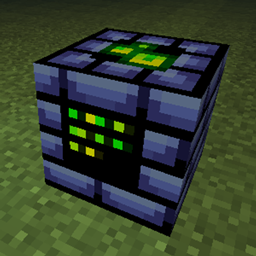
While standing on a emerald block and have permission level 2:
Hold the item that you want to add a NBT tag to:
Type the following (Without the ” ” symbols):
“[NBT type];[NBT name];[NBT value]”
NBT types:
n – Number
l – Logic
t – Text
if NBT type is Logic, then NBT value is either 0 (False) or 1 (True).
Example command: “n;Unbreakable;1”
This will Give the NBT tag of Unbreakable to the item in main hand with value 1; This will make the item unbreakable.
常见问题
Spooky NBTs! 支持哪些 Minecraft 版本?
Spooky NBTs! 支持 Minecraft Java 版 1.19.4–1.20.1,共 2 个版本,可用的加载器:Forge。下载时注意选择和你游戏版本一致的文件。
Spooky NBTs! 怎么安装?
先用 PCL2 或 HMCL 启动器安装对应版本的 Forge,再把下载的 .jar 文件放进游戏目录的 mods 文件夹,重新启动游戏即可。开启了版本隔离的,mods 文件夹在 versions/版本名 下面。

评论
登录后评论和评分