
stow
Sort inventories, remember and label storage, plan builds, refill tools and rockets, preview shulkers, automate attacks and Mending, with instant trades, fast chest sorting, area claims and log harvesting via companion.
截图
介绍
stow
Sort, store, plan and build without the clutter.
Stow is one inventory mod for Minecraft 26.3 on Fabric that makes everyday play quicker. Sort and move stacks in a click, always know what’s in your chests, turn a pasted materials list into a build plan, keep your tools and blocks topped up, and trade with villagers without the endless clicking. It replaces a pile of separate utilities with one tidy set of tools that all work together.
Stow works on its own in your client. Add the optional companion on a server for faster sorting, instant villager trades, connected-log harvesting and storage labels.
Sort and move in a click
- Five ways to sort. Middle-click to sort your storage by creative catalogue, name, quantity, item type or combine-only. Shift and Ctrl pick your alternate orders.
- Move whole piles at once. Shift-drag to move every matching stack, or Ctrl + Shift-drag to grab everything you cross in Both mode. Mouse Tweaks keeps working alongside it.
- Protect what matters. Pin slots that sorting, dragging and deposits should leave alone, and search your inventory to find things fast.
- Smart Deposit. Fill open storage in one action, with matching-only moves, amounts you keep and hotbar protection.
- Bundles that fill themselves. Shift-drag to fill a bundle, unpack it the same way, or drag straight from a placed bundle.
- See inside shulkers. Hover any shulker box for a 27-slot contents grid with counts and durability. Prefer the plain list? Turn previews off in Inventory settings.
Always know where your things are
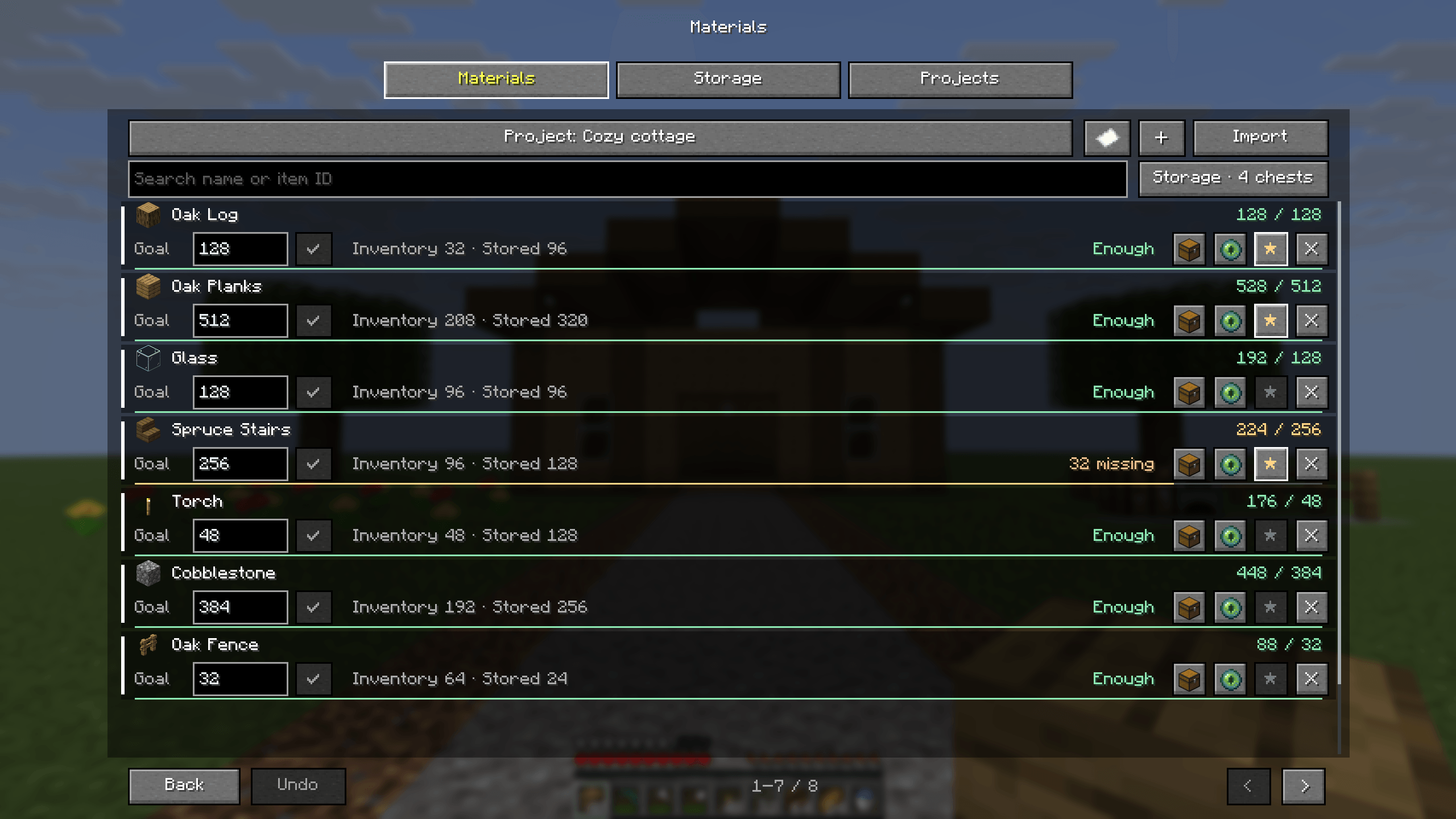
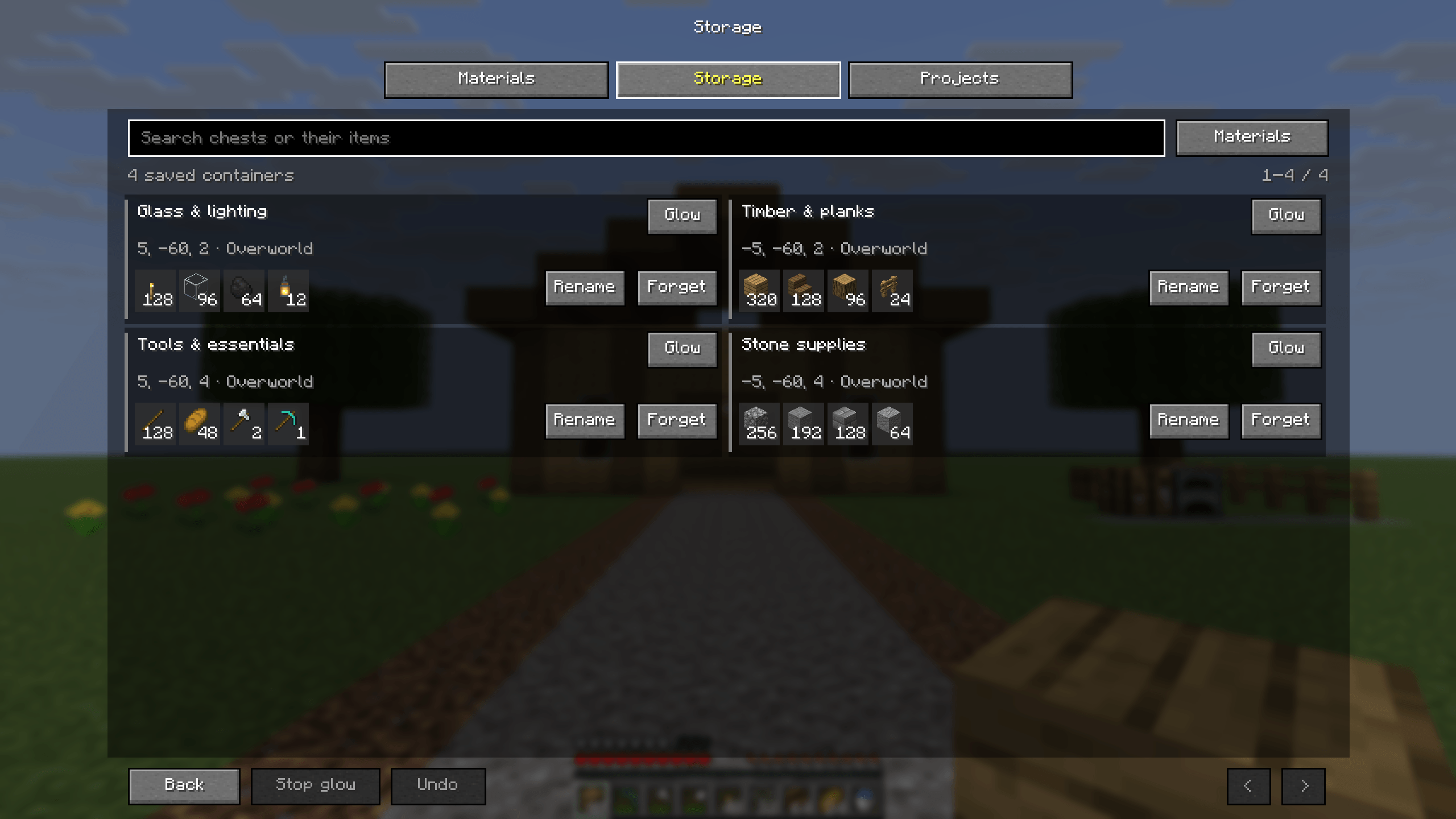
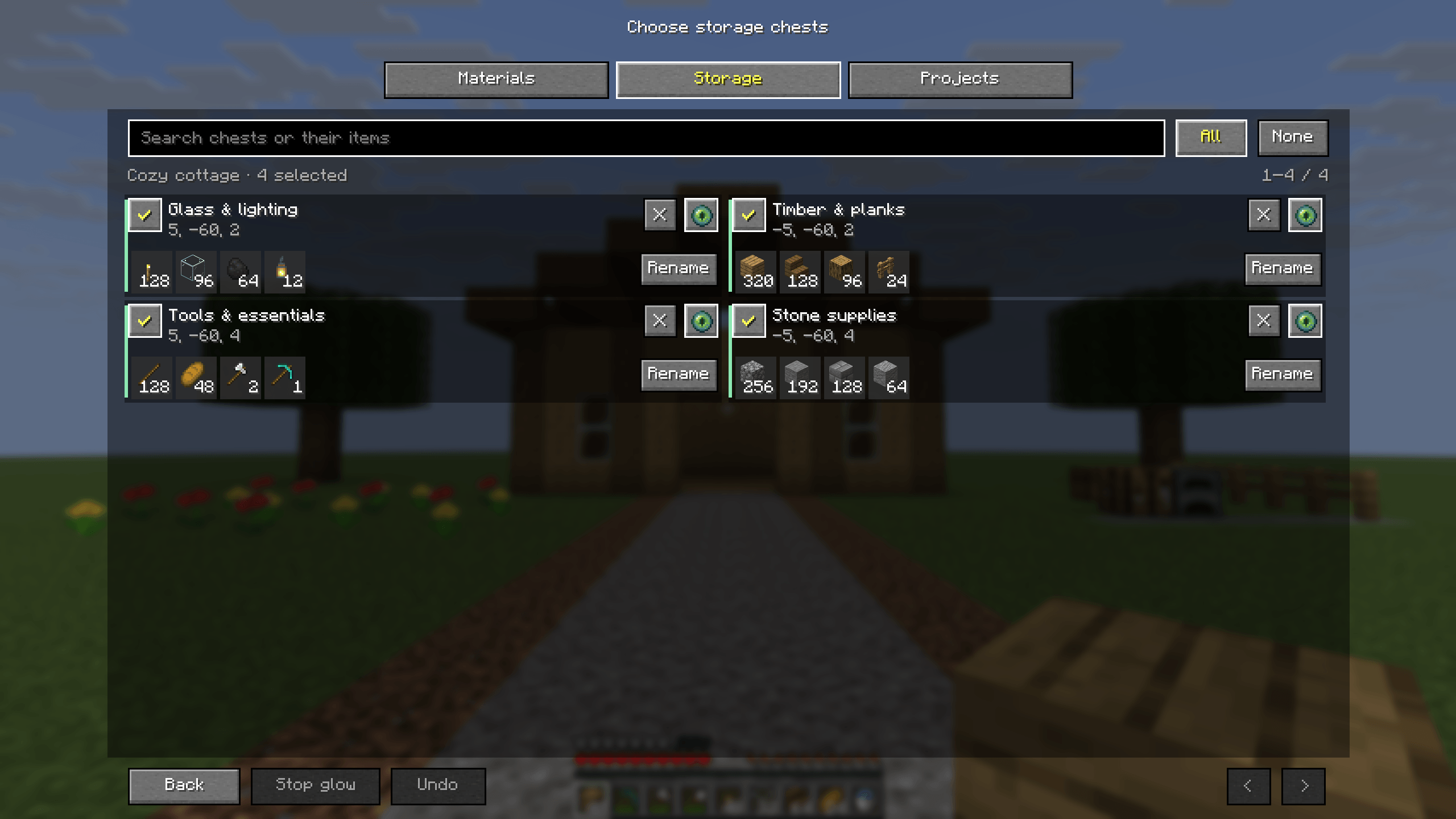
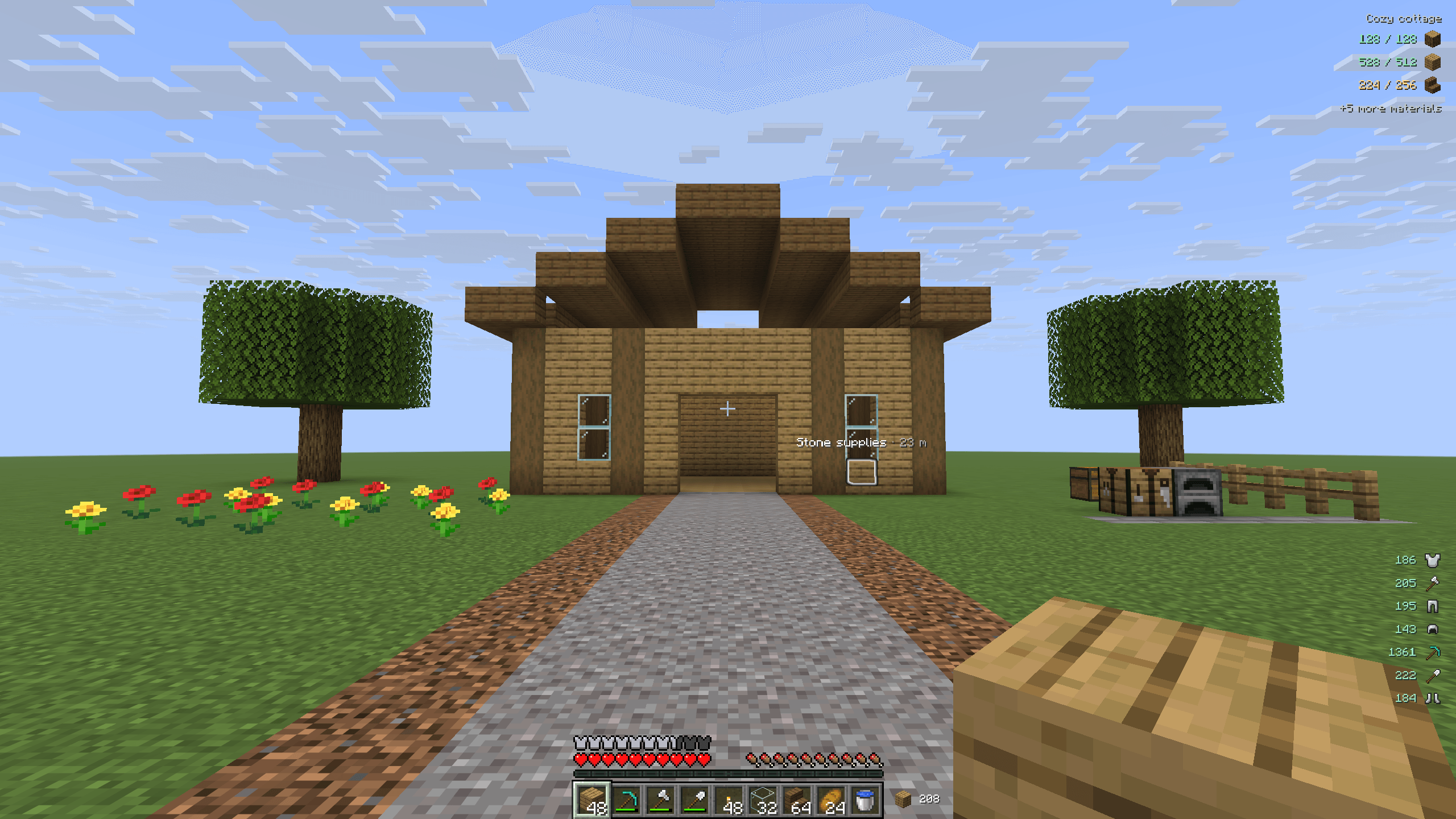
Stow remembers every chest, barrel and shulker box you open. Search across them, rename them, see what’s inside and highlight the ones holding a material through walls. Right-click a floating material counter to make its source glow.
- A compact storage list. Up to three columns of cards, each with a chest, barrel or shulker icon. Shulkers take their dye color.
- Shulkers stay accurate. A box you place is remembered once the server confirms it. Boxes you pick up or move are removed, so your totals don’t double-count.
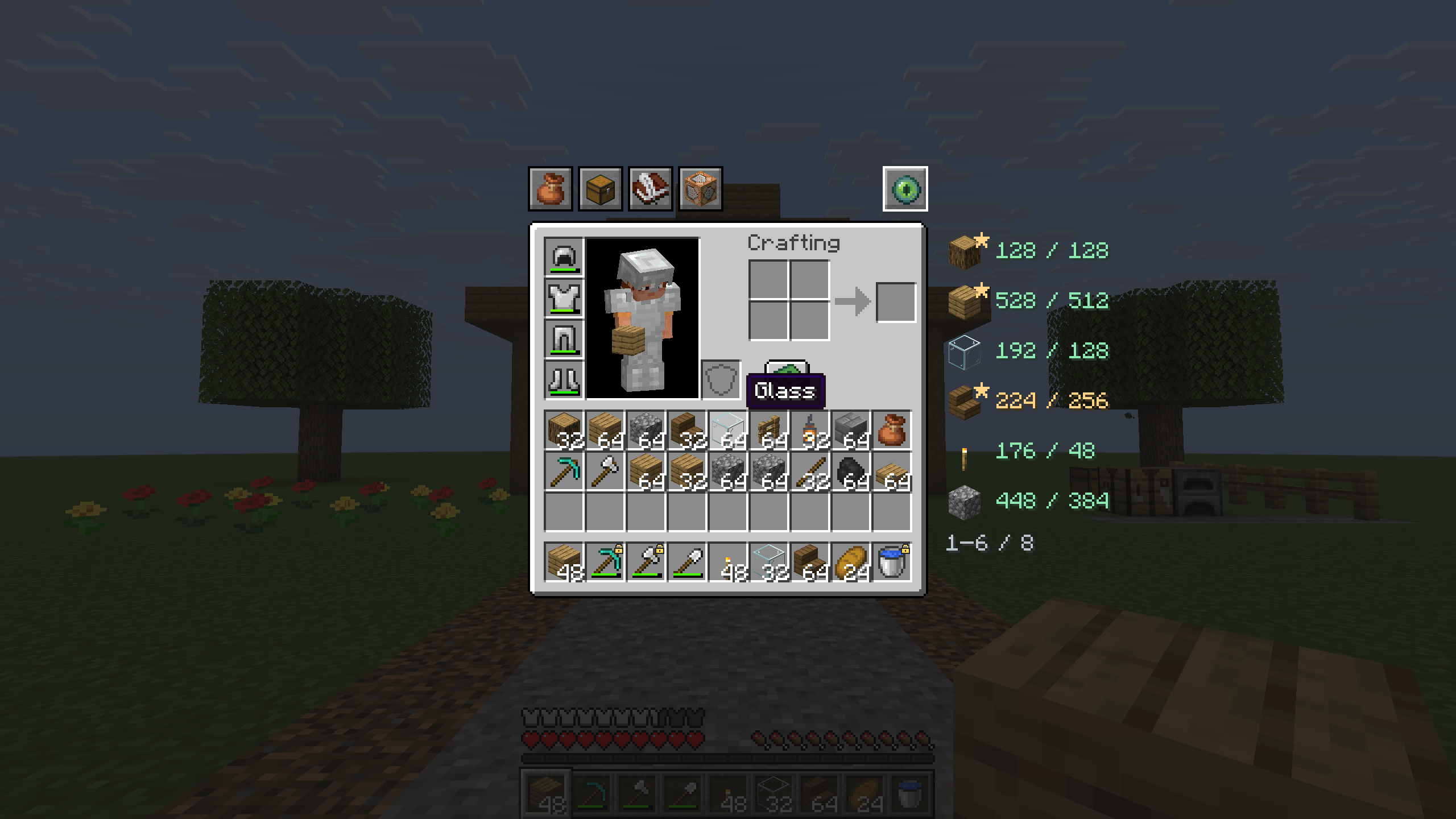
- Status effects stay visible. In the inventory, the material list drops below your potions and effects instead of covering them.
Stow shows what you last saw. It can’t look inside storage you haven’t opened or see changes others make until you open it again. Forgetting a chest keeps its place in your projects, and Undo brings it back.
Plan a build instead of guessing
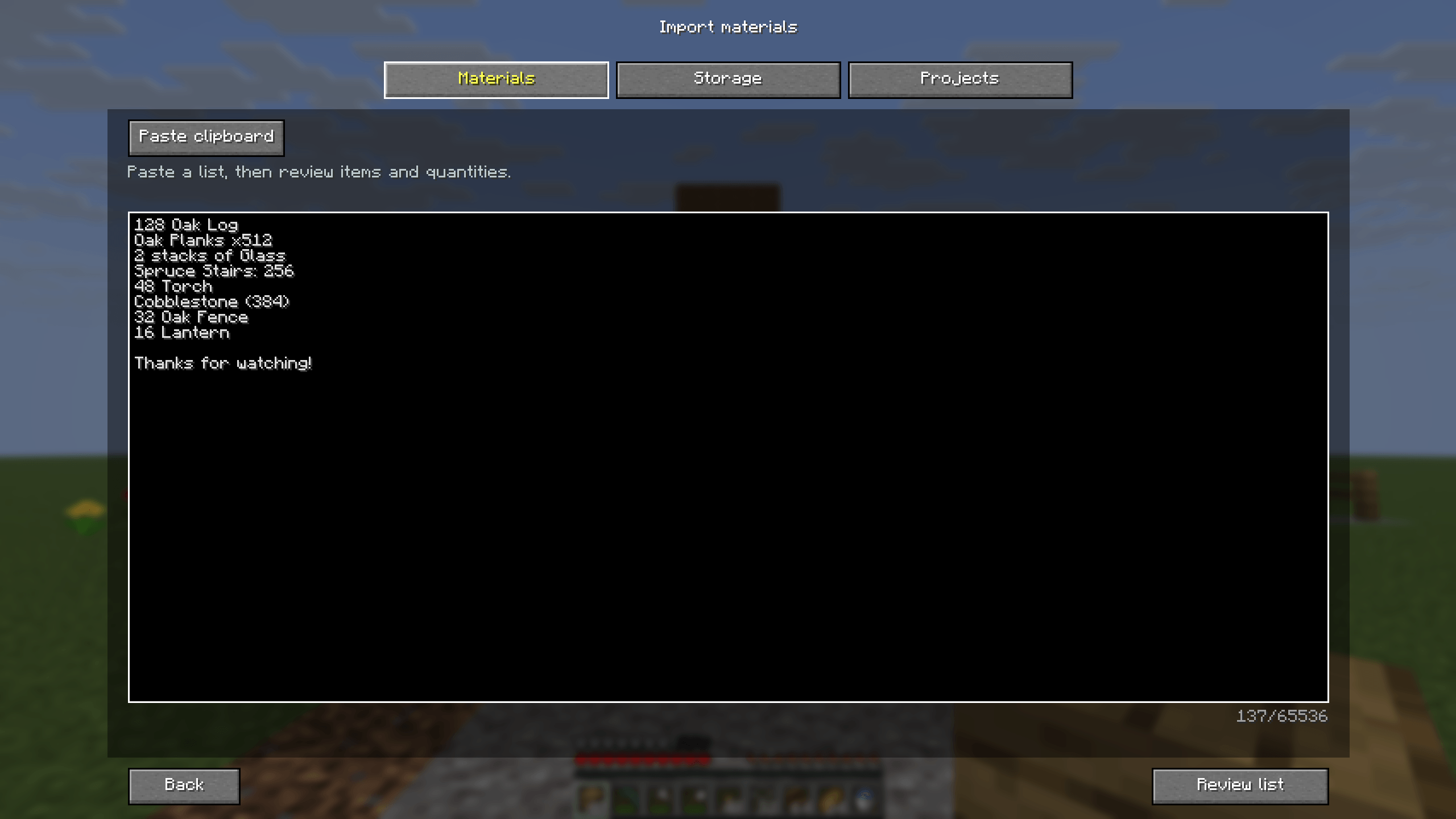
- Paste a list, get a plan. Open Materials → Import and paste text such as
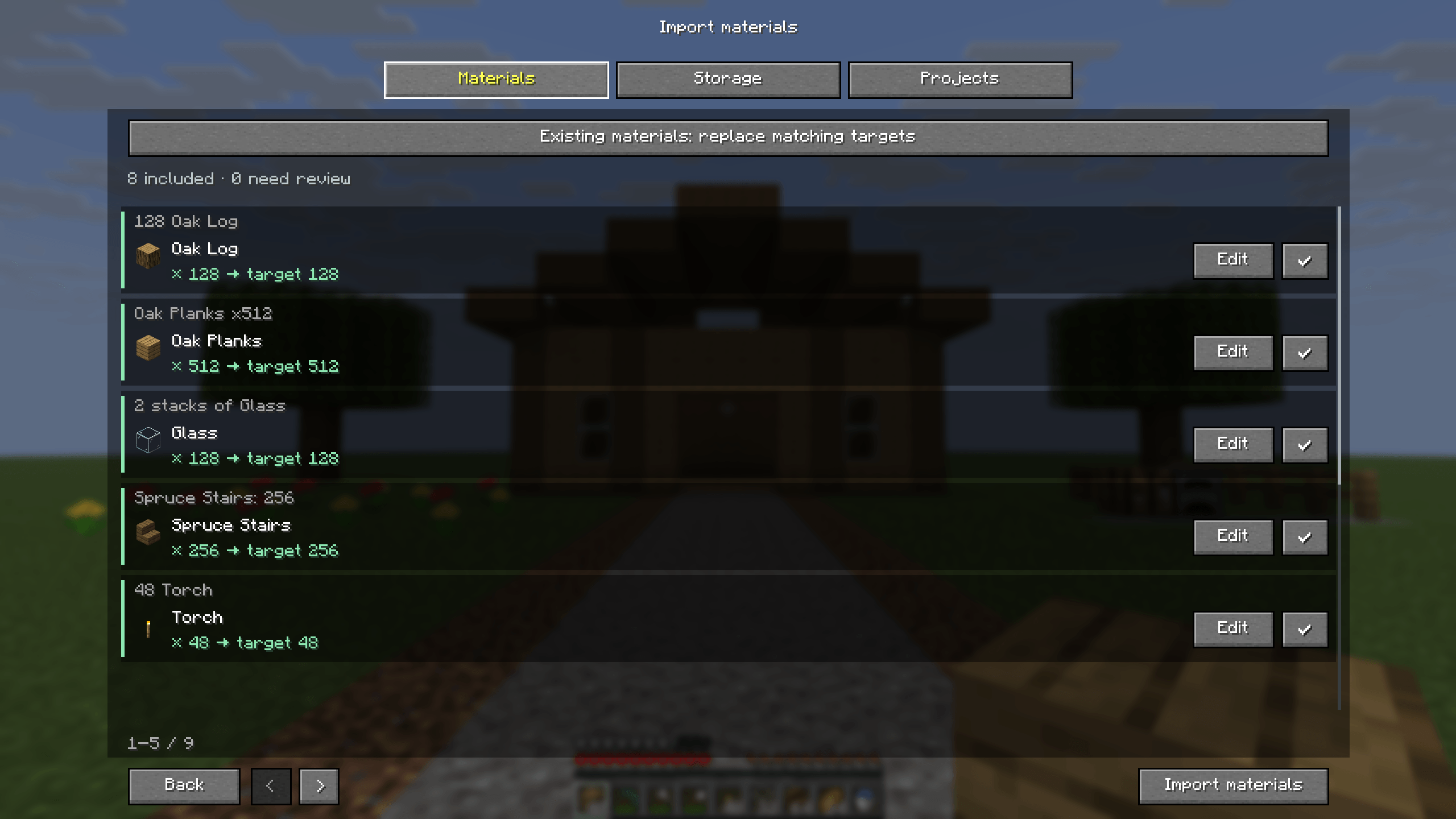
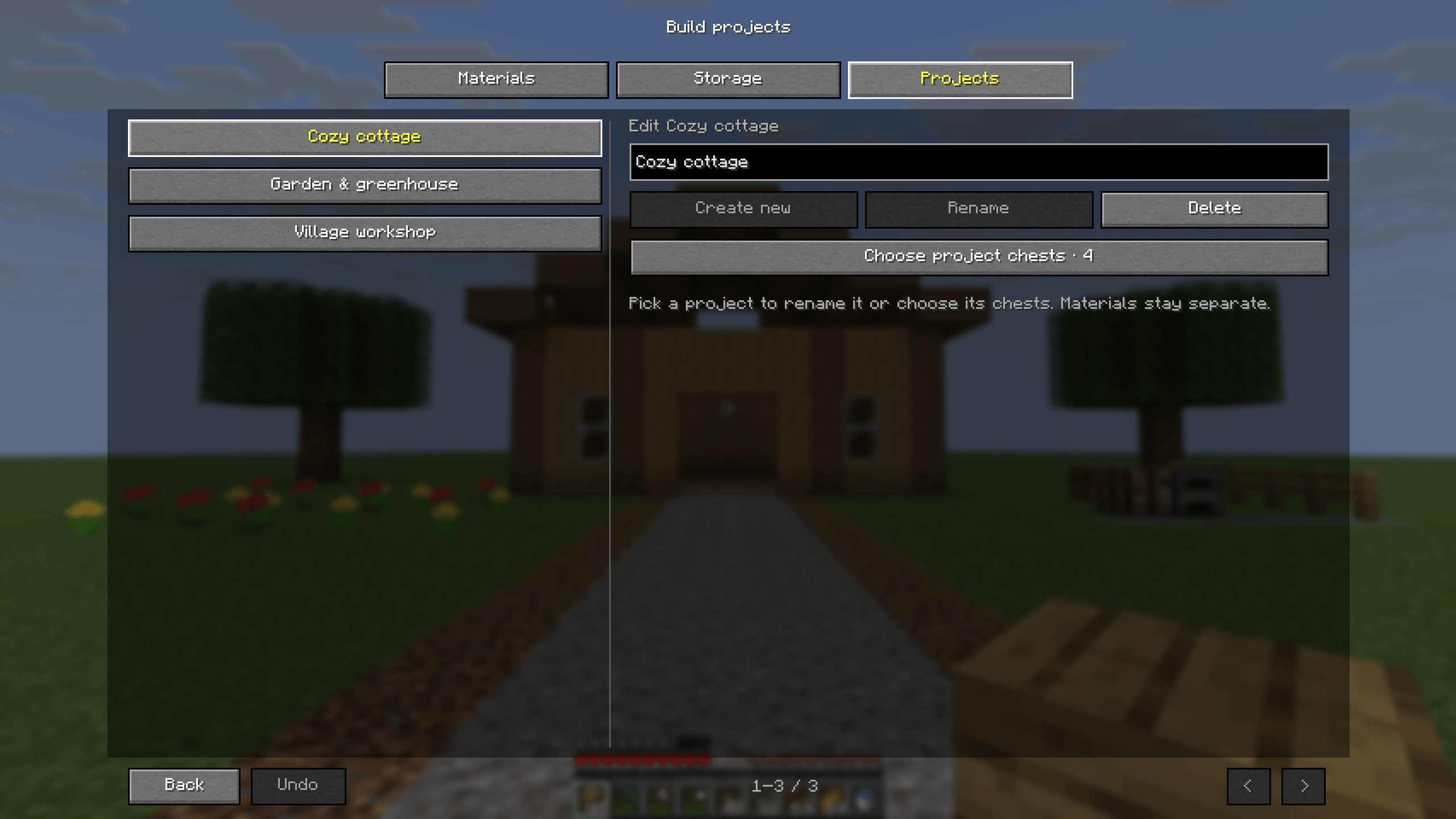
128 Oak Logs,Glass x64or2 stacks of Stone. No schematic mod needed. Review the results, fix anything unclear, and choose whether to add to or replace your targets. Undo reverses the whole import. - Projects with goals. Give each project its own material targets and the chests that count toward them. Totals can include your inventory, your remembered storage or both. Newly found chests can join the active project automatically.
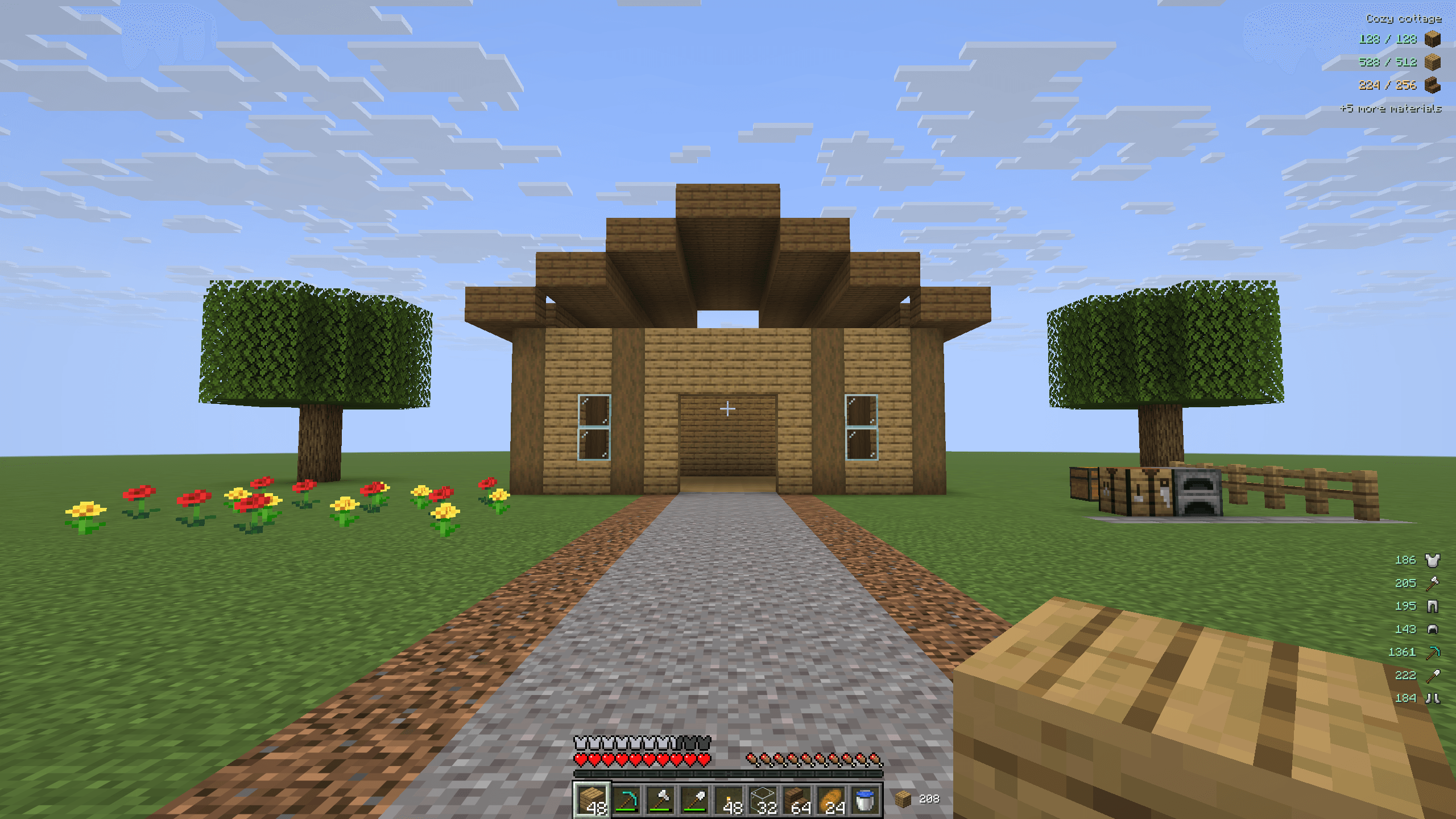
- Track progress as you build. Star the materials you want on the HUD, edit quantities, or hide a goal without deleting it. Finish project unlocks once every goal is met, and the counts keep running as you use materials.
- Share your list. The paper icon copies every target as plain text with exact item IDs, ready to import into another project.
Projects support up to 1,024 material types with targets of up to 1,000,000 items each. A single import takes up to 65,536 characters and 2,048 lines. Rows Stow can’t read confidently stay out until you correct them.
Keep building and keep your tools working
- Block and rocket refill. Top up the hand you’re using from matching reserves in your inventory, including offhand rockets and Elytra boosts. Pick a threshold from 0 to 16, or wait until the last item is gone.
- Block-count HUD. See your remaining building stock beside the hotbar, or move it anywhere on screen.
- Smart tool picking. Middle-click a block to choose a suitable hotbar tool. Turn on automatic mining-tool selection with Alt + T (off by default), or hold Sneak to keep your own choice for a moment.
- Tool replacement. Swap in a spare when your main-hand tool wears out, either before it breaks (Keep 1 durability) or after (After break). Pinned spares, armor and offhand gear are never touched.
- Equipment HUD. Watch your tools and armor durability as points or percentages. Items appear in hotbar order, then armor from helmet to boots.
Trade from your whole inventory
Shift + left-click a villager’s offer to keep trading it, topping up your payment items from your inventory and hotbar as you go. It stops when you run out of materials, the villager runs out of stock or your inventory fills up. Any other click, a keypress, scrolling or closing the menu stops it early.
With the companion, the whole batch completes in one server operation. Without it, Stow still works but spaces the trades out at a steady pace.
Repair Mending gear while you farm
Alt + M toggles auto-mending. Damaged Mending items cycle from your inventory into your offhand, most damaged first, and each returns to its place when you’re done. Stow never creates XP or repairs anything that lacks Mending. Menus, pausing, death and spectator mode stop it safely, and your own manual changes always win.
Auto-attack when you need it
Alt + A toggles automatic Attack. Pick Hold Attack for continuous mining or Interval clicks for repeated hits, with an interval from 50 to 60,000 ms (500 ms by default). Clicks never go faster than 20 per second, and normal combat cooldowns still apply. Opening a menu, pausing or disconnecting releases the attack automatically.
Make it yours
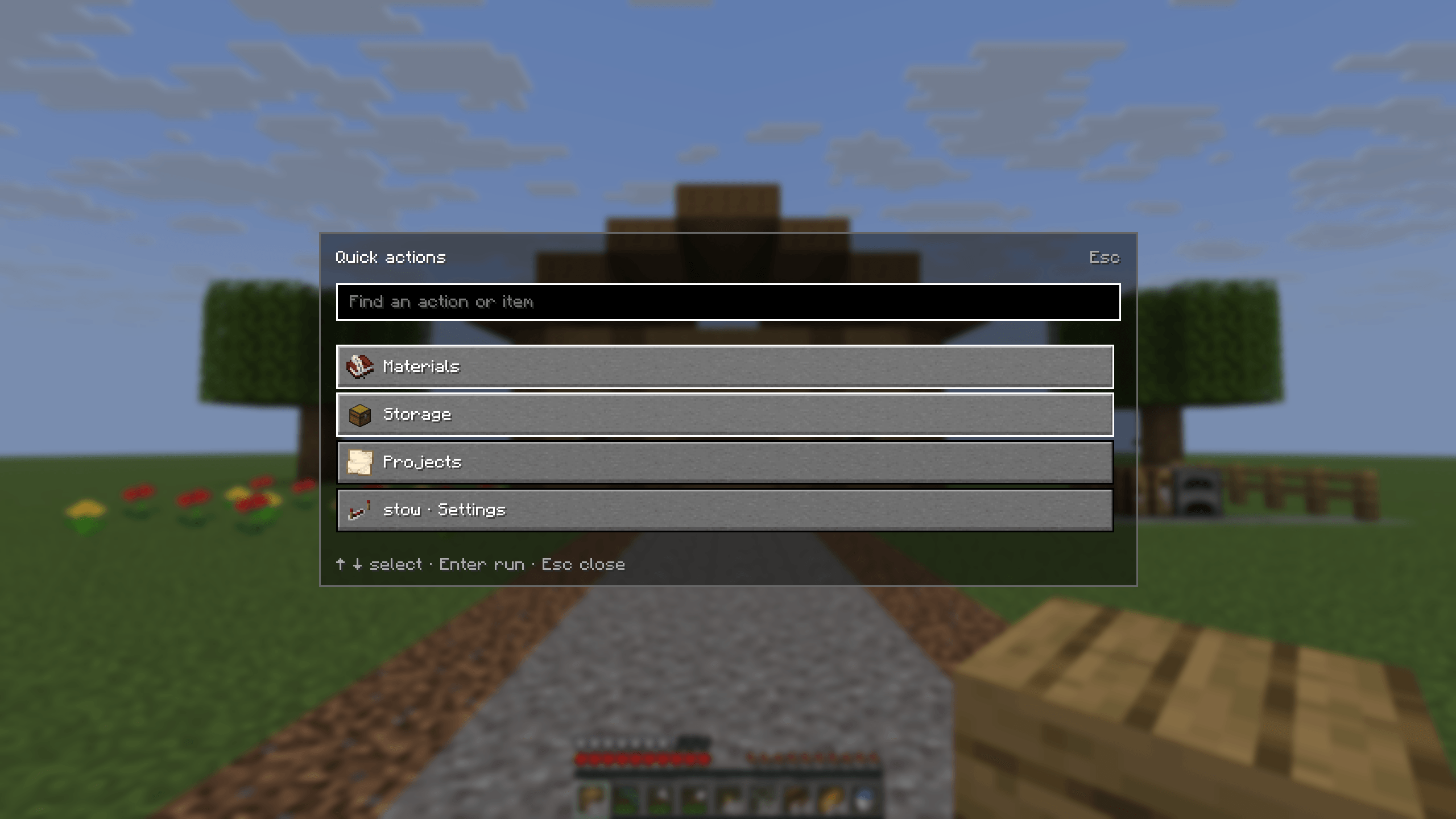
- Command palette. Press Ctrl + K to find any Stow action fast.
- Your shortcuts and settings. Change any shortcut (or unbind it) and set sorting defaults and other options in-game.
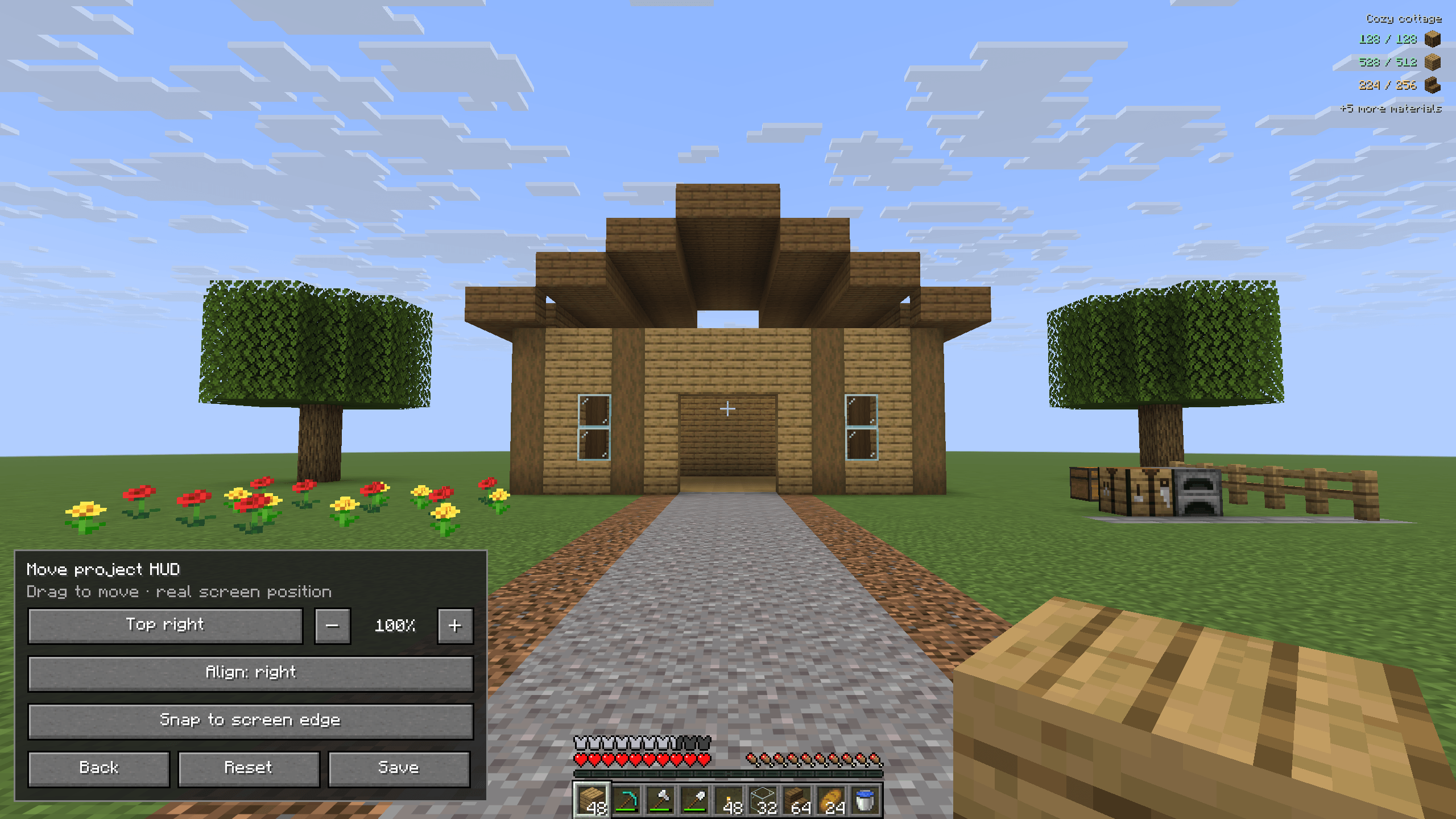
- Movable HUDs. Drag and resize the material, equipment and block-count displays, choose their alignment, or reset them.
- Quick keys. P pins a hovered slot, N tracks a material and H prioritizes a hovered material counter.
- English and German, with short hover help and clear feedback when you act.
- Built to stay light. Stow avoids repeating heavy calculations every frame, so menus and HUDs don’t do more work than they need to.
Install
For Minecraft 26.3:
- Install Java 25+, Fabric Loader 0.19.5+, Fabric API 0.161.0+26.3 and Cloth Config 26.3.159+.
- Put the Stow JAR in your client’s
modsfolder. - Optional: install Mod Menu 21.0.0 to open Stow’s settings from the mod list.
- For server features, add the companion to the server. In single-player, put both JARs in your client.
Remove Mouse Wheelie: it conflicts with Stow. Stow’s own data stays in config/stow/, so keep that folder if you reinstall later.
Good to know: the core inventory tools, storage memory, planning and HUDs need no server changes. Storage labels and Claim area need companion 1.0.5 or later. Servers can decide which automated actions they allow. Existing Stow projects, chest memories and goals carry over with no migration.
Stow can check the public GitHub, Modrinth and CurseForge release listings for updates and show a notice you can click. Those checks send no player, world, server or account data.
About Stow
Stow was made for my friends and our personal Minecraft server, with a lot of AI assistance. Much of its code, interface, translations and documentation was generated or edited with AI. I choose the features and test them, but it’s a personal project and may still have rough edges.
Stow’s inventory sorting is adapted from Mouse Wheelie by Siphalor and contributors. It is released under the Apache 2.0 license, with the original attribution kept in the source.
Source and downloads · Feature guide · Changelog · Report a bug
Stow is an independent project and is not affiliated with Mojang or Microsoft. Minecraft and its assets are not included.
常见问题
stow 支持哪些 Minecraft 版本?
stow 支持 Minecraft Java 版 26.3,可用的加载器:Fabric。下载时注意选择和你游戏版本一致的文件。
stow 怎么安装?
先用 PCL2 或 HMCL 启动器安装对应版本的 Fabric,再把下载的 .jar 文件放进游戏目录的 mods 文件夹,重新启动游戏即可。开启了版本隔离的,mods 文件夹在 versions/版本名 下面。

评论
登录后评论和评分