介绍
中文介绍正在准备中,下面暂时显示原文。
Chat Select
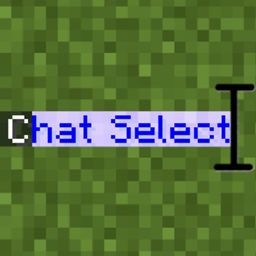
A small client-side mod that lets you select and copy text in the Minecraft chat with the mouse, the way you would in any text editor.
Vanilla chat doesn’t let you copy anything. Want to grab a coordinate, a command or a link someone posted? You end up retyping it. This mod fixes that.
How to use
Open the chat and:
- Click and drag over the text to select it. Dragging above or below the chat scrolls it for you.
- Double-click to select a word.
- Triple-click to select a whole message, even if it wraps over several lines.
- Ctrl+Shift+A selects everything in the chat history.
- Ctrl+C copies the selection to your clipboard.
Clicking a link or a clickable command without dragging still works as usual.
常见问题
Chat Select 支持哪些 Minecraft 版本?
Chat Select 支持 Minecraft Java 版 1.21–26.3,共 17 个版本,可用的加载器:Fabric。下载时注意选择和你游戏版本一致的文件。
Chat Select 怎么安装?
先用 PCL2 或 HMCL 启动器安装对应版本的 Fabric,再把下载的 .jar 文件放进游戏目录的 mods 文件夹,重新启动游戏即可。开启了版本隔离的,mods 文件夹在 versions/版本名 下面。
CardeJIbka 的其他作品
查看全部 →
Quick Exp
by CardeJIbka
Quick Exp 是一款 Minecraft 模组,玩家按住鼠标右键即可快速投掷经验瓶。
18.1万
1 个月前
Modrinth · CurseForge

Chest Stealer
by CardeJIbka
打开箱子时,可快速自动拾取其中物品的模组。
2.9万
4 个月前
Modrinth · CurseForge

No Blind
by CardeJIbka
彻底移除失明和黑暗状态效果的视觉效果。
1.8万
1 个月前
Modrinth · CurseForge
No Blind
by CardeJIbka
彻底移除失明和黑暗状态效果的视觉表现。
1.4万
1 个月前
Modrinth
评论
登录后评论和评分